

Lossless Scaling software is getting attention because it gives PC gamers a new use for a second graphics card without bringing back the old SLI model. The idea is simple enough: keep the main GPU focused on rendering the game, then let a secondary GPU handle frame generation. That does not make an older card equal to a new flagship, and it does not erase latency or image-quality concerns. It does, though, create a practical question for players with spare hardware: is a second GPU now useful again?
The answer depends heavily on the setup. Lossless Scaling is a third-party tool, not a driver-level feature built into a specific game engine or GPU family. That makes it more flexible, but also more dependent on configuration, game behavior, display settings, and user tolerance for generated frames. A reported dual-GPU test pairing an RTX 3090 with an RTX 3050 saw 4K frame rates move from 71 FPS to 144 FPS, according to Tom’s Hardware. That is a striking example, but it should be read as a test case, not a promise for every game or every PC.
Why Lossless Scaling Software Matters For Dual-GPU PCs
Lossless Scaling Software And Secondary GPU Work
The key change is where the frame-generation workload goes. In a single-GPU setup, the same card renders the game and handles the extra frame-generation work. That can eat into the headroom the tool is trying to create. In a dual-GPU configuration, the secondary card can take on the frame-generation task, reducing the load on the primary GPU. The research here is especially interesting because it does not rely on Nvidia SLI, AMD CrossFire, or game-specific multi-GPU support.
That distinction matters for modern PC gaming. Traditional multi-GPU gaming faded because support had to be baked into drivers, games, or rendering paths, and the results were inconsistent. Lossless Scaling takes a different route by working outside that old model. It is not splitting a game’s rendering work across two GPUs in the classic sense. It is using one GPU for the game and another for generated frames after the fact.
For players, the appeal is obvious. Many gaming PCs have a retired GPU on a shelf, or a lower-power card left over from an older build. If that card can perform a useful support role, it changes the value of hardware that might otherwise sit unused. TechRadar framed the same idea around turning an outdated GPU into a frame-generation machine, pointing to the consumer angle rather than a full platform replacement through its Lossless Scaling coverage.
What This Does Not Replace
Generated frames are not the same thing as newly rendered game frames. A higher displayed frame rate can look smoother, but input response still depends on the actual rendered frame pipeline, the game, the display, the CPU, and the GPU doing the real rendering. That is why competitive players should be cautious. A single-player RPG, strategy game, racing replay, or slower-paced action game may be more forgiving than a match where mouse latency is the whole story.
There is also the issue of visual behavior. Any frame-generation system has to guess what belongs between two real frames. Fast camera movement, UI elements, particles, and sharp motion can expose artifacts. That does not mean the tool is unusable. It means the quality bar is personal. Some players will accept minor visual oddities for smoother motion. Others will prefer a lower native frame rate with fewer surprises.
What Changed For Players With Spare GPUs
Old Hardware Has A New Job
The most interesting part of this trend is not that a high-end system can produce a bigger number. High-end PCs already have many ways to chase smoother animation: stronger GPUs, lower settings, native game support for frame generation, variable refresh displays, and upscaling features. The bigger shift is that a modest secondary card may have a role again in a gaming setup.
That matters during a rough upgrade cycle. GPU prices and availability can swing, and not every player wants to replace a working card just to gain access to newer frame-generation features. Lossless Scaling software gives those users another option: experiment with the hardware they already own before buying a new GPU. It is not a substitute for raw rendering performance, but it may extend the useful life of a build in games where the trade-offs feel acceptable.
The community angle is also worth watching. Tools like this spread because players share settings, failure cases, and side-by-side impressions. Readers who track broader PC gaming and player behavior across related sites such as Mostplays will recognize the pattern: a practical utility gains traction when it solves a real pain point without forcing a full rebuild.
Setup Friction Still Counts
A second GPU is not free in system terms. It needs a motherboard slot, enough case room, suitable power connections, and airflow that will not cook the primary card. It may also complicate cable routing, fan noise, driver behavior, and display-output choices. Small-form-factor PCs may be poor candidates. Budget prebuilts may lack the power supply margin. Some modern motherboards do not give the second slot enough bandwidth or clearance to make the layout pleasant.
Those details are less exciting than a frame-rate graph, but they decide whether the setup is worth living with. If the spare GPU turns a quiet PC into a hot, cramped box, the trade may not make sense. If the second card is low-power, already owned, and easy to fit, the experiment becomes far more appealing.
How To Judge Frame Generation Claims
Use Display Target Before Hype
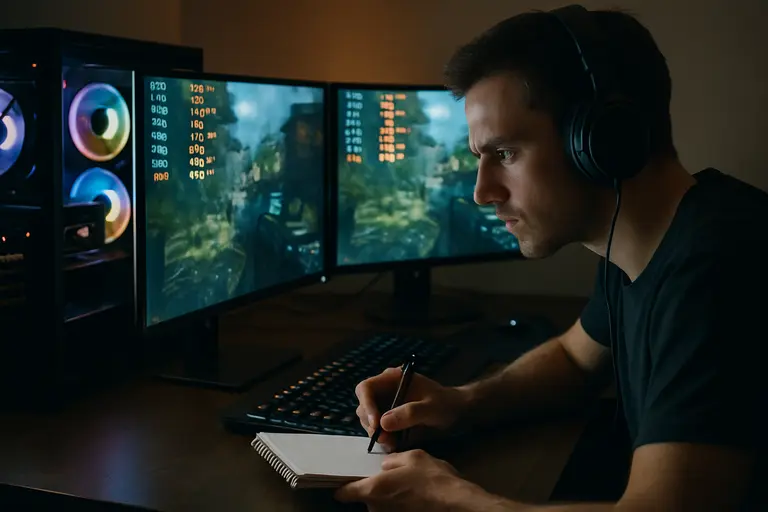
The right way to evaluate dual-GPU frame generation is to start with the monitor, not the software. A 60Hz screen does not benefit from the same displayed-frame target as a 144Hz or 240Hz panel. A 4K display also asks much more from the primary GPU than a 1080p monitor. If the base rendered frame rate is too low, generated frames may not feel convincing, even if the displayed number rises.
Players should treat any dramatic test result as a reason to test, not a reason to rebuild the whole PC. Check the game type, resolution, real rendered frame rate, generated frame multiplier, display refresh rate, and input feel. If a game already runs well but feels uneven, frame generation may help. If a game is CPU-limited, stuttering badly, or struggling with shader compilation, a frame-generation layer may not fix the root cause.
- Best candidates: slower-paced games, controller-friendly titles, simulation views, and games where visual smoothness matters more than twitch response.
- Riskier candidates: competitive shooters, rhythm games, fighting games, and any title where input delay is more important than displayed smoothness.
- System checks: PSU headroom, case airflow, PCIe slot spacing, driver stability, and whether the second GPU adds too much heat or noise.
Measure Feel, Not Just FPS
Frame-rate counters can be useful, but they do not tell the whole story. With generated frames, the displayed FPS figure may climb while control response changes less dramatically. That is expected because the game is still receiving input and rendering real frames at its own pace. The better test is simple: play the same section with the tool off, then on, and decide whether motion clarity improves without making control feel worse.
Lossless Scaling software is best viewed as an option in the tuning kit. It sits beside resolution scaling, in-game upscalers, graphics presets, frame caps, VRR settings, and driver controls. Used carefully, it can make a working PC feel smoother. Used carelessly, it can chase a big number while hiding heat, latency, or image issues.
Where Lossless Scaling Software Fits In A Gaming PC
For dual-GPU owners, Lossless Scaling software is one of the rare recent reasons to reconsider an old graphics card. It does not revive multi-GPU gaming in the old SLI sense, and it should not be sold as a guaranteed upgrade path. The supported takeaway is narrower and more useful: offloading frame generation to a secondary GPU can reduce the burden on the primary card, and at least one reported test showed a large displayed-FPS gain in a specific 4K setup.
The practical advice is to experiment before spending. If you already own a compatible spare card, have the power and airflow to install it, and mostly play games where visual smoothness matters more than low-latency response, the idea is worth testing. If you need to buy another GPU, upgrade a power supply, or move into a larger case just to try it, the math becomes harder.
The most sensible role for Lossless Scaling is not replacing a GPU upgrade. It is buying time, smoothing out certain games, and giving unused hardware a possible second life. For PC gamers who enjoy tuning their systems, that is enough to make it one of the more interesting software stories in gaming hardware right now.