

Let’s talk about your screen’s heartbeat. That steady pulse is its refresh rate, measured in Hertz (Hz). It’s how many times the image redraws itself every second.
Imagine a 60Hz monitor panel like a flipbook. You get a new picture every 16.66 milliseconds. It works, but you can see the gaps between pages.
Now, imagine it at 120Hz or 144Hz. Those gaps shrink to 8.33ms. The flipbook becomes a buttery-smooth cinema reel. Motion blur fades, and everything feels unnervingly real.
This isn’t just about pretty pictures. For gamers, a high refresh rate means your mouse moves feel like an extension of your will, not a suggestion. But here’s the catch: that fancy monitor panel is a demanding aristocrat. Your GPU needs to keep up, serving frames fast enough, or you’re just paying for something you can’t use.
Input Lag and Responsiveness
Even the fastest GPU can’t help if your monitor has input lag. This delay makes your actions feel slow. It’s why your shots miss or your dodges are late.
Input lag is the time from your GPU sending a frame to it showing on your monitor. But, there are two main types: signal delay and pixel response.
Signal delay affects how fast your mouse moves. It’s influenced by your monitor’s scaler, its processing, and your settings. Turning on “gaming mode” can help reduce this delay.
Pixel response is the blur or ghosting you see. It’s why fast-moving objects might leave a trail. A monitor can have good signal response but poor pixel response, making images look slow.
To measure input lag, experts use oscilloscopes. Enthuasiasts use high-speed cameras and tools like SMTT. These tools show the real-world feel of playing games.
People often argue over small differences in milliseconds. This is like debating the aerodynamics of a shopping cart. It’s a tiny detail that matters a lot to some.
How much input lag you notice depends on the game. For esports pros, even a small delay can be a big issue. But for strategy gamers, it might not be as noticeable. It’s all about what you feel and what you’re playing.
TN vs IPS vs OLED Panels
The debate over monitor panels is like a political race where each side has its own weaknesses. Each technology has its own way of showing images. Your choice affects what your screen shows you.
TN (Twisted Nematic) is like the old-school candidate. It’s fast and cheap. It’s a favorite among gamers because of its quick response times.
But TN panels have their downsides. They don’t look good from the sides, and colors are not vibrant. It’s a budget option that gets the job done, but it’s not perfect.
IPS (In-Plane Switching) is like the middle ground. It offers great colors and wide viewing angles. It’s good for teamwork or showing off your setup.
IPS panels have a problem called “IPS glow.” In dark scenes, a glow appears from the edges. But, modern IPS panels have improved, making them better for most users.
VA (Vertical Alignment) is like the dark horse candidate. It’s all about contrast, giving deep blacks. It’s perfect for movie nights.
VA panels have slow response times, causing ghosting in dark scenes. It’s best for solo games where you can overlook some issues.
OLED is like the radical candidate. It’s a new way of showing images. Each pixel is its own light source, giving perfect blacks and infinite contrast.
OLED has a big risk: “burn bright, risk burn-in.” Static images can leave permanent marks. It’s also very expensive. You’re paying for a display that’s fast but might leave lasting damage.
| Panel Type | Key Strength | Fatal Flaw | Best For |
|---|---|---|---|
| TN | Speed & Affordability | Poor Viewing Angles & Color | Competitive Esports |
| IPS | Color Accuracy & Viewing | IPS Glow in Dark Scenes | Creative Work & General Use |
| VA | High Contrast Ratio | Slower Dark Transitions | Media Consumption & RPGs |
| OLED | Perfect Blacks & Infinite Contrast | Burn-in Risk & High Cost | Premium Entertainment |
Behind the scenes, all panels use LCD technology. They have liquid crystals controlled by thin-film transistors. LED lights provide the needed illumination. OLED is different, letting pixels shine on their own.
So, which panel is right for you? It depends on what you value most. Do you need speed, color, contrast, or quality? Each choice has its trade-offs. The key is knowing what you can live with in your daily screen experience.
G-Sync/FreeSync Explained
Imagine a world where your GPU and monitor work together without any issues. For years, gamers had to choose between V-Sync and FreeSync. V-Sync caused input lag, while FreeSync led to screen tearing.
Variable Refresh Rate changed everything. It’s like a peace treaty between your GPU and monitor. Now, the monitor’s refresh rate matches the GPU’s frame rate. This means no more tearing and less lag.
Nvidia’s G-Sync and AMD’s FreeSync are the main players in this peace process. G-Sync was introduced as proprietary hardware. It required a special module in the monitor, which cost more but offered better features.
Variable overdrive is a key feature. It adjusts pixel response times based on refresh rates. This prevents ghosting at any speed.
FreeSync, on the other hand, was open-source. It used DisplayPort’s Adaptive-Sync standard, so it didn’t need extra hardware. This made smooth gaming more affordable.
AMD later added different levels of FreeSync. Each level had stricter performance standards.
Nvidia now supports “G-Sync Compatible” monitors. These are basically validated Adaptive-Sync displays. HDMI 2.1 VRR also brings VRR to next-gen consoles and TVs.
Here’s how the major technologies stack up today:
| Feature | G-Sync (Native) | FreeSync / Adaptive-Sync | HDMI 2.1 VRR |
|---|---|---|---|
| Technology Origin | Nvidia Proprietary | AMD / VESA Open Standard | HDMI Forum Standard |
| Hardware Required | Dedicated G-Sync Module | None (Scaler Support) | HDMI 2.1 Port on Both Ends |
| Certification Tiers | G-Sync, G-Sync Ultimate | FreeSync, Premium, Premium Pro | Not Applicable (Protocol Feature) |
| Key Differentiator | Variable Overdrive, Full Range VRR | Cost-Effective, Wide Adoption | Console & TV Focus, No Extra Cost |
| Primary Use Case | High-End PC Gaming Monitors | Mainstream PC Gaming Displays | Consoles (PS5, Xbox) & Gaming TVs |
For most PC gamers, any certified VRR is the best choice. It makes frame rate dips feel smooth, like a car slowing down.
When looking for new gaming displays, check for labels. Look for G-Sync Compatible, FreeSync Premium, and HDMI 2.1 VRR. These labels ensure you avoid lag and tearing.
VRR is a game-changer. Once you try it, the old ways seem outdated. The war is over, and your eyes can relax.
Testing Tools and Methods
When a manufacturer says ‘1ms response time,’ it’s often a selective truth. To find the real deal, you need tools, methods, and a critical eye. Welcome to the world of monitor testing.
Input lag is a big deal. It’s the delay from your click to the screen’s response. For accurate measurements, you need high-end lab equipment.
Professional reviewers use expensive tools like oscilloscopes and photodiodes. For us, there’s a DIY way. Use a high-speed camera to measure the delay.
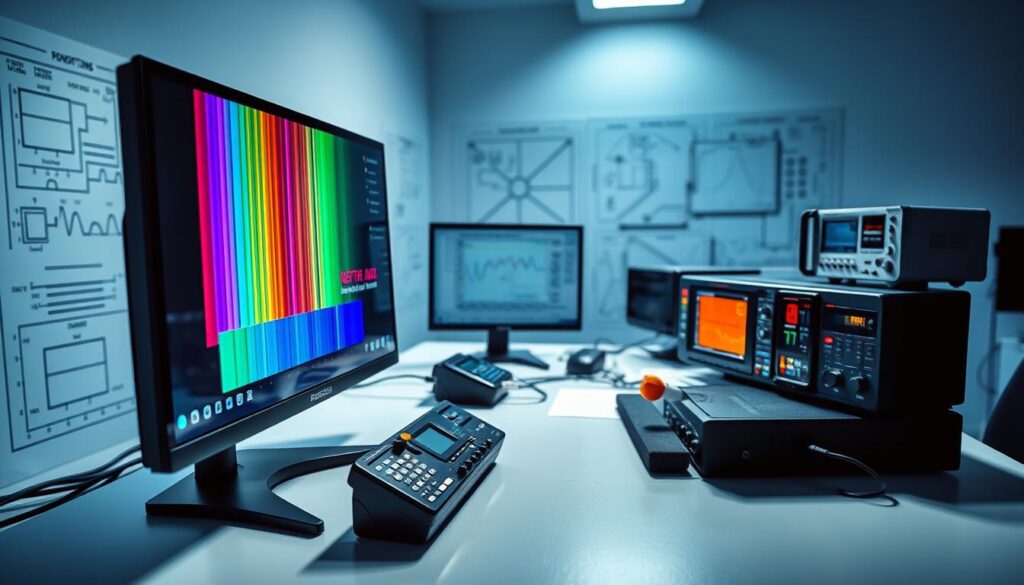
The Small Monitor Test Tool (SMTT) makes testing easier. But, it mixes pixel response times with total latency. It’s like tasting a soup without knowing the ingredients.
Response time is another challenge. The “1ms GtG” figure is often a best-case scenario. Real-world performance is more complex.
Testing response time requires tracking pixel transitions across different shades. It’s complex and requires special equipment. Manufacturers test under ideal conditions, not in real gaming scenarios.
So, what can an average user do? You have two main tools:
- Trusted reviews: Look for sites that use oscilloscopes and photodiodes. Their data is reliable.
- Your own eyes: Watch high-motion scenes for ghosting and other artifacts. Your eyes are the best judge.
Testing precision is hard in this field. Visual methods are not always precise. Camera-based tests have variables beyond signal delay. It’s more art than science for home testers.
The key takeaway? Don’t take manufacturer claims at face value. Look for evidence from thorough reviewers. Then, test it yourself. In the world of performance, you’re both the judge and the jury.
Impact on Gaming
Ever felt like your in-game actions were slow while your opponent moved fast? That’s the impact of your gaming display. It’s the silent partner in every headshot, the unseen canvas for every epic landscape. This isn’t about small gains; it’s about removing a layer of friction between your brain and the game world.
Let’s talk about the refresh rate. Moving from 60Hz to 144Hz or 240Hz is a big change. It’s like the difference between watching a flipbook and looking through a window. Motion becomes fluid, and your control feels direct. In a competitive shooter, a higher refresh rate might let you track an enemy a few milliseconds sooner. Those milliseconds are where matches are won.
But raw speed is useless if the signal is late. Enter input lag. Think of it as your display’s reaction time. A TV might have 50+ milliseconds of lag. A dedicated gaming monitor aims for less than 5ms. This is why every millisecond shaved off your input lag makes the game feel more “connected.” Your clicks and taps happen *now*, not almost now. For competitive play, low input lag isn’t a luxury; it’s the foundation.
So you have a fast, responsive signal. What paints the picture? The panel. Your choice here dictates the personality of your experience.
| Panel Type | Speed & Responsiveness | Visual Fidelity | The Trade-Off |
|---|---|---|---|
| TN (Twisted Nematic) | The purebred racer. Fastest pixel response, lowest input lag. | Not the star here. Viewing angles and color depth are mediocre. | You sacrifice eye candy for pure performance. The choice for esports purists. |
| IPS (In-Plane Switching) | Very good speed, suitable for most competitive games. | Excellent color accuracy and wide viewing angles. The visual all-rounder. | A brilliant balance. You get great speed without living in a washed-out world. For a deeper dive into this tech, consider understanding IPS technology. |
| VA (Vertical Alignment) | Slower than TN/IPS, can have more motion blur (“smearing”). | King of contrast. Deep blacks make scenes pop and feel immersive. | You trade some responsiveness for a cinematic, dramatic picture. Ideal for story-driven games. |
| OLED | Near-instant pixel response. Blur is virtually non-existent. | Perfection. Infinite contrast, perfect blacks, stunning colors. | The hypercar of displays. Breathtaking performance and beauty, with a premium price and possible burn-in if abused. |
Variable Refresh Rate (VRR) like G-Sync or FreeSync is the peacekeeper. It stops your powerful gaming display from throwing a tantrum when your PC’s frame rate dips. No more screen tearing or stuttering. The action stays smooth, even when the performance isn’t perfectly steady. It’s the final piece that makes a high-refresh rate monitor feel consistently silky.
The collective impact? Total immersion. You stop fighting your equipment and start engaging with the game. It won’t magically give you better aim, but it will eliminate the display as your go-to excuse. You’re left with nothing but your own skill—and a breathtakingly responsive window into another world.
Buyer Recommendations
Let’s get to the point: what monitor should you choose? Think of me as your digital matchmaker. I’ll help match your needs with the right display, because specs alone aren’t enough.
First, figure out what you need. Are you into fast-paced games or precise art? Your choice affects everything.
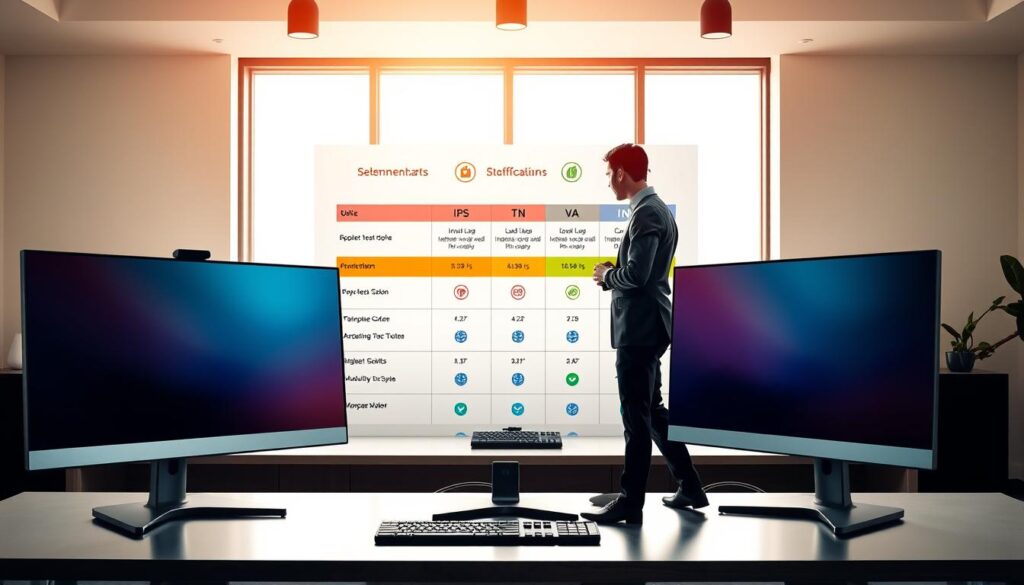
If you love the thrill of quick wins, speed is your priority. Forget about high-resolution visuals; focus on smooth performance.
For you, a 24 or 27-inch TN or “Fast IPS” monitor panel is best. Aim for 240Hz or 360Hz refresh rates. Look for reviews that confirm low input lag. G-Sync or FreeSync is a plus, but not the main goal. Stick with 1080p or 1440p to keep your GPU running smoothly.
The Aesthetic Architect (Creative Pro)
For you, color accuracy is everything. You need to see your project just as it will be in the real world. This is not just a feature; it’s a must.
Your ideal display is a 27 to 32-inch IPS screen. It should cover 99%+ of sRGB, Adobe RGB, or DCI-P3. Look for factory calibration and a hardware report. 60Hz to 120Hz is enough, and 4K is your best choice, with input lag being less important than color accuracy.
The Immersive Voyager (Story Seeker)
You’re not just playing games; you’re exploring new worlds. You want deep blacks and vibrant colors. Contrast is your main goal.
Your perfect screen is a 27-inch or larger VA panel with a 3000:1+ contrast ratio. If you can afford it, an OLED is amazing. Pair it with a 144Hz+ refresh rate and VRR for a smooth experience.
The Pragmatic Generalist (Jack of All Trades)
You do a bit of everything. You need a versatile monitor, not a specialized one. Versatility is key.
Your go-to is a 27-inch IPS with a 144Hz or 165Hz refresh rate. It’s the perfect balance. You get great colors, wide viewing angles, and enough speed for gaming. Look for “G-Sync Compatible” or FreeSync for smooth performance. This monitor panel type is like a comfortable sedan—it does everything well.
The truth is, the “best” monitor is the one that fits your lifestyle. Don’t choose a high-end monitor for everyday use. Know what you need and pick the right tool.
Conclusion
We’ve explored the world of gaming monitors together. Finding the perfect one isn’t about a single perfect match. It’s about balancing three key things: fast refresh rates, quick response times, and stunning visuals.
Every tech has its trade-offs. Alienware’s 360Hz TN panel is perfect for fast-paced games. LG’s OLED panels offer vibrant colors. ASUS ROG’s IPS panels often find the sweet spot.
NVIDIA G-Sync and AMD FreeSync have fixed the tear problem. Your monitor is your main tool. Pick it wisely, like choosing a guitar.
Consider what games you play most. Use real data from Rtings to help you decide. Find the monitor that makes your games feel amazing. See you in the next frame.