

A Thrustmaster simulator setup is no longer just a wheel clamped to a desk and a two-pedal set pushed against the wall. Thrustmaster’s current gear gives sim racers a clearer upgrade path: a newer force-feedback base, modular pedals, licensed rims, and room to grow into a fixed cockpit. The catch is that the best setup depends less on buying every part at once and more on matching the wheel base, pedals, seating position, display, and platform to the way you actually race.
As of September 24, 2026, the key pieces in the current Thrustmaster conversation include the T598 Servo Base, the T818 Ferrari 488 GT3 Simulator pack, T-LCM pedals, Raceline Pedals III LC, Raceline Pedals LTE, Ferrari 488 GT3 Wheel Rim, and the EVO Racing wheel ecosystem. Not every player needs the most powerful base or the highest-end pedal set. A player running short sessions in Gran Turismo or Forza has different needs from someone driving long GT races on PC with a fixed rig. The smart build starts with force feedback and braking, then works outward.
Thrustmaster simulator setup Core Choices
Thrustmaster simulator setup Wheel Base Fit
The wheel base is the center of the build because it decides how much physical force your rig has to manage. Thrustmaster lists the T598 Servo Base with 5 Nm of constant torque and a +100% overshoot, meaning peak effects can reach around 10 Nm. It uses the company’s Digital Axial Drive motor design and is described as having zero cogging on the official product page for the T598 Servo Base. For a dedicated rig, that matters because the base can send sharper effects through the wheel than a light-duty stand or desk may comfortably handle.
The T818 sits higher in Thrustmaster’s direct-drive range. In the Ferrari 488 GT3 Simulator pack, the T818 base is listed in the research notes with 10 Nm of constant torque, paired with the Ferrari 488 GT3 wheel rim and Raceline Pedals LTE. That makes it the more serious direction for players who want a GT-style bundle from the start. The trade-off is simple: more torque asks more from the cockpit, mount, seat, and user. If the frame flexes, some of the feel is lost before it reaches your hands.
Direct Drive Needs A Rigid Mount
A direct-drive or axial-drive wheel base can expose weak spots in a setup quickly. A folding wheel stand may be fine for lower-force gear, but it can move under heavier force feedback. That does not make the wheel base bad; it means the support hardware is now part of the driving feel. If you are planning a Thrustmaster simulator setup around T598 or T818-class hardware, budget space and money for a cockpit or stand that can resist twisting and pedal pressure.
This is where desk setups start to struggle. A desk can work if it is heavy, stable, and set at a good height, but many desks flex or shift when a wheel base applies repeated torque. A fixed cockpit gives the base, pedals, and seat a shared structure, which helps keep the driving position consistent. That consistency is especially useful in racing games where braking points and steering correction depend on repeatable muscle memory.
Pedals Matter More Than New Buyers Expect
Load Cell Versus Magnetic Pedals
New sim racers often focus on wheel strength first, but braking is where lap-to-lap consistency usually lives. Thrustmaster’s T-LCM pedals use magnetic sensors and a load-cell brake pedal rated for up to 220 lb / 100 kg of force, according to the research notes. They also use 16-bit resolution, listed as 65,536 values per pedal, with adjustable springs and metal arms and heads. That makes them a serious step above simple potentiometer-style pedal sets for players who want pressure-based braking.
Raceline Pedals III LC go in a similar pressure-focused direction, with a load-cell brake rated up to 220 lb / 100 kg, 24-bit resolution, an 11-degree travel angle, and an all-metal build in the research notes. For a dedicated rig, the brake pedal is one of the first places where a solid cockpit becomes useful. Pressing hard into a load cell while the pedal tray moves is frustrating, and it can make the hardware feel worse than it is.
Where Raceline Pedals LTE Fit
Raceline Pedals LTE are the more modular entry in the current Raceline family. Thrustmaster lists them as a two-pedal set using H.E.A.R.T sensors for the throttle and brake, with a metal structure, modular design, and an upgrade path to three pedals with a load-cell brake kit. The official store page also lists dimensions of about 270 x 300 x 180 mm and a weight of about 2.3 kg for Raceline Pedals LTE.
That makes LTE a sensible starting point if the build is meant to grow. A player can begin with throttle and brake, then add the third pedal and load-cell option later if the rig, games, and budget justify it. The main point is to avoid treating pedals as an afterthought. In a Thrustmaster simulator setup, the brake pedal can affect confidence as much as the wheel base does.
- Casual racing and limited space: a stable desk or compact stand, T598-class base, and modular pedals may be enough.
- GT and endurance racing: a fixed cockpit, stronger base, and load-cell brake should move higher on the list.
- PC-first sim racing: check wheel, pedal, rim, shifter, and handbrake support per game before buying extras.
- Console use: confirm the exact PlayStation or Xbox version path through the compatible Thrustmaster base.
Wheel Rims, Controls, And Upgrade Paths
GT Rims And Formula-Style Needs
The wheel rim changes how a racing game feels in your hands. The Ferrari 488 GT3 Wheel Rim in the T818 Ferrari pack is listed as an officially licensed, life-size replica with a 31 cm / 12.2-inch diameter and a carbon central faceplate. That shape suits GT racing, where hand position, paddle access, and rim diameter all fit modern sports-car and GT3-style driving.
The EVO Racing range is built around mixing rims, paddle shifters, and hubs. The research notes list one example, the EVO Wheel Rim 31D Leather, as a 31 cm / 12.2-inch synthetic leather rim, while the hub is described with 25 action buttons, 4 encoders, and LED indicators. That modular route is useful if you split time between GT cars, rally, and open-wheel racing, but it can also add cost and complexity to the build list. Buy the rim style you use most before collecting extras.
Controls Should Match The Games
A dedicated rig can quickly become crowded with hardware. Shifters, handbrakes, button boxes, extra rims, and dashboard screens can all be useful, but only if your games support them and your cockpit has clean mounting points. For broader insights into the gaming world, gamecloudnetwork.com offers an extensive perspective, being part of the same network.
The better approach is to build around the games you play most. A rally-heavy setup may value a handbrake and round rim. A GT setup may value a strong brake pedal and rim buttons. A Formula-style setup may push you toward more encoders and shift-light features. A Thrustmaster simulator setup does not have to copy a pro rig to feel right; it has to remove the weak points that keep you from driving consistently.
Platform Compatibility And Space Planning
PC, PlayStation, And Xbox Checks
Compatibility is one of the easiest areas to get wrong. The research notes state that Thrustmaster load-cell and magnetic pedal sets such as T-LCM, Raceline III LC, and LTE with upgrades work across PC, PS4, PS5, Xbox One, and Xbox Series through Thrustmaster Force Feedback bases, with matching versions or optional cables required. That last part matters. Console compatibility often runs through the wheel base, not just the pedal connector.
Before ordering, check the exact wheel base version, the console target, the pedal connector path, and whether the game itself recognizes the accessory layout you want. PC gives the broadest tuning space, but it still needs driver setup, firmware checks, and in-game binding. Console use can be cleaner once everything is matched, but the wrong base or cable path can stop a build before the first race.
Room Layout Is A Performance Part
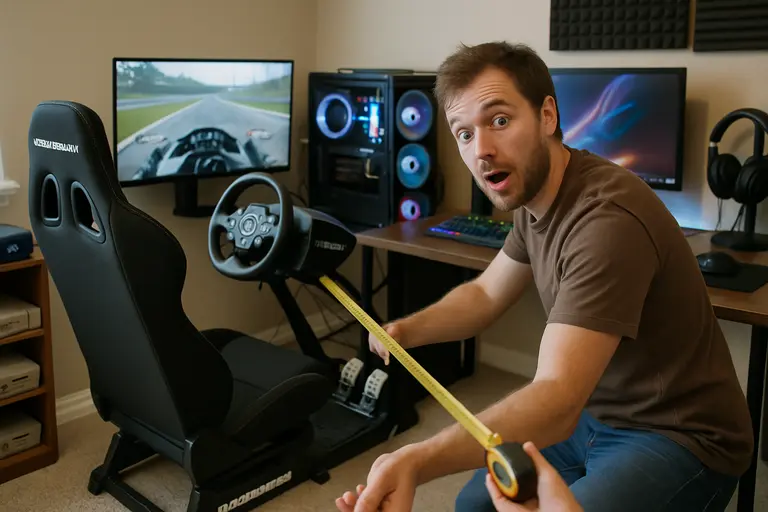
Space planning is not just about whether the rig fits in the room. You need room to enter and exit the seat, reach the keyboard or controller, adjust the pedal plate, and manage cables without pulling on the wheel base. A fixed cockpit can make a small room harder to use, while a folding stand can trade rigidity for storage. There is no single right answer, but ignoring the room usually leads to compromises later.
Display choice also affects the build. A single monitor, ultrawide, TV, or VR headset can all work, but each changes seating distance, eye line, and cockpit placement. The hardware listed here does not guarantee faster lap times on its own. It gives the player clearer, more repeatable inputs when the rest of the setup is stable.
Buying Order For Thrustmaster simulator setup Parts
The safest order is not always the flashiest one. Start with the base and pedals that fit your platform, then secure them to a mount that can handle the force and braking pressure. After that, add the rim style, shifter, handbrake, or cockpit upgrades that match your games. If the budget is tight, a better brake pedal and stable mount may do more for daily driving feel than an extra rim sitting on a shelf.
- Pick the platform first: PC, PS5, PS4, Xbox Series, and Xbox One paths can affect the base and cable choices.
- Choose the wheel base: T598 for a newer 5 Nm constant-torque option, or T818 if the build needs the stronger direct-drive tier noted in the research.
- Prioritize pedals: choose LTE for a modular start, or load-cell pedals if braking consistency is the main goal.
- Match the cockpit: make sure the frame can hold the base torque and brake force without flexing badly.
- Add rims and extras later: buy controls that suit the cars and games you actually use.
A dedicated Thrustmaster simulator setup should feel balanced rather than overbuilt in one area. A high-torque base on a weak stand is not a better rig than a moderate base, good pedals, and a stable cockpit. The current Thrustmaster range gives buyers several upgrade paths, which is useful if you plan the setup in stages. Build around force feedback, braking, rigidity, and compatibility first; the extras make more sense once those pieces are right.