

Buying a glowing mouse is easy. But, creating a setup that takes your gaming to the next level? That’s a whole different story.
We’re not just talking about RGB rainbows here. We’re diving into the tech that makes top-notch gear stand out from the rest.
Imagine the difference between a regular car and a race car. Both can get you where you need to go. But, one lets you feel the road through your hands.
The gaming world is changing fast. With costs going up, your high-end gear is what keeps your gaming experience top-notch.
Why did Corsair keyboards and SteelSeries headsets win in PCMag’s Readers’ Choice surveys? It wasn’t just marketing.
It was because of their advanced switches, smart software, and focus on your hands and ears. Brands like Logitech for mice and MSI for systems set the standard.
This section is our mission statement. We’re moving beyond buzzwords to the real tech that matters. And what moves your cursor.
Switch Types & Response Times
If your keyboard feels like typing on a wet sponge, you’re already losing the latency war before the match even loads. The humble key switch is where the digital rubber meets the physical road. It’s the translator for your intent.
Let’s demystify the two main camps. On one side, you have the membrane keyboard. It’s the fast food of input devices: cheap, ubiquitous, and utterly forgettable. A single rubber sheet sits under the keys. Press down, it squishes a circuit. There’s no distinct feel, just mushy resistance.
On the other side stands the mechanical keyboard, the artisanal craft of input. Each key has its own dedicated, spring-loaded switch. This isn’t just a button; it’s a tiny engine of feedback. The difference isn’t merely aesthetic—it’s neurological.
| Type | Feel | Noise Level | Best For | Pro Insight |
|---|---|---|---|---|
| Membrane | Mushy, uniform | Quiet | Budget setups, office use | Consistent but slow; lacks tactile clarity for rapid keystrokes. |
| Mechanical | Crisp, distinct | Varies (Quiet to Loud) | Gaming, typing, customization | Unambiguous physical feedback reduces mental processing time. |
Mechanical switches break down into three personality types. Think of them as different breeds of a very fast dog.
- Linear Switches: The smooth operators. They press down in a silent, consistent motion—no bump, no click. Favored by speed-demons in FPS games, they’re the stealthy ninjas of keystrokes. Red switches are the classic example.
- Tactile Switches: The polite couriers. They provide a subtle but distinct bump halfway down to confirm the actuation without the loud noise. You feel the command register. It’s haptic communication, perfect for tactical games and programmers who want confirmation.
- Clicky Switches: The gloriously obnoxious broadcasters. They combine the tactile bump with an audible *click*. Your APM sounds like a Geiger counter in a uranium mine. It’s for those who want absolute auditory confirmation and don’t mind the soundtrack.
The real pro-tier move, though, is hot-swappability. Found on premium boards like the Corsair K65 Plus Wireless, this feature lets you pull out switches and plug in new ones without a soldering iron. Tired of your quiet reds? Swap in some tactile browns between matches.
This isn’t mere customization; it’s future-proofing. It turns your keyboard into a modular synth, letting you tune the instrument to the specific game—or grievance—of the day. The latest evolution in this space involves optical-mechanical switches, which use light beams for even faster actuation.
So, what about response time? We can talk nanoseconds until our processors overheat. The real latency bottleneck is between your brain and your finger. A good switch—one with clear tactile or linear feedback—shaves that down. It provides an instant, physical “message received” that your muscle memory learns to trust. You stop second-guessing your presses. That’s where the true speed is born.
Mouse Sensors & DPI
Forget what you thought about gaming mice. The world has changed, moving past old debates. Cables are no longer needed for fast performance.
Today’s wireless tech is as good as, or even better than, cables. You get a clean desk and smooth movement. Top gamers in CS:GO and Valorant show there’s no disadvantage to wireless.
The real magic is in the sensor, not the connection. It’s like the kyber crystal in your lightsaber. This tiny eye tracks your every move, affecting your precision.
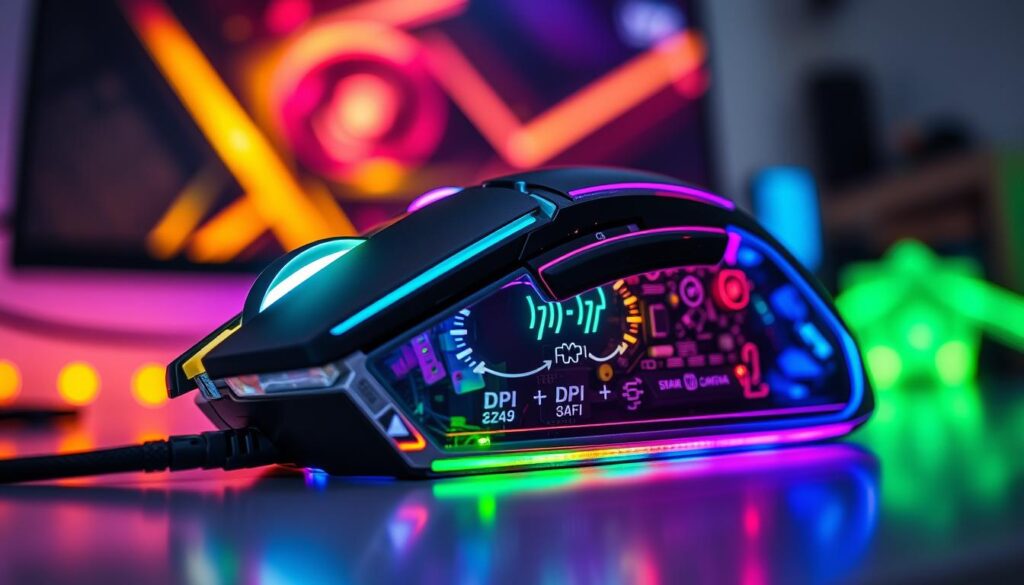
High-end mice use optical or laser sensors for amazing accuracy. They track movement and desk details like a mapmaker. This is what sets pro-grade mice apart from cheaper ones.
DPI, or Dots Per Inch, shows sensitivity, not skill. Setting it too high is like using a Ferrari in first gear. It’s pointless.
Finding the right DPI is personal. It depends on how you play. If you’re quick with your mouse, high DPI is for you. It’s perfect for precise sniping.
If you move your mouse in big sweeps, low DPI is better. It works well with a large mousepad. It’s not about showing off. It’s about control.
Then there are optical switches. They’re not just marketing. Traditional switches have delays and wear out. Optical switches use light for instant clicks and last much longer.
Take the Razer Basilisk V3 Pro as an example. It has optical switches and a comfy shape. Its sensor is top-notch, making it perfect for fast tracking.
The best gaming mice become part of you. They don’t feel like separate devices. They let your skill shine through.
Choosing a mouse is now about sensor quality, switch tech, and design. It’s about finding the right fit for you. Get it right, and you’ll have an edge.
Audio Quality for Headsets
Forget what you’ve heard about gaming audio. It’s not just about feeling like you’re in the game. It’s about being tactical. A distant reload sound isn’t just atmosphere; it’s a warning. Footsteps aren’t just sounds; they’re like radar signals showing where enemies are.
The debate between open-back and closed-back headsets is key. Think of it as how your headset sounds inside your head. Closed-back designs block out the world, great for when it’s noisy. But, everything sounds like it’s inside your head.
This can make it hard to tell where sounds are coming from. The bass boost can also make audio cues unclear. It’s like trying to guess where footsteps are coming from.
Open-back headsets let sound spread out, making it feel like you’re in a big room. You can pinpoint where sounds are coming from. But, everyone nearby can hear what you’re playing.
For good sound without spending a lot, the HyperX Cloud Stinger 2 is a great choice. But, for top-notch wireless sound, consider the Razer BlackShark V2 Pro or SteelSeries Arctis.
Comfort is also key. A headset that’s too uncomfortable will get tossed. Look for soft ear cups, adjustable bands, and breathable materials. It should feel like it’s not even there.
Microphones have improved a lot. But, for streaming or recording, a dedicated USB mic like the 512 Audio Tempest is better. It makes a big difference in sound quality.
Choosing a headset depends on your needs. Do you need to block out noise? Go for closed-back. Or do you want to hear everything clearly? Open-back might be better. And remember, the best headset is the one you’ll actually use.
Customization Software
Here’s a truth many don’t share at electronics stores: your fancy keyboard and mouse need software to work. This software is the brain of your setup, making it do more than just basic tasks.
Corsair’s iCUE and Razer’s Synapse are like the puppet masters of your setup. They can make your keyboard flash red when your health is low. They also let you press one button for complex actions.
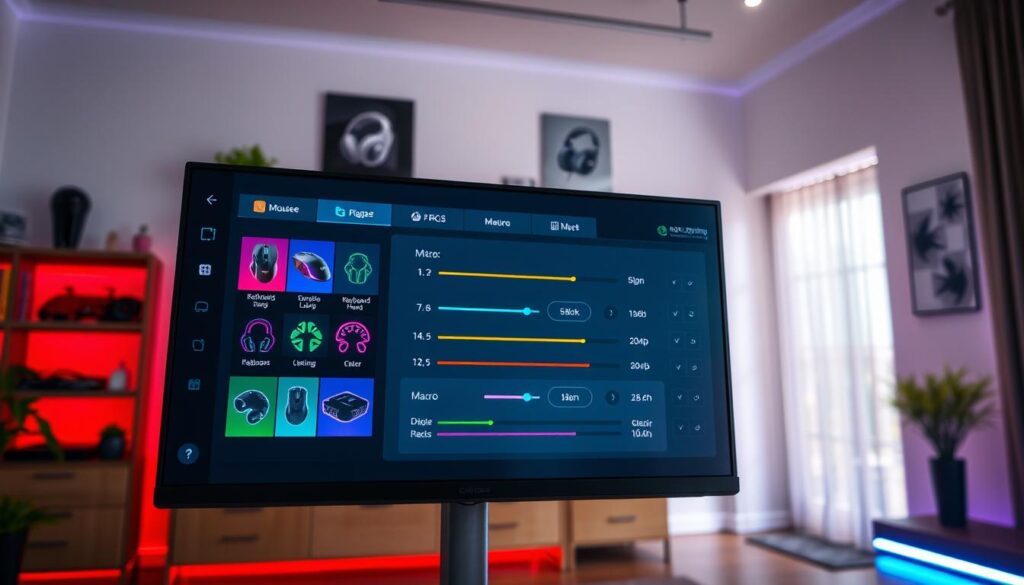
But, this power comes with a problem. We now have software that’s like adware, taking up too much space and slowing things down. It’s frustrating to have to log in just to change simple settings.
Pro gamers want software that’s like a precision tool, not a hassle. Brands that get this right earn loyal fans. Corsair is known for its RGB lighting, while Razer is praised for its programmability.
What makes software great is when it understands you:
- Context-aware profiles that change when you start a game
- Syncing devices so they work together smoothly
- Easy-to-use macro layers
- Software that doesn’t slow down your computer
With the right software, your setup becomes truly yours. A keyboard that feels just right for your games, or a mouse that vibrates when it’s time to attack. It’s all about the software.
It’s ironic that we spend so much time on hardware, but the software is what really matters. The best peripherals make sure their software is powerful, not a burden.
Look for software that gives you control without being too much. Can you set up sensor profiles easily? Does the RGB system work without extra services? This software is what makes your setup unique, so choose wisely.
In the end, your peripherals are only as good as their software. Pick the right one, or you’ll be stuck with a setup that’s not as great as it could be.
Best Picks for Serious Gamers
Enough talk about switch types and sensor specs. It’s time to build a command center that looks and performs like a pro. We’ve gathered data from tear-down reviews, long-term reliability reports, and user consensus. Here’s your curated shortlist.
This isn’t a popularity contest. It’s where lab data meets marathon gaming sessions.
The Keyboard: Your Tactile Foundation
The Corsair K65 Plus Wireless is more than a pick; it’s a statement. It has hot-swappable switches for any tactile preference. The rotary knob adds efficiency.
Corsair didn’t win a survey by accident. This model offers wireless freedom without latency worries. It’s a keyboard that grows with you.
The Mouse: Precision’s Conduit
Your mouse connects you directly to the game world. The Razer Basilisk V3 Pro is the wireless top. Its shape is ergonomic perfection, with a sensor that’s almost clairvoyant.
If the “Pro” tag is too pricey, the standard V3 is almost as good. Logitech’s wireless tech is so flawless, it’s almost boring.
For headsets, you have many choices. The HyperX Cloud Stinger 2 is a budget assassin. It offers great value without breaking the bank.
The SteelSeries Arctis Nova Pro is the survey king for wireless quality. The Razer BlackShark V2 Pro is a noise-canceling champion for those who need to block out the world.
| Headset | Key Strength | Best For |
|---|---|---|
| HyperX Cloud Stinger 2 | Extreme Value | Budget-conscious pros |
| SteelSeries Arctis Nova Pro | Feature Completeness | The wireless maximalist |
| Razer BlackShark V2 Pro | Superior Noise Cancellation | Loud environments |
The Canvas: Your Window to the World
A subpar display ruins all the great input. The MSI MAG 274QRF QD E2 monitor is a top choice. It offers elite gaming performance without a huge price tag.
This isn’t about flashy logos. It’s about high-end gear that works. Each piece is chosen for its purpose, not just looks.
Building this arsenal means more than just buying keyboards, mice, and headsets. It’s investing in tools that help you win. Now, go make your intentions a reality.
Conclusion
So, where are we now in our search for the ultimate gaming setup? It’s not about beating others in specs. It’s about making your gear fit you perfectly.
Your mouse and keyboard are key. They turn your thoughts into action. Your headset helps you hear what matters. Together, they create a perfect system.
This equipment is your connection to the digital world. When your mouse feels like an extension of your hand, you’re on the right track. Your skills will match your mind.
Buying top-notch gear is serious. It’s about mastering your tools. Choose what feels right for you, not just what looks good.
Your performance and fun will show in your choices. Get ready to play better and enjoy more.