

Welcome, digital pioneers. Strap in. You’re not just buying a gadget; you’re purchasing a passport to the rendered sublime.
Think of me as your witty, sarcastic guide through the world of VR hardware. I’ve been there—fumbling with USB-C cables in the dark, squinting at GPU benchmarks, wondering if my PC is about to have a thermal meltdown trying to run the latest immersive titles.
This guide cuts through the marketing spiel. We’re going to dissect what you actually need to step into another world. The goal? Separating the “must-have” from the “marketing-hype.”
You want a system that doesn’t stutter, nauseate, or bankrupt you. Sound familiar? Whether you’re building from scratch or upgrading, the right gear makes all the difference. Even a smart budget setup can deliver stunning immersion without flagship prices.
Let’s demystify the components. Your first-class ticket awaits.
VR System Requirements Breakdown
VR requires more than just performance; it demands a high-tech upgrade. Think of your gaming PC as a capable sedan. Now, imagine asking it to race in a Formula 1. That’s the scale of upgrade needed for vr system requirements.
A standard 1080p game renders one image. Your VR headset must render two high-resolution images for each eye. Each image needs to be smooth, between 72 to 144 frames per second. Any stutter can cause motion sickness.
Before buying a new headset, check your current machine. This isn’t just a quick look at your specs. It’s a detailed PC check. We’re looking for the heart (GPU), brain (CPU), memory (RAM), and lifelines (video outputs).
The graphics card, or GPU, is key. To find it on a Windows PC, press the Windows key, type “Device Manager,” and look under “Display adapters.” See a name like “GTX 1060” or “RTX 3070”? That’s your GPU. If it’s older than four years, it’s likely too old for modern VR.
The central processor, or CPU, is next. Go to your Task Manager (Ctrl+Shift+Esc), click the “Performance” tab, and see what’s under “CPU.” This silicon handles physics, logic, and tracking data. A modern quad-core is the minimum; six or eight cores is better.
Don’t overlook your RAM. While in Task Manager, check the “Memory” section. 16GB is the new standard for VR. 8GB is the minimum, and you’ll feel every creak and groan.
The final check is your video output. Look behind your desktop tower. Do you see an HDMI or DisplayPort slot that’s directly connected to your graphics card, not the motherboard? That port is your headset’s umbilical cord. No dedicated port? You have a serious problem.
Understanding these vr system requirements is key to avoiding a very expensive, very immersive paperweight. Get this wrong, and you’ll only experience a slideshow of regret.
Headset Comparison: Quest, Index, Pico
Choosing a VR headset is not about picking a winner. It’s about finding what fits your tech personality. Meta’s Quest, Valve’s Index, and ByteDance’s Pico offer different answers. There’s no best VR headset for everyone. The right one is the one that suits you.
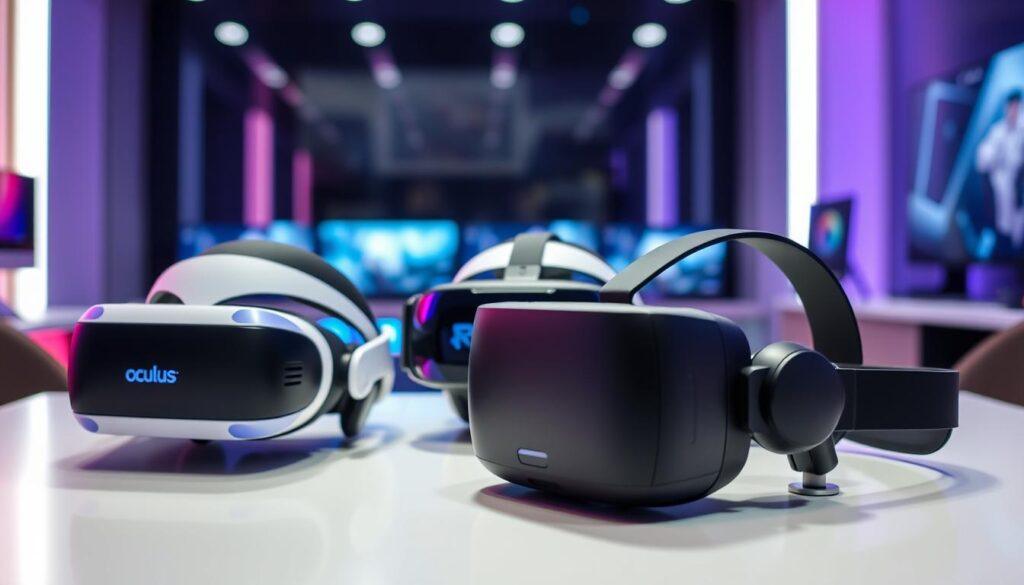
Quest: The Populist Champion
Meta’s Quest is like a Swiss Army knife in VR. It’s flexible and free from PC ties. But, it can also connect to a PC via Link cable.
The official PC needs are simple: a GTX 1060 GPU, an i5-4590 CPU, and 8GB RAM. Yet, meeting these specs means you might miss out on the full experience.
The Quest’s weakness is video compression over USB 3.0. This is the price for its ease of use. It’s a great start, but it has its limits.
Index: The Enthuasiast’s Benchmark
The Valve Index is like a surgeon’s scalpel in VR. It’s for those who want the best. It doesn’t use compression or wireless tricks.
It needs a strong GPU via DisplayPort 1.2 for top visuals. The recommended specs are a GTX 1070, an i5-7500 CPU, and 12GB RAM. It’s for those who value precision.
The Knuckle controllers make your virtual hands feel real. This headset is for when you’re ready to move beyond convenience.
Pico: The Intriguing Contender
Pico is a strong contender in standalone VR. Its PC VR needs are similar to the Quest’s. The hardware is praised for its comfort and sharp lenses.
The catch is its ecosystem. It’s like choosing between an Android phone and an iPhone. The software and game library are catching up, but it’s not there yet.
Pico is for those who value high specs and are willing to explore. But, it’s not for those who want plug-and-play simplicity.
So, which philosophy resonates? The following table cuts through the noise to lay their core identities bare.
| Headset | Primary Type | Min PC Spec Heart (GPU/CPU) | Key Strength | The Compromise |
|---|---|---|---|---|
| Meta Quest | Standalone / PC Hybrid | GTX 1060 / i5-4590 | Unmatched flexibility & accessibility | Video compression over USB |
| Valve Index | PC-Powered Purist | GTX 1070 / i5-7500 | Top-tier fidelity & immersion | High cost & permanent tether |
| Pico 4 | Standalone / PC Streamer | GTX 1060 / i5-4590 | Great hardware value & comfort | Ecosystem is maturing |
GPU Performance in VR Applications
Your graphics card is key for a smooth, stunning vr gaming pc experience. It’s not just about pretty pictures. It’s about creating two high-resolution worlds at 90 frames per second or more. Anything less ruins the illusion.
Forget about gaming on a single screen. VR is like running two 4K marathons side-by-side every 11 milliseconds. This is why a top card in flat games can struggle in VR.
So, what should you buy? Ignore the marketing. Your GPU choice depends on your headset’s resolution. For the Meta Quest 3, an RTX 4060 or RX 7600 is good. But for high-resolution headsets like the HP Reverb G2, you need an RTX 4080 or RX 7900 XTX.
Using a weak GPU means seeing reprojection. This creates a ghostly, nauseating stutter. It’s fast to ruin your fun and your lunch. My advice? Spend the most on your GPU.
Investing in a strong GPU means visual bliss and stability. It prepares your vr gaming pc for future software and ensures you’re fully immersed.
CPU Requirements for VR Gaming
Using a flip phone to stream 4K video is possible but very bad. Everyone focuses on the GPU, which paints pixels fast. But your CPU is like the stage manager, handling physics, AI, audio, and data for the GPU. Ignore it, and your vr system requirements won’t work well.
Official specs often list old CPUs like i5-4590 or Ryzen 5 1500X. These are outdated. Using them for VR is like playing Beethoven’s Fifth with a kazoo. It’s noisy but not music.
The truth is, most official minimums are just for starting an app, not for enjoying it. Anything less than an i3-14100 or Ryzen 5 4500 is not good for today’s games. An old i5-4590 will cause stutters and slow head tracking.
A modern 6-core, 12-thread processor is the new baseline. Think Intel’s i5-12400 or AMD’s Ryzen 5 5600. These can handle VR’s data streams well. For demanding headsets, an i5-7500 or Ryzen 5 1600 is recommended.
Your CPU makes the virtual world work right. It ensures objects act as they should. It keeps the 90Hz refresh rate smooth. A strong GPU with a weak CPU is like a sports car with a scooter engine.
When checking your vr system requirements, don’t let the CPU be weak. A modern 6-core/12-thread CPU is essential. It’s what makes VR feel real, not just a slideshow.
USB & Connectivity Needs
Let’s talk about the digital umbilical cord—the often-ignored, perpetually fumbled tangle of cables and ports that actually makes your VR dream a reality. This is the backstage plumbing of vr system requirements. Nobody gets excited about it until there’s a leak. And trust me, a connectivity leak manifests as the blue screen of despair, a frozen guardian, or a headset that winks at you like a bored sphinx.
The USB port is your first hurdle. It’s not just “a port.” We must speak of bandwidth and controller chips. The original Oculus Rift CV1 was a diva, demanding three dedicated USB 3.0 ports. This requirement single-handedly ended many a would-be VR pioneer’s journey before it began. Modern headsets are more polite, but the principle remains. You need a high-bandwidth USB 3.0 (or better, USB 3.2 Gen 1/2) port driven by a capable controller on your motherboard. Plugging into a cheap, shared hub is like asking a scooter to pull a semi-truck.
Then comes the video port. This is the law: it must come directly from your discrete GPU, not your motherboard’s integrated graphics. That DisplayPort or HDMI slot is the VIP entrance for billions of pixels. Using a cheap adapter to convert DisplayPort to HDMI (or vice versa) is the classic rookie error. It’s the technological equivalent of trying to fit a firehose through a drinking straw. It might dribble through for a low-res experience, but for smooth, high-fidelity VR, it’s a guaranteed headache.
Before you buy anything, do a port inventory. Check what’s available directly on your GPU and on your motherboard’s rear I/O panel. This simple act saves hours of frustration. To make it easy, here’s a cheat sheet for some major players.
| VR Headset | Primary USB Requirement | Video Port Requirement | Key Notes |
|---|---|---|---|
| Meta Quest 2/3 (Link) | 1x USB 3.0+ (for PC Link cable) | N/A (Standalone) or via USB | Uses a single USB-C cable for data & power. Bandwidth is critical for high bitrates. |
| Valve Index | 1x USB 3.0+ (for headset & camera passthrough) | 1x DisplayPort 1.2+ | The breakout box simplifies connections but stil needs a direct GPU DisplayPort. |
| Pico 4 (Streaming) | 1x USB 3.0+ (for Streaming Assistant) | N/A (Standalone) or via USB | Similar to Quest in PCVR mode; relies on USB or Wi-Fi for data transmission. |
| Oculus Rift CV1 | 3x USB 3.0 | 1x HDMI 1.3 | Historical cautionary tale. Requires multiple dedicated controllers, not just ports. |
Getting this right is non-negotiable. You can have the world’s fastest GPU, but if it’s connected through a compromised port, your performance will be a lie. Think of connectivity as the foundation of your vr system requirements. You build the fancy house on top of it. Skip the inspection, and the whole thing wobbles.
Room Setup & Tracking Systems
The magic of VR isn’t just in the headset—it’s in the silent, invisible dance between your body and a constellation of sensors. Your physical space becomes the final, and most critical, piece of hardware. Get this wrong, and you’re just a person wearing expensive goggles. Get it right, and your living room transforms.
This transformation hinges on one of two tracking philosophies. Your choice here might just define what the best vr headset is for your life.
First, the classic: outside-in tracking. Think of systems like Valve’s Lighthouse or the older HTC Vive setup. Here, external base stations act like lighthouse keepers, painting your walls with an invisible laser grid. Your headset and controllers are ships in the fog, reading these signals to pinpoint their location with millimeter-perfect precision.
It’s exquisite for hardcore sim racers and competitive shooters. But it’s a commitment. You’re mounting sensors in opposite corners of your room. It’s a semi-permanent installation. For the enthusiast who values flawless tracking above all else, this is the cathedral.
Then, there’s the modern rebel: inside-out tracking. Adopted by the Meta Quest, Pico, and Windows Mixed Reality headsets, this method turns the headset into a self-reliant scout. Built-in cameras look outward, mapping your room in real-time. You literally draw your play boundary on the floor—the now-famous Guardian system.
The convenience is brilliant. No external hardware. Take it anywhere. But it has blind spots. Reach behind your back to draw an arrow, or let your hands drop to your sides, and the cameras lose them. Poor lighting or featureless white walls can also confuse it. It’s tracking with human-like limitations.
So, which is for you? It’s a simple trade-off:
- The Architect (Outside-in): You want the highest fidelity. You don’t mind a few screws in your wall. Your tolerance for setup is low, but your demand for precision is sky-high.
- The Nomad (Inside-out): You value plug-and-play freedom. Your play space changes. You accept that some gestures might briefly vanish. Your demand for convenience wins.
This decision is more personal than any GPU spec. It dictates how you live with VR. For a deep dive on optimizing your area, check out our definitive guide to setting up your VR.
Regardless of your tracking choice, one universal rule applies: clear that coffee table. I speak from painful, shin-bruising experience. Your virtual world is only as safe as the real one you’ve curated. The best vr headset for you is the one whose tracking system matches your lifestyle, letting you forget the tech and just play.
VR-Ready PC Builds by Budget
Let’s talk about what really matters: money. Building your own VR world isn’t about spending the most. It’s about smart spending. Think of it like starting a business. Do you start small, get a big investment, or go for everything?
You have two choices: build it yourself or buy a pre-made vr gaming pc. Building it yourself is for those who love to tinker. Buying a prebuilt vr gaming pc is like getting a ready-made solution. You get guaranteed performance, a single warranty, and a machine that’s already been tested.
Your budget sets your limits. Here’s how different budgets compare, whether you’re building it yourself or buying a prebuilt.
| Tier & Persona | Target Experience | Core Components (Guide) | Price Window |
|---|---|---|---|
| The Budget-Conscious Explorer | Solid performance for Meta Quest 2 Link, basic Windows Mixed Reality. Playable settings on older VR titles. | GPU: NVIDIA RTX 3060 or AMD Radeon RX 6600 XT CPU: AMD Ryzen 5 5600 or Intel Core i5-12400F RAM: 16GB DDR4 |
$800 – $1,200 |
| The Enthuasiast’s Sweet Spot | Buttery smooth frames on Valve Index, HP Reverb G2. High fidelity in current-gen games like Half-Life: Alyx. | GPU: NVIDIA RTX 4070 or AMD Radeon RX 7800 XT CPU: AMD Ryzen 7 7700X or Intel Core i5-13600K RAM: 32GB DDR5 |
$1,500 – $2,200 |
| The No-Compromise Architect | Maxing out a Pimax Crystal, future-proofing for next-gen headsets, and high-resolution streaming. | GPU: NVIDIA RTX 4080 Super or better CPU: Intel Core i7-14700K or AMD Ryzen 9 7900X RAM: 32GB+ DDR5 (fast speeds) |
$2,500+ |
The Budget-Conscious Explorer tier is your entry point. It’s the machine that lets you play Beat Saber on PC. An RTX 3060 and a Ryzen 5 are the key components here. Prebuilt PCs like the Apex Bronze series often fall into this category.
The Enthuasiast’s Sweet Spot is where the magic happens. It’s the balance between cost and performance. An RTX 4070 with a modern Ryzen 7 or Core i5 offers high refresh rates and detailed textures. This tier is where prebuilts like the Apex Gold or Streamer models shine.
Lastly, The No-Compromise Architect tier is for those who want the best. An RTX 4080 or 4090 is your engine. This tier is for those who see a Pimax headset’s wide field of view as essential. Systems like the Apex Kryptonite belong here.
So, which path is right for you? If choosing a motherboard stresses you out, a prebuilt vr gaming pc is the way to go. If you enjoy the challenge and want to optimize every dollar, build it yourself. But first, decide on your budget. Your virtual world awaits.
Comfort & Ergonomic Considerations
Comfort in VR is essential, like breathing. A top-notch headset can turn into a nightmare if it’s uncomfortable. It’s not just about specs; it’s about feeling at ease.
Finding the best VR headset means more than just specs. It’s about feeling like you’re in the game, not wearing a device. Ergonomic design is key here.
Comfort starts with weight distribution. A well-balanced headset feels lighter than a heavy one that’s not balanced. It’s like the difference between a comfortable backpack and a bag that’s too heavy.
Pressure points are also important. Does the headset feel like it’s squeezing your face? The part that touches your skin needs to be comfortable. It should also work with glasses, not force you into contact lenses.
Three headsets show different levels of comfort. The Valve Index is known for its adjustable headband and speakers that don’t get too hot. The Meta Quest 3 is great for comfort with the right straps. The Pico 4 is praised for its balanced weight, making it very comfortable.
| Headset Model | Approx. Weight | Key Comfort Feature | Facial Interface | Glasses Friendly? |
|---|---|---|---|---|
| Valve Index | 809 g | Adjustable suspension headband | Replaceable magnetic foam | Yes (with eye relief dial) |
| Meta Quest 3 | 515 g | Aftermarket strap support (essential) | Standard foam (sweat-prone) | Yes (but tight for larger frames) |
| Pico 4 | 586 g | Balanced front-back weight distribution | Pleather & foam padding | Yes (spacer included) |
The table shows that weight isn’t everything. The Index’s strap system is a game-changer. The Quest 3 needs a better strap for comfort. The Pico 4 shows the importance of balance.
Aftermarket solutions can greatly improve a headset. Companies like Kiwi Design and VR Cover offer straps and covers. These can make a headset much more comfortable for long use.
My advice? Try before you buy if you can. Everyone’s head is different. What works for your friend might not work for you. For more on VR, check out this article on human-centered design. Your comfort is key to enjoying VR.
Troubleshooting VR Performance Issues
Think of this section as your guide to solving problems with your vr gaming pc. You’ve checked all the boxes on the vr system requirements list. But, your virtual world is stuttering and making you feel sick. Don’t give up yet. Most problems are easy to fix.
- The Driver Ghost: Old GPU drivers can cause trouble. They often don’t update themselves.
- The Background Vampire: Programs like web browsers and RGB lighting software can slow you down.
- The Bottleneck Bandit: If your CPU or GPU is always busy, it can make things slow.
- The Port Imposter: Make sure your headset is plugged into the right port. It’s an easy mistake.
- The Wireless Phantom: For Quest or Pico users, your router is key. Is it on a busy channel? Are there walls blocking the signal?
Here’s a quick guide to common problems.
| Symptom | Likely Culprit | Diagnostic Step | Fix |
|---|---|---|---|
| Stuttering / Choppy Visuals | GPU Driver or Background Tasks | Check GPU/CPU usage via Task Manager or MSI Afterburner. | Update GPU drivers. Close non-essential applications. |
| Black Screen / No Display | Incorrect Port or Faulty Cable | Verify connection is to GPU, not motherboard. Try a different USB/DP port. | Re-seat cables. Use manufacturer-certified cables/adapters. |
| Wireless Lag & Compression | Router Interference or Bandwidth | Check router’s 5GHz channel congestion. Test proximity. | Use a dedicated 5GHz band. Move closer to the router. |
| Tracking Drift or Jitter | Reflective Surfaces or Low Light | Observe your play space for mirrors, glass, or poor lighting. | Cover reflective surfaces. Ensure consistent, indirect lighting. |
Start by updating your drivers. Go straight to NVIDIA or AMD’s websites. Then, use Task Manager to close unnecessary programs. Your vr gaming pc needs your full attention.
For wireless issues, think of your router as a special path for VR data. Is it too busy with other devices? A simple reboot or switching channels can help. Make sure you’re in the same room as your router to avoid packet loss.
And a special note for PSVR 2 PC users: Sony’s headset is very specific. Many adapters won’t work. Stick to Sony’s approved methods to avoid frustration.
Remember, meeting the vr system requirements is just the beginning. Smooth performance comes from careful setup and troubleshooting. Your perfect virtual world is waiting for you.
Future of VR Technology
The digital world is more than just a better screen. It’s about technology that reads your mind. The next big thing is how the world responds to your actions.
Eye-tracking with foveated rendering is a game-changer. It means your GPU only works on what you’re looking at. This could make amazing virtual worlds affordable.
Varifocal displays and haptic suits are on the horizon. They’ll make virtual experiences feel real. The difference between a vr gaming pc and a headset is fading. Soon, streaming wirelessly will be seamless.
The design of VR gear is changing fast. The old bulky helmets are being replaced by sleek glasses. The future headset will feel like a part of you, especially as immersive experiences expand through technologies like multiplayer game hosting solutions that enable shared virtual environments.
This guide is just the start of an exciting future. Your choices today are shaping a world where reality and virtual blur. It’s a future where the boundaries between them disappear.