

You spent more on a graphics card than your last vacation. Your processor has more cores than a golf ball has dimples. Yet, your game’s frame rate stutters like a bad internet connection.
Welcome to the RAM-ageddon. While everyone talks about pixel counts, the real battle is in your machine’s memory lanes. In 2026, it’s not just about how much memory you have. It’s about building a system that doesn’t get overwhelmed.
Think of your computer’s memory as the ultimate traffic controller. Every game asset, app, and Windows process is like a car trying to get through the fast lane. For smooth gameplay, quick alt-tabbing, and a responsive system, you need this hero.
Let’s get real. I’m your guide through the world of computer memory. We’ll explore the architecture of speed, the politics of latency, and why flashy RGB lights are often just a distraction. Let’s get started.
RAM’s Impact on Gaming Performance
RAM’s role is often misunderstood. It’s not about increasing frames per second. Instead, it prevents your gaming from slowing down. In any serious gaming RAM review, this truth is clear. The module’s capacity is your system’s active workspace.
Think of a chef preparing a meal. The CPU is the chef. Your storage drive is the pantry. RAM is the countertop where all ingredients are ready for use.
If the counter is too small, chaos ensues. The chef must constantly run back to the pantry, slowing everything down. This is like stuttering and slow loading times in PC terms.
This frantic juggling act can escalate. When the system can’t keep up, it may just give up. That’s your game crashing to the desktop. It’s a direct result of asking for more than your system RAM can hold.
Now, add modern multitasking. You’re not just playing a game. Discord is open for comms. A browser has ten tabs for a walkthrough. Maybe you’re streaming. Each of these is a guest demanding space on that counter.
Insufficient RAM means your game gets elbowed out. Performance tanks. This is why a gaming RAM review must look beyond the game alone. It’s about the entire digital ecosystem on your desk.
| System RAM (GB) | Primary Game Performance | Multitasking Capability | Likely Scenario |
|---|---|---|---|
| 8GB | Frequent stuttering in modern titles; long load times. | Minimal. Game + one light app (e.g., Discord). | Constant performance anxiety. The “just enough” setup that isn’t. |
| 16GB | Generally smooth for 1080p/1440p; good load speeds. | Solid. Game + Discord + browser + music app. | The current sweet spot for most gamers. No major bottlenecks. |
| 32GB | Excellent, future-proofed for high-resolution textures. | Heavy. All of the above + streaming/recording software. | Effortless multitasking. Headroom for years and mods. |
The table makes it clear. Capacity is the foundational layer of gaming RAM review metrics. Once you have enough space, you can worry about how fast that space is—which leads us to the great debate of speed versus latency. But first, you need the real estate.
DDR4 vs DDR5 Gaming Benchmarks
Gaming benchmarks are like a political debate. The average FPS is like a scripted soundbite. But the 1% and 0.1% lows reveal the real performance. The headline numbers show a tight race. So, who wins the popular vote?
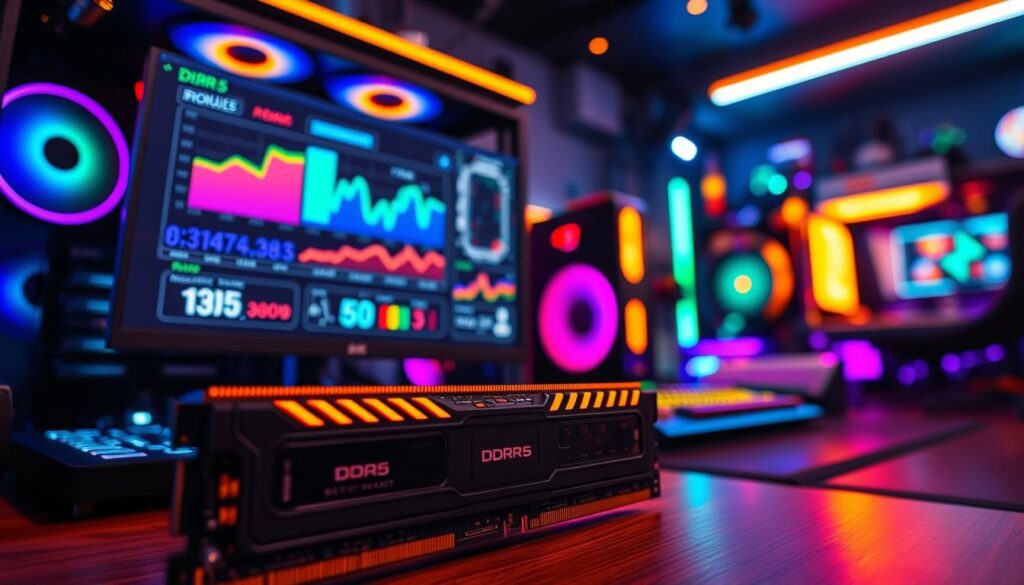
DDR4 is the established incumbent. It’s reliable and cost-effective, with a wide range of compatible motherboards. DDR5 gaming memory is the flashy challenger, promising a revolution in data bandwidth. But the devil is in the implementation details—and the platform you’re voting for.
Decoding the Benchmark Data
At 4K resolution with a powerful GPU, the graphics card is almost always the bottleneck. Here, the difference between DDR4 and DDR5 might be a mere 2-5% in average frames. It’s barely perceptible to the human eye.
Shift the scene to 1080p with a high-refresh-rate goal, or drop into a complex simulation like Microsoft Flight Simulator. That’s where DDR5’s wider data highway pays the toll. The higher bandwidth allows for smoother data transfer when the game engine is making insane numbers of calls to memory. This often translates to noticeably better 1% and 0.1% low frame rates.
What does that mean for you? Fewer sudden hitches, stutters, or micro-freezes during intense action. The game feels smoother, even if the top-end FPS number hasn’t changed much. For competitive esports or immersive sims, that consistency is gold.
| Metric | DDR4 | DDR5 |
|---|---|---|
| Peak Bandwidth | ~25.6 GB/s (DDR4-3200) | ~38.4 GB/s (DDR5-4800) |
| Typical Latency (CAS) | CL14-CL18 | CL36-CL40 |
| Platform Requirement | Intel 6th-11th Gen, AMD Ryzen 1000-5000 | Intel 12th Gen+, AMD Ryzen 7000+ |
| Cost (16GB Kit) | Budget-Friendly | Premium Price |
| Performance Profile | Proven, Low-Latency | High-Bandwidth, Future-Focused |
Notice the latency in the table? DDR5’s first-generation timings look worse on paper. But its fundamental architecture—with two independent 32-bit channels per module—helps mitigate that raw number. It’s a more efficient traffic system, even if the speed limit signs show a higher number.
The non-negotiable catch? You can’t just slot DDR5 memory into an old board. It requires a compatible motherboard and CPU—think Intel’s 12th Gen Alder Lake or later, or AMD’s Ryzen 7000 series and up. This isn’t a simple upgrade; it’s a platform commitment. For a deeper technical breakdown of this platform shift, our DDR4 vs DDR5 deep dive is essential reading.
So, is the upgrade worth it? If you’re building a new PC in 2026, betting on DDR5 is the strategically sound, future-proof move. You’re investing in the architecture that game developers will increasingly optimize for. For an existing DDR4 system? The performance uplift alone rarely justifies the cost of a new motherboard, CPU, and RAM. The veteran has plenty of fight left in today’s arena.
Speed vs Latency: What Matters More
If RAM specs were a dating profile, speed would be the flashy job title, and latency would be the emotional availability. Everyone gets dazzled by the big number first. But which one actually leads to a stable, high-performance relationship with your games?
Let’s define our contestants. Speed, measured in megahertz (MHz) or megatransfers per second (MT/s), is the memory bus’s maximum theoretical data rate. It’s the Ferrari’s top speed. Latency, specific to CAS Latency (CL), counts the clock cycles between a request and the data delivery. That’s the Ferrari’s 0-60 time.
Marketing departments love to scream about blistering speeds like 7200 MT/s. But if the accompanying latency is loose—say, CL40—you’ve got a Ferrari that takes a while to find its keys in the morning.
A kit of high speed ram with terrible latency can feel sluggish in real-world use. The truth is, they’re a balancing act. For gaming, where quick asset streaming and responsiveness matter, a harmonious combination delivers the best experience. Think DDR5-6000 with CL30 or CL32 timings.
This balance often provides smoother frame delivery and better minimum fps than a faster, but poorly timed, alternative.
The industry cites DDR5-4800 as a baseline and 6200 MHz as a current sweet spot for price-to-performance. I’d argue that sweet spot is defined by both the speed and its accompanying latency timings. Chasing the highest possible speed while ignoring latency is like tuning a car for a drag race but forgetting to put good tires on it.
To visualize this trade-off, let’s compare some hypothetical kits. The table below shows why a middle-ground speed with tight timings often wins.
| RAM Kit Example | Speed (MT/s) | CAS Latency (CL) | Effective Gaming Responsiveness |
|---|---|---|---|
| DDR5 Baseline | 4800 | 40 | Adequate, but can bottleneck modern CPUs |
| Balanced Sweet Spot | 6000 | 30 | Excellent: Great speed with snappy response |
| High Speed, Loose Timings | 7200 | 40 | Mixed: High bandwidth, but noticeable lag in cycles |
| Cited Performance Target | 6200 | 32 | Very Good: A strong, modern choice for most gamers |
So, what’s the verdict? For most gamers building a system today, don’t just prioritize raw high speed ram. Look for the best combination of speed and latency your budget allows. The evolution of RAM technology shows a clear trend toward higher speeds, but the laws of physics demand we respect latency. Your goal isn’t the highest number on the box. It’s the smoothest, most responsive experience in your game.
Sometimes, that means the 6000 MT/s kit is the real champion, not the 7200.
For a true performance high speed ram kit, check the fine print. That CL number is your best indicator of real-world agility. In the end, it’s not speed versus latency. It’s speed and latency, working together.
Top Gaming Memory Kits Reviewed
We’ve looked at the ideas; now, let’s check out a real kit. RAM isn’t just a concept; it’s something you can hold in your hand. Let’s dive into a kit that’s perfect for today’s gamers.
The KINGSMAN MASTER 32GB DDR5-6000 CL38 is our focus. It’s not just a dream; it’s a real product. It’s like a custom-made suit that fits your gaming needs perfectly.
Why choose this kit? It’s a great example of smart design. The specs show careful planning:
- Capacity: 32GB (2x16GB) is perfect for gaming and multitasking. It’s great for when you have lots of tabs open or forget to close programs.
- Speed: DDR5-6000 (PC5 48000) is fast but not too fast. It uses DDR5’s benefits without needing special hardware.
- Latency: CAS Latency 38 is good for speed and timing. It’s a balance between fast and smooth.
- Design & Warranty: It’s sleek, black, and comes with a lifetime warranty. It’s reliable and professional.
Is it the fastest kit out there? No, and that’s okay. The KINGSMAN MASTER is all about value. It’s fast enough for most gamers without breaking the bank.
Think of it as a sports sedan for your computer. It’s not the fastest car, but it’s reliable and fun to drive. It gives you great performance without the high cost.
When we look for the best gaming RAM, we want more than just speed. We want stability and performance. The KINGSMAN MASTER 32GB DDR5-6000 CL38 is perfect for most gamers.
It has enough room for future games and is fast for today’s CPUs. Its latency is low, making games smooth. It’s a smart choice for gamers who want the best without overpaying.
Overclocking Stability Tests
Overclocking stability tests are key in PC building. They help separate the reliable rigs from the unstable ones. It’s like the difference between a well-tuned orchestra and a band in chaos.

Overclocking your high speed ram is a challenging task. You tweak settings and whisper to your DIMMs in the BIOS. The reward? Smooth gameplay and bragging rights. But, there’s a risk of blue screens and lost hours.
Stability is a must. Your motherboard’s Qualified Vendor List (QVL) is your guide. A kit on this list is tested to work at its XMP specs. Going off this list means you’re exploring new territory, with risks.
To prove your overclock is stable, you need stress tests. Tools like MemTest86 and HCI MemTest are your allies. They test your memory with tough tasks, looking for errors. Finding one error is a big deal.
Here’s a table that’s your survival guide for stability testing.
| Testing Tool | Primary Method | Typical Duration | What It Finds |
|---|---|---|---|
| MemTest86 | Pre-boot environment, exhaustive algorithms | 4-8 passes (several hours) | Hard memory errors, bad addresses |
| HCI MemTest | Windows-based, fills all available RAM | Until 400% coverage (hours) | Subtle instability, timing/voltage issues |
| y-cruncher | CPU & memory stress via complex math | 1-2 hour sessions | Thermal and voltage instability under load |
| Prime95 (Blend) | Combined CPU and RAM torture | Minimum 1 hour | System-wide instability, overheating |
| AIDA64 System Stability | Customizable stress on cache, RAM, FPU | 30 mins to 1 hour | Quick stability indicators, thermal throttling |
Stability testing is a long process. It’s the boring part of the superhero story. You might get your high speed ram to run fast, but can it handle complex tasks? That’s the real test.
For those who enjoy tinkering, this is the fun part. It’s a puzzle of voltage, timings, and cooling. For most gamers, the easier path is to buy a quality kit and enable its XMP profile. This way, you get great performance without the risk of crashes.
Overclocking tests are about respect, not fear. They show respect for your hardware and the data it handles. Pushing for extra performance is noble, but only if your system is stable. If not, you’re just building a fragile house.
RGB vs Performance Focus
The debate between RGB and performance-focused RAM is more than just about looks. It’s about what matters most in engineering. Does a glowing light show inside your case make your RAM faster? No, it doesn’t. But it does add to the look.
Every part has a budget, not just money. It’s about heat, electricity, and physical design. When money goes to LEDs and controllers, it might mean less for the memory chips or power delivery. Sometimes, yes.
A performance-focused kit has a simple, functional heat spreader. Its main job is cooling, not looking good. RGB kits, on the other hand, are like the flashy cars in your case. They look great but might not always perform as well.
I’m not saying all RGB RAM is bad. Some high-end kits have amazing lighting and great performance. But when comparing two kits at the same price, ask if one is paying for looks and the other for better chips.
Your choice is about what you value more. Do you want your PC to be a light show or a high-performance machine? The table below shows the main differences.
| Feature | RGB-Focused Kit | Performance-Focused Kit |
|---|---|---|
| Primary Design Goal | Aesthetic integration & visual impact | Maximum stability & speed |
| Typical Heat Spreader | Translucent, often with light diffusers | Solid, thick metal for optimal thermal transfer |
| Component Budget Allocation | LEDs, RGB controllers, proprietary software | Higher-grade memory ICs, reinforced PCB |
| Typical User Priority | Build theme & personal expression | Frame rates & benchmark scores |
| Overclocking Headroom | Can be limited by thermal design | Often higher due to superior cooling |
This review isn’t about saying one is better. It’s about understanding what you’re buying. If you want a light show, that’s great. If you want top performance, your choice is different.
Your gaming RAM review checklist should reflect this. For top performance, skip the rainbow. For a showpiece PC, go for it—but check the specs. The tool and the toy can both be great, but not at the same price.
Capacity Requirements by Game Type
Let’s connect your gaming habits to RAM needs. From indie games to big titles, we’ve got you covered. Your perfect best gaming ram depends on the games you play and the tasks you do.
Choosing the right RAM is simple but personal. Are you into minimalism or maximalism? Your choice affects your RAM needs.
The 8GB Realm: Minimalist Gaming
Efficiency is key here. Games like League of Legends and Valorant are perfect. Remember, close all tabs before gaming. For those on a budget or starting out in 2026, 8GB is enough. But, it’s getting old fast.
The 16GB Sweet Spot: The Majority Report
Most players choose 16GB for a reason. It’s great for big games like Cyberpunk 2077 and Starfield. You can also have a few apps open. It’s the best balance of performance and cost.
The 32GB Enclave: The Enthuasiast & Creator
For those who game and create, 32GB is the way to go. It’s for streamers, modders, and video editors. This amount means you never worry about memory issues.
The 64GB+ Frontier: The Specialist’s Domain
For gaming alone, 64GB+ is too much. But, it’s perfect for heavy workloads. It’s for those who use their PC for work and gaming. It’s pricey but shows off your system.
So, what’s your gaming style? Match your RAM to your games for the best experience. Choosing the right RAM is the first step to a great gaming setup.
Future-Proofing Considerations
Let’s get real about ‘future-proofing’: it’s not about time travel, but avoiding outdated tech. You can’t stop progress, but you can make smart choices. These choices will keep you up-to-date for years without overspending.
Choosing the right architecture is key. In 2026, picking a DDR5 gaming memory platform like AMD’s AM5 or Intel’s LGA 1700/1850+ is smart. It’s not just about speed now. It’s about being ready for the future.
Next, think about capacity. A harsh truth is that game developers often use more RAM than they need. As games get bigger and more detailed, having enough RAM is essential. Going from 16GB to 32GB is a big step for future games.
Now, let’s talk about when to stop spending. The idea of needing 64GB for gaming is tempting but often wrong. For most gamers, going from 32GB to 64GB of DDR5 gaming memory doesn’t make a big difference. It’s like buying a fancy car for a short drive. Spending more on extra RAM is usually better spent on a new GPU or CPU.
So, what’s the best approach? Aim for a 3-4 year future-proof plan, not a decade-long one. Get a sensible overkill DDR5 gaming memory kit with 32GB on a modern platform. Avoid the extreme overkill. Your wallet and gaming experience will appreciate it.
Installation & XMP Profiles
Buying high speed ram is like getting a fancy meal. But, you need to turn on the stove to enjoy it. Enabling XMP or EXPO is like turning on the stove.
Let’s say you buy that shiny DDR5-6000 kit. You install it and the motherboard posts. But, when you check the speed in Windows, it’s only 4800MHz. It’s not a scam; it’s just JEDEC’s safe speed.
JEDEC sets a safe speed for all memory, like 4800MHz for DDR5. Your RAM’s speed is a pre-tested overclock profile. It’s just waiting to be turned on.
Turning it on is easy. For Intel, it’s XMP. For AMD, it’s EXPO. Just enter your BIOS, find the option, and enable it.
After rebooting, your high speed ram will run at the speeds you paid for. It’s like going from eco-mode to full speed in a sports car.
There are two steps to unlock your RAM. First, install it physically. Then, enable it in your BIOS. Skipping this step means your RAM is just fancy desk decoration.
To show why this is important, let’s look at memory modes. This table highlights why enabling XMP/EXPO is key for gamers.
| Memory Mode | Effective Speed | Stability & Ease | Best For |
|---|---|---|---|
| JEDEC Default | Baseline (e.g., DDR5-4800) | Guaranteed stable; zero effort | System builders who never enter BIOS |
| XMP / EXPO Enabled | Advertised Kit Speed (e.g., DDR5-6000) | Certified stable; one-click setup | All gamers buying high speed ram |
| Manual Overclocking | Potentially Above Kit Spec | Unstable risk; time-consuming tuning | Enthuisiasts chasing benchmark records |
| EXPO vs. XMP | Similar Performance | Platform-specific optimization | AMD users (EXPO), Intel users (XMP) |
The best choice is the XMP/EXPO profile. It gives you the high speed ram performance without the hassle. The timings and voltage are set for your kit.
Is it always perfect? Almost. Sometimes, a very aggressive profile might cause issues. If that happens, just go back to the BIOS and use the default settings. Your system will run at JEDEC speeds, and you can check if it works with your CPU and motherboard.
In short, installing the RAM is easy. The real upgrade is enabling the XMP/EXPO profile in your BIOS. It’s a quick step that makes your high speed ram work as promised. Your games will appreciate it.
Best RAM for Intel vs AMD Systems
So, you’ve picked your CPU champion. Now, do you buy the same best gaming ram for both teams? Not exactly. Choosing your ddr5 gaming memory is like picking a dance partner. You need someone who knows your platform’s specific rhythm.
First, the non-negotiable: ddr5 gaming memory demands a compatible motherboard and CPU. That means Intel’s 12th Gen (or newer) or AMD’s Ryzen 7000 series and up. No exceptions.
AMD’s Ryzen, with its Infinity Fabric interconnect, has always been a bit more sensitive. Its sweet spot? Think DDR5-6000. It’s the Goldilocks zone for AM5. Intel’s memory controller is often more robust, happily waltzing with kits at 6400 or 6800 MT/s on LGA1700.
The lesson is simple. Don’t just chase the fastest spec sheet. Your motherboard’s QVL list and community forums are your real guides. Find the fastest kit your platform’s silicon soulmate can handle reliably.
For a no-regrets, high-performance start, a 32GB (2x16GB) DDR5-6000 CL30 kit is the universal translator. It speaks fluent AMD and fluent Intel. That’s how you find the true best gaming RAM for your build, ensuring smooth gameplay even in setups designed for zero-latency cloud gaming infrastructure.