

When building a PC, the power supply unit often gets overlooked. It’s like the unsung hero of a Broadway show, working tirelessly behind the scenes. But, what happens when this part falters? You might find yourself in a mid-performance blackout, and trust me, that’s not the kind of drama you want.
Choosing the right PSU is more than just picking a number off a shelf. It’s a critical decision that can make or break your entire system. With countless options available, the task can feel overwhelming. But fear not! This isn’t just another list of specifications. We’re diving deep into the nitty-gritty of wattage calculations and efficiency ratings.
Imagine feeding a high-performance GPU with a budget PSU. It’s akin to hiring a top-tier surgeon but asking them to operate in a broom closet during a blackout. This guide aims to illuminate the often-overlooked intricacies of selecting the right unit. We’ll explore everything from how to handle those sudden power spikes to the long-term savings of efficiency ratings. So, buckle up—this is your essential roadmap to understanding the lifeblood of your gaming rig.
Wattage Calculation: CPU + GPU Power Draw, Overhead Requirements, and Future Upgrade Headroom
Calculating wattage is more than just math. It’s about predicting your system’s power needs for now and later. To make sure your gaming rig runs well, you must understand how to figure out the power draw of your parts. It’s not just about numbers; it’s about making smart choices to keep your system running smoothly.
How to Calculate System Power Requirements Using a Power Supply Calculator
Let’s talk about the power supply calculator. These tools are great for figuring out how much wattage your system needs. Start by adding the wattage of your main parts:
- CPU: High-performance processors can use 125 to 250 watts when fully loaded.
- GPU: This is where things get interesting. Entry-level GPUs use 75-150 watts, while mainstream cards use 200-300 watts. Top models can need 400-600 watts!
After figuring out the total wattage, add an extra 20-30% buffer for future upgrades and peak loads. For example, if your system’s max is 600 watts, a PSU of 750-850 watts will be enough.
Understanding Transient Power Spikes and Why Headroom Matters
Now, let’s talk about transient power spikes. Your CPU might use 65 watts for light tasks but 250 watts for heavy loads. The GPU can be even more unpredictable, sometimes using 600 watts and spiking higher. Having headroom is key here.
When you calculate your max, adding that extra 30% is wise. It puts you in the 50-80% load efficiency range, where PSUs perform best and get their 80 Plus certifications.
Typical Wattage Requirements by System Category: Entry-Level to Extreme
Here’s a quick overview of typical wattage needs for different system categories:
| System Category | Typical Wattage |
|---|---|
| Entry-Level | 300-400 watts |
| Mainstream Gaming | 500-650 watts |
| High-End Gaming | 750-850 watts |
| Extreme Performance | 1000 watts and above |
With this info, you can pick a PSU that meets your current needs and allows for future upgrades. Remember, in gaming, it’s better to have a little extra power than to be left in the dark!
Efficiency Ratings: 80+ Bronze vs Gold vs Platinum vs Titanium Cost-Benefit Analysis
Efficiency ratings are more than just numbers; they can significantly impact your wallet. The 80 Plus certification ensures your PSU won’t waste more than 20% of AC power as heat. The different tiers—Bronze, Silver, Gold, Platinum, and Titanium—each offer different efficiency levels:
- Bronze: 82% efficiency
- Silver: 85% efficiency
- Gold: 87% efficiency
- Platinum: 90% efficiency
- Titanium: 92% efficiency
But what does this mean for your energy bill? Let’s break it down with a typical gaming setup drawing 400 watts, running 8 hours a day at an average rate of $0.13 per kWh:
| Efficiency Tier | Annual Cost | 5-Year Total Cost |
|---|---|---|
| Bronze (82%) | $178 | $890 |
| Gold (87%) | $169 | $845 |
| Titanium (92%) | $162 | $810 |
The numbers might seem small, but over five years, that’s an $80 difference between Bronze and Titanium. This gap not only covers the price premium of going Gold but also justifies it when you consider the reduced waste heat. For most gaming rigs, 80 Plus Gold represents the sweet spot. Platinum and Titanium make sense for systems running 24/7—think render farms or crypto mining rigs.
Also, the Cybenetics ratings provide a more rigorous alternative to the 80 Plus standard. They offer two key metrics: ETA for efficiency granularity and LAMBDA for noise certification. If you spot both badges on a unit, you’re looking at something tested to standards that reflect real-world performance, not just ideal lab conditions.
In summary, understanding these efficiency ratings is key for both performance and cost-effectiveness. The right choice can save you money and keep your system running cooler, which is a win-win in the gaming world. For more insights on the differences between Bronze and Gold PSUs, check out this detailed analysis.
Modular vs Semi vs Non-Modular: Cable Management, Airflow, and Build Aesthetics
Choosing the right PSU for your gaming rig is key. It affects both how your PC looks and how well it performs. Knowing the difference between modular, semi-modular, and non-modular PSUs is important. It helps you achieve that clean, organized look every PC builder wants.
Fully modular PSUs offer big advantages. They let you connect only the cables you need. This makes your workspace look cleaner and improves airflow. Imagine a space where every cable has a purpose, not just a mess of unused wires. Fully modular designs let you connect only the essentials, like the 24-pin ATX and PCIe cables for your GPU.
Fully Modular PSU Advantages for Clean Builds and Upgrade Flexibility
Fully modular PSUs are great for flexibility. You can easily swap out components or add new ones without dealing with a mess of cables. This makes upgrades easier and helps keep your case cool. Less clutter means better cooling, which is key for high-performance gaming.
Semi-Modular and Non-Modular Trade-offs: Budget vs Practicality
Semi-modular PSUs are a good middle ground. They have essential cables hardwired, like the 24-pin connector, but you can detach others. This balance between budget and practicality makes them a great choice for builds under $1,000. Non-modular PSUs are cheaper but have all cables permanently attached. They can make your build messy.
Cable Routing Impact on Case Airflow and Thermal Performance
Cable routing is critical for case airflow and thermal performance. Unused cables from non-modular PSUs can block airflow, causing thermal hotspots. This is a big problem in compact cases where space is limited. Modular designs, on the other hand, allow for precise cable management. This ensures good airflow and keeps your components cool.
| PSU Type | Key Features | Pros | Cons |
|---|---|---|---|
| Fully Modular | All cables detachable | Clean look, easy upgrades | Higher cost |
| Semi-Modular | Essential cables hardwired | Good balance of cost and flexibility | Less clean than fully modular |
| Non-Modular | All cables fixed | Lower price | Messy build, obstructs airflow |
In conclusion, the choice between modular, semi-modular, and non-modular PSUs depends on your budget and preferences. But if you want a clean build and future-proofing, a fully modular PSU is a smart choice.
Safety Certifications: UL, CE, FCC Compliance and Protection Features
Safety certifications are key for power supply units, ensuring your gaming setup runs well. When picking a gaming PSU for 2025, these certifications show it meets high safety standards. Let’s explore what these certifications mean and why they’re important.
Understanding UL Certification and Why It Matters for US Builders
UL certification is a top safety mark in the US. It means a product has passed tough tests by an independent lab. They’ve tried to break it in every way, but it held up. For US builders, a UL listing is a must, showing safety and reliability.
Choosing a PSU without this certification is risky. It’s like playing a game without saving. One wrong move could lose everything.
Over-Voltage, Under-Voltage, Over-Current, and Short-Circuit Protection Explained
Now, let’s look at the protection features in modern PSUs. These features offer a strong defense against problems:
- Over-Voltage Protection: This catches rail spikes before they damage your motherboard’s VRMs.
- Under-Voltage Protection: It stops brownout conditions that could harm your data.
- Over-Current Protection: This saves your GPU from sudden spikes, shutting down safely instead of causing damage.
- Short-Circuit Protection: The emergency stop that kicks in during big problems.
In 2025, top brands like Seasonic, Corsair, and EVGA include these protections as standard. They use Japanese capacitors rated for 105°C operation. This is a big step up from the 85°C consumer-grade alternatives.
CE and FCC Marks: International Safety and Electromagnetic Compliance
When you go beyond the US, you’ll see the CE and FCC marks. The CE mark shows a PSU meets European safety standards. The FCC mark ensures it doesn’t cause electromagnetic interference that could mess with Wi-Fi signals. This is key, as connectivity is vital today.
You don’t want your PSU causing interference, like a mosquito convention in your case, right?
| Certification | Region | Purpose | Key Features |
|---|---|---|---|
| UL | United States | Safety Assurance | Rigorous testing, reliable performance |
| CE | Europe | Safety Compliance | Adherence to EU safety standards |
| FCC | United States | Electromagnetic Compliance | Prevention of interference |
In summary, when choosing a gaming PSU in 2025, don’t ignore safety certifications. They protect your investment and improve your gaming system’s performance. A safe rig is a happy rig!
Rail Configuration: Single vs Multi-Rail Design Gaming System Compatibility
Choosing the right rail configuration for your gaming system is key. It can make a big difference in your gaming experience. Let’s look at single versus multi-rail power supplies to see which is best for you.
Single-Rail Architecture: Simplicity and High-Amperage Delivery for Flagship GPUs
A single-rail design is simple and delivers lots of power. It’s great for top GPUs like the RTX 5090. This setup lets your GPU get 50 amps without any issues.
But, there are risks. A short circuit can cause serious damage. For a simple setup, single-rail designs are often recommended. They work well with ATX 3.0 and 3.1 units.
Multi-Rail Design Benefits: Fault Isolation and Enhanced Over-Current Protection
Multi-rail designs split the power into several rails. Each rail has its own protection limit, usually 20-25 amps. This setup prevents damage from one rail to another.
It’s great for workstations or critical systems. But, if a single component needs more power, you might face issues. Modern multi-rail PSUs have “virtual single-rail” modes to help balance the load.
Choosing Rail Configuration Based on System Power Draw and Component Sensitivity
When choosing between single and multi-rail, think about your system’s power needs and component sensitivity. High-performance GPUs might do better with single-rail. But, if you have multiple GPUs or sensitive parts, multi-rail is safer and more reliable.
Your choice should match your gaming needs and system setup. For 2025, I recommend single-rail designs for their simplicity and performance. ATX 3.0 power supplies make them even better.
Connector Requirements: PCIe 8-pin, 12+4-pin, SATA, and Peripheral Power Planning
In the world of gaming, connector requirements are key to a smooth experience. As we look to the future, knowing these connectors is vital. It ensures a stable and efficient gaming setup.
The 12VHPWR connector is a game changer. It’s a compact 16-pin interface, introduced with ATX 3.0. It simplifies your setup by delivering up to 600 watts with one cable. But, it’s important to handle it carefully to avoid overheating.
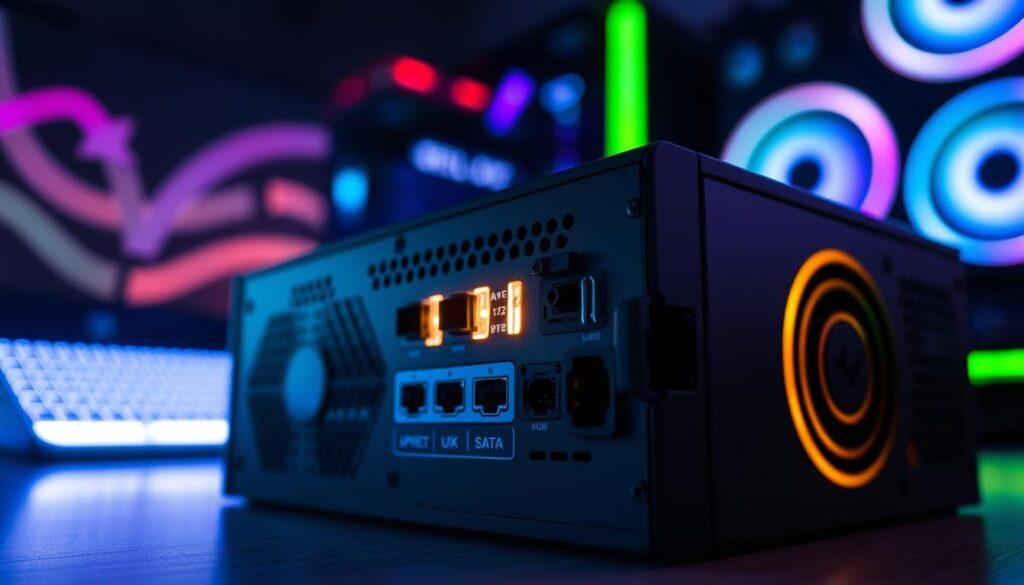
The revised 12V-2×6 standard in ATX 3.1 adds safety. It shortens the sense pins, preventing overheating. If you have RTX 40 and 50 series cards, native 12V-2×6 support is best. Adapters work, but they add extra failure points.
Don’t forget about other essential connectors. You’ll need the 24-pin ATX for your motherboard and the 8-pin EPS for CPU power. Some high-end boards might need two of these. For storage, the SATA power connectors are vital. And, if you have legacy accessories, the Molex connectors are important for fan controllers or AIO pumps.
Most M.2 SSDs get power directly from the motherboard. But, it’s important to check your connectors before buying. You don’t want to find out your PSU is missing a SATA connector.
In summary, as we move into 2025, knowing your connector requirements is not just convenient. It’s essential for your gaming rig’s performance. A little planning can save you from last-minute scrambles.
Brand Reliability: Seasonic, Corsair, EVGA, Thermaltake Warranty and Build Quality
The brand of your PSU is more than a logo. It’s a promise of quality and reliability. In the world of gaming PSUs, some brands stand out. They offer not just power but also peace of mind. Let’s explore the top brands in the industry.
Seasonic: Vertical Integration, 40-Year Heritage, and Industry-Leading Failure Rates
Seasonic has been a leader in power supplies for over 40 years. They design and make their own units, a rare thing in this market. This focus on quality shows in their low failure rates, better than the average.
Whether you choose their budget G12 series or the top-of-the-line Vertex, Seasonic is reliable.
Corsair and EVGA: Broad Product Lines, 10-Year Warranties, and US-Based Support
Corsair and EVGA have their own spots in the market with wide product ranges. Corsair’s RMx and HX series come with a 10-year warranty. This shows their confidence in their products lasting a long time.
EVGA’s SuperNOVA line also has a strong following. It offers great performance and warranty support in the U.S.
Thermaltake and Other Contenders: Value Positioning and Niche Offerings
Thermaltake has grown a lot, thanks to their Toughpower Grand series. These units offer great performance and look good, thanks to RGB options. A 3-year warranty might seem short, but a 10 or 12-year one shows the maker’s faith in their product.
So, when picking a gaming PSU in 2025, remember. Brand reliability is about more than just loyalty. It’s about keeping your system running smoothly for years.
Noise Levels: Fan Control, Zero RPM Modes, and Silent Operation Features
A quiet PSU can be a game-changer for your gaming setup. The right power supply unit (PSU) can make your gaming sessions peaceful. Modern PSUs have zero RPM modes and hybrid fan controls for silent operation at low to moderate loads.
Zero RPM modes are now common in top PSUs. This feature stops the fan from spinning unless it gets too hot, usually above 40-50°C. For example, a high-end PSU might not turn on its fan during light gaming or browsing. It only kicks in during intense tasks or when air flow is poor.
The type of bearings in the fan also matters. Fluid dynamic bearings are a favorite for their low noise and long life, up to 100,000 hours. Basic sleeve bearings last about 30,000 hours. Rifle bearings offer a good balance between noise and durability.
The Cybenetics LAMBDA certification is key for measuring PSU noise. It tests performance at different loads and temperatures. A LAMBDA A++ rating means the PSU is very quiet, even under heavy loads.
In summary, choose a PSU based on wattage, efficiency, and noise levels. A quiet PSU can make your gaming experience better. It’s not just about performance but also the atmosphere of your gaming space.
Form Factor Options: ATX vs SFX vs SFX-L Compatibility and Performance Trade-offs
Size is key when it comes to power supplies. The form factor you choose affects your build’s performance, looks, and cost. Let’s explore the differences between ATX, SFX, and SFX-L PSUs.
Standard ATX PSU Dimensions and Case Compatibility Considerations
ATX power supplies are big, measuring 150mm x 86mm x 140-180mm. They fit well in most cases, making them popular. You can find many options, from cheap 500-watt units to powerful 1600-watt ones.
But, ATX might not be the best for every build. If you want a small build, SFX or SFX-L could be better.
SFX and SFX-L for Small Form Factor Builds: Power Density and Thermal Challenges
SFX and SFX-L PSUs are for those who want a smaller build. SFX units are 125mm x 63.5mm x 100mm and pack a lot of power in a small space. But, they cost 15-30% more than ATX units.
They run hotter, so their fans spin faster, which can be noisy. SFX-L units are similar but deeper, allowing for a 120mm fan. This makes them quieter and cooler.
Price Premiums for Compact Form Factors and Availability in 2025
In 2025, compact PSUs will grow in popularity. But, they’re pricier. Unless you need a small PSU, ATX units are often cheaper and quieter. They also have more modular PSU options.
Your PSU choice affects your build’s performance and feel. Choose wisely, based on your gaming needs and case size.
For more PSU comparison insights, see this guide on ATX vs SFX vs SFX-L.
Testing and Certification: 80+ Testing, Cybenetics Ratings, and Real-World Performance
Let’s explore the details of PSU testing and certification. Numbers reveal the truth behind power supplies. The 80 Plus program is key for efficiency ratings, but it has its limits.
How 80 Plus Testing Works: Load Levels, Environmental Conditions, and Limitations
The 80 Plus certification tests PSUs at 23°C. Sounds perfect, but many gaming rigs run hotter. As temperatures go up, efficiency can fall, affecting performance.
Cybenetics ETA Efficiency and LAMBDA Noise Certifications: A More Rigorous Standard
Cybenetics offers a more detailed look. They test power supplies over a wider temperature range. Their ETA efficiency and LAMBDA noise certifications show efficiency and quiet operation. This is key for a silent gaming setup.
Interpreting Professional PSU Reviews: Ripple, Voltage Regulation, and Hold-Up Time
Reviews from Tom’s Hardware and TechPowerUp go beyond just certifications. They check ripple, voltage regulation, and hold-up time. Ripple is about AC voltage fluctuations that can harm components. Voltage regulation shows how well a PSU handles different loads. Hold-up time is important for keeping systems running during power outages.
In summary, while 80+ efficiency is important, it’s not everything. Look for detailed reviews with oscilloscope measurements. In the PSU world, it’s the numbers that count.
Longevity Planning: Component Aging, Capacitor Quality, and Replacement Timeline
In the gaming PSU world, longevity is often overlooked for flashy specs and RGB lights. But, knowing about component aging is key to a stable gaming setup. High-quality capacitors, like those from Japanese brands Nippon Chemi-Con and Rubycon, last longer. They can last up to 10,000 hours, while Chinese ones might not last as long.
So, when should you replace your PSU? If it’s over seven years old, it’s time to think about a new one. Upgrading to a new GPU? Don’t risk your whole system failing. Spending $100-200 on a new PSU in 2025 can save you from expensive repairs later.
For important systems, pairing your PSU with a good UPS is smart. Brands like APC or CyberPower are great for this. They protect against power outages and keep your components safe. This combo makes sure your system gets the power it needs, not just what it wants.
Taking care of your power supply can make your gaming better and last longer. For more on gaming hardware, check out this resource on gaming laptops and their.