

Let’s explore the gaming laptop vs desktop debate. The gap in performance has narrowed, but it’s huge. Desktops are like tech giants, with big parts and cool systems. They handle power without getting tired.
The HP OMEN Desktop, with an i9-13900K and RTX 4090, hits 143 FPS in Cyberpunk 2077 at 1440p Ultra RT. Its laptop version, with Ryzen 7 and RTX 4070, gets 80 FPS. This shows laptops can’t match desktops in power, even with good performance.
The real issue is heat. Desktops have room to breathe, while laptops struggle. This laptop gaming guide will look at these differences, starting with performance. It’s all about the power you can’t use.
Portability Factor: Weight, Battery Life, and Mobile Gaming Considerations
Laptops are the champions of mobility in gaming, unlike desktops that stay put. Imagine a sleek laptop in your backpack, ready for a gaming session. Laptops offer a complete gaming system in one compact package.
Going to a friend’s for gaming? A desktop is a hassle to move. But a laptop is easy to grab and go. It’s perfect for students or anyone with limited space, turning any flat surface into a gaming area.
Modern gaming laptops have all the ports you need, like USB Type-C and HDMI. But battery life is a concern. Most gaming laptops last 2-3 hours unplugged, just enough for a few games.
But the best part is how everything is in one device. No need for a separate monitor or keyboard. It’s ideal for today’s gamers.
Here’s a quick comparison of key portability features:
| Feature | Gaming Laptop | Gaming Desktop |
|---|---|---|
| Weight | 4-8 lbs | 30-50 lbs |
| Battery Life | 2-3 hours | N/A |
| Setup Time | Instant | 10-20 minutes |
| Mobility | High | Low |
While a dedicated battlestation is powerful, laptops offer unmatched convenience. Portable gaming is a lifestyle that lets you game anywhere, anytime. Whether in a dorm, café, or on the move, your gaming experience is free from location constraints.
Value Analysis: Price-to-Performance Ratios and Total Cost of Ownership
Exploring the world of gaming, we find a complex mix of prices and performance. A desktop might look expensive at first, with costs for a monitor, keyboard, and mouse. That $2,000 desktop can turn into a $2,630 investment. That’s a big hit!
But, a gaming notebook offers a complete setup right away. It includes a screen, keyboard, and trackpad. This convenience might make the initial cost easier to swallow. But, is it worth it?
Desktops usually win in the long run when it comes to price and performance. They’re easy to upgrade, like swapping a GPU for $600. But, a gaming notebook user might need a new machine when parts get old. The RTX 4070 mobile, for example, can’t be upgraded because it’s soldered to the motherboard. This can increase the total cost over time.
It all comes down to how you see technology. Do you plan to keep it for a long time, or do you like trying new things? Desktops are for those who commit, while laptops are for those who like to move around. Remember, neither is good if you buy on a whim, like after watching too many benchmark videos.
Upgradability: Desktop Flexibility vs Laptop Limitations and Future-Proofing
Gaming rigs need to grow with you. Desktops lead in upgradability. You can change out the GPU, CPU, motherboard, RAM, or storage easily. This keeps your desktop up-to-date for years.
Laptops, on the other hand, are harder to upgrade. You can add more RAM and storage, but the CPU and GPU are fixed. This means you’ll need a new laptop when your hardware gets old.
To make your laptop last longer, choose the best specs you can afford. Focus on memory and storage that can grow. It’s better to buy more than you need now, so you won’t be stuck later.
The idea of upgrading a desktop is like the Ship of Theseus. It’s about constantly changing parts but keeping it the same. Desktops offer endless upgrades, making them a great choice for gamers.
Mobile gaming, by contrast, is a “what you buy is what you get” deal. Your gaming laptop is set from the start. You can add RAM or a bigger SSD, but the core parts are fixed.
This guide is honest: if you love to tinker, laptops might feel restrictive. They’re sleek and portable, but not as flexible as desktops. If you want to upgrade and customize, go for a desktop.
| Feature | Desktops | Laptops |
|---|---|---|
| Modularity | High | Low |
| Upgradable Components | GPU, CPU, RAM, Storage | RAM, Storage |
| Longevity | Years with upgrades | Limited; entire unit often needs replacement |
| Customization | Extensive | Minimal |
Display Quality: Built-in Screens vs External Monitor Flexibility and Visual Fidelity
In the fight between gaming laptop vs desktop, the display is key. The screen is where the magic happens. Desktops offer the best in display choice. Want a high-refresh-rate screen for fast gaming? Done. Or a big ultrawide monitor for a full view? Easy.
Imagine using a 32-inch 4K OLED with a 240Hz refresh rate. It’s like going from a bike to a sports car. Gaming laptops have great screens too, with 165Hz refresh rates and sharp colors. But, you’re stuck with a small screen.
Screen size matters, like spotting an enemy sniper at 300 meters. But laptops have a trick: connect to an external monitor at home. This way, you get a big screen for gaming and a small one for on-the-go.
This setup is like having a city apartment and a country house. It’s pricey but nice. As monitor tech gets better, desktop users can upgrade without buying a new system.
Thermal Management: Desktop Cooling Advantages vs Laptop Thermal Throttling
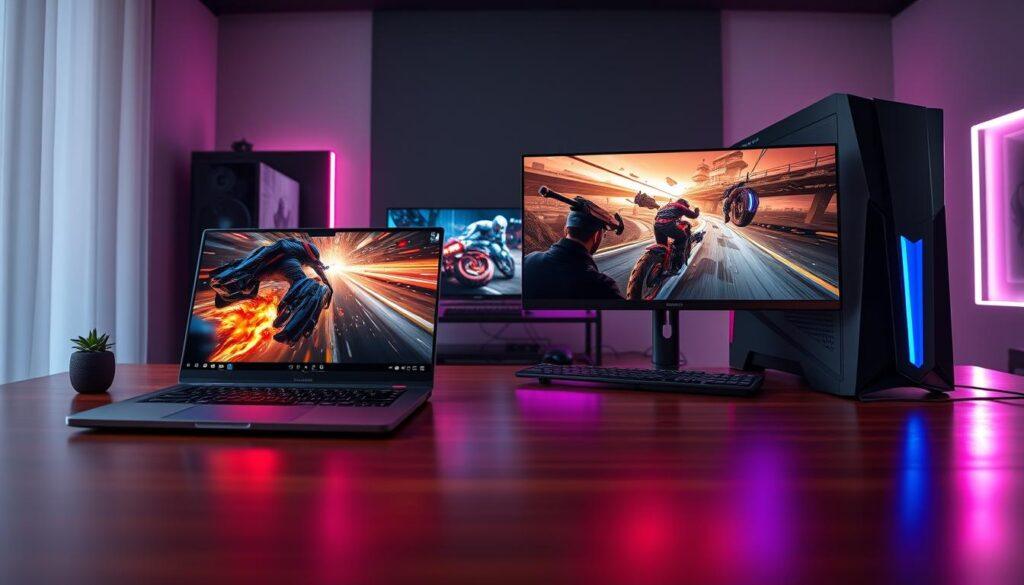
Heat is a big problem for laptops in gaming. Your sleek laptop might struggle to cool down over 200 watts of heat. Desktops, with their big cases, have better cooling options like large fans and liquid cooling systems. These help keep performance steady during long gaming sessions.
Laptops face a tough challenge. They can’t handle too much heat, so they slow down to cool down. This means your game’s speed drops, making it hard to play well. It’s like running a marathon and then being told to walk halfway!
- Heat pipe configurations that help distribute heat more effectively.
- Vapor chamber systems that enhance thermal performance.
- Intelligent fan control algorithms that adjust cooling based on workload.
Laptops can’t cool as well as desktops because of their size. Even with new cooling tech, laptops can’t always avoid overheating. It’s a tough fight in portable gaming.
If you want to avoid overheating, get a desktop. They stay cool and can be upgraded for better cooling. So, think about this when choosing: desktops are better for cooling.
Power Consumption: Energy Efficiency, Noise Generation, and Performance Sustainability
Power consumption is a key factor in your gaming journey. It’s something you might look at when you see your electricity bill. High-end gaming desktops can use up to 800 watts, which is like running a microwave oven all day.
Your gaming notebook, on the other hand, uses only 200-280 watts. This difference can save you money over time. It’s not enough to cancel your streaming subscriptions, but it can help keep the lights on.
Let’s talk about noise. Desktop systems are generally quieter because of their larger fans. These fans move air well without making much noise. In contrast, gaming laptops can be quite loud, sounding like angry mosquitoes.
Energy efficiency is becoming more important for laptops. It’s a way to feel good about gaming, knowing you’re saving energy. Every little bit helps in reducing your carbon footprint.
In summary, the power consumption of your gaming setup affects your wallet and the environment. Think about how your choice impacts your gaming experience and your electricity bill. For more insights, check out this resource.
Gaming Performance: Frame Rate Comparisons, Resolution Scaling, and Settings Optimization
In the gaming world, performance is key, and 2025 is no different. Let’s look at the numbers that show who’s leading. The HP OMEN Desktop, with an i9-13900K and RTX 4090, hits an amazing 143 FPS in Cyberpunk 2077 at 1440p Ultra with ray tracing. On the other hand, the HP OMEN Laptop, with a Ryzen 7 and RTX 4070, scores a solid 80 FPS in the same game. This shows a big difference.
It’s important to understand the context. Getting 80 FPS at 1440p Ultra with ray tracing is impressive for a laptop. Just five years ago, this level of performance needed a huge desktop. This laptop gaming guide shows how far we’ve come, but also how much work is left to do.
Resolution scaling adds more complexity. At 1080p, the difference in performance is much smaller. Laptops can easily hit triple-digit frame rates, making games run smoothly. But 4K gaming is a different story. Laptops just can’t handle the memory and heat needed for high frame rates at such high resolutions.
Optimizing settings is an art for laptop gamers. They have to choose between medium shadows, DLSS, and ray tracing. Desktop gamers, on the other hand, can turn everything to Ultra. The question is, how much do you want to give up for the ability to carry your gaming rig with you? The benchmarks help you see what you’re sacrificing.
Productivity Integration: Work-Gaming Balance, Content Creation Capabilities, and Multi-Use Scenarios
The gaming laptop vs desktop debate is more than just about gaming. These devices are now key tools for getting work done. A university student can easily switch between studying and gaming with a gaming laptop.
Working professionals who travel can also keep up with their gaming hobbies. Gaming laptops are great for tasks like web browsing and streaming. But, they might have shorter battery life and be heavier than regular laptops.
Desktops are perfect for those who need to focus on work. They offer the power needed for tasks like video editing. This makes them a top choice for serious content creators.
Gaming laptops are great because they help you separate work from play. You can work on your dissertation and then switch to gaming at home. Desktops, on the other hand, need a dedicated space and can’t be easily moved.
Choosing between a gaming laptop and a desktop depends on your lifestyle. Some people prefer the structure of a desktop, while others like the flexibility of a laptop. Here’s a quick comparison:
| Feature | Gaming Laptop | Desktop |
|---|---|---|
| Portability | High | Low |
| Expandability | Limited | High |
| Performance for Gaming | Excellent | Superior |
| Performance for Productivity | Good | Excellent |
| Battery Life | Short | N/A |
In conclusion, the choice between a gaming laptop and a desktop depends on your needs. Both can improve your productivity and gaming experience. For more on this topic, check out this article here.
Maintenance Requirements: Cleaning, Thermal Paste, and Long-Term Reliability
Maintenance is key for a great gaming experience. It keeps your system running smoothly and lasts longer. Cleaning fights dust, which can slow down your laptop.
Desktops are easy to maintain. Just open it up, clean the parts, and maybe reapply thermal paste. It’s like a fun DIY project. Easy peasy, right?
Laptops are a different story. Cleaning or replacing thermal paste is a challenge. It’s like a puzzle with tiny pieces. If the GPU fails, you might face a big repair bill.
This laptop gaming guide suggests getting a pro for complex tasks. This adds to the cost over time. Desktops are more reliable because you can replace parts easily. But laptops can be more expensive to fix.
Maintenance is important, even if it’s not fun. It’s like taking care of your teeth. A well-maintained system means more gaming fun.
Ecosystem Considerations: Peripheral Requirements, Desk Space, and Setup Complexity
Setting up for gaming is like planning a dinner party. It’s not just about the main event. A desktop system needs a whole team: a monitor, keyboard, mouse, and speakers or headsets. Choosing each part carefully turns your gaming area into a tech wonderland or a messy cable jungle.
Portable gaming offers a different vibe. A gaming laptop is more than a device; it’s a complete package. It has a high-refresh-rate screen, keyboard, and trackpad all in one. Just open it and press the power button for a simple setup. This is great for small spaces where looks and function must meet.
Gaming laptops have also improved. They have USB Type-C ports for fast data transfer and can connect to external displays. HDMI ports let you easily link to TVs and monitors, giving you a big-screen experience without a big setup. It’s like having a modular gaming setup.
So, which is better? It’s not about which is better overall. It’s about what you’re okay with giving up. Your gaming setup’s ecosystem shapes your experience more than you think. Whether you like the detailed setup of a desktop or the easy charm of portable gaming, the choice is yours.
Decision Framework: Usage Patterns, Budget Constraints, and Performance Priorities
Choosing between a gaming notebook and a desktop is a big decision. It’s not as sudden as a plot twist in a thriller. But, it does need some thought.
First, think about how you use your device. Do you game at your desk or on the go? If you game at your desk, a desktop is best. It offers top performance and can be upgraded.
If you game anywhere, a gaming notebook is perfect. It’s portable and easy to take to friends’ houses or LAN parties. No hassle, just fun.
Next, consider your budget. Desktops often give better value for money. But, don’t forget laptops. They come with a screen and keyboard, making them a great all-in-one option.
Lastly, think about what you want from your gaming experience. If you want 4K gaming, laptops aren’t there yet. But, for most, 1440p at high settings is enough. A top gaming notebook can handle this beautifully.
In the end, the best system is the one you’ll use. A desktop that’s not used is worse than a laptop that meets your needs. So, know yourself, weigh your options, and choose wisely. And maybe stop checking benchmarks at 2 AM—your sanity will appreciate it.