

Ever wonder why your game stutters when the dragon breathes fire? That’s frame-time inconsistency, the silent killer of immersion. It’s like watching a Tarantino film with random buffering during the best scenes.
New memory technology delivers up to double the bandwidth of previous generations. This isn’t just about bigger numbers on a spec sheet. It’s about eliminating those micro-stutters that make competitive gaming feel like a PowerPoint presentation.
The real magic happens in minimum frame rates. While peak FPS gets the headlines, consistent performance during explosive moments separates playable from unplayable. Think of it as the difference between a reliable sports car and one that sputters at redline.
For 2025, the best DDR5 kits transform your rig from stuttery mess to buttery smoothness. Because nobody wants their gaming experience to choke when the action heats up.
CPU-bound vs GPU-bound cases
Ever feel like your gaming rig has an identity crisis? Welcome to the CPU-bound versus GPU-bound showdown. Here, your hardware decides who’s really in charge.
When your CPU is the bottleneck (like in Civilization VI or CS:GO), memory steps up. It’s like having a Ferrari engine stuck behind a Prius. All that power waits for data to arrive. This is where CL timings become your secret weapon.
The math is clear: (CL ÷ Frequency) × 1000 = true latency. DDR5-6000 CL30 has a 10ns response time, while CL40 takes 13.3ns. That 3.3ns difference might seem small, but it can mean 2-5 FPS gains. Sometimes, it’s up to 11% better performance.
GPU-bound scenarios are different. When you’re playing at 4K or using ray tracing, bandwidth is key. Your graphics card needs lots of data, not just fast delivery. It’s like the difference between a firehose and a precision laser.
The goal is to find a balance. Tight CL timings keep your CPU happy during long games. Enough bandwidth feeds your GPU’s 4K needs. DDR5 with the right CL timings is like a well-trained pit crew. It makes sure the right parts arrive at the right time.
Not all games are the same. Esports titles need low latency like caffeine. Cinematic games focus on raw throughput. Your memory’s CL timings decide if you’re building a Formula 1 car or a luxury tour bus. Both are great, but for different races.
Capacity Planning
Welcome to the digital real estate market. Here, we choose between a cozy studio and a big McMansion. Both offer shelter, but only one can host big parties without elbow bumps.
The 32GB vs 64GB debate is about the future. It’s about when software eats up memory like Pac-Man at a dot buffet.
Today’s games are already beyond 16GB. Games like Civilization VII need 32GB for 4K Ultra settings. Black Myth Wukong shows a 10% performance boost at 4K with 32GB over 16GB.
But, are you just playing, or also streaming, recording, or keeping many tabs open? For most, 32GB is the new standard.
64GB is for content creators, virtual machine fans, and those who hate closing apps. It’s the difference between comfort and being ready for the digital apocalypse.
32GB vs 64GB, background apps
Choosing between 32GB and 64GB of RAM isn’t about gaming. It’s about managing digital space. Think of it like apartment size. With 32GB, you live comfortably alone. With 64GB, you can have a big party with all your apps without anyone feeling cramped.
Today’s computing is like juggling chainsaws while multitasking. Your system does more than just play games. It handles:
- Discord conversations that somehow always turn into political debates
- Chrome tabs that multiply like rabbits on fertility drugs
- Spotify playlists that require more memory than the actual music
- RGB lighting software that thinks it needs its own zip code
- OBS streaming that hungers for RAM like a teenager at an all-you-can-eat buffet
Here’s where stability really matters. When RAM is full, your system uses your SSD as temporary memory. This makes things slow, like watching paint dry. Your fast gaming computer turns into a slow slideshow.
For content creators and serious multitaskers, 64GB is a game-changer. It gives you room to breathe, leading to better stability. It’s the difference between just getting by and actually succeeding with many demanding apps at once.
The cost of background apps is real. It’s like those surprise fees that make a concert ticket as expensive as a car. With 32GB, you’re comfortable. With 64GB, you’ve created a digital safe room.
Speed & Timings
Think of memory performance like finding the perfect dance partner. You want someone who’s quick but also knows when to move. This is the balance between speed and timings.
AMD’s Ryzen platform shines at 6000MHz, while Intel goes even higher with 6400MHz. But speed alone isn’t enough. It needs the right timing to work well.
This is where XMP and EXPO profiles come in. They handle the timing so you don’t have to tweak settings yourself. These profiles are like a memory expert who knows the best timings for your system.
When frequency and latency match perfectly, your memory is not just fast. It’s smart and responsive, showing up on time without delay.
Sweet spots, latency math, real gains
Let’s dive into memory math without the need for calculus. Finding the right RAM setup isn’t about getting the biggest numbers. It’s about knowing when to stop and say, “That’s enough.”
The secret formula is simple: (CL ÷ Frequency) × 1000 = true latency in nanoseconds. This shows DDR5-6000 CL30 has the same 10ns latency as DDR4-3200 CL16. This is progress without losing performance – a win-win for computing.
Dual rank setups are the real game-changers. They’re like having two workers in the memory factory, working on different tasks at once. This boosts efficiency a lot.
The benefits aren’t just numbers on a page. Dual channel can improve gaming by 5-20%, with some games seeing up to 40% better performance. Benchmarks show dual channel is about 150% as good as single channel. This means smoother gameplay and fewer stutters.
Here’s something interesting: two 16GB dual rank sticks can outperform four 8GB single rank sticks, even with the same total memory. Sometimes, less is more in memory setup.
The key is to understand how memory works in your system, not just chase specs. It’s about finding the right balance where everything works well together.
This dual rank advantage is huge in memory-heavy tasks and modern games. It’s like having a team work together smoothly, not just one person trying to do it all.
So, before you spend a lot on the fastest RAM, remember: the best setup isn’t always the most expensive. It’s the one that gives you real gains without costing too much or overheating your system.
Rank & ICs
Ever wonder why some memory modules are super fast while others are slow? It’s all about how they’re set up and the quality of their parts.
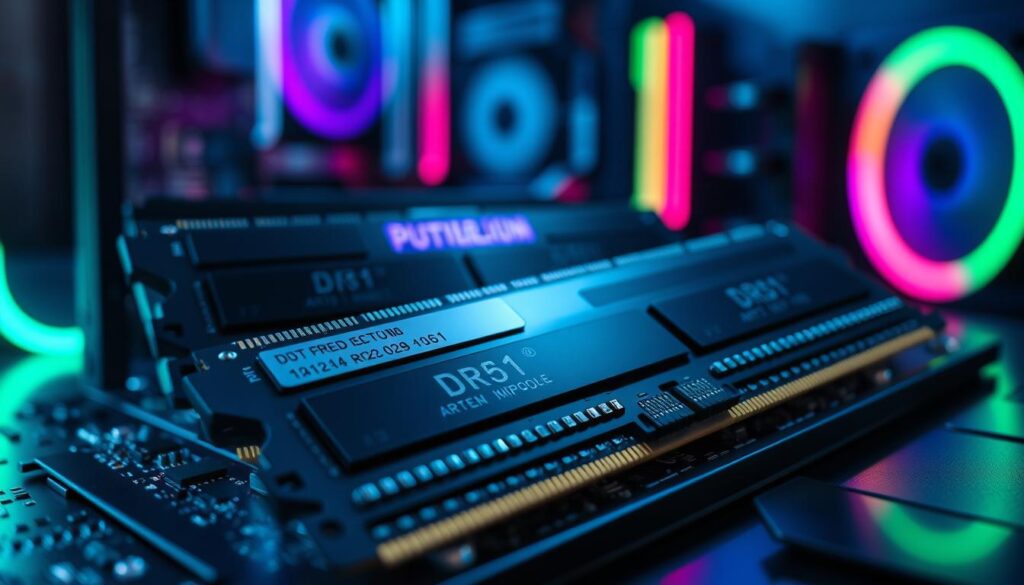
Think of rank like highway lanes. Single rank is like a narrow road during rush hour. But dual rank is like a wide highway where everything moves smoothly. The data shows that 2Rx8 setups are way faster than 1Rx8 or 1Rx16 at the same size.
Then, there are the ICs – the actual parts of our memory highway. Not all chips are the same. Hynix and Micron make both top-notch and cheaper ICs. It’s like the difference between a new road and a rough one.
The best modules have both: dual-rank setup and high-quality ICs. These parts work together to make memory fast and reliable. This is what makes some modules stand out from the rest.
Single/dual rank, Hynix/Micron bins
Think of single versus dual rank memory like choosing between a Formula 1 car and a high-performance SUV. One excels at pure speed, while the other handles multiple tasks with impressive efficiency.
Single rank modules are the sprinters of the memory world. They typically achieve higher clock speeds but come with less inherent bandwidth. It’s like having a single-lane highway that’s perfectly paved for maximum velocity.
Dual rank modules? They’re the multi-lane freeways of computing. While they might not hit the same peak speeds, they deliver better overall performance at identical frequencies. More lanes mean more data can travel simultaneously.
Now let’s talk about the rockstars of memory manufacturing: Hynix and Micron bins. These aren’t your average memory chips – they’re the valedictorians that aced every test. When memory chips perform exceptionally well during testing, they earn the golden ticket to higher speed grades.
Micron’s $150+ billion investment in memory manufacturing isn’t just corporate flexing. It’s pushing the boundaries of what’s physically possible with their cutting-edge 1β process technology. This isn’t just making memory – it’s like upgrading from standard definition to 8K resolution in terms of technological advancement.
Hynix maintains its own reputation for producing some of the most overclock-friendly chips available. Their bins represent the cream of the crop, often becoming the foundation for premium memory kits that enthusiasts crave.
The choice between single and dual rank ultimately depends on your needs. Want pure speed for gaming? Single rank might be your champion. Need multitasking prowess for content creation? Dual rank could be your workhorse.
As for Hynix versus Micron bins? Both represent the pinnacle of memory manufacturing excellence. It’s like choosing between a masterpiece from Picasso or Van Gogh – you really can’t go wrong with either artist.
Enabling XMP/EXPO
Ever feel like you’re driving a sports car in eco mode? That’s what happens when your memory runs at default speeds. XMP and EXPO profiles unlock the performance you actually paid for.
These aren’t shady overclocks. They’re tested configurations that boost your memory’s speeds. Without them, systems can slow down a lot, leaving performance behind.
Modern implementations make things easy. They handle complex timing calculations for you. It’s like having a team optimize your machine while you enjoy the ride.
Why settle for fine when you paid for fantastic? Enabling these profiles shows you’re an enthusiast. It’s about going beyond the basics.
BIOS steps, training tips
BIOS configuration is like a digital handshake between your memory and CPU. It’s where stability is negotiated. Your motherboard’s firmware helps in this delicate discussion about speed and timing.
Finding memory settings is like searching for the bathroom in a big building. You’ll find it under “Advanced” or “Tweaker” menus. The process is simple:
- Locate the XMP/EXPO/DOCP section (usually under AI Tweaker or Overclocking)
- Enable the profile that matches your memory’s rated speed
- Save changes and exit with fingers crossed
Memory training is when components have their first real talk. The CPU and RAM modules set up communication protocols. This happens during boot cycles and after BIOS updates.
If negotiations fail (failed boots after XMP enable), don’t start a war. Clear CMOS by removing the coin-shaped battery for 30 seconds. This resets the settings to default.
For hard cases, try a gradual approach. Enable XMP but lower the speed by one step (say 3600MHz instead of 3800MHz). It’s like making a trade agreement – sometimes you need to give a little for stability.
| BIOS Setting | Default Behavior | XMP Enabled | Stability Impact |
|---|---|---|---|
| Memory Frequency | JEDEC Standard (2133-2666MHz) | Rated Speed (3200-6000MHz+) | High (requires training) |
| Primary Timings | Auto (Conservative) | Optimized (Tighter) | Medium |
| Voltage | 1.2V (Safe Default) | 1.35-1.4V (XMP Spec) | Low (if within spec) |
| Command Rate | 2T (Stable) | 1T (Faster) | High (motherboard dependent) |
| Gear Mode | Auto | Gear 1 (if supported) | Critical (Intel systems) |
Remember, memory stability isn’t about force. It’s about finding the right spot where all components agree. Like any good relationship, it needs patience, compromises, and knowing when to take a break and reset.
Your BIOS isn’t fighting you – it’s just being cautious about how fast your components can talk. Treat it like marriage counseling for your hardware.
Stability Testing
Welcome to the moment of truth – where theoretical performance meets cold, hard reality. It’s the difference between a car that looks fast in the showroom and one that actually survives lap after punishing lap.
Let’s be brutally honest here. Pushing components beyond their intended limits isn’t just risky business – it’s warranty-voiding territory. Crucial makes this crystal clear: overclock beyond JEDEC specifications, and you’re on your own.
Proper stability testing isn’t about chasing benchmark glory. It’s about finding that sweet spot where performance meets reliability. Because what’s the point of lightning-fast numbers if your system crashes during the final boss fight?
We use specialized software that puts your memory through its paces. Think of it as a more thorough examination than your ex going through your text messages. This process ensures your system won’t leave you crying at 3 AM when important work corrupts.
True stability isn’t just about avoiding crashes. It’s about building confidence in your system’s performance under real-world conditions. Because in the end, reliability trumps raw speed every single time.
TM5, Karhu, OCCT workflow
TM5, Karhu, and OCCT are the holy trinity of RAM overclocking tools. Each tool has its own way of testing memory stability. They all ask the same question: “Will this memory configuration crash my system at the worst possible moment?”
TM5 is like a friend who double-checks everything. It’s the memory testing software that runs tests with precision. When TM5 finds errors, it’s just being very thorough.
Karhu is different. It’s like a Finnish tool that doesn’t believe in breaks. It’s a stress test that pushes your memory to its limits.
OCCT is like a full-body check for your system. It tests memory stability, power delivery, and temperatures. OCCT asks if your whole system can handle the new settings.
The right workflow follows scientific method principles:
- Establish a baseline at stock settings first
- Test your XMP/EXPO profile thoroughly
- Progress to manual overclocks incrementally
- Analyze results and adjust
Errors are not failures; they’re feedback. Each crash or issue shows where to adjust settings. This makes stability testing a fun detective work.
The key is knowing when to stop. You can’t achieve perfection, but you can get stability. Your goal is to make sure your system works well when it matters most.
Heatspreaders & Height
Let’s talk about the fashion show happening inside your computer case. Heatspreaders are like the runway models of memory modules. Some actually do something, while others just look good.
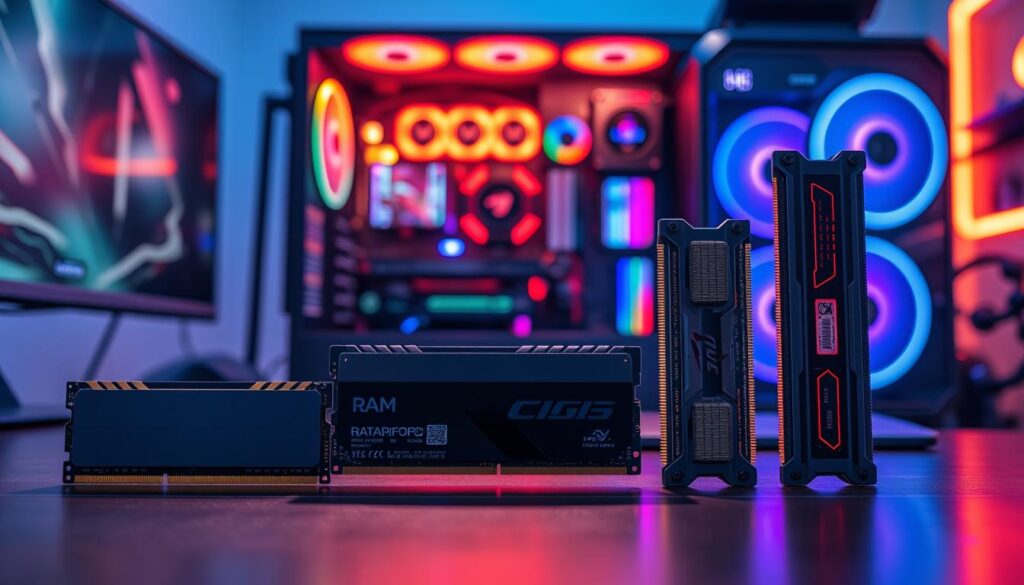
Most modern modules don’t get hot enough to need big aluminum fins. But, good cooling does help keep things steady during long sessions.
The real drama is when height becomes the main issue. It’s like trying to park a Hummer in a small space – it’s possible, but it’s a bit of a hassle for everyone.
Before picking your memory’s look, measure twice. That cool cooler might not work well with your RAM’s fancy top.
Cooler clearance, RGB vs low-profile
Ever tried fitting a sumo wrestler into a smart car? That’s what PC building has become with cooler clearance. It’s ironic to try to fit big cooling solutions and flashy components into small cases.
RGB RAM modules are like divas in the memory world. They need attention, space, and special treatment. Their beautiful heat spreaders and bright LEDs come at a cost. You’re not just buying memory; you’re getting architectural challenges.
Low-profile RAM, on the other hand, is like the reliable stagehand. It makes the show possible without seeking applause. These modules fit under big air coolers and in tight ITX builds without drama. They’re the unsung heroes of PC building.
The choice between RGB and low-profile RAM isn’t just about looks. It’s about structure. Your CPU cooler selection affects your RAM options more than you think. A big dual-tower air cooler might not work with tall memory modules.
| RAM Type | Clearance Needed | Best For | Aesthetic Appeal |
|---|---|---|---|
| RGB RAM | High (45-55mm) | Show builds, open cases | Visual spectacle |
| Standard Height | Medium (35-45mm) | Most mid-tower builds | Balanced look |
| Low-Profile | Low (under 35mm) | SFF builds, large coolers | Stealth appearance |
Before buying, measure twice and buy once. Check your cooler specs against your RAM height. Nothing kills a build’s momentum like finding out your components won’t work together.
The market has come up with clever solutions. Some makers offer RGB kits with slimmer profiles. Others provide low-profile modules that don’t give up on style. You might not get stadium lighting, but you’ll get subtle accents that won’t clash with your cooling.
Remember: Your case choice matters too. Some cases have extra clearance for tall memory. Others… well, let’s just say they expect you to make sacrifices somewhere.
Ultimately, this decision comes down to what you value most. Do you want your build to turn heads or work reliably? Can you achieve both with careful planning? The answer might surprise you – and save you from returns.
Tiered Kits
Think of memory like car shopping. You’ve got basic models for getting around. Then, there are mid-range ones with more comfort. And at the top, you have premium packages with everything.
Today’s memory works the same way. Not everyone needs the fastest speeds. But everyone wants something that fits their budget.
Budget kits are great for everyday tasks. Sweet-spot options offer the best value. And for those who love tweaking, there are enthusiast kits for overclocking.
Finding the right balance between “it works” and “it dominates” is easier than ever. Whether you’re building a budget-friendly rig or aiming for top scores, there’s a tier for you.
The key is choice. From 4,800MT/s workhorses to 8,800MT/s rockets – each tier has its purpose. Your needs, not marketing, decide what’s best for you.
Budget, sweet-spot, OC-ready
Choosing DDR5 memory is like picking a character class in an RPG. You can be the frugal warrior, the balanced paladin, or the overclocking mage. Each choice has its own benefits for different builders.
Budget kits are great for gamers who know how to save money. Why spend more on RAM when you could upgrade your GPU? DDR5 has made high performance affordable, so even basic kits offer great speeds.
Sweet-spot kits find the perfect mix of speed, timings, and price. They offer the best performance per dollar without needing to tweak BIOS settings. These kits are ideal for those who want the best without too much effort.
OC-ready modules are for the tinkerers who enjoy tweaking BIOS settings. These kits have premium ICs that can handle overclocking well. They cost more but offer top-notch performance for those who want to push limits.
The market today is amazing. Even budget options like Crucial DDR5 offer great value. They often match the performance of overclocked modules without the need for manual tuning.
For the best gaming performance, 6000MT/s DDR5 kits are the current sweet spot. They provide big improvements over basic specs while keeping stability and compatibility high.
Your choice depends on your building philosophy and goals. Whether you value saving money, balance, or maximum performance, DDR5 has something for everyone.
Troubleshooting
Welcome to digital detective work, where your suspect is invisible and the evidence vanishes when you look directly at it. Memory issues can feel like trying to solve a crime scene that cleans itself.
Most problems fall into three categories. Compatibility issues arise when mixing kits – it’s like forcing two strangers to dance together. Configuration errors happen with incorrect slot population, which is like wiring your house backwards.
Then there are platform limitations, where buying high-speed memory for an incompatible system is like putting racing tires on a golf cart.
The solution? Patience, CMOS clearing, and accepting that advertised speeds are often more suggestion than guarantee. Sometimes the system just downclocks to maintain stability.
Think of it as your computer’s way of saying “I’m trying to protect you from yourself.” The digital detective always gets their man – eventually.
WHEA, memory holes, QVL
The QVL might seem like a lot of rules until you face a blue screen of death. These three ideas are key to fixing RAM problems. They can make your system run smoothly or get stuck in a loop.
WHEA errors are like a vague doctor’s note. Your system knows something’s off but can’t say what. These errors often show up after initial tests, pointing to memory issues.
Memory holes are specific frequency ranges that some systems won’t work with. Imagine a concert hall with dead spots where sound can’t reach. These spots vary by CPU and motherboard.
The Qualified Vendor List is like a pre-approval list. Motherboard makers test many RAM kits to make sure they work well. Skipping the QVL is like ignoring food labels, hoping you won’t react to anything.
RAM makers and motherboard vendors work together to make sure things work well. Companies like Crucial do a lot of testing before they sell their products. This testing makes sure your memory runs fast and stable.
Always check if your RAM is compatible before buying. Fixing problems after you buy RAM is hard. The QVL helps avoid these issues.
When you’re building or upgrading, use the QVL as your guide. Check your RAM against your motherboard’s list. This simple step can save you a lot of trouble.
Remember, problems like crashes or blue screens often show up when your system is under heavy use. These signs usually mean your memory is being pushed too hard.
Finding Your Perfect DDR5 Match
So, what’s the best DDR5 for 2025? It’s like finding Goldilocks’ porridge – just right. A 32GB kit at 6000MHz with tight CL timings is perfect for gamers. It offers great performance without costing too much.
Are you a content creator? Then you need 64GB. It gives you room to work on many things at once. The choice between 32GB and 64GB depends on your needs.
Forget about specs. What matters is how well your DDR5 works with your motherboard. The dual rank setup is key for apps that need lots of bandwidth.
Stability is more important than high scores. Your DDR5 should work smoothly and quietly. It should be reliable, not a troublemaker.
Look for a balance of size, speed, and CL timings. Your perfect DDR5 is out there. Now, go create something incredible.