

Ace Combat 8 Requirements look less like a routine PC checklist and more like a warning for older gaming rigs. The Steam page lists Ace Combat 8: Wings of Theve with an October 2, 2026 release date on the official Steam listing, while iXBT reports minimum specs starting at Windows 11, 16GB RAM, a 125GB SSD, and a ray-tracing-capable GPU in its iXBT report. None of that tells us how the final build will run on every PC, but it does tell players to check the whole system before pre-purchase.
This is not a performance review, because the game is not out yet and no verified independent benchmarks are available from the provided research. It is a hardware-readiness review. The useful question is not whether the listed specs are scary on paper. The better question is what they mean for a gaming PC that may have been perfectly fine for Ace Combat 7-era play, 1080p multiplayer titles, or older Unreal Engine releases.
Why Ace Combat 8 Requirements Look So High
Ace Combat 8 Requirements At A Glance
The reported PC spec sheet is demanding because several items are not soft preferences. Windows 11 is listed as required, Windows 10 is not supported, and the storage line calls for an SSD with 125GB of free space. The graphics requirement also does not stop at raw GPU class. The game is reported to require hardware-accelerated ray tracing and DirectX 12 with Shader Model 6.6 or higher.
| Spec Area | Minimum | Recommended |
|---|---|---|
| CPU | Intel Core i7-10700K or AMD Ryzen 5 3600X | Intel Core i7-12700K or AMD Ryzen 5 5600X |
| Memory | 16GB RAM | 32GB RAM |
| Graphics | NVIDIA GeForce RTX 2060 6GB or AMD Radeon RX 6600 XT 8GB | NVIDIA GeForce RTX 3070 8GB or AMD Radeon RX 6800 XT 16GB |
| Storage | 125GB SSD | 125GB SSD |
| Operating System | Windows 11 | Windows 11 |
The Ace Combat 8 Requirements make minimum status more serious than usual. A PC with a fast-enough CPU but no Windows 11 install is not aligned with the listed spec. A PC with a large hard drive but no available SSD space is also outside the stated target. That matters because many players still separate capacity from speed, especially if their game library lives across older SATA drives or external storage.
Windows 11 And SSD Are Hard Gates
The Windows 11 requirement is likely to be the first compatibility check for many players. If a system is still on Windows 10 by choice, the decision is not only about buying the game. It becomes a platform decision involving OS support, driver comfort, and whether the rest of the machine is worth keeping as the main gaming box.
The 125GB SSD requirement is also worth taking literally. Modern game installs often grow through patches, language packs, shader data, and replayable content, but the research only supports the stated 125GB figure. Players should avoid planning around a nearly full boot drive. Even if the game installs, a cramped SSD can make system management painful, especially for users who rotate large games through a 500GB or 1TB drive.
Graphics And CPU Demands Deserve A Careful Read
Ray Tracing Support Is Not Optional
The GPU line is where many older gaming PCs will fail the checklist. A GeForce GTX card, even a once-strong one, does not meet the reported ray-tracing hardware requirement. The minimum NVIDIA example is the RTX 2060 with 6GB, while the AMD floor is the Radeon RX 6600 XT with 8GB. Those are not the newest GPUs, but they mark a clear cutoff: the game is being framed around modern feature support, not just shader throughput.
Recommended graphics are also a step up. The listed NVIDIA recommendation is the GeForce RTX 3070 with 8GB, while the AMD recommendation is the Radeon RX 6800 XT with 16GB. That split is interesting for buyers because it shows two different memory profiles in the recommended tier. It does not prove one card will outperform the other in final gameplay, and it should not be used as a benchmark claim. It does suggest that VRAM capacity and feature support both deserve attention before purchase.
Recommended RAM Changes The Build Budget
The CPU requirements are not entry-level either. The minimum side lists Intel Core i7-10700K or AMD Ryzen 5 3600X, while the recommended side lists Intel Core i7-12700K or AMD Ryzen 5 5600X. That is a wide range of PC ages and motherboard platforms, so players should check their actual processor model rather than assuming any recent gaming CPU qualifies.
Memory may become the stealth cost. The minimum is 16GB RAM, which many gaming PCs already have. The recommended line doubles that to 32GB RAM. For players who keep browsers, voice chat, capture tools, launchers, and monitoring apps open while gaming, that recommendation may be the difference between a simple GPU check and a broader platform upgrade. Still, no one should treat 32GB as a guaranteed performance fix. It is the listed recommended target, not a promise of frame-rate behavior.
How Ace Combat 8 Requirements Affect PC Buyers
Pre-Purchase Buyers Should Audit The Whole Rig
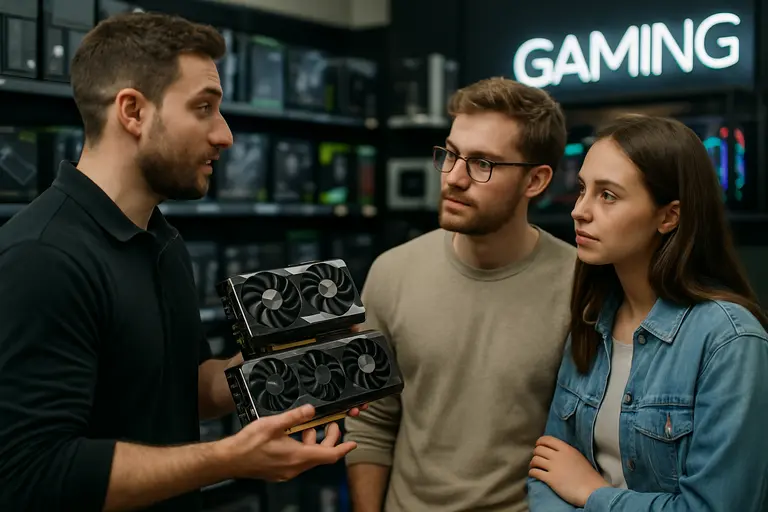
For PC players, Ace Combat 8 Requirements should be treated as a full-system audit rather than a GPU-only problem. A machine can meet the graphics line and still miss the OS, storage, or memory target. A system can have enough RAM and storage but fall short on ray-tracing hardware. That is why the safest pre-purchase step is to check every listed line before assuming the game will be a clean fit.
- Confirm Windows 11 is installed and supported on the machine.
- Check the exact CPU model, not just the brand family.
- Verify the GPU supports hardware ray tracing, DirectX 12, and Shader Model 6.6 or higher.
- Leave more than 125GB free on an SSD before launch-day installation.
- Compare 16GB RAM minimum against 32GB RAM recommended if the PC runs background apps while gaming.
Players tracking wider release chatter and community reaction across the same network can also follow related coverage at Mostplays, which is a related site within the network. However, the buying decision starts with hardware compatibility. If the PC misses a required line, waiting for post-launch technical coverage is smarter than assuming settings menus will solve everything.
DRM And Anti-Cheat Need Compatibility Planning
The report also says the game uses Denuvo Anti-Tamper DRM and kernel-level Easy Anti-Cheat for multiplayer, with a five-activations-per-day limit. That is not just a footnote for players who rebuild systems often, swap hardware for testing, dual-boot, or keep strict security rules on their PCs. Kernel-level anti-cheat can be a deal-breaker for some users on principle, while activation limits can matter for reviewers, hardware testers, and players who frequently reinstall.
There is no supported benchmark data here showing how those systems affect frame rate or loading times in Ace Combat 8: Wings of Theve. The practical move is to treat DRM and anti-cheat as compatibility and ownership factors. If you only play single-player, you may still care about Denuvo. If you want multiplayer, Easy Anti-Cheat support and system policy become part of the requirement check.
What Ace Combat 8 Requirements Mean For This Release
A Practical Read Before Launch
Ace Combat 8 Requirements point to a release built for current PC features rather than broad support across older machines. The reported Unreal Engine 5 base, arcade-style flight combat, hyper-realistic visuals, dynamic environments, and massive land battleship boss fights all help explain why the hardware floor is higher than some fans may expect. The story setting, July 2029 in the Federation of Central Usea, is less of a hardware issue, but it reinforces that this is being positioned as a major new entry rather than a light update.
The main buyer lesson is simple: do not pre-purchase based only on love for the series. Check the platform first. If your system is already Windows 11, has an RTX 2060 or RX 6600 XT-class GPU or better, 16GB RAM, and enough SSD space, you are at least within the reported minimum boundary. If your PC also lines up with the recommended CPU, 32GB RAM, and recommended GPU class, you are closer to the target the listed specs describe. Neither case guarantees a specific resolution, settings preset, or frame rate.
For upgraders, the smartest move is to fix the biggest mismatch first. Windows 10 users need to decide whether the OS jump makes sense. Hard-drive users need SSD space. GTX-era GPU owners need a ray-tracing-capable card. Players already near the recommended line may be better served by waiting for launch coverage, driver notes, and reputable benchmark testing before spending money. Ace Combat 8 looks like a demanding PC release on paper, and that paper check is worth doing now, before the hangar opens in October 2026.