

The hardware market flipped on its head this year. High-end components cost an absolute fortune, yet the entry-level tier quietly became incredibly efficient. If you want high frame rates at 1080p without emptying your bank account, you need a precise assembly plan.
First, allocate the largest chunk of your cash to the graphics card. Do not overspend on a motherboard with features you will never boot up.
Defining the Baseline Hardware
Let’s discuss the central processing units. The Ryzen 5 9600X currently dominates the mid-tier processing bracket. At around $200, it offers six physical cores that refuse to bottleneck modern games. Pair this with a standard B650 motherboard to secure a fast, reliable system platform.
For the memory configuration, skip the 8GB modules completely. Games today eat memory. Grab a 16GB dual-channel DDR5 kit running at 5600MHz minimum. Review pricing strategies and thermal configurations over at Cooler Master’s hardware buying guides before adding random sticks to your shopping cart.
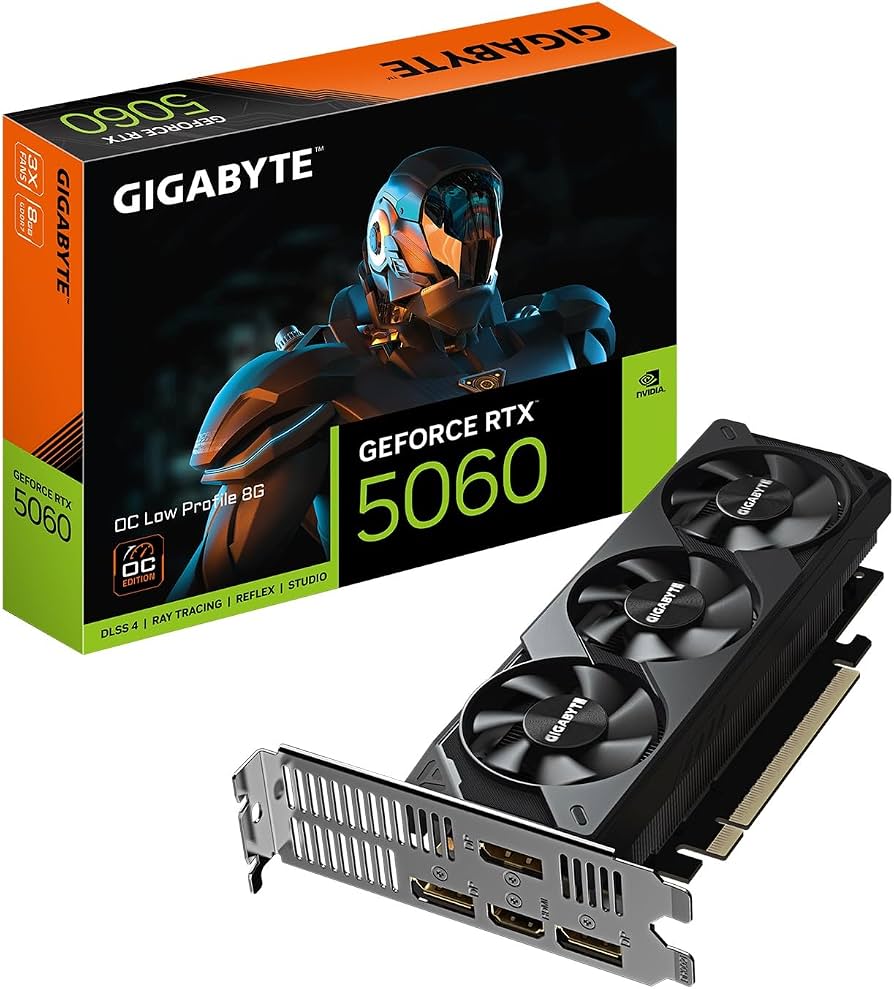
The Math for 1080p Supremacy
Your graphics card makes or breaks the entire setup. In 2026, the NVIDIA RTX 5060 and the AMD Radeon RX 9060 XT stand as the primary contenders for mid-range dominance.
If your cash is extremely tight, looking backward to the previous generation offers serious value. The RX 7600 and the RTX 4060 both still run modern tactical shooters at blistering speeds. To compare raw frame output across these exact cards, review the benchmark data compiled by PCMag’s budget GPU testing. If you prefer buying brand new parts, verify actual in-game performance numbers across these entry-level cards by reviewing Tom’s Hardware’s latest budget build testing.
| Component Category | Premium Tier ($850) | Budget Tier ($650) |
| Processor (CPU) | Ryzen 5 9600X | Core i3-14100F |
| Graphics Card (GPU) | RTX 5060 (8GB) | RX 7600 (8GB) |
| System Memory | 32GB DDR5-6000 | 16GB DDR5-5600 |
| Storage Drive | 1TB PCIe 4.0 NVMe | 1TB PCIe 4.0 NVMe |
Storage and Voltage Supply Decisions
Never trust a cheap PSU. A failing voltage delivery unit takes the rest of your expensive silicon down with it. Buy a 650W Bronze or Gold certified model from reliable manufacturers like Corsair or Seasonic. You want stable voltages feeding your hardware.
For storage, spinning hard drives are completely obsolete. NVMe solid-state drives load massive game textures instantly. Dropping a 1TB PCIe 4.0 drive into your motherboard guarantees quick boot times and zero map-loading stutters. Stay informed on the newest storage controllers and hardware releases through our competitive gaming news section.
System Assembly and Airflow
A massive case does nothing for a budget system except waste desk space. Pick a compact mid-tower featuring a mesh front panel. You want straight, unobstructed airflow pulling cool room air directly across your processor cooler and graphics card fans.
Before hitting the checkout button, verify that your selected case has enough clearance to fit the graphics card length. Some modern GPUs stretch over 300mm. Review cooling setups and hardware clearances through guides like MaxMyBuild’s affordable PC assembly lists to avoid physical compatibility errors.
Building your own machine saves hundreds of dollars in assembly fees. Snap the components into place, load up your operating system, and get straight into the ranked queues.
Best $800 Gaming PC Build in 2026
This video details a complete parts list and assembly guide for a highly capable 1080p and 1440p gaming machine.