

Welcome to the digital proving grounds where marketing claims meet cold, hard performance data. This isn’t some sterile lab environment. It’s a battle-hardened rig that’s seen more driver updates than I’ve had coffee breaks.
We’re running AMD’s Ryzen 7 9800X3D because, let’s be honest, you don’t test sports cars with bicycle tires. This processor ensures we’re measuring pure GPU muscle, not CPU limitations.
Our game selection reads like a greatest hits album: Cyberpunk 2077 for its path tracing brutality, Monster Hunter Wilds for open-world stress tests, and Marvel Rivals because even benchmarks deserve some fun. We’re putting these components through their paces at 1440p resolution – the sweet spot for modern gaming.
This testing philosophy separates fact from fiction. It’s not just about raw numbers; it’s about how these components perform when your Saturday gaming session turns into an all-nighter. For deeper performance insights across various models, check our comprehensive GPU hierarchy analysis.
CPU, games, drivers, frame‑time capture
Our benchmarking rig is not like Westworld, but a precise tool. We used AMD’s Ryzen 7 9800X3D, a top processor. It lets us see the real power of graphics without being slowed down.
Choosing this CPU was easy. We wanted to see how graphics cards perform without being held back. The 9800X3D’s big cache means less memory delay, perfect for showing off GPU power.
Our game list is like a blockbuster movie lineup. Cyberpunk 2077 is a tough test with its path tracing. It’s like running a marathon and solving quantum physics at the same time.
Indiana Jones and the Great Circle adds a new level of challenge. New games often show off driver improvements that older games hide. Monster Hunter Wilds adds fun with its giant monsters.
Driver stability was a surprise twist. We faced DDR5-6000 RAM issues, like many on Reddit. It shows who has their software in check.
Looking at frame-time tells us the real story. Smooth gaming isn’t just about high fps. It’s about keeping the game running smoothly. We track milliseconds to catch any stutters.
VRAM is key at high resolutions. Running out of video memory is like trying to show an IMAX on a phone. Our tests push VRAM limits to find where cards struggle.
The best 4K GPU needs lots of VRAM and stable drivers. Our tests reveal weaknesses that synthetic tests often miss. Real-world performance is what really counts.
What Matters in a GPU
Remember when the GTX 970 was a game-changer for $329? Those times are long gone. Today, prices are so high, even Rolex watches seem cheap by comparison.
The RTX 5090 sits on a $1,999 throne, making us question if $600 for a mid-range card is worth it. But what really matters in gaming?
It’s not just about numbers. It’s about smart performance. Ray tracing changes lighting and shadows into real-life scenes. DLSS/FSR turns low resolutions into clear, fast visuals.
This comparison shows that power alone isn’t enough. The true luxury is the smartest performance you can get for your money.
Shaders, RT, VRAM, bandwidth
Let’s explore GPU specs without the usual jargon. These numbers are key to your graphics card’s performance in games. They’re not just marketing talk.
Think of shaders as the soldiers in your GPU’s army. More soldiers mean more work done. But you also need specialized units.
RT cores are the special forces of ray tracing. They handle lighting effects that are stunning. They make shadows and reflections look real.
VRAM is the real star of GPU specs. The difference between 16GB and 32GB is huge. It’s about running today’s games smoothly and being ready for tomorrow’s.
For a solid 1440p GPU, 16GB is enough. But for future-proofing, 32GB is better.
Bandwidth is like the highway system for your GPU. AMD’s 664.6GB/s is like a good interstate. Nvidia’s 1,792GB/s is like the Autobahn with no limits. This explains the price difference.
Here’s what these specs mean for your gaming:
- Shaders: Raw processing power for overall performance
- RT Cores: Specialized hardware for realistic lighting effects
- VRAM: Determines how much visual data can be stored at once
- Bandwidth: How quickly data moves between components
Choosing the right balance of these specs is key. It’s not about having the biggest numbers. It’s about having the right numbers for your gaming needs.
Results by Resolution
Resolution testing shows what GPUs are really made of. Some shine at 1080p but struggle at 4K. Others are 4K powerhouses that don’t do well at lower resolutions.
The RTX 5090 is like a Ferrari for a short trip. It’s too much for simple tasks, held back by other parts.
Our tests show something amazing. The 9070 XT reaches 71fps at 4K with Ray Tracing Ultra in Cyberpunk 2077. This is impressive, considering it doesn’t break the bank.
Going from 1080p to 4K shows who’s a real worker and who’s just for show. The right VRAM is key at high resolutions. We have the data to show which 4K GPU setups really perform.
1080p HRR, 1440p, 4K RT on/off
Let’s clear up the confusion and see what these cards really offer. High refresh rate gaming at 1080p isn’t just about fast frames. It’s about staying calm when games get intense.
The 9060 XT hits 80fps in Cyberpunk, which sounds good. But it struggles in Assassin’s Creed Shadows, showing it’s not always consistent. Some cards handle the chaos better than others.
At 1440p, the 9070 XT stands out as the top choice. It averages 103.9fps in Monster Hunter Wilds, which is truly impressive. This shows where price and performance come together beautifully.
When we get to 4K with ray tracing on, things get real. The 5070 Ti manages 58.1fps in Cyberpunk, just beating AMD’s 52.5fps. This proves that spending more can sometimes make a big difference.
Turning on DLSS/FSR changes everything. What was slow becomes playable, but at a cost to image quality. How well these technologies work is just as important as the hardware itself.
These benchmarks reveal the truth behind marketing claims. They show us how theoretical performance holds up in real gameplay across different resolutions.
Noise & Thermals
If raw power is the steak, then noise and thermals are the sizzle. Sometimes that sizzle sounds like a jet engine in your living room.
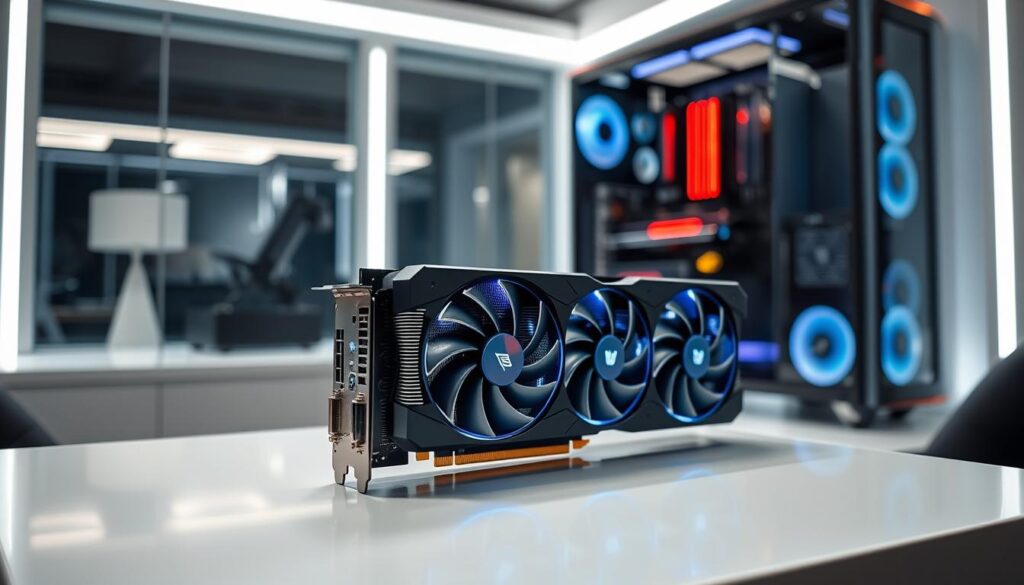
Nvidia’s flagship unit is truly mind-boggling. They packed a 578W beast into a dual-slot cooler that reaches 87°C. Is this genius or a bit scary?
The coil whine issue across models is like a mosquito in your bedroom at 3 AM. It’s not dangerous, but it’s really annoying.
Thermal performance is more than just numbers. It’s about whether your expensive hardware sounds like a breeze or a construction site. This matters when you’re trying to hear game dialogue.
For gamers looking for the best 1440p GPU experience, these factors are key. They make the difference between great and just powerful.
Cooler design, hotspot, coil whine checks
Modern GPU coolers have changed a lot. They’re now advanced thermal engineering marvels. Nvidia’s RTX 5090 has a unique design that pulls air through the bottom and shoots it out the top.
Hotspot temperatures show what average readings hide. It’s like a stress test for the GPU. While the main temperature might be 75°C, the hotspot could be at 95°C.
Coil whine is another issue. It’s that annoying buzz that makes you think your graphics card is broken. We found this problem in many AMD models. It shows that sometimes, the price difference isn’t just about speed.
When using a 4K GPU at its limits, cooling is key. It keeps memory modules running smoothly. Good cooling means your card uses its VRAM better.
So, what to look for when buying a 4K GPU? Don’t just look at the looks. Check the cooling and sound quality. A good cooling system and quiet operation are essential for a great gaming experience.
Power & Connectors
Remember when GPUs were like polite guests, using power quietly? Those days are over. Now, they use electricity like college students at an open bar.
Today, power needs vary. Budget GPUs need 450W, while the RTX 5090 uses up to 578W peak draw. This is enough to make your electric meter spin like a Vegas slot machine.
The drama with connectors continues. We’ve moved from the familiar 8-pin PCI-E to Nvidia’s 12V-6×6 design. Melting connectors are now a PC builder’s worst nightmare.
This power need isn’t just about performance. Features like ray tracing and DLSS/FSR require a lot of power. Your power supply choice is key. It’s not just about total watts, but also handling quick power spikes that can overwhelm cheaper units.
Choosing the right power solution is no longer a luxury. It’s essential for modern computing.
ATX 3.1, 12V‑2×6, transient spikes
Think your power supply is just a boring metal box? Think again. The ATX 3.1 standard is your GPU’s secret bodyguard against power failures. It’s not just paperwork – it’s the difference between smooth gaming and sudden black screens during boss fights.
Remember the format wars? Blu-ray versus HD DVD? The 12V-2×6 connector debate feels like that, but with higher stakes. We’re talking about melted hardware versus reliable performance. The new connector design addresses previous issues, but compatibility remains key.
Transient spikes are where the real drama unfolds. These microsecond power surges can reach twice the rated TDP of your graphics card. Quality power supplies handle these spikes gracefully. Cheaper units? They’ll leave you troubleshooting random crashes.
Here’s what you need for different card tiers:
- Mid-range cards: 650W-750W PSU (perfect for most 1440p gaming)
- High-end models: 850W-1000W (handles those intense transient spikes)
- Flagship beasts: 1000W+ (because nobody likes brownouts during gameplay)
Choosing the right power setup isn’t just technical jargon. It’s insurance for your $1,500 investment. A proper ATX 3.1-compliant PSU with 12V-2×6 support ensures your best gaming GPU performs consistently. No surprises, no crashes, just pure gaming enjoyment.
For 1440p gaming enthusiasts, this power stability means consistent frame rates. Your 1440p GPU deserves clean, stable power delivery. Don’t let power issues ruin your gaming experience. Invest in proper power infrastructure – your graphics card will thank you.
Feature Support
Welcome to the world of 4K GPU battles. Do you prefer open standards for freedom and patience? Or do you choose proprietary tech for ease but lose freedom?
AMD’s FSR 4 has arrived, bringing AI upscaling to AMD fans. It’s a big step forward, closing the gap with Nvidia’s DLSS. It’s like seeing your little brother ride a bike for the first time.
AV1 encoding is more than just a feature. It lets you stream without looking like you’re using a potato. DisplayPort 2.1 might seem like too much now, but future monitors will make you glad you have it.
These features show the big difference between new and old GPUs. They’re not just about speed. They’re about using VRAM wisely.
AV1, DisplayPort 2.1, AI features
Let’s explore the secret weapons in your GPU’s arsenal. These aren’t just specs; they’re what make your GPU stand out. They’re the key to staying ahead in the game.
AV1 encoding is a game-changer for content creators. It’s like having a top-notch studio in your GPU. This codec offers better quality at lower bitrates, changing the streaming game.
DisplayPort 2.1 is like a high-speed highway for your display. You might not use it all today, but it’s ready for tomorrow’s high-resolution needs.
The AI feature race is as exciting as a Netflix series. Nvidia’s DLSS creates frames out of thin air, keeping quality high. It’s tech that makes you wonder if it’s real.
AMD’s FSR is the people’s choice, open to all. It’s a community-driven tech that keeps your GPU relevant long after the initial purchase.
These features turn your graphics card into a multimedia powerhouse. They handle everything from streaming to future display tech, making your investment last.
When these technologies work together, magic happens. AV1 encoding your ray tracing-enhanced games with AI features boosting performance? That’s not just gaming; it’s running a studio from your desk.
Don’t overlook these capabilities. They’re becoming essential for modern GPU value. Raw power gets you in, but these features keep you there.
Size & Fit
Modern gaming parts have grown too big. Some are so large, they need their own parking spot in your computer case.
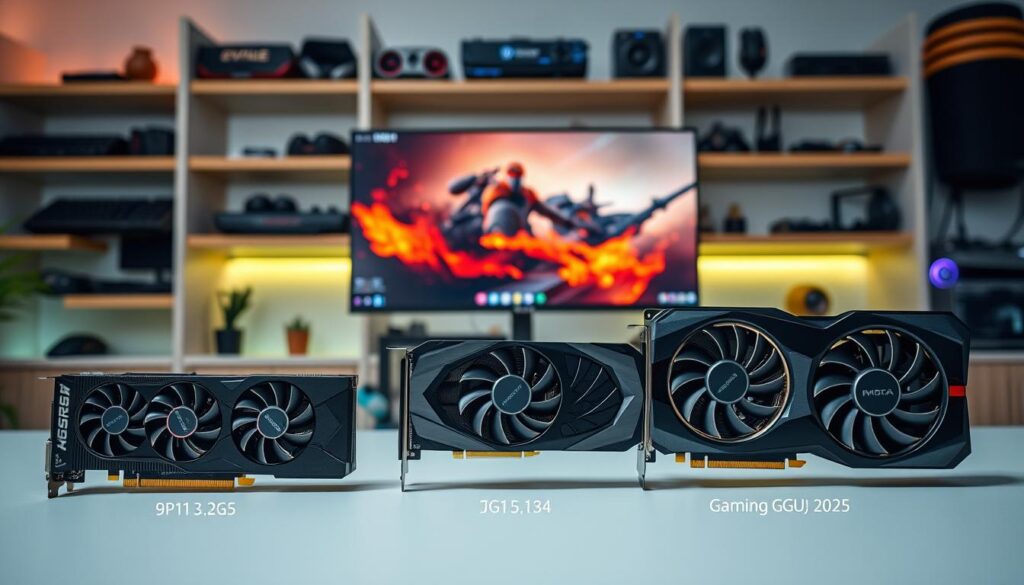
The RTX 5090 is called “compact,” but it needs careful planning. It’s 11.9 inches long, making it a challenge to fit.
The XFX Swift RX 9070XT is even bigger, almost 13 inches long. You might think they include blueprints with it.
It’s not just about length. These GPUs also take up a lot of space in height and thickness. This makes choosing the right one a big challenge.
When looking for the best gaming GPU for 1440p games, you need to measure twice. You might even need to buy remodeling tools to make it fit.
Length/height, case airflow constraints
Dimensions are more than just numbers. They can make or break your system’s installation. The 9070 XT’s 12.8-inch length is perfect for many mid-tower cases.
Height can be a sneaky issue. Some GPUs are so tall, they almost touch your case’s side panel. It’s like they don’t respect your space.
Good airflow is key for a GPU. A card that can’t cool itself might raise your system’s temperature. This is where smart design meets real-world needs.
Many great GPUs fail here. Even a top 4K GPU with lots of VRAM won’t work if it can’t breathe in your case.
| GPU Model | Length (inches) | Height (slots) | Case Compatibility | Airflow Impact |
|---|---|---|---|---|
| 9070 XT Standard | 12.8 | 2.5 | Most mid-towers | Moderate |
| 9070 XT OC Edition | 13.2 | 2.7 | Large cases only | High |
| Competitor A | 11.5 | 2.3 | Universal fit | Low |
| Competitor B | 14.1 | 3.0 | Full-tower required | Severe |
Choosing the right 4K GPU is more than just looking at specs. It’s about keeping your system cool. Too much heat can ruin your components.
Measure twice, buy once. Your case’s space is just as important as your GPU’s specs.
Tiered Picks
Let’s get real about performance. Not everyone needs to mortgage their house for pixel-pushing power.
Today’s market offers something for every budget and build. The smart money isn’t always on the flashiest option.
Budget choices now deliver 90% of the experience at half the price. Sweet spot options handle 1440p gaming without breaking the bank.
Flagship territory? That’s for those who want to dominate today’s games while future-proofing for tomorrow. Ray tracing and DLSS/FSR support become critical here.
Small form factor builds prove big performance comes in small packages. Though you’ll pay the thermal and acoustic price.
Our comprehensive breakdown shows how to match your needs with the right tier. Because the perfect card isn’t about raw power—it’s about the right power.
Budget, sweet spot, flagship, SFF
Choosing a graphics card is like picking a character in a game. You can go for a budget option, a balanced choice, or a high-end card that costs a lot. Let’s look at the main categories in today’s market.
The budget category has improved a lot. The RX 9060 XT at $349 offers good 1080p gaming and ray tracing. It’s the best gaming GPU for those starting out but wanting to see the future.
If you’re looking for a sweet spot, the RX 9070 XT at $599 is your best bet. It handles 4K well and excels at 1440p. This card is the perfect mix of price and performance, before costs start to rise too much. For most gamers, it’s the top 1440p GPU without breaking the bank.
Flagship cards are for those who don’t worry about spending a lot. The RTX 5090 at $1,999 is a statement piece. It’s like buying a hypercar for everyday use. It’s unnecessary but amazing.
Small form factor builds are special. They need to pack a lot of power without overheating. This often means paying more for a smaller package.
| Tier | GPU Model | Price Point | Target Resolution | Value Proposition |
|---|---|---|---|---|
| Budget | RX 9060 XT | $349 | 1080p | Entry-level ray tracing |
| Sweet Spot | RX 9070 XT | $599 | 1440p/4K | Peak price-to-performance |
| Flagship | RTX 5090 | $1,999 | 4K Ultra | No-compromise performance |
| SFF Specialist | Varies | Premium+ | 1440p | Compact power solution |
Each tier has its own purpose. Budget cards say “good enough.” Sweet spot cards say “just right.” Flagship cards scream “MORE POWER!” SFF cards wish for more space.
Your perfect best gaming GPU depends on what you value most. For many, the sweet spot 1440p GPU is the best. It offers great performance without a huge cost.
Value & Availability
Welcome to the great GPU pricing carnival. Here, the MSRP is just a starting point. Reality hits hard, like a rollercoaster drop.
The RX 9070 XT’s price shift from $600 to $850 is quite a ride. It’s more like negotiating with a Bond villain than shopping.
Availability turns into a psychological thriller. Cards flood the market, then disappear quickly. This creates anxiety, making it feel like a luxury purchase.
Bundle deals sometimes make things better. But let’s be real, they often feel like a free appetizer after a pricey steak.
For true 4K performance, VRAM is key. Yet, finding the right price and pixel balance is a big puzzle for consumers.
MSRP vs street, bundles
Watching GPU pricing is like watching a high-stakes poker game. The house always wins. Manufacturers announce MSRPs with excitement, but street prices show who’s bluffing.
AMD’s RX 9070 XT is a great example. They started at $600, but prices quickly dropped to around $850. That initial price now feels like a dream.
NVIDIA’s RTX 5070 Ti played it differently. Their $749 MSRP was actually achievable months later. This rare honesty in pricing is surprising but welcome.
Bundles sometimes make these high prices a little easier to swallow. Game codes worth $60 seem like a nice bonus. But when you’re spending over $800, they feel like a small comfort.
This pricing reality check shows the difference between what’s theoretical and what hits your wallet. Cards with DLSS/FSR might be worth the extra cost over time. Yet, when prices are far from MSRPs, even the best features can’t always justify the cost.
The market decides which cards are worth it and which are just for reviews. Smart shoppers watch these prices closely before buying.
The Final Verdict: Your Next Graphics Card Awaits
After months of testing, we’ve found the best gaming GPU. The Radeon RX 9070 XT is our top choice. It offers great performance at a fair price.
For 1440p gaming, AMD and Nvidia have excellent options. The RX 9070 is great for high refresh rates. The RTX 5070 Ti excels in ray tracing.
True 4K gaming fans have many choices. But, remember, you’ll need lots of VRAM for detailed textures. Nvidia is the best for path tracing.
The market now offers more specific options. Whether you need a small system or high frame rates, there’s a card for you. Check our GPU recommendations guide for more details. Your ideal graphics card is waiting, no need for nostalgia.