

Most builders ignore their computer’s housing until the last minute. They see it as an afterthought, not the key to their system’s success.
Your enclosure is more than looks. It decides if your expensive parts will work well or overheat. I’ve seen many cases where poor choices led to overheating disasters.
Choosing the right case can make your computer quiet or loud. It affects how big your system can be, how well it cools, and how much noise it makes.
It’s time to take these decisions seriously. Your build deserves respect and careful thought, not to be ignored.
Airflow vs silence vs aesthetics
When shopping for a PC case, you face a big decision. Do you want your computer to breathe well, be quiet, or look amazing?
The mesh front design is all about keeping things cool. It’s like a practical car that focuses on performance over looks. But, let’s be real, mesh panels aren’t exactly thrilling to look at.
The tempered glass trend changes the game. These cases turn your PC into a work of art. They’re like sleek sports cars that are stunning but might get too hot.
The Hyte X50 shows that beauty and function can meet. It’s a case that looks great but also keeps things cool.
Some people want their PC to be as quiet as a library. These cases are like soundproof rooms for your computer. But, they might not cool as well.
Fractal Design’s North case is special. It combines wood and mesh front for a rare mix of beauty and function. The wood adds warmth, while the mesh keeps things cool.
Every choice has its downsides. More mesh front means better airflow but can be noisy. More tempered glass looks great but might overheat your components. Quieter cases might not cool as well.
The Hyte X50 shows that you can have it all. It’s a case that looks great and doesn’t overheat. It proves that tempered glass doesn’t mean your computer will get too hot.
Your choice of case says a lot about you. Are you practical, artistic, or quiet-focused? There’s no one-size-fits-all answer. It’s about finding the right mix for you.
Test Method
Before we name a winner, let’s discuss how we pick the best. Our tests aren’t simple. We’re as precise as a watchmaker who’s had too much coffee.
We use the same parts for all tests. The same processor and graphics card, the same power use. Why? So the only thing that changes is the case itself. It’s like comparing apples to apples, not apples to oranges.
We check temperatures under tough workloads. We record noise levels at different fan speeds. We look at build quality like a Michelin inspector. Does it feel strong enough for a long trip? Are there sharp edges that could hurt you?
We’ve seen cases that promise coolness but fail. Others are quiet but keep things cool. You can trust us – without the right method, you’re just making a guess. Your expensive gear deserves a better test.
Thermal/noise with standardized build
Let’s talk about what happens when your components start working. It’s that beautiful moment when heat meets airflow. Noise becomes the uninvited party guest. Our standardized test rig shows some fascinating truths about case performance.
The NZXT H7 Flow delivered “whisper-quiet competence.” With just two fans, it kept CPU temperatures low. It was quieter than a mouse in a library. This silent case performance shows that sometimes less is more.
Lian Li’s Lancool 217 arrived with five pre-installed fans. The cooling performance was exceptional. But, the noise was noticeable – like a friend who doesn’t get indoor voices. It’s a tradeoff: maximum airflow versus acoustic comfort.
The real magic is when cases find that perfect balance. They move enough air to keep components happy without being loud. Smart fan placement and control make all the difference between a silent case and one that just moves air chaotically.
| Case Model | Idle Noise (dB) | Load Noise (dB) | CPU Temp (°C) | GPU Temp (°C) |
|---|---|---|---|---|
| NZXT H7 Flow | 22.3 | 36.7 | 68 | 72 |
| Lian Li Lancool 217 | 25.1 | 41.9 | 64 | 69 |
| Industry Average | 24.5 | 39.2 | 71 | 75 |
The numbers tell a clear story: you don’t need maximum airflow for optimal performance. You need intelligent airflow. Cases that understand this deliver better thermal performance without the noise penalty – the holy grail of PC building.
When shopping for your next case, remember: more fans don’t always mean better cooling. Quieter doesn’t always mean worse performance. The best silent cases find that sweet spot where thermal performance and noise levels coexist peacefully – like neighbors who actually respect each other’s boundaries.
Size & Fit
Choosing your computer housing is like apartment hunting in Manhattan. If it’s too small, you’ll be playing furniture Tetris. If it’s too big, you’re wasting money on empty space.
SFF cases have evolved from being rare to being engineering marvels. The Fractal Design Terra shows that good things can come in small packages.
We have everything from space-saving Mini-ITX to comfortable Micro-ATX options. Think about what fits now and what might fit later.
That extra millimeter of GPU clearance can save you from future problems. Buying new hardware that doesn’t fit is like online shoe shopping gone wrong.
ITX/mATX/ATX, GPU/PSU/cooler clearance
Choosing the right case size is like picking an apartment in Manhattan. You’re balancing space, location, and whether your furniture fits. The motherboard form factor dance starts with a simple question: how much space do your components need?
ITX cases are tiny titans that demand precision. The Fractal Design Terra, for example, only allows 77mm CPU cooler height. This means your big air coolers have to be downsized. GPU length is also key, with many ITX cases limiting to 285-320mm. So, that RTX 4090? It’s a no-go unless you’re ready for case surgery.
mATX cases offer a sweet spot, like a perfect Brooklyn brownstone. They have enough room for coolers up to 160mm and GPUs up to 350mm. The Cooler Master NR400, for instance, supports 306mm graphics cards while keeping your desk space reasonable. It’s ideal for builders who want performance without taking up too much space.
ATX territory is like the spacious suburban home of PC cases. You get 180mm cooler clearance, 400mm+ GPU support, and room for big power supplies. The Phanteks Eclipse P500A, for example, fits 190mm tall coolers and 435mm graphics cards. But remember, just because a case says “ATX compatible” doesn’t mean your components will fit. Always check the fine print – because finding out your $1,200 GPU doesn’t fit is not fun.
Clearance measurements to remember:
- ITX cases: 70-85mm CPU cooler height, 285-320mm GPU length
- mATX cases: 160-170mm cooler height, 330-360mm GPU length
- ATX cases: 175-190mm cooler height, 400-435mm GPU length
The truth about SFF cases? They’re engineering marvels that force you to make thoughtful component choices. Unlike their spacious ATX cousins, these compact powerhouses don’t forgive measurement mistakes. Your build becomes a carefully choreographed ballet of dimensions and thermal considerations. In the world of small form factor computing, every millimeter matters more than square footage in a Manhattan studio.
Airflow Design
Let’s explore what makes a computer case more than just a box. It’s not just about adding fans. It’s about creating smart paths for air flow that even HVAC experts would approve of.
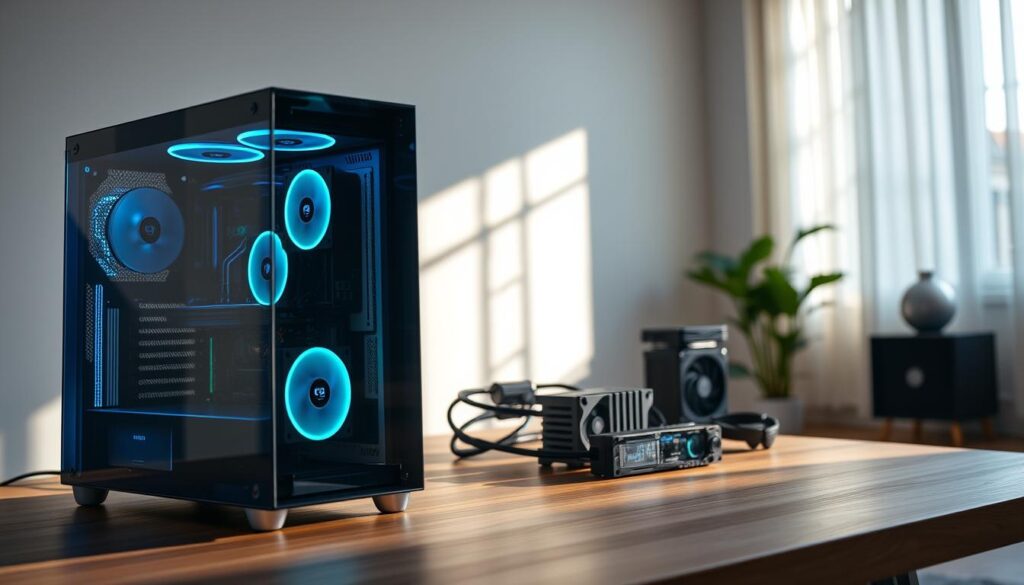
Mesh front panels are the clear winners here. They let air in easily while keeping dust out. This prevents your computer from getting all fuzzy.
Some cases have special bottom intakes for cooling graphics cards. These cards can get really hot, like warming up a small room. Other designs use separate chambers to keep heat away from important parts. The best cases make air flow seem purposeful and directed.
Want to see how these designs work in real life? Check out our budget hardware recommendations. We tested them with stress tests and measured how well they keep cool.
Mesh, filters, fan paths, bottom intake
Let’s explore the beauty of airflow in PC cases. The mesh front panel is a favorite for cooling, but not all mesh is the same. Some mesh is so tight, it’s like solid metal, while others are so open, you could throw a tennis ball through them.
The Phanteks XT Pro Ultra shows what smart mesh panels should be like. Its design lets air flow easily while keeping the case strong. It’s not just for looks; it helps keep your computer parts cool.
Filters have changed from annoying slide-out designs to easy-to-use magnetic ones. They catch dust before it harms your computer parts. These filters are the heroes of your build, keeping everything clean and clear.
Fan paths are key to a case’s cooling power. Good designs use laminar flow to cool parts well, while bad ones just make noise. The NZXT H7 Flow is a great example, creating a cool airflow system.
Bottom intake is a big deal for cooling GPUs. Cases like the Lian Li Lancool 207 use fans to cool the graphics card directly. It’s like having a personal air conditioner for your GPU, which can get very hot.
The best cases think about airflow from start to finish. They design paths for air to flow smoothly, cooling your computer effectively. It’s not just about adding fans; it’s about smart design that makes every bit of air count.
Acoustic Treatment
Ever heard a computer that sounds like it’s preparing for takeoff? That’s what we’re fixing today. Welcome to the art of keeping your components cool without announcing their existence to the neighborhood.
This isn’t about just slapping foam on panels. True acoustic treatment means engineering the entire enclosure to minimize noise at its source. We’re talking rubber grommets for fans, anti-vibration mounts, and materials that absorb sound.
Our testing reveals something fascinating: sometimes silence delivers more value than those last few degrees of cooling. There’s a sophisticated satisfaction in a powerful machine that runs so quietly you have to check if it’s actually on.
Think luxury car purr instead of muscle car roar. That’s the promise of proper acoustic treatment – where performance meets peace in perfect harmony.
Panels, damping, velocity control
Think of your silent case as a recording studio for your components. Every surface either absorbs sound or makes it louder. The difference between quiet and loud comes down to three key things: panel construction, damping materials, and fan speed control.
Panel materials are more important than you might think. Cheap steel panels vibrate with every movement, making noise. Premium silent cases use:
- Composite layered materials with sound-absorbing foam
- Asymmetrical panel thickness to break up resonance patterns
- Rubber-isolated mounting points that prevent vibration transfer
It’s like comparing a cardboard box to a recording studio booth. Both might hold sound, but only one manages it well.
Velocity control is key for quiet operation. Fan speed and noise aren’t directly related – it’s more complex. Lowering RPM by 200 can halve the noise. The best silent cases offer:
- PWM fan hubs with temperature-based curves
- Motherboard sync capabilities for unified control
- Manual override switches for instant quiet mode
Think of it as cruise control for your ears. You wouldn’t drive your car fast in a neighborhood – why not treat your computer the same way?
Some cases even have active noise cancellation. They use special fan blades and air channels. It’s not just about slowing down – it’s about engineering sound into silence.
The magic happens when all three elements work together. Proper damping stops structural noise, smart velocity management handles airborne noise, and thoughtful panel design keeps everything else in check. It’s the holy trinity of acoustic performance.
Remember: true silence isn’t the absence of sound – it’s managing unwanted noise. Your components need to breathe, but they shouldn’t make a lot of noise about it.
Build Quality & QoL
Let’s explore what makes top-notch hardware stand out. Build quality is more than just a marketing term. It’s the gap between a part that lasts through many upgrades and one that might break if you look at it wrong.
We’re discussing steel that doesn’t bend, precise bends that fit perfectly, and paint that stays on. It’s the small details that make putting things together a joy, not a chore.
The growth of quality-of-life features has been amazing. Remember when tool-less design meant flimsy clips that broke easily? Now, we have tools that really work well.
Tempered glass panels are now the norm, but their quality varies a lot. Some feel solid and safe, while others make you worry every time you take them out. It’s all about feeling secure or always on edge.
Good design shows if engineers use their own products. The best hardware makes building fun, with cable management that’s a science. For those looking for reliable gaming hardware, these small things make a big difference.
Cable space, grommets, tool‑less
If cable management were an Olympic sport, today’s premium cases would win gold. Budget options wouldn’t even make it to the trials. The backside of your motherboard tray is key to a good build.
Cable clearance behind the motherboard is what separates pros from amateurs. A small difference can make a big difference in build quality. Cases like the Lian Li Lancool series offer enough space for cable management.
Grommets have evolved from simple plastic rings to useful cable guides. The best ones have rubber edges to protect cables and guide them. Phanteks models stand out with color-coded grommets for easy cable routing.
Tool-less design has improved a lot. Today’s premium cases have reliable side panels and drive bays. They don’t require tools to open or close.
Let’s talk about the little things that make a big difference:
- Fused front-panel connectors that reduce cable clutter by 50%
- Removable drive cages that create flexibility for larger components
- Magnetic dust filters that actually stay in place during cleaning
- Intelligent mounting solutions for SSDs that don’t require contortionist skills
Fractal Design cases are great at these details. Their tool-less mechanisms feel solid, and their cable management works well. It makes building a PC much easier.
The presence of tempered glass side panels has pushed manufacturers to improve cable management. Nobody wants a messy build behind that beautiful tempered glass window. This has led to a clean interior design race.
These features might not be the most exciting, but they make building a PC enjoyable. Life’s too short to spend hours fighting with cables.
Modern cases have improved a lot. They understand what builders need. It’s not just about looks; it’s about making building easy and keeping it sleek behind the tempered glass.
Tiered Picks
Welcome to the main event – where theoretical specs meet practical reality. We’ve reached the part where we recommend things that won’t make your build look like a college dorm project gone wrong.
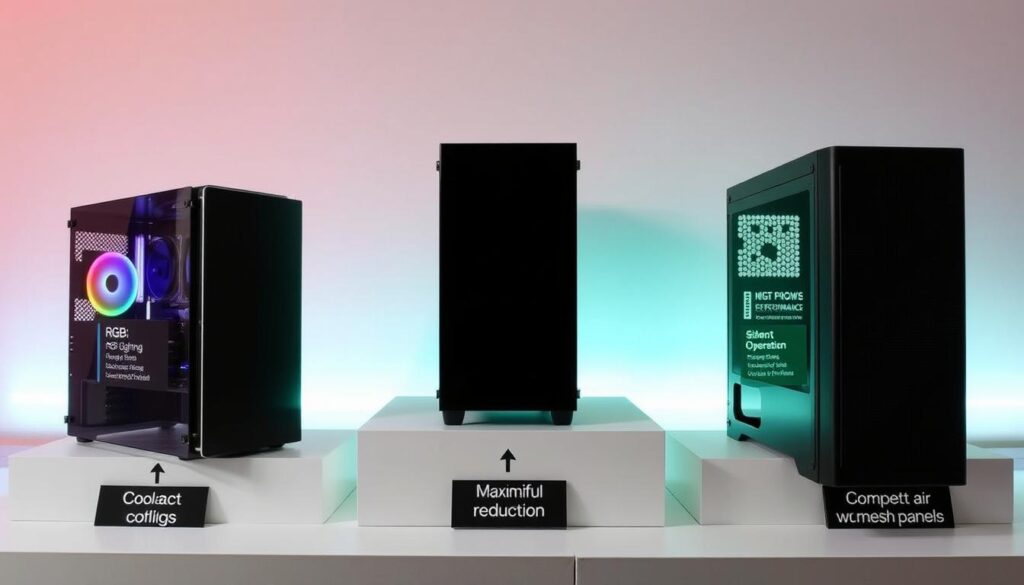
Not every builder needs the same thing. Some focus on budget, while others seek maximum performance, no matter the size. Our tiered approach recognizes that recommending a massive tower to someone building a compact system is like suggesting an SUV for Manhattan parallel parking.
We’ve categorized recommendations based on what these enclosures actually excel at. Because context matters more than any spec sheet ever could. Your needs determine the perfect choice – not some mythical one-size-fits-all solution that probably doesn’t fit anything well.
From sleek minimalist designs to budget-friendly workhorses, we’ve got picks that actually make sense for real-world building. Sometimes, the right choice isn’t about having the most features. It’s about having the right ones.
Compact, mainstream, full‑tower, SFF
Choosing a PC case size isn’t just about looks. It’s about what you really need versus what you dream of. That extra space that’s unused? It’s just taking up valuable room on your desk. Let’s look at the four main types of cases available today.
Compact cases are like the small apartments of computer cases. They save space but need careful planning to fit everything right. The Fractal Design North is a great example, with its smart design and use of space.
Mainstream ATX cases are the middle ground. They have enough room for most setups without taking over your space. They’re reliable, easy to upgrade, and not too big. The Lian Li Lancool 216 is a top choice, balancing airflow and room for growth well.
Full-tower cases are for those who want it all. They offer lots of room for upgrades, multiple GPUs, and big cooling systems. The Cooler Master HAF 700 Evo is a top pick in this category, with its roomy design.
SFF cases are the ultimate in small but mighty. They pack a lot into a tiny space. The Fractal Design Terra is a standout, with its beautiful design and smart layout. But, building in SFF cases is a challenge, needing patience and precision.
| Case Category | Best For | Space Required | Example Model | Build Difficulty |
|---|---|---|---|---|
| Compact | Space-conscious users | Moderate desk space | Fractal Design North | Intermediate |
| Mainstream ATX | Most PC builders | Standard desk area | Lian Li Lancool 216 | Beginner |
| Full-Tower | Maximum expansion | Floor placement recommended | Cooler Master HAF 700 Evo | Easy |
| SFF | Minimalist setups | Minimal footprint | Fractal Design Terra | Expert |
It’s not just about which case looks good. It’s about finding the right size for your needs and space. That big full-tower might excite you, but does it fit with your home’s style? Sometimes, the best choice is to go for less.
Remember, the size of your case affects more than just your computer. It impacts your whole space. Choose wisely, build carefully, and hope your parts fit perfectly the first time.
Water‑Cooling Readiness
Remember when liquid cooling was only for mad scientists and overclocking fans? Those days are over. Now, water cooling is a common choice for many.
But, true water-cooling readiness isn’t just about adding radiators anywhere. It’s about intelligent design that makes sense. We’re talking about enough space, good mounting options, and layouts that help with cooling.
Some makers don’t really think about radiator support. Others focus on custom loops with many mounting spots and special pump brackets. The difference is huge.
The best cases know that having lots of radiator support doesn’t help if it’s not in the right place. It’s about smart thermal management that makes your build amazing.
Radiator support, pump mounts
True water-cooling support is more than just fitting radiators. It’s like the difference between a microwave and a professional kitchen range. Both can heat food, but one lets you cook like a pro.
The best airflow case for water cooling does more than just fit radiators. It has smart design that thinks about real-world use, not just theory.
Let’s talk about radiator support that really works. Cases like Corsair’s 5000D series have mounts that don’t get in the way of other parts. You get front mounts for long GPUs, top mounts for motherboard heatsinks, and side mounts for better cooling.
Here are some top features for radiator support in premium cases:
- 360mm+ support in various positions without getting in the way
- Offset mounting points that give space for fittings and tubing
- Removable brackets that make setup easier
- Proper clearance behind radiators for good airflow
Pump mounts have improved a lot. Lian Li’s O11 Dynamic series shows this with special mounts for pumps and reservoirs. It’s like they were made by someone who’s built a custom loop.
Why deal with zip ties and makeshift solutions? The best cases have specific brackets for popular pumps and reservoirs from brands like EKWB and Heatkiller.
Drainage solutions are a big test of a case’s water-cooling readiness. A case that makes you tilt your whole system to drain coolant is like a car that needs its engine removed to change oil. Look for cases with dedicated drain ports or enough space to reach your drain valve easily.
The magic happens when all these parts work together. You get radiator placement that works with your system, pump mounts that feel like they were made for a purpose, and drainage that’s easy to use. This is what makes a case great for water cooling.
When looking for the best airflow case for your custom loop, remember: just because a case fits, it doesn’t mean it works well. It’s the thoughtful design that makes a case truly great.
Value & Warranty
Let’s talk about the great American bargain hunt. We all love a good deal, but what does value really mean when shopping for components?
It’s not just about the lowest price tag. Some budget options deliver features that were premium just a few years back. On the other hand, higher-priced models justify their cost through exceptional build quality and innovation.
Remember when tempered glass was exclusive to luxury builds? Now it’s everywhere—but quality varies wildly. That shiny panel might be the centerpiece of your setup, but is it worth the premium?
Warranty matters more than people realize. When things fail—usually fans or mechanisms—decent coverage saves significant frustration. A well-built chassis can last through multiple system upgrades, making that initial investment more reasonable over time.
The sweet spot? Finding that perfect balance where price, features, and quality feel fair. Nobody wants to overpay for what amounts to a metal box with some fans.
Materials, support, spares
After the excitement of getting a new case wears off, the real value shows up. It’s not just the initial cost. It’s about the support and parts you need later on.
Quality materials make a big difference. A thick steel case is much better than a thin one. The paint’s quality also matters, keeping your case looking new for years.
Plastic parts show a company’s dedication to quality. Cheap plastic feels flimsy. But quality plastic is sturdy and lasts longer.
Tempered glass is key. Not all glass is the same. Some is thin and feels weak. Others are thick and fit perfectly.
The best glass has smooth edges and aligns perfectly. Cheap glass might have rough edges or uneven tint.
Support from manufacturers varies a lot. Some treat you well, while others seem hard to reach.
Good support means quick help and real solutions. Bad support means long waits and generic answers.
Having spare parts available is important. If you lose a part, some companies send replacements fast. Others are slow to respond.
Here’s how major brands compare on support:
| Brand | Material Quality | Support Response Time | Spare Parts Availability |
|---|---|---|---|
| Fractal Design | Excellent | 24-48 hours | Extensive inventory |
| Lian Li | Premium | 48-72 hours | Good selection |
| Corsair | Very Good | 24-72 hours | Variable by region |
| NZXT | Good | 48-96 hours | Limited options |
| Phanteks | Excellent | 24-48 hours | Comprehensive catalog |
The best companies build ecosystems, not just products. They know that easy access to parts builds loyalty.
Getting a replacement part quickly can make you love a brand. It’s like having a reliable neighbor.
Before buying a case, check the company’s support reputation. Look at forums and see how they handle issues.
That extra $20 for a case with great support is worth it. Good support is like insurance for your PC building future.
The Final Verdict: Your Next PC Case Awaits
After testing many cases, we found our top picks. The Fractal Design North is a standout. It combines beauty with brains, making other cases seem old.
The Lian Li Lancool 207 is great for those on a budget. It makes building PCs fun. And if you want quiet, there are cases that keep things silent.
Fractal Design’s Terra shows that small can be mighty. Tempered glass cases have become more than just decorations. They’re functional art. Whether you want the best airflow or a silent case, there’s something for everyone.
Your perfect case is out there. It’s just waiting for you to find it. The only bad choice is not choosing at all.