

Do you remember the first time you held a “portable” device that could run PC games? It felt like the future was here. But it was just a promise, not a reality yet. That was the 1.0 era, a clunky prototype.
Welcome to Handheld Gaming PCs 2.0. This isn’t just a small upgrade. It’s a big change. We’ve moved from wondering if it works to finding the best way to play Elden Ring on a small screen.
The talk has changed from “it works!” to deep discussions about joystick drift and running Windows 11 on a small screen. This new era is about making the experience perfect. It’s about turning an interesting idea into a top-notch gaming platform.
We’re beyond the “can we do this?” phase. Now, we’re asking, “How perfect can we make this for you?” Let’s explore the silicon, screens, and software that are making these devices a must-have for gamers. Check out the best handheld gaming devices out there.
Chip debate: latest APUs/iGPUs compared
Welcome to the main event, where architectures clash. This isn’t just a comparison; it’s a battle for your gaming handheld‘s soul. AMD’s RDNA architecture leads in the ROG Ally, while Intel’s Lunar Lake enters with AI and efficiency. Choosing a chip is more than just speed; it’s about philosophy.
Do you prefer raw power or balanced performance? The choice affects battery life.
In the red corner, AMD’s Z1 and Z2 Extreme face off. These APUs are built on Zen 4 and RDNA 3. They’re like seasoned boxers, reliable and powerful.
In the blue corner, Intel’s Lunar Lake challenges. Found in devices like the MSI Claw 8 AI+, it focuses on mobile efficiency and AI. It’s a new architecture designed for the future.
So, who wins in a straight-up brawl? Let’s look at the tale of the tape.
| Chip | Architecture (CPU/GPU) | Key Feature | TDP Sweet Spot |
|---|---|---|---|
| AMD Z1 Extreme | Zen 4 / RDNA 3 | Established Performance | 15W – 30W |
| AMD Z2 Extreme | Zen 5 (Projected) / RDNA 3.5 | Improved Efficiency | 10W – 28W |
| Intel Lunar Lake (Core Ultra 7 258V) | Lion Cove P-cores / Xe2 Graphics | AI NPU, XeSS Upscaling | 7W – 30W+ |
The numbers tell part of the story, but efficiency is key. A chip can be fast but drain the battery quickly. This is where philosophy comes in.
AMD chips, like the Z2, offer great performance at lower power. Intel’s Lunar Lake shines at low power, perfect for long battery life.
In real-world tests, AMD’s Z1 Extreme scores 41 FPS in Cyberpunk 2077 at 1080p with FSR. But Intel’s Lunar Lake and Z2 are close, using less power and AI tricks like XeSS upscaling.
So, who wins the chip debate? It depends on your needs. AMD is safe and proven, while Intel’s Lunar Lake is innovative and power-efficient. The debate is about finding the right champion for your handheld.
Displays: refresh, VRR support, brightness, color gamut
The screen is your gateway to another world. Handheld gaming PCs have evolved from just having a screen to making it a portal worth looking through. We’re talking about VRR, HDR, and colors that make games feel new again.
A good screen isn’t just about looks. It’s about feeling smooth. A high refresh rate is great, but it needs Variable Refresh Rate (VRR) to avoid stutters. VRR makes your screen and game sync up perfectly, giving you a seamless experience.
More Than Just a Number: The Specs That Matter
Pixel count is just the beginning. The real magic is in the details. A 120Hz panel with VRR is a game-changer. It’s about a screen that makes you say “wow.”
| Feature | What it Means | Why It Matters for Handhelds | Good | Great (2.0 Standard) |
|---|---|---|---|---|
| Refresh Rate | How many times the screen updates per second (Hz). | Reduces motion blur, makes fast-paced action look smoother. | 60Hz | 90Hz, 120Hz, 120Hz+ with VRR |
| VRR (FreeSync/G-Sync) | Syncs the display’s refresh rate to the game’s FPS. | Eliminates screen tearing and stuttering, critical for handhelds. | Optional or not present | Mandatory. FreeSync Premium or G-Sync Compatible. |
| Peak Brightness | Maximum brightness the screen can achieve (nits). | Crucial for battling glare and playing in various lighting. | ~400 nits | 500+ nits (HDR-ready) |
| Color Gamut | Range of colors a screen can display. | More colors = more vibrant, realistic, and immersive worlds. | ~72% NTSC / sRGB | 100% sRGB, 95%+ DCI-P3 (cinematic color) |
Beyond the Hype: The 2.0 Display in Action
The ROG Ally’s 1080p/120Hz screen with FreeSync Premium is a standout. The 120Hz refresh rate is key, paired with VRR. The Steam Deck OLED’s 90Hz OLED screen offers perfect blacks and colors, but at a lower refresh rate.
The Ally X and others have raised the bar. It’s not just about the refresh rate. It’s about whether it has VRR to make it smooth, even when frame rates drop. A 60Hz screen with VRR can feel smoother than a 120Hz screen without it.
The brightness war is real. 500 nits is now the minimum for a reason. It’s the difference between seeing game details clearly and squinting. Color has also evolved, moving beyond “vibrant” to DCI-P3 and HDR support. This isn’t just about making reds redder; it’s about the emotional impact of in-game sunsets looking as breathtaking as the real thing.
Controls & ergonomics: hall effect sticks, back buttons, grips
Let’s be honest: a powerful chip and a bright screen mean nothing if it’s hard to hold. The “2.0” in handheld gaming PCs is about more than just tech. It’s about making the device feel like a natural part of your hands, not a source of discomfort.
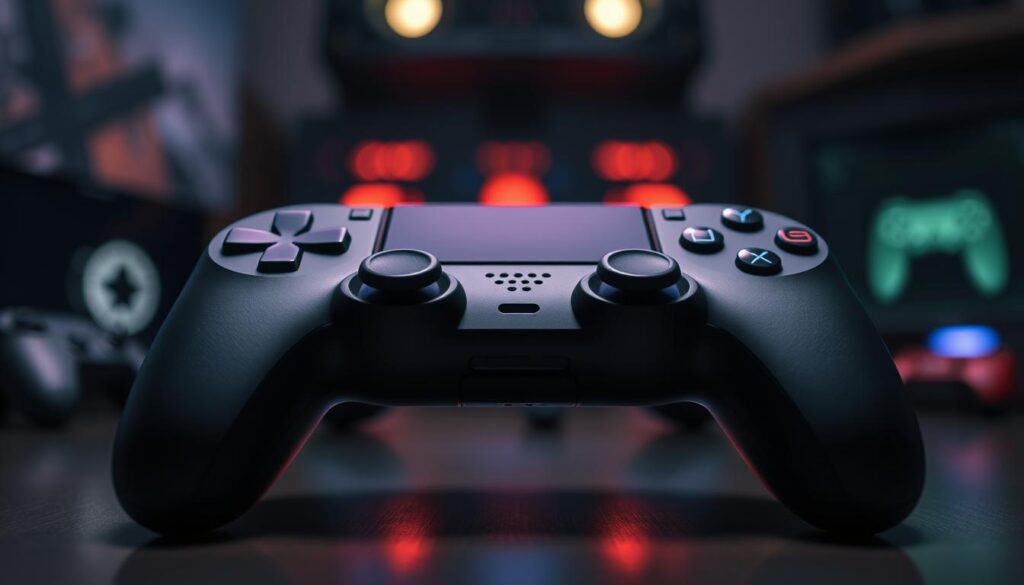
Remember the “Great Stick Drift Scare of the 2020s”? It was a time when we all tried to fix stick drift ourselves. Now, hall-effect sticks have become the norm. They use magnets and sensors, making them drift-free. Devices like the ROG Ally X come with these, promising a long life.
But it’s not just about lasting long. The new devices aim to feel like they’re not there at all. They have ergonomic designs that fit comfortably in your hands. This means no more cramps or sweaty palms after playing for a while.
The controls have also improved. Rear paddles, once just for pros, are now common. They let you do more without moving your thumbs. This makes games more strategic and less frantic.
Ergonomics & Control Specs at a Glance
| Feature | Benefit | Example Implementation |
|---|---|---|
| Hall-Effect Sticks | Eliminates analog stick drift; rated for millions of rotations. | ROG Ally X, AYANEO models |
| Rear Paddles/Buttons | Adds 2-4 mappable inputs without moving thumbs off sticks. | Standard on Steam Deck OLED, ROG Ally |
| Textured Grips | Prevents slippage, improves comfort during long sessions. | Soft-touch rubber, deep finger grooves |
| Distributed Weight | Reduces wrist strain by moving weight to the grips. | Seen in Steam Deck’s “hand-hugging” design |
The best handhelds now know that power is nothing without control. It’s the difference between a device you play for an hour and one you live with for hours. The feel of the grips, the solid hall-effect sticks, and the back buttons are essential. They make the device work with you, not against you. It’s not just about playing games; it’s about how you play them.
Thermals: sustained clocks, noise, skin temps under load
Let’s explore the thermal reality of putting desktop power in a small package. It’s like trying to fit a campfire in a lunchbox and expect it to stay cool. These handhelds face a big challenge: the second law of thermodynamics. A 30-watt APU in a small case is basically a tiny, expensive heater.
The true test of these devices isn’t a quick benchmark. It’s how well they handle a demanding game like Cyberpunk 2077 for 30 minutes. Can they run it smoothly without slowing down? This is where cooling and TDP management are key. A chip might boost to 5GHz for a short time, but if it has to slow down to avoid overheating, it’s not worth it.
The 2.0 generation is fighting a tough battle. It’s not just about adding more heat pipes. It’s about a complete war on heat. This includes better fan curves, advanced materials, and even fan blade designs for quieter cooling.
The noise level is also a critical battle. A good cooling system should be quiet, even during intense gaming. The latest handhelds are moving to dual-fan setups for better cooling without the noise. This means you can game for hours without needing earplugs or a headset.
The cooling system is the hero that makes your device perform well. You can have the fastest APU, but without good cooling, it’s useless. When comparing devices, look at the cooling system. The real performance is in how well it handles TDP over time, not just in short bursts.
Battery life: TDP caps, upscalers, per-game profiles, USB-PD rates
The original Game Boy could run for 30 hours on two AAs. Today’s handheld PCs have a more complex battery life. They’re not just about bigger batteries, like the ROG Ally X’s 80Wh cell.
The real change is in software-defined power management. We’ve moved from a simple approach to a detailed control system.
Think of it like this: you wouldn’t use a firehose to water a single flower. Why would you run a 2D indie game with the same power as a AAA blockbuster? The new way is about intelligent power use.
The Multi-Front Attack on Battery Anxiety
Battery life in the 2.0 era is a three-pronged strategy: capping, upscaling, and rapid refueling. It’s a mix of hardware efficiency and software smarts.
| Device | Battery Capacity | Max Screen-On (Video) | Heavy Gaming (TDP 15W) | Light Use (TDP 8W) |
|---|---|---|---|---|
| ROG Ally (Z1 Extreme) | 40Wh | ~2.5 hours | ~1.8 hours | ~5 hours |
| Steam Deck OLED | 50Wh | ~5 hours | ~2.5 hours | ~8 hours |
| ROG Ally X | 80Wh | ~9.9 hours | ~2.7 hours | ~10+ hours |
| Lenovo Legion Go | 49.2Wh | ~3 hours | ~1.8 hours | ~6 hours |
1. TDP Caps: The Governor on the Engine
This is your first and most powerful tool. The TDP (Thermal Design Power) cap is your wattage governor. Modern handhelds let you set this per-game.
Playing Hades or Stardew Valley? You can lock the TDP to 8W, sip power, and get a locked 60 FPS. For Cyberpunk 2077, you might allow 15W for a 30 FPS lock. It’s about matching the power to the game’s actual demands.
2. The Upscaling Lifesaver
This is the secret weapon. AMD’s Radeon Super Resolution (RSR) and FSR are no longer just for boosting frame rates. They’re battery-savers.
Running a game at a lower internal resolution (like 720p) and letting the upscaler reconstruct the image to 1080p can slash GPU load and power draw by up to 40%. You’re trading a minor, often imperceptible, visual hit for potentially doubling your playtime.
3. The Magic of Per-Game Profiles
This is the software brain. The real magic is in the per-game profile. Modern handheld software lets you create a unique power profile for every game in your library.
Launch a 2D indie title, and the system auto-switches to a 10W TDP, 30 FPS cap, and a 40Hz refresh rate. Boot up a modern AAA game, and it kicks the TDP to 20W, disables V-Sync, and enables the 120Hz mode. The handheld becomes a chameleon, adapting its power to the task.
USB-PD: The Unsung Hero of the Modern Gamer’s Kit
This is where the magic of modern power delivery saves the day. USB-PD (Power Delivery) is no longer just a charging standard; it’s a session-extending lifeline. A 65W or 100W USB-PD power bank is now as essential as a case.
Modern handhelds with USB-PD 3.0 support can negotiate higher voltages, allowing a 65W power bank to not just charge the device, but to power it under full load. This is the “unlimited battery life” cheat code. You can game at full tilt, and your battery percentage will stay the same, or even increase, while plugged into a power bank in your bag.
Fast charging is also supported by the latest USB-PD standards. A 30-minute coffee break with a 65W charger can add 50-70% battery, turning a 30-minute layover into a meaningful top-up. This isn’t just about convenience; it’s a fundamental shift from thinking about battery “life” to thinking about power management strategy.
The ultimate 2.0 battery life strategy is a hybrid approach: a high-capacity internal battery for untethered freedom, combined with the USB-PD lifeline for indefinite, on-the-go sessions. It’s no longer just about the biggest number on the spec sheet; it’s about the intelligent, granular control you have over every watt.
Storage & mods: NVMe tiers, microSD, docks, hubs
Handheld gaming PCs have changed a lot. Now, storage is all about personalization and power. The 2.0 handheld is truly yours to customize.
Old storage methods are gone. Today, you can upgrade and expand your device easily. This makes it a powerful, modular tool.
The M.2 2280 SSD is back and better than ever. Devices like the ROG Ally X offer up to 4TB of storage. Swapping the drive is simple, giving you full control over your storage.
The microSD slot is now a key feature. It supports UHS-II speeds, making it perfect for storing games. It’s a great way to keep your game library ready to go.
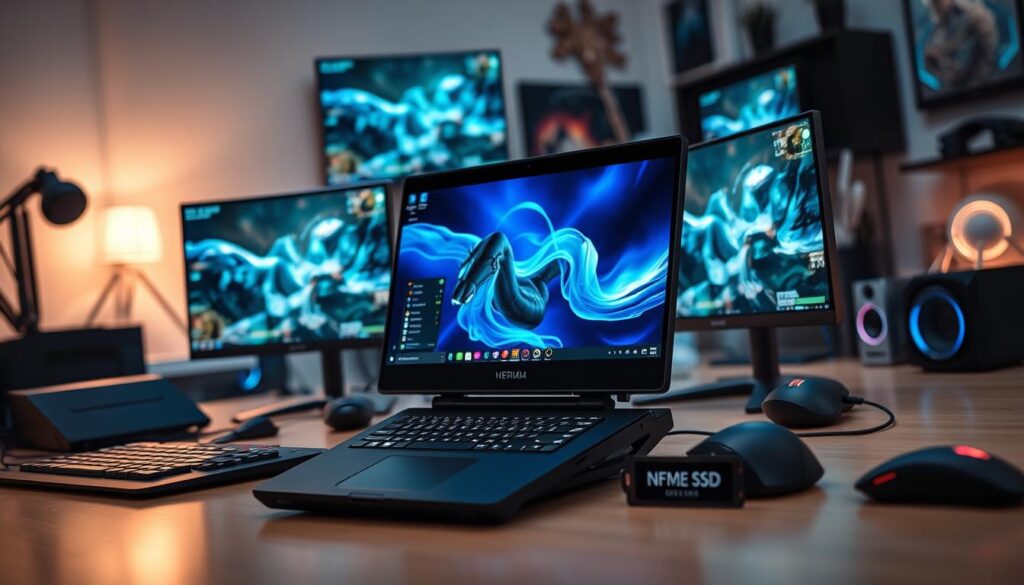
Dock mode is where the handheld really shines. The USB4 or Thunderbolt 4 port connects you to a desktop experience. It’s like a whole new device.
When you dock your handheld, it changes everything. You get wired Ethernet, a big monitor, a keyboard, and a mouse. It’s a full desktop, a console, or a workstation in an instant. Dock mode turns one device into many.
| Storage/Expansion Type | Max Speed (Theoretical) | Typical Use Case | Upgrade Ease |
|---|---|---|---|
| Internal NVMe SSD (M.2 2280) | Up to 7,000 MB/s (Gen4) | OS, Primary Game Library | User-replaceable, 1-2 screws |
| UHS-II microSD Card | Up to 312 MB/s (UHS-II) | Secondary Game Library, Media | Hot-swappable, plug-and-play |
| External SSD via Dock | 10 Gbps (USB 3.2 Gen 2) | Bulk Media, Game Backups | Plug-and-play via dock |
| Network Drive via Dock | Gigabit Ethernet (1 Gbps) | Streaming Game Installs | Requires dock with Ethernet |
The modern handheld is not just a device. It’s the center of a hub-based ecosystem. A single USB-C cable from a dock gives you power, video, internet, and more. It’s not just for games; it’s for creating a seamless experience between portable and desktop.
OS & storefront UX: Windows/Linux, anti-cheat realities
Welcome to the handheld OS schism. Your OS choice affects what games you play and who you are. SteamOS is a Linux distro for the Steam Deck, giving a console-like experience. On the other side, Windows 11 offers a more open, customizable experience.
Choosing an OS is more than just software. It’s about your gaming style. Do you prefer a simple, instant experience or do you like to tinker?
The Steam Deck runs on SteamOS, a carefully crafted Linux distro. It’s designed for a seamless, console-like UX. The system works flawlessly, with games and features optimized for the device.
But, there’s a catch. Games with strict anti-cheat software often won’t work on SteamOS. This is the trade-off for a polished, console-like experience.
The Xbox App and the Quest for a Console Feel on Windows
Microsoft has introduced the Xbox Full Screen Experience on the ASUS ROG Ally X. It’s a Windows machine with a console-like interface. This launcher aims to simplify the desktop experience on a small screen.
This move is part of a larger trend. It’s about creating a unified, console-like interface for handheld gaming. The goal is to make the experience feel like a Nintendo Switch but with more power.
The Compatibility Conundrum: Your Game Library’s OS Passport
Your game library might have missing pages. This is the reality of choosing an OS. Let’s look at the options:
| Platform | Strengths | Pain Points | Ideal For |
|---|---|---|---|
| SteamOS (Steam Deck) | Seamless console-like UX, fantastic power management, incredible community support. | Anti-cheat game block, limited non-Steam launchers, tinkering for non-Steam games. | The “it just works” crowd, Steam library devotees. |
| Windows 11 | Universal compatibility, every launcher works, full Game Pass PC access. | Desktop UI is a mess on small screens, background processes, Windows Update. | Power users, Game Pass subscribers, tinkerers. |
Choosing an OS is more than just a technical decision. It’s about your gaming style. Do you prefer the simplicity of SteamOS or the flexibility of Windows?
The handheld gaming world is evolving. It’s not just about power; it’s about creating a seamless user experience. The battle is now about creating a unified, console-like interface that hides the complexities of a desktop PC.
Accessory kit and travel tips
Your handheld isn’t alone; it’s part of a team. The right accessories are like the backup musicians that make everything work. The 2.0 handheld experience is about more than just a device. It’s about the whole system working together.
Think of your travel kit like a pilot’s flight bag. Every item has a purpose, and every ounce matters. The 2.0 traveler doesn’t just throw a charger in a bag. They create a survival kit for their digital nomad lifestyle.
Your power system is essential. A GaN charger with multiple ports is a must. It keeps you powered up, whether you’re gaming or traveling.
The case protects your handheld. Modern cases, like the ROG Ally X’s, are more than just sleeves. They have slots for cards, cables, and even a Bluetooth keyboard. It’s like a command center.
A foldable, Bluetooth keyboard is a game-changer. It turns your handheld into a mini-laptop for typing. It’s the key to being productive on the go.
The 2.0 traveler builds a modular system. The GaN charger charges phones and earbuds too. The power bank can even start a laptop. It’s all about being ready for anything.
The 2.0 handheld experience is about being intentional. You’re carrying more than just a gaming device. Your accessory kit is the team that makes it all work, whether you’re flying or commuting.
Value verdicts by user type
Forget the idea of a single “best” gaming handheld. The 2.0 era is about finding the right device for you. It’s not about the highest scores, but about how well it fits your lifestyle.
The Steam Deck is perfect for the Tinkerer. It’s for those who love to customize and explore. Its open-source nature lets you make it your own, turning it into a personal project.
For Windows fans, the ROG Ally or MSI Claw is the top choice. These devices offer access to all major gaming platforms. They’re ideal for those who want one device for everything.
The Legion Go is great for console lovers. It provides a plug-and-play experience, making gaming easy and straightforward. It’s perfect for those who prefer simplicity over customization.
The 2.0 era changes how we see value in gaming handhelds. It’s not just about the price or specs. It’s about the overall experience, including how it feels and performs over time. Your ideal handheld is out there, waiting for you to choose it.