

Welcome to the world of gaming tech, where your wallet is at risk and marketing tricks abound. I’ve divided this tech jungle into three areas: Entry-Level, Mid-Tier, and Pro-Level. It’s like a tech hierarchy, but with more color and less boring talks.
This isn’t just a list of cool gadgets. It’s a guide to help you survive. I’ll break down each level with detail and a bit of sarcasm. Whether you’re starting or looking at expensive gear, I’ve got the info to keep you on track.
So, get a coffee ready or grab an energy drink for the gamer vibe. Let’s explore the world of gaming gear without losing your mind or money.
Entry-Level Champions: Best Value Gaming PCs, Peripherals, and Performance Expectations
Budget gaming builds can deliver a punch without the hefty price tag. You can enjoy 1080p gaming at over 60 fps for less than $800. This setup is a great value compared to more expensive options.
The AMD Ryzen 5 3600 processor is a top pick for its price, around $200. It’s a strong contender against Intel’s pricier models, making it a budget-friendly choice.
The Nvidia GeForce GTX 1650 GPU is another great value at about $200. It lets you play most games smoothly at medium settings, so you won’t be left behind in graphics.
For those who prefer analog sticks, the Xbox Core Controller is a great choice at $60. It’s comfortable and responsive, perfect for long gaming sessions.
If you prefer a classic feel, the Logitech G203 mouse at $30 offers great precision without the high cost. Pair it with the Corsair HS35 headset for $50, and you get a solid audio experience without breaking the bank.
Here’s a quick look at the key components and their prices:
| Component | Model | Price |
|---|---|---|
| Processor | AMD Ryzen 5 3600 | $200 |
| Graphics Card | Nvidia GeForce GTX 1650 | $200 |
| Controller | Xbox Core Controller | $60 |
| Mouse | Logitech G203 | $30 |
| Headset | Corsair HS35 | $50 |
With this setup, you can play esports titles at high refresh rates and tackle AAA games with ease. It’s not future-proof, but it’s reliable and budget-friendly. As your gaming needs grow, you can always upgrade.
Mid-Tier Marvels: Sweet Spot Components, 1440p Gaming Focus, and Upgrade Pathways
Let’s explore the mid-tier marvels that offer a great 1440p gaming experience without breaking the bank. In this range, you get high frame rates and stunning visuals without spending too much. Here, you’ll find the best gaming equipment 2025 that balances performance and price well.
For graphics, consider GPUs like the RTX 4060 Ti or the Radeon RX 7700 XT. These cards are powerful enough for smooth 1440p gaming. Pair them with a solid CPU, such as the Ryzen 5 7600 or Core i5-13600K, for a setup ready for any game.
Don’t forget about peripherals, which can greatly enhance your gaming. The SteelSeries Arctis Nova Pro Wireless headset, priced at $350, offers top-notch sound quality and spatial audio. The SteelSeries Apex Pro TKL keyboard ($200) and Logitech G Pro X2 SuperStrike mouse ($160) improve gameplay precision and comfort.
Here’s a quick overview of some key mid-tier components:
| Component | Model | Price | Key Features |
|---|---|---|---|
| GPU | RTX 4060 Ti | $400 | Excellent 1440p performance |
| CPU | Ryzen 5 7600 | $250 | Strong multi-threading capabilities |
| Headset | SteelSeries Arctis Nova Pro Wireless | $350 | Immersive sound quality |
| Keyboard | SteelSeries Apex Pro TKL | $200 | Adjustable mechanical switches |
| Mouse | Logitech G Pro X2 SuperStrike | $160 | High precision and comfort |
Looking ahead, consider upgrade pathways. The mid-tier setup is a great base for future upgrades. Make sure your motherboard supports AM5 sockets, DDR5 RAM, and is PCIe 5.0 ready. This will help you upgrade your gaming rig as new tech comes out.
Pro-Level Powerhouses: Flagship Components, 4K Gaming, Content Creation Capabilities
Get ready to take your gaming to the next level. This is where top tech meets creativity. We’re looking at the best gaming equipment 2025 has to offer. It’s for those who want the best.
The graphics card is key in any pro setup. The RTX 4090 and RX 7900 XTX lead the pack. They offer stunning visuals and smooth frame rates. Imagine playing games in 4K at 144Hz+—it’s an experience.
With the right CPU, like the Ryzen 9 7950X3D or Core i9-14900K, your rig can handle anything. From gaming marathons to content creation, it’s all covered.
The Gigabyte Aorus FO32U2 Pro monitor is a top choice for high-end setups. It’s a 32-inch 4K OLED display with a 240Hz refresh rate. HDR content looks amazing on it, whether you’re gaming or editing videos.
Don’t forget the peripherals that make a pro setup complete. The Logitech G Pro X2 SuperStrike mouse and SteelSeries Apex Pro TKL keyboard are top picks. They offer haptic feedback and mechanical bliss, making every keystroke precise.
Comfort is key during long gaming sessions. The Secretlab Titan Evo Nanogen chair keeps your spine happy. The Magnus Pro desk gives you plenty of space for your gear. These items are more than just looks; they’re investments in your comfort.
Is this overkill? Yes, for most. But for competitive streamers and serious creators, it’s essential. It’s about creating a space that enhances your gaming and creative work.
As we explore this high-end world, it’s important to consider value. Even at the top, getting the most for your money matters. For more on optimizing your gaming gear budget, check out this guide.
Peripheral Tiers: Keyboards, Mice, Headsets, and Monitors by Budget Category
Peripherals are key to a great gaming experience. A $3,000 PC paired with a $10 keyboard is like a Ferrari with bike tires. We’ll look at three tiers: entry-level, mid-tier, and pro-level. Each has the best gear for your budget.
The Corsair K55 keyboard and Razer DeathAdder Elite mouse are great for beginners. They cost around $60 and $40 and offer good performance. You can enjoy gaming without spending too much.
In the mid-tier, the SteelSeries Apex Pro TKL keyboard is a standout. Its OmniPoint switches are customizable. The HyperX Cloud Stinger headset is also a good choice, with great sound for $40. The SteelSeries Arctis Nova Pro Wireless headset offers top-notch sound and comfort.
For monitors, you can find 1080p and 1440p options. The Gigabyte Aorus FO32U2 Pro is a top pick. It offers vibrant visuals and fast refresh rates without breaking the bank.
Remember, the “gaming” label doesn’t always mean quality. Look for performance and value. This guide helps you make smart choices, ensuring your peripherals enhance your gaming. With the right gear, your gaming can reach new levels.
Monitor Recommendations: 1080p 144Hz, 1440p 165Hz, 4K 144Hz Options by Price Range
The monitor you choose is key to a great gaming experience. A good screen can turn ordinary gameplay into an amazing adventure. Let’s explore the options for 2025.
For those watching their budget, the AOC C24G is a great choice. It’s a 1080p 144Hz curved VA panel for about $150. It’s perfect for fast games without breaking the bank.
Moving up, we find mid-tier monitors that offer great value. The LG 27GP850-B and Dell S2722DGM are 1440p 165Hz IPS displays. They offer clear images and fast action for around $400 to $500.
For top-notch gear, the Gigabyte Aorus FO32U2 Pro is a standout. This 4K OLED 240Hz monitor costs about $1,100. It shows colors so vivid, you might forget about the real world.
When picking a monitor, keep these points in mind:
- Panel Types: TN, IPS, VA, and OLED each have their pros and cons.
- Response Times: Faster response times reduce motion blur, key for competitive gaming.
- Adaptive Sync Technologies: G-Sync or FreeSync can help avoid screen tearing.
Don’t pair a high-end GPU like a 4090 with a 60Hz monitor. It’s a gaming tragedy. Choose wisely for a setup that looks and performs great.
Audio Solutions: Budget Headsets, Mid-Range Options, and Audiophile Gaming Setups
Sound is key in gaming, not just an extra. It’s what makes you feel like you’re really there. Let’s explore from affordable headsets to top-notch setups that pull you into the game.
The HyperX Cloud Stinger is a great start at $40. It’s comfy and sounds good, perfect for long gaming sessions. For a bit more, the Corsair HS35 ($50) and Logitech G332 ($45) offer great value.
Mid-range headsets like the Razer BlackShark V2 add THX spatial audio. This lets you hear enemy footsteps clearly, improving your game. The HyperX Cloud II also gets great reviews for its balanced sound.
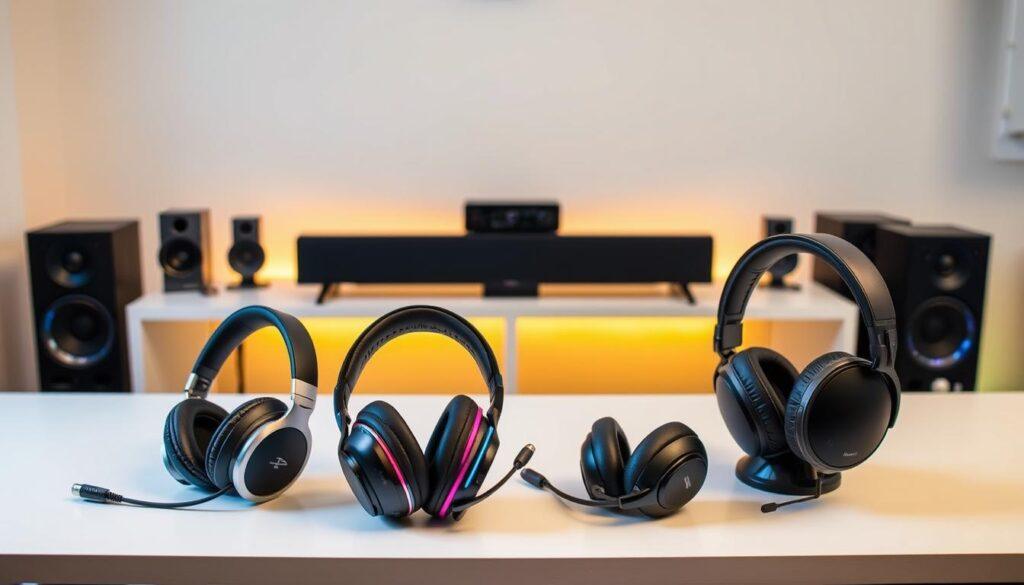
The SteelSeries Arctis Nova Pro Wireless is top-tier at $350. It has wireless and Bluetooth, active noise canceling, and a battery system that never runs out. It’s a serious investment for your gaming.
Design matters too. Open-back headsets sound natural but let in noise. Closed-back ones block out distractions, great for getting lost in games. Also, watch out for “7.1 surround sound” claims in cheap headsets. And, using a headset mic can sound like you’re underwater.
In short, your audio setup is key for a great gaming experience. From cheap to expensive, there’s something for everyone. Remember, sound is half the fun!
Streaming Setup Additions: Capture Cards, Microphones, and Lighting by Investment Level
Want to be a top streamer? Here’s how to get started. The right gear can make your stream go from okay to awesome. We’ll look at options for every budget.
For beginners, a USB condenser microphone like the Blue Snowball iCE is great. It costs about $50 and makes your voice sound clear. Add a simple ring light to get rid of shadows and look better.
For those spending more, the HyperX QuadCast S ($160) is a top choice. It has four polar patterns and RGB lights, showing you’re serious but fun. Use it with an Elgato HD60 X capture card ($200) for smooth console streaming.
For serious streamers, an XLR setup is best. The Shure SM7B microphone with a GoXLR mixer offers top-notch sound. It’s a big investment, but it’s worth it if you want the best.
Lighting is key to a great stream. Use softboxes or Elgato Key Lights to look professional. A good background is also important to make your stream welcoming.
Whether you’re on a tight gaming gear budget or willing to spend, the right setup matters. Get your gear, turn on your camera, and see if you can make it big in streaming!
RGB and Aesthetics: Visual Enhancement Options Without Breaking Performance Budget
RGB lighting can turn any gaming setup into a stunning work of art. Some love it, while others see it as too flashy. But don’t worry, I’ve got tips to add style without hurting your wallet or performance.
For those watching their budget, a $50 case with a tempered glass side panel is a great start. Add a $20 LED strip, and your setup will pop. For those spending a bit more, Corsair Vengeance RGB Pro RAM and addressable fans can make your setup shine. It’s a light show that’s easy on the pocket!
For the big spenders, the Secretlab Magnus Pro desk has a magnetic RGB strip that looks amazing. The HyperX QuadCast S mic lights up like a star. These features enhance your gaming experience.
Now, let’s talk about the cost of looks versus performance. You want your setup to look great without spending too much on your GPU. Remember, RGB used to just light up keyboards. Now, it’s a whole new world.
But be careful not to go overboard. Avoid the “rainbow puke” look. Instead, aim for something elegant. As you build your dream gaming setup, keep these gaming setup recommendations in mind. They’ll help you get the most out of your budget.
Future-Proofing Considerations: Longevity Expectations and Upgrade Timeline Planning
Future-proofing is about making smart choices, not predicting the future. When building your gaming rig, think about the long term. You don’t want outdated tech when a new game comes out.
Choose a motherboard that can be upgraded. Look for AM4 or AM5 sockets for future relevance. A strong power supply, 750W or more, is also key. It prepares your system for future upgrades without issues.
Upgrading your graphics card every 3–4 years is wise. It’s like replacing your favorite shoes. Your CPU can last 4–5 years, but don’t ignore it. A solid platform like LGA 1700 for Intel’s 14th gen offers future options.
Choose a monitor with future-proof I/O options. The Gigabyte Aorus FO32U2 Pro has DisplayPort 2.1 and HDMI 2.1 ports. These will be vital as games require more bandwidth.
But don’t overdo it. A 1600W PSU for a mid-range build is unnecessary. Find a balance between current needs and future wants.
Replace peripherals when they break. Keyboards and mice can last, but if they’re failing, upgrade. Remember, “future-proof” often means spending more now for later expenses.
In summary, future-proofing your gaming gear budget is about making smart choices. Aim for the best gaming equipment 2025 offers without overspending. Plan your upgrades carefully, and you’ll be ready for anything.
For more tips on improving your gaming, check out this guide on custom builds.
Value Analysis: Performance Per Dollar and Long-Term Cost of Ownership
Let’s cut through the marketing noise and focus on what really matters. In gaming, how much you get for your money is key. A $500 GPU that’s only 10% better than a $300 one is a bad deal—it’s a simple math problem.
Horus-X’s €800 build is a great example. It shows where your money goes clearly. Products like the Xbox Core Controller at $60 or the HyperX Cloud Stinger at $40 offer great value. Even the SteelSeries Arctis Nova Pro Wireless, at $350, is worth it with its dual batteries and top-notch sound.
Now, let’s look at the numbers. We can figure out the cost per frame in popular games. The Ryzen 5 3600 with a GTX 1650 is a steal. Mid-tier setups often offer the best 1440p performance for your money.
Long-term costs are also important. This includes power use, replacing peripherals, and the urge to upgrade. That $350 SteelSeries headset might seem pricey, but its battery lasts a long time, saving you money in the long run.
Comparing pre-built systems to DIY builds also sheds light on things. A $60 Xbox controller is often a better buy than a $150 “pro” controller with unused features. It’s like comparing a bad GPU to a Hollywood remake—it’s all hype, no real value.
This section is your financial guide for gaming. Knowing these points helps you make better choices. Your gaming gear budget for 2025 should be a smart investment in your gaming future.
Shopping Strategies: Sales Timing, Bundle Deals, and Component Pairing Optimization
Buying at the right time is like playing a high-stakes poker game. Knowing when to buy is essential to get the best deals. Black Friday, Cyber Monday, and Prime Day are your best bets. These days offer big discounts on gaming gear.
Bundle deals can save you a lot, but be careful. Don’t choose a deal just for the sake of it. Make sure your components work well together. A weak power supply can ruin your gaming experience.
Look into open-box and refurbished items. Sometimes, a “used” item is just a return. Keep an eye on newsletters for early sales. Tools like CamelCamelCamel help track price drops.
Local stores like Micro Center are worth checking out. They often have deals that online stores can’t match. Building a budget gaming setup is like cooking a gourmet meal. You can save money and impress your friends.
With these tips, you’re set to optimize your gaming setup. Enjoy the hunt and let your wallet relax.