

This KB7 review looks at the Turtle Beach Command Series KB7 as a setup decision, not just a spec sheet. The tenkeyless keyboard was released globally on May 21, 2026, after its April 23, 2026 announcement, and it arrived as one of Turtle Beach’s more ambitious PC peripherals: low-profile Hall-Effect magnetic switches, a 4.3-inch color touchscreen, per-key RGB lighting, high polling-rate support, onboard profiles, and a price class that puts it against serious enthusiast boards. For a gaming desk, the real question is not whether the KB7 has enough features. It clearly does. The harder question is whether those features improve the way you play, stream, work, and switch between apps without adding software friction or desk clutter.
KB7 Review: Setup Fit And Trade-Offs
The KB7 is a TKL keyboard, but it is not a normal compact board. It keeps the function row and arrow keys, then replaces the usual navigation cluster with a built-in touchscreen. That makes it more interesting for players who want extra controls without moving to a full-size keyboard, but it also means the layout asks for a short adjustment period if you use Insert, Home, Page Up, Page Down, Delete, or End by muscle memory.
KB7 Review Notes For Desk Space
This KB7 review starts with the desk because that is where the product makes the most sense. A TKL layout frees mouse room compared with a full-size board, which matters for low-DPI shooters and wide mouse sweeps. The KB7 is still not tiny: Tom’s Hardware listed dimensions of 399 x 174 x 31 mm and a weight of 858 g without the wrist rest, rising to about 1.12 kg with it included, while also noting the anodized aluminum top plate over a plastic chassis, detachable silicon wrist rest, full function row, arrow keys, media controls, and Action Bar keys in its Tom’s Hardware review. That footprint is reasonable for a high-feature TKL, but it is not the board I would pick for a cramped laptop stand or a very shallow desk.
Switch And Polling Choices
The Titan low-profile Hall-Effect magnetic switches are the main gaming hook. The research notes list a 100 million keystroke rating and adjustable actuation from 0.1 mm to 3.2 mm. That gives players room to set very light inputs for competitive titles or deeper actuation for typing, general desktop use, and games where accidental presses are costly. The keyboard also supports polling up to 8,000 Hz, and TechRadar’s testing reported 0.125 ms input latency. Those numbers put the KB7 in very fast company, though no keyboard can guarantee better results by itself. Your game engine, USB setup, PC load, display latency, and personal consistency still matter.
Touchscreen Controls And Daily Use
The 4.3-inch color touchscreen is the part that separates the KB7 from most high-end gaming keyboards. It sits where many TKL boards place the navigation cluster and can handle macros, system stats, media controls, app launching, and integrations with software such as OBS, Streamlabs, and Discord. For players who stream, clip gameplay, mute chat, or juggle audio sources, that can reduce how often you reach for a mouse or a separate control deck.
Where The Screen Helps
For this KB7 review, the touchscreen makes the strongest case in a hybrid gaming and creator setup. A player who only launches a game, opens voice chat, and plays for two hours may not use it much. A streamer or content creator can map recording tools, scene shortcuts, app launchers, or chat functions in a way that keeps the main keyboard area cleaner. It also fits the wider shift toward desks where peripherals do more than one job. If you are planning a full setup refresh, our piece on innovative PC builds covers how peripheral choices are becoming part of the identity and function of a gaming space.
Where Software Can Slow The Setup
The warning is software. The KB7 uses Turtle Beach Swarm II for remapping, polling-rate settings, actuation changes, lighting, and other controls. The research notes point to strong configuration depth, but also tester reports of software crashes, firmware update loops, and inconsistent touchscreen behavior. That does not make the keyboard unusable, and software can improve after launch, but it changes the buying advice. If you rely on stable profiles for tournaments, travel, streaming work, or shared PCs, treat software behavior as a core part of the purchase rather than a side detail.
Build Quality, Comfort, And Layout
The KB7 has the materials and control set expected from a premium 2026 gaming keyboard: per-key RGB lighting, an aluminum top plate, dedicated media buttons, a volume wheel, a light-diffusing silicon wrist rest, and onboard memory. The research notes list 32 MB of onboard storage and support for up to five profiles saved to the keyboard, which is useful if you move between a main gaming PC, a streaming PC, and a laptop.
TKL Shape With A Different Cluster
The layout is the main comfort split. Players who live on WASD, function keys, arrows, and mouse movement should adapt quickly. Productivity users who rely on the navigation cluster may need to remap or rebuild habits around the touchscreen and Action Bar. That is not automatically bad. It just means the KB7 is less of a safe drop-in replacement than a plain TKL. For a gaming-first setup, the trade can make sense because the board gives you more mouse room while adding controls that a normal TKL lacks.
Wrist Rest And Weight
The wrist rest is another mixed point. A detachable rest is welcome, especially on a low-profile board with extra RGB presentation, but the research notes include criticism around sharpness or insufficient thickness. Comfort is personal, and hand position varies by desk height, chair height, and whether you float your wrists while playing. If possible, test the wrist rest before committing, or assume you may use a separate pad. The weight is also worth noting: heavy enough to stay planted, not as heavy as many full-metal boards. That balance suits a permanent gaming desk better than a bag that gets packed every day.
Who Should Build Around The KB7
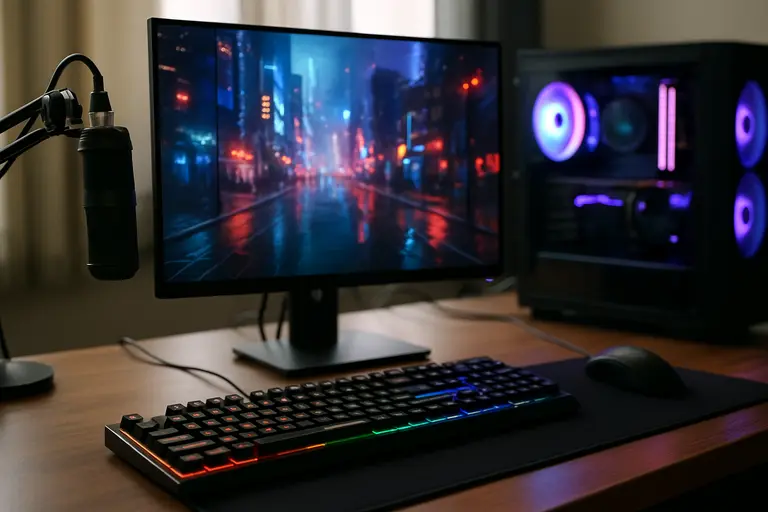
The KB7 makes the most sense for gamers who actually plan to use its extra control layer. If you want adjustable Hall-Effect switches, very high polling-rate support, onboard profiles, media controls, and a screen for shortcuts, the board has a clear purpose. If you only want a simple, reliable TKL for ranked games, the touchscreen and software layer may feel like cost and complication you do not need.
Competitive Players
Competitive players should focus on consistency before headline numbers. Adjustable actuation can be useful if you know what you want from key travel, and 8,000 Hz polling is technically impressive. Still, changing actuation too often can hurt muscle memory. A sensible setup would create one profile for fast gaming inputs, one deeper profile for typing, and leave both alone long enough to build timing. The KB7 can support that through onboard profiles, which is one of its better practical features.
Streamers And Multi-PC Users
Streamers, MMO players, sim players, and users who work from the same desk may get more value from the touchscreen than pure shooter players. Macros, launch buttons, media controls, and app integrations can reduce reliance on extra accessories. The separate KP7 keypad, sold separately, can expand the ecosystem, though the research notes put the keyboard alone at a US $199.99 launch MSRP and the keyboard-plus-keypad combination at roughly US $300. Prices and availability may have changed by September 3, 2026, so check current listings rather than treating launch pricing as the shelf price.
Turtle Beach Command Series KB7 Setup Verdict
The practical call in this KB7 review is that the Turtle Beach Command Series KB7 is a strong fit for a feature-heavy gaming setup, but a tougher sell for players who prize simple stability above experimentation. Its best traits are clear: Hall-Effect switch tuning, high polling-rate support, a compact-but-functional TKL shape, onboard profiles, dedicated media controls, and a touchscreen that can replace part of a streamer deck or shortcut pad. Its main risks are just as clear: software reliability concerns, a layout that changes the usual TKL navigation area, wrist-rest comfort questions, and a launch price that demands more than novelty.
If your desk is built around competitive games, streaming tools, Discord, clips, lighting, and fast profile switching, the KB7 deserves a spot on the shortlist. If your ideal keyboard is quiet, plain, and software-light, a simpler TKL may be the safer buy. Players who are exploring hardware options in tandem with their gaming habits can also visit Mostplays for additional game-focused insights within the same network. The KB7 is not just another keyboard with RGB. It is a control surface for a PC gaming desk, and that is both its strength and the reason buyers should be honest about how many of its tools they will use.