

Building a PC is a ritual. It’s a sweaty, screwdriver-wielding, IKEA-from-hell puzzle. For a brief moment, it makes you feel like a hardware wizard. My own saga, upgrading from a Ryzen 2700X to a 5950X, wasn’t just a chip swap. It was an afternoon of thermal paste, driver purgatory, and the existential dread of the POST screen. This, my friends, is the old way.
A new promise is on the horizon: the modular pc. The pitch is intoxicating. No screwdrivers. No tangled cables in a dark case. Just sleek, swappable components that click into place. It’s the PC building equivalent of a luxury car’s quick oil change. But is this the future of customization, or just a marketing gimmick for a community tired of soldered-on obsolescence?
We’ve all been on the upgrade treadmill. You buy a new GPU, but it’s a three-slot behemoth that won’t fit. Your new CPU requires a new motherboard, which needs a new cooler, and suddenly you’ve rebuilt the whole system. It’s the PC builder’s Theseus’ Ship, and it’s exhausting.
So, we’re investigating. Is the modular pc trend the real deal—a true evolution toward tool-less, user-friendly customization? Or is it a clever marketing gimmick, a sleek case for the same old, planned-obsolescence game? Let’s find out.
Defining “modular” today: frames, backplanes, and quick‑connects
Forget the old bulky towers that made upgrades a challenge. Today’s modular PCs are a big change. They’re not just about adding more parts. They’re built on a standard frame, a versatile backplane, and components that connect easily.
From Screwdrivers to Snaps: The New Modular Ethos
Think of the Lezhuxing toy bricks. They were genius because of their universal design. Now, we’re moving from using screwdrivers to using snaps. This change is huge, like going from building a model ship in a bottle to clicking together a masterpiece.
The Framework Laptop is a great example. Its mainboard, battery, and USB-C ports are tool-less and can be swapped out easily. This isn’t just for convenience. It’s a big change for making things last longer, where you can just swap out a part instead of the whole machine.
The Frame is the Foundation
The frame is the heart of this new design. It’s not just a metal box anymore. It’s a key part that holds everything together.
This frame, or main backplane, is what makes a system work. It accepts the compute module (the brain), the power supply, and expansion cards. A good frame and backplane turn parts into a complete system. It’s like the difference between a pile of bricks and a castle plan.
The backplane standard is the real hero here. It lets you swap out parts like a new graphics card or storage drive without any hassle. This is what makes a tool-less case so powerful. We’re not just building PCs; we’re creating platforms.
Why It Matters: Upgrades, Downtime, and the Clean Build
For a long time, upgrading your PC was a big challenge. It took patience, skill, and a lot of effort. The modular PC trend changes this, making upgrades quick and easy.
This shift isn’t just about new parts. It’s about making PC upgrades simple and fast. It saves you time and reduces stress, turning a hard task into a quick fix.
The Upgrade Path from 2018 to 2023: A Personal Log
My build log shows how things have changed. In 2018, my PC was a beast with a Ryzen 7 2700X and a GTX 1080 Ti. It was a mess of cables behind a solid side panel.
In 2020, upgrading to a Ryzen 9 3950X was like surgery. I spent hours managing cables and re-pasting the cooler.
By 2023, I upgraded to a Ryzen 7 5800X3D. The old way meant a full teardown, cleaning, and applying new paste. It was a long and stressful process.
This old way is opposite to the modular PC trend. It’s about the process, not the result. The new tool-less case and design are changing this.
The Cable-Free Nirvana
The dream is a PC where the side panel opens without screws. The power supply is easy to swap, and storage drives slide in and out. This is the tool-less case promise.
This isn’t just for looks, though a clean build looks great. It’s about avoiding cable messes. A clean build runs cooler and quieter.
It means you can see your components clearly. This is a big difference from a messy build. It’s like moving from chaos to order.
My 2020 upgrade was hard. But the Framework Laptop makes upgrades easy. It takes just 10 minutes with no cables or paste. This is the modular way.
The modular PC trend makes maintenance simple. It turns a big project into a quick task. The tool-less case and connectors make this possible.
Cooling Evolved: Quick‑Disconnects and Smarter Flow
Do you remember that moment when you were filling a new custom loop? You watched as a single bead of coolant moved towards your $1,500 GPU. For years, liquid cooling was a high-stakes hobby. But now, modularity is changing thermal management.
It’s moving us from a plumber’s nightmare to a tool-free system. The evolution of cooling isn’t just about bigger radiators or flashier fans. It’s about making the entire system smarter, cleaner, and foolproof.
The magic word in modern liquid cooling is quick-disconnect. No more wrestling with wrenches or Teflon tape. Today’s quick-connect cooling fittings make the system modular.
With a satisfying click, lines can be disconnected and reconnected without draining the loop. This makes maintenance easy and mess-free.
From Hoses to Hardlines in a Snap
The shift from flexible tubing to rigid, quick-connect cooling systems is huge. Traditional fittings are giving way to standardized, tool-less connectors. These systems use a ball-and-socket mechanism with integrated O-rings for a perfect seal.
This isn’t just for high-end enthusiasts anymore. Even the latest AIO cooler designs are influenced by modularity. Now, you can replace just the fan or the pump without trashing the entire unit.
This is more than a convenience; it’s a paradigm shift. The Framework Laptop 16 is a great example. Its thermal system was redesigned for serviceability. The fans and heat sinks are modular units, and the air intake filters are simple, tool-less trays that slide out for cleaning.
The Rise of the In-Leak Sensor
Any discussion of liquid in a PC case triggers the fear of a leak. Modular design and smart technology are addressing this. The in-leak sensor is like the “check engine light” for your cooling loop.
These sensors can trigger a system shutdown, send an alert to your phone, and automatically shut off the pump. It’s available technology that integrates with modern motherboards and smart home systems. It’s the ultimate expression of modularity: a system that can protect itself.
For a deeper dive into the engineering behind advanced thermal management, this resource on liquid cooling technology provides an excellent technical foundation.
The narrative is clear: cooling has evolved from a messy, risky art into a discipline of precision and smart design. It’s no longer just about moving heat; it’s about building a resilient, serviceable, and intelligent thermal ecosystem. The modular PC isn’t just about swapping a graphics card; it’s about a philosophy where every drop of coolant, every fan, and every sensor is a conscious, upgradable choice.
The Electrical Backbone: Bandwidth, Power, and Signal Integrity
You’ve built the perfect chassis. It’s a marvel of tool-less design, with great cooling and cable management. But without the right electrical foundation, it’s just a fancy, expensive paperweight. The real magic is the electrical backbone, the digital soul of a modular PC.

Think of your PC’s data and power pathways as a city’s infrastructure. Without a robust grid, it’s like a ghost town. The shift to standardized, high-bandwidth backplane standards makes modern modularity possible.
PCIe Lanes, USB4, and the PD Revolution
Let’s talk bandwidth, the lifeblood of data. In the old days, adding a component was a gamble. Today, PCIe lanes and the USB4/Thunderbolt revolution are key.
PCIe lanes are like digital highways. More lanes mean more data can flow at once. Modern designs use standardized, high-bandwidth interfaces, not proprietary connectors.
USB4 and PD are game-changers. They offer fast data transfer and high power delivery. This means a single hot-swap bay can be a GPU or an extra NVMe RAID array.
This convergence of standards is the key. A single backplane that speaks both PCIe and USB4 with high-wattage PD is the holy grail. It delivers 100W of power, 40Gbps of data, and a 4K video signal.
The Riser Cable Conundrum
But there’s a problem in many “modular” designs: the riser cable. It’s used to reorient a GPU for space, but it’s a weak link. A flimsy riser can cause signal degradation and data errors.
A proper modular backplane, with direct connections, solves this problem. It eliminates the riser cable as a single point of failure. This ensures pristine signal and solid power delivery.
When looking at a modular system, don’t just admire the looks. Ask about the backbone and backplane. A modular PC’s strength depends on its electrical backbone.
Ecosystem Lock‑In vs. Open Standards: The Real Cost
Buying a modular PC means more than just getting a machine. It’s about choosing your future. You’re deciding between an open world and a closed one. This choice affects not just what you see but what you can build.
The decision between open standards and proprietary systems is key. It’s about owning a tool versus leasing a product. This choice is often overlooked but is the most important one.
This isn’t just about screws versus snaps. It’s a deep divide. On one side, you have the open ecosystem, like Framework, which shares its plans and uses standard parts. On the other, the walled garden is sleek but closed off. The first gives you tools, the second a black box.
Your choice affects your ability to upgrade, repair, and own your hardware. It’s about having control over your device.
The Framework Ethos vs. The Walled Garden
The Framework Laptop stands for the right to repair. Its backplane standard is open. You can download CAD files for its mainboard and buy replaceable modules. It’s built for upgrades, not for being thrown away.
In contrast, the “walled garden” is a sealed, all-in-one PC. It looks great but is hard to upgrade. The power supply and RAM are not standard. This system is for those who value ease over control.
Warranty Realities and the Right to Repair
The real test is for the average user. The “walled garden” uses warranty threats to keep you from fixing it yourself. But in the U.S., the Magnuson-Moss Warranty Act protects you. It says a manufacturer can’t void your warranty for repairs, unless they prove the part caused the damage.
Swapping parts might void your warranty, but it’s not clear. An open system like Framework’s lets you be part of the repair process. Their warranty covers parts, not your right to open the case.
| Feature | Open Ecosystem (e.g., Framework) | Walled Garden (Proprietary Systems) |
|---|---|---|
| Upgrade Path | Modular components, user-replaceable. | Limited or impossible; often requires full system replacement. |
| Repairability | Encouraged; schematics and parts are available. | Discouraged; “warranty void if removed” stickers, special tools required. |
| Cost of Entry | Higher upfront, but lower Total Cost of Ownership (TCO). | Seemingly lower upfront, but high TCO due to forced upgrades. |
| Ecosystem Lock-in | Minimal. You own the standard. | Extreme. You’re locked into a single vendor’s ecosystem. |
| Future-Proofing | High. Swap CPU, RAM, I/O cards independently. | Low. The entire device is often a sealed unit. |
The table shows a financial and philosophical choice. The “walled garden” offers simplicity but takes away your freedom. The open ecosystem asks for more effort but gives you true ownership.
Choosing a PC is not just about today. It’s about the future. The open ecosystem may be less straightforward, but it’s yours to shape.
Real‑World Use Cases: More Than Just Gaming Rigs
Forget the idea of a huge, flashy PC. The real test of a modular PC is in everyday use. It’s about solving problems, not just playing games.
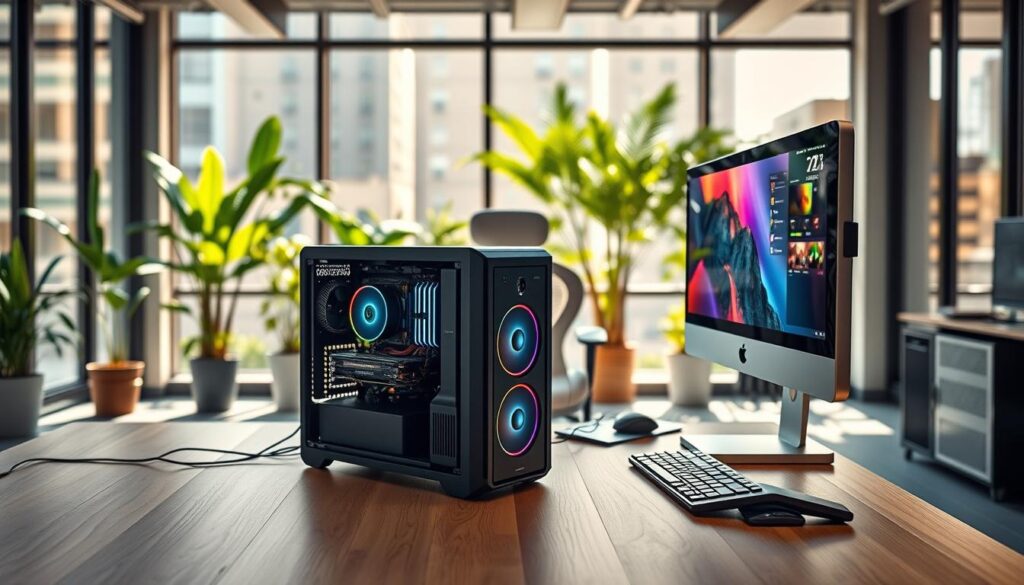
From Café Workstation to Command Center
Imagine a video editor, a freelance animator, and a data scientist in a coffee shop. They’re not there for coffee. They’re working on a modular PC that fits in a backpack. This is real.
With a tool-less case and a Framework laptop’s mainboard, it’s powerful and silent. It can render in the morning and transfer data in the afternoon. It’s a perfect mix of laptop portability and desktop power.
The Modular PC in the Creator’s Studio
In a creator’s studio, the modular PC becomes a creative partner. It’s like a high-tech version of a Lezhuxing toy. A 3D artist might need a top-tier GPU in the morning.
In the afternoon, they can swap it out for a dual 10GbE networking card. The tool-less case makes it easy. No more searching for a screwdriver. It’s a fundamental shift, making the system a creative instrument.
From Café Workstation to Esports Arena
Now, imagine an esports tournament. The arena is dark, the crowd is loud, and a player’s screen flickers and dies. In a traditional build, the match is over.
But with a tool-less case and a standardized backplane, a technician can fix it in 60 seconds. The dead GPU is swapped out with a “hot spare” from a stack of identical modules. The player is back in the game before the next round. This isn’t science fiction; it’s real.
These aren’t just niche scenarios. They show a fundamental shift. The modular PC is no longer just for enthusiasts. It’s a practical solution for anyone who needs flexibility and reliability.
The Modular PC Buyer’s Checklist & Future-Proof Scorecard
Thinking of joining the modular pc trend? Building a system that lasts longer than 18 months is smart. But before you spend a lot, you need a plan. This is like a pre-flight checklist, helping you avoid getting tricked by marketing or proprietary traps.
The PC industry is great at selling you things you don’t need. Modularity should mean freedom, not being trapped in a system. This checklist is your guide to reality.
What to Look For (And What to Run From)
First, the must-haves. A real modular system lets you swap parts easily, not just the GPU.
Start with tool-less entry. If you need a screwdriver, the design is flawed. Next, look for clear documentation. If it’s hidden or uses special fasteners, it’s not a platform you can trust.
Hot-swap bays should be easy to swap without rebooting or tools. The same goes for cooling: quick-connect cooling should be simple. Avoid systems with lots of proprietary connectors; they’re not part of the modular pc trend.
Here’s your guide to what’s good, bad, and unnecessary.
- Tool-less Everything: No screwdriver needed for any part in 2024. Latches, toggles, and slide-out trays are the norm.
- Open-Source Schematics: A company that hides its documentation is hiding something. Your chassis should have clear, detailed instructions.
- Standard Connectors Only: Avoid proprietary connectors. Stick to standard SATA, USB-C, and PCIe.
- Cooling That Doesn’t Require a PhD: A quick-connect cooling system should be simple. If it’s complicated, the design is wrong.
- Hot-Swappable Bays That Actually Are: Make sure hot-swap bays mean you can swap parts while the system is running.
- Backward & Forward Compatibility: The new motherboard should work with last year’s chassis. If not, it’s not a platform.
The 5-Point Future-Proof Scorecard
Don’t just trust what they say. Score any modular system from 1-5 on this card. Anything below 15 should make you question why you’re even looking.
| Criteria | 5 Points (A+) | 3 Points (C) | 1 Point (F) | Your Score |
|---|---|---|---|---|
| Tool-Less Access | Full tool-less design for all user-serviceable parts (drives, fans, filters). | Some tool-less parts, but core components need tools. | Requires a screwdriver for anything more than opening the side panel. | ___ |
| Documentation & Support | Full, freely-available schematics, 3D models, and community forums. | Basic PDF guides, but support tickets for specifics. | “Proprietary” or “contact support” is the only answer. | ___ |
| Standardized Connectors | All standard ports (USB-C, SATA, PCIe). No proprietary power/data. | Mostly standard, with one or two “custom” power connectors. | Proprietary pin-outs or custom shapes that lock you in. | ___ |
| Cooling & Thermal Design | Quick-connect cooling loops or tool-less radiator mounts. Excellent airflow by design. | Adequate cooling, but upgrades require partial disassembly. | Thermally challenged; adding a fan requires a full system teardown. | ___ |
| Upgrade Path Clarity | Public, 3-5 year roadmap for CPU/GPU/Backplane compatibility. | Vague promises of “future support.” | No public roadmap. “Buy the new version.” | ___ |
Scoring Your System:
- 20-25 Points (A+): You’ve found a unicorn. This is a platform, not just a PC.
- 15-19 Points (B to C): A decent, serviceable system. It’s a solid B-student, but watch for proprietary creep.
- 10-14 Points (D): Proceed with extreme caution. You’re likely buying into a walled garden.
- Below 10 (F): This isn’t a modular PC; it’s a subscription in a box. Run.
The real modular pc trend is about less vendor lock-in. A good system ages well, like fine wine. Use this checklist. Score your options. And never pay more for being locked in.
Predictions: Where Does the DIY Spirit Go From Here?
The modular PC trend is not just a passing phase. It marks a significant change. We’re leaving behind the days of throwaway, sealed computers. The real value of modular PCs is in their ability to last and give users control.
The Convergence of Modularity and AI
Picture this: adding a new GPU and your system instantly adjusts. The future of modular PCs is about smart integration. AI could handle cooling, resource allocation, and even suggest upgrades based on how you use it.
This isn’t about knowing your gaming or editing habits. It’s about your system working with you. It becomes a partner in your PC’s growth.
The Longevity Gamble
Is this a risk? Maybe. But PC build logs show that quality hardware can last for years. Companies like Framework lead the way with their focus on longevity. They’re not just selling computers; they’re investing in a future platform.
The real change is about taking back control from big manufacturers. Modular PCs are about building a machine that grows with you. The fancy, easy-to-open designs are just the start. The true essence is a machine that’s yours, lasting for a long time.