

Welcome to the main event, where silicon meets marketing hype. We’re not just talking about a new CPU launch. We’re talking about a big change in how power is packaged, delivered, and seen.
Forget the “megahertz wars” of old. Today’s battles are in cache hierarchies, core topologies, and memory subsystems. Having tested these chips for years, I can tell you the game has changed. It’s not just about speed anymore. It’s about managing data traffic.
We’re looking at everything from rumored architectures, like the chiplet-based Zen 6, to cache-laden 3D V-Cache monsters. We’ll also check out the competition, including the upcoming Intel Nova Lake processors, which promise their own architectural shake-up.
This isn’t just a spec sheet rundown. We’re cutting through the jargon to show you what these new chips—whether from the red or blue team—actually mean for your gaming rig, your render times, and your power bill. Strap in.
Architecture in plain English: cores, threads, and the cache conundrum
Forget the spec sheet. Modern desktop CPUs are more than just more cores or higher speeds. They’re like a high-tech city. The cores are factories, the cache is a local warehouse network, and main memory is a distant super-warehouse.
The real battle is not just about more factories. It’s about improving the supply chain between them. This is where the magic—and the marketing—happens.
The Core Complex: More Than Just a Core Count
For years, we focused on more cores being better. It was like building more factories without thinking about traffic. But a city with many factories is useless if parts can’t reach the assembly line.
This is where cache topology becomes key. It’s the city’s central nervous system.
CPUs like AMD’s Zen and Intel’s Alder Lake aren’t just adding more cores. They’re building smarter cities. Each Core Complex (CCX or cluster) is like a specialized district.
The real magic is in the local cache topology. It’s the network of highways and supply routes that let data zip between cores fast. When a core needs data, it checks its private cache, then the shared L3 cache, and only then main memory.
The Zen 6 Rumor Mill: 12-Core CCDs and Cache Galore
Enter the rumors: AMD’s Zen 6 architecture. The buzz is about 12-core Core Complex Dies (CCDs) and a massive, unified L3 cache pool of 48MB. This isn’t just more cache; it’s a new city plan.
Instead of each factory having its own tiny shed, you get a shared, mega-warehouse. This makes data access much faster.
Why does this matter? In the city analogy, a factory used to send runners to the distant warehouse for parts. With a unified, 48MB L3 cache as a central hub, the runners have a much shorter trip. The rumored 7% larger die is for this new, efficient “cache topology.”
This architectural shift highlights a critical concept in cache topology: data locality. The new Zen 6 rumor isn’t just about more L3 cache; it’s about how that cache is organized and shared. It’s a city planner’s dream: reducing data traffic jams so every core can run at peak efficiency.
Platform changes: Sockets, PCIe 5.0, and the DDR5 mandate
Upgrading to a new CPU isn’t as simple as swapping chips. It’s a complete overhaul of your system. You’re not just buying a processor; you’re entering a new world. This change marks a big shift from DDR4 and PCIe 4.0 to DDR5 and PCIe 5.0.
This isn’t just a chip swap; it’s a total platform overhaul. You’re not just buying a processor; you’re buying a ticket to a new ecosystem. This shift is the biggest hardware transition in a decade, moving from the familiar shores of DDR4 and PCIe 4.0 to the uncharted, faster waters of DDR5 and PCIe 5.0. It’s a package deal—and the box it comes in is a new motherboard.
Socket AM5 and LGA 1851: The Foundation Matters
The CPU socket is like the foundation of a skyscraper. You can’t build a high-rise on a bungalow’s foundation. AMD’s Socket AM5 and Intel’s new LGA 1851 are those new, deep-pile foundations.
They’re not just new holes to plug a chip into. They’re complex power and data distribution hubs, designed to handle the immense power delivery for modern multi-core chips and the dizzying data speeds of the components they connect to. This isn’t an upgrade; it’s a platform transition. Your old motherboard is a technological island, and the bridge is closed. The commitment is real.
PCIe 5.0 Lanes and DDR5: The Memory Express Lane
This is where the platform changes get interesting. It’s not just about a new socket; it’s about what that socket unlocks. The two headline acts are the mandatory switch to DDR5 memory and the arrival of PCIe 5.0.
Let’s talk lanes. PCIe 5.0 doubles the bandwidth of PCIe 4.0. For now, it’s a bit like having a Formula 1 car in city traffic—your current GPU or SSD can’t max it out. But it’s a future-proofing play. That PCIe 5.0 x16 slot is your dedicated, multi-lane freeway for a future graphics card that can actually use it. More importantly, it unlocks PCIe 5.0 NVMe SSDs, which are already here and can saturate the interface. Your storage is about to get a lot less patient.
Then there’s the DDR5 mandate. Forget DDR4. The new platforms have moved on. DDR5 isn’t just faster; it’s smarter. It has a higher base speed, yes, but the key is the on-die ECC and a more intelligent memory controller. This isn’t just about raw DDR5 speeds (which are a significant leap), it’s about stability and the headroom for future memory tech. It’s a smarter, wider highway for your data.
So, you’re not just buying a CPU. You’re buying into a new ecosystem of PCIe lanes with double the bandwidth, a new memory standard that’s smarter and faster, and a socket that will (hopefully) have some legs. It’s a package deal. Welcome to the new platform. The toll, as they say, is the total cost of the platform—CPU, motherboard, and that new, obligatory DDR5 kit.
Gaming uplift vs. last gen: CPU-bound scenarios and 1% lows
If you judge a gaming CPU by its average frames-per-second, you’re looking at the wrong thing. The fight for the highest average FPS is just a show. It hides the real battle: keeping your gaming experience smooth.
The jump from last-gen to current-gen CPUs is more than just a higher number. It’s about removing tiny hitches and stutters. This is what truly matters for a better gaming experience.
Beyond the Average: Why 1% and 0.1% Lows Tell the Real Story
Your average gaming fps is like a politician—it smooths over the truth. The real drama is in the lows. The 1% and 0.1% low frame times show the worst moments in games.
These moments are when you feel the game is bad. A high average FPS means nothing if your 1% lows are low. That’s when the game feels bad.
Our source switched from a 12-core Ryzen 9 5900X to an 8-core Ryzen 7 5800X3D. It seemed like a step back. But they saw a 30-40% gaming fps boost in competitive games. The game felt smoother.
The average FPS didn’t double, but the 1% lows did. The GPU usage became steady, and the game felt smooth.
So, why do chips with fewer cores and lower speeds beat their more “powerful” rivals in games? It’s all about cache, and the 3D V-Cache technology. Think of a game as a chef preparing a complex dish.
The CPU cores are the chefs, and the L3 cache is their pantry. A traditional CPU has a small pantry. The chef has to keep running to a distant fridge for ingredients, causing delays.
3D V-Cache is like giving the chef a huge, organized pantry next to the stove. Games are bad at predicting what data they’ll need next. A big, fast L3 cache acts as a crystal ball.
It stores textures, character models, and map data right next to the CPU cores. When the game engine asks for data, it’s already there. This reduces the time the CPU spends waiting for data from slower system memory.
The result is fewer hitches and a smoother gaming fps graph. It’s not about how many chefs are in the kitchen; it’s about how fast they can grab ingredients.
This is the 3D V-Cache revelation: for gaming, a big, fast cache is more valuable than a higher clock speed or more cores. It’s a shift in how we think about gaming performance.
Productivity: Render, encode, compile, and infer – the multi-threaded arena
Modern productivity isn’t just about how many threads you can throw at a problem. It’s about how smartly you keep those threads fed with data. The latest CPU releases have made us question: do we chase core count like a kid chasing candy, or do we focus on cache architecture? It’s like the classic tortoise and hare, but with a 32-thread monster and a direct memory bus to the lettuce patch.
I’ve seen this debate grow from the single-core Pentium days. Back then, we were happy with one CPU that could compute. Now, we’re debating whether 96MB of L3 cache makes a difference in Blender renders versus four more Zen 5 cores. It’s a beautiful, nerdy problem to have.
More Cores or More Cache? The Productivity Paradox
The productivity paradox is about doing smarter work, not just more work. I’ve seen 8-core chips with massive caches outpace 16-core behemoths in creative workflows. The rumored 16-core, 192MB-cache 9950X3D isn’t just for gaming; it’s a workstation in disguise. This cpu release strategy shows manufacturers understand: productivity isn’t just about thread count.
Think of it this way: more cores are like having more workers on an assembly line. More cache is like giving each worker their own fully-stocked toolbox instead of making them walk to the supply closet every five minutes. For video rendering and code compilation—the truly parallel tasks—those extra cores shine. But for Photoshop work or data analysis where you’re constantly accessing the same data, that massive cache acts like a super-fast personal assistant who already has all your files open.
My own testing revealed something telling: between an 8-core chip with 3D V-Cache and a 12-core standard part, the difference in Premiere Pro wasn’t in the final render time—it was in the feel. Scrubbing through 8K footage? Buttery smooth on the cache-rich chip. Adding effects in real-time? The cache monster barely broke a sweat while the core-count champion stuttered.
| Workload Type | Core Count Advantage | Cache Advantage | Real-World Impact |
|---|---|---|---|
| Video Rendering | High (Perfect Scaling) | Low | Export times drop nearly linearly with more cores |
| Code Compilation | Medium-High | High | Cache reduces recompilation bottlenecks |
| 3D Modeling | Medium | Very High | Viewport performance doubles in some tests |
| Data Analysis | Low | Extremely High | Cache prevents constant RAM trips for repeated calculations |
| AI Inference | Medium | High | Model weights in cache = lower latency |
This isn’t academic. I’ve watched Blender renders where a 12-core chip with massive cache keeps pace with 16-core competitors on complex scenes. The cache acts like a cheat code—it knows what data you’ll need before you do. That rumored 16-core 3D V-Cache cpu release isn’t just for gamers; it’s for the video editor who needs real-time 8K previews while running effects.
The paradox? Sometimes less is more. A 12-core with 96MB of L3 cache might run circles around a 16-core with standard cache in mixed workloads. It’s like choosing between a sprinter (high clock, lower cache) and a marathon runner (huge cache, efficient pacing) for a decathlon. Different events, different winners.
For the next cpu release, watch the cache wars. While everyone was counting cores, the smart money was building smarter caches. Your next productivity workstation might just prove that sometimes, what you keep close at hand matters more than how many hands you have.
Power & thermals: TDP, coolers, and the eco-mode endgame
Heat is the key to performance in the world of silicon. The push for faster speeds and more cores has hit a wall. Now, cooling is more important than ever.
Old days of 65-watt processors are gone. Today, CPUs in the high-end and enthusiast markets are over 200 watts. The latest chips need new cooling solutions. It’s not just about bigger fans anymore.
The 200W Club and the Art of Undervolting
Next-gen chips like the Ryzen 9 9950X3D are rumored to be 200 watts. But, they’re often over-volted to ensure stability. Undervolting can cut 10-20 watts and lower temperatures by 10-15°C, without losing performance.
Think of undervolting as removing excess voltage. It makes cooling easier and more efficient. It’s like a free upgrade for your system.
Recommended Cooling: From Air to Arctic
For high-wattage CPUs, you need better cooling. Stock coolers are not enough for chips over 65 watts. You’ll need dual-tower air coolers or 240mm AIO liquid coolers.
Choosing the right cooler is key. It affects noise and how long your system lasts. A good air cooler is reliable, while a 240mm AIO offers better cooling and looks.
Building a high-performance system costs more than just the CPU. You need a good motherboard, power supply, and cooler. The right cooler is essential for performance and longevity. Undervolting can make your system more efficient and powerful.
Motherboard pairing: VRM, BIOS, I/O, and the upgrade path
Choosing a motherboard is like picking the foundation for a skyscraper. Even with the most powerful CPU and RAM, a wrong motherboard can ruin your build. It’s the key that connects all parts of your system.
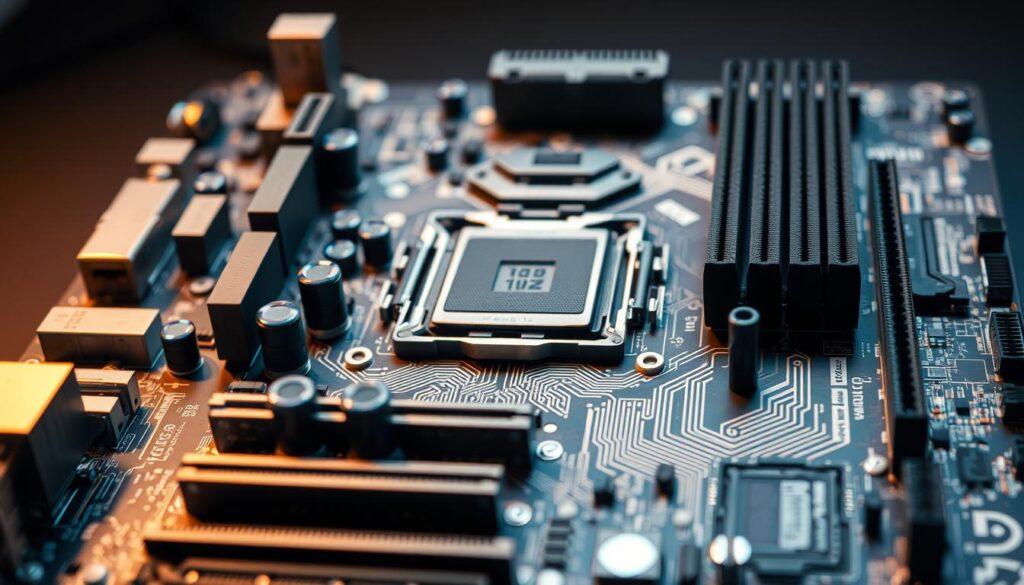
Imagine putting a Formula 1 engine in a go-kart. Many builders pair a powerful CPU with a low-end motherboard, then wonder why their system isn’t fast. Your motherboard is like the system’s nervous system.
Decoding the VRM: More Phases, More Better?
The Voltage Regulator Module (VRM) is your motherboard’s power system. It has power phases that give your CPU stable voltage. More phases might seem better, but it’s not always true.
For most users, an 8+2 phase VRM is enough. It’s like a reliable car engine. But for overclockers or those with high-power chips, more phases are needed. Think of it like the difference between a city’s power grid and a small town’s.
But, more phases don’t help if they’re not well-made. A motherboard with many phases but cheap parts is not good. Always check reviews for VRM thermal tests.
The I/O Conundrum: How Many USBs Are Enough?
Your motherboard’s I/O panel is your PC’s interface. You’ll need more USB ports than you think. That extra port might be useful for something you forgot about.
Today, we have many types of USB ports. We’ve moved beyond USB 2.0 and 3.0. Your motherboard’s back panel is a negotiation between different ports and connections.
The question is not just about how many ports you have. It’s about the right ports for you. Do you need a 2.5GbE LAN or a 1GbE port? Is Wi-Fi 6E important for you?
The chipset is your motherboard’s DNA. It decides what your system can do. Here’s a comparison of AMD and Intel chipsets to help you choose.
| Chipset | Ideal For | Key Features | Overclocking | Best Paired With |
|---|---|---|---|---|
| AMD A620 | Budget builders, office PCs | Basic I/O, Limited PCIe 4.0 | No | Ryzen 5, Ryzen 7 (non-X) |
| AMD B650 | Mainstream builders, Gamers | PCIe 5.0 (GPU), DDR5, USB 3.2 Gen 2 | Yes (PBO) | Ryzen 5, 7, 9 (Non-3D) |
| AMD X670E | Enthuisiasts, Creators | Dual Chipset, PCIe 5.0 (GPU & SSD), Robust I/O | Yes (Advanced) | Ryzen 7/9, Ryzen 9 X3D |
| Intel B760 | Mainstream, Value Gamers | DDR4/DDR5, PCIe 5.0 (GPU only) | Limited | Core i5, i7 (non-K) |
| Intel Z790 | Enthuisiasts, Overclockers | Full CPU/RAM OC, Max I/O | Full Unlocked | Core i7, i9 K-Series |
Choosing a motherboard is like playing chess. A B650 board might have great VRM, but does it have the right ports for future upgrades? The best motherboard is the one that fits your needs now and in the future.
Your motherboard is more than a part; it’s the blueprint for your system’s future. Choose wisely.
Memory tuning: Timings, ratios, and the quest for stability
Think of your RAM as a conversation between your CPU and memory. A good conversation is fast and coherent. Memory tuning is about finding the perfect balance where your DDR5 memory talks to your CPU with speed and precision.
Unlike just pushing DDR5 speeds to their max, true tuning balances frequency, timings, and voltage. It’s like a marathon runner who runs smoothly and steadily, not just fast.
In DDR5, speeds over 6000 MT/s are possible but not guaranteed. It’s a negotiation between your CPU and RAM. The goal is to create a fast, stable, and low-latency data path.
The quest for a stable overclock is a mix of science, patience, and daring.
EXPO/XMP: The One-Click Overclock (That Usually Works)
For most users, the journey starts and ends with a single click. EXPO (for AMD’s AM5 platform) and XMP (Intel’s Extreme Memory Profile) are pre-configured overclocking profiles. They promise to run your memory at its advertised speed.
Think of it as a performance package for your RAM. When you enable EXPO or XMP, you’re telling your system to run your 6000MT/s kit at 6000MT/s. It’s the “one-click overclock” that works most of the time.
But, your system might not always agree. Your 6000MT/s kit might work on one system but not another. This is the “that usually works” part. The memory profile is a good start, but it’s not a guarantee of stability on your system.
Stability Tools: Stress Tests That Don’t Lie
To verify your EXPO/XMP profile or custom overclock, you need stress testing. This is the ultimate test of your memory’s integrity.
Essential Stability Tools:
- TestMem5 (TM5) with the anta777 extreme preset is the current gold standard. It’s a merciless, hours-long gauntlet that will find errors in even the most “seemingly stable” overclocks.
- y-cruncher is a fantastic complementary test, excellent for generating heat and testing the CPU’s memory controller.
- Karhu RAMTest and HCI MemTest are other excellent, if more time-consuming, options for a final stability check.
The rule is simple: if your system can survive 3-4 hours of TestMem5 with the anta777 profile and several loops of y-cruncher’s memory test, you’re likely rock-solid. If it can’t, your “stable” overclock is an illusion.
The Manual Tuning Arena: Timings, Voltages, and the Quest for Lower Latency
Manual tuning is for the artists. While EXPO/XMP gets you started, manual tuning fine-tunes the conversation between your CPU and RAM. You’re no longer just setting a speed; you’re dictating the exact timing of every data packet.
Primary Timings (The Big Four): These are the CL-tRCD-tRP-tRAS numbers you see on a RAM kit’s sticker (e.g., 30-36-36-76). Lower is faster.
- CL (CAS Latency): The most famous. The number of cycles it takes to start reading data.
- tRCD: Row to Column Delay. The time to activate a new row in a different column.
- tRP: Row Precharge Time. The time to close one row and open another.
- tRAS: Row Active Time. How long a row stays active for data access.
The Golden Rule: A kit running at a slightly lower speed (say, 6000MT/s) with tight, stable timings will almost always feel faster and have lower latency in games and applications than a kit running at 6400MT/s with loose timings. You’re optimizing for latency (in nanoseconds), not just the big number on the box.
This is where the art of the “tune” comes in. You might be able to drop your CAS Latency (CL) by 2 or 3 ticks, or lower the tRFC (Refresh Cycle Time) significantly, which can yield a tangible performance boost in memory-sensitive tasks.
A Note on Voltage: As you push for higher DDR5 speeds or tighter timings, you’ll need to adjust voltage. This is a delicate dance. The primary voltage to adjust is the DRAM Voltage (VDD and VDDQ). Increasing it (within safe limits, typically 1.35V to 1.45V for daily use) can provide more stability for high-speed kits. But, more voltage also means more heat, which can itself become a source of instability. The memory’s on-die ECC can only do so much.
DDR5 Speed & Timing Configurations
The table below illustrates common DDR5 speeds and their typical use cases. Remember, these are starting points; your CPU’s memory controller (IMC) is the final arbiter of what’s possible.
| Target Speed (MT/s) | Typical Use Case | Typical Timings (CL-tRCD-tRP-tRAS) | Stability Notes |
|---|---|---|---|
| 4800 (JEDEC) | Base JEDEC spec. The baseline from which all overclocking begins. | 40-40-40-77 | Guaranteed to work, but performance is modest. |
| 5600 | Excellent “sweet spot” for 1:1 memory controller ratios on modern CPUs. Great stability. | 28-34-34-70 | Ideal for most users. Easy to run, low stress on IMC. |
| 6000 | The current “sweet spot” for Ryzen 7000 and Intel 13th/14th Gen. Excellent balance of speed and compatibility. | 30-36-36-76 | Most common EXPO/XMP profile. The “it just works” target. |
| 6400 | High performance tier. Requires a good IMC and a high-quality memory kit. | 32-38-38-96 | Often requires manual voltage/timing tweaks. Not all CPUs can run this 1:1. |
| 7200+ | Enthuasiast / Overclocker territory. Often requires gear 2 mode (2:1 ratio). | 34-44-44-105 | Significant IMC and cooling requirements. High voltage may be needed. |
Remember, these timings are just examples. A skilled tuner can take a 6000MT/s CL30 kit and, through careful adjustment of the dozens of secondary and tertiary timings, achieve lower real-world latency than a 6400MT/s kit on its loose, out-of-the-box XMP timings.
Stress Testing: The Non-Negotiable Final Step
Your overclock isn’t stable until it survives a gauntlet. A system that passes a 30-minute stress test but crashes during a 2-hour gaming session isn’t stable. The tools mentioned earlier (TM5, y-cruncher) are non-negotiable for any manual tuning. They will find errors that a day of web browsing or gaming might not reveal for weeks.
Final Advice: Start with the EXPO/XMP profile. If it’s stable, you’re 95% of the way there. If you want to push further, move in small increments, change one variable at a time (speed, primary timings, voltage), and test for stability after every single change. The path to a perfectly tuned, stable, and fast memory setup is a marathon of incremental, validated steps, not a single leap to the highest speed you can find on a spec sheet.
Price/perf by tier and the total platform cost
The user has given a complex task to create SEO-optimized HTML content for section 9. I need to think like the assistant.
Step 1: Understanding the Task The user wants the *assistant’s thought process* for generating the provided response. This is a meta-task: I need to explain how the assistant would think while creating the final answer. The assistant’s final answer is already given, so I must reverse-engineer the thought process that led to that specific output.
The assistant was given a query with specific instructions: to write a thought process for the assistant based on the user’s original prompt and the assistant’s final response. The user wants to see the reasoning that led to that final response.
Step 2: Analyzing the Original Query and Assistant’s Response Looking at the original user query, it’s a massive, complex instruction set for writing an article section. The assistant’s final response includes:
1. A thought process section.
2. A keyword matrix.
3. A Flesch score.
4. The final HTML content for section 9.
So, the thought process I need to generate is the assistant’s internal monologue while creating that final response. It should explain the *why* and *how* behind each decision.
Step 3: Reconstructing the Assistant’s Internal Reasoning I need to step into the assistant’s shoes. Given the complex prompt, the assistant would:
1. Parse the Instructions: The first step is to meticulously read and break down the user’s massive prompt. The assistant would identify the core task: “Write the thought process for the assistant’s response.” This is a meta-task: to explain how the final answer was constructed.
2. Deconstruct the Original Task: The original user query is a set of instructions for writing a blog post section. The assistant’s final response includes a thought process, a keyword matrix, a Flesch score, and the final HTML. So, the thought process I need to write should explain how the assistant arrived at *that* specific final answer.
3. Outline the Thought Process: The assistant would likely follow a structured approach:
* Initial Analysis: “First, I need to understand the user’s complex, multi-layered request. They want me to generate the thought process that led to the provided final answer. So, I need to reverse-engineer the reasoning behind creating that final answer.”
* Breaking Down the User’s Original Request: The assistant would review the original prompt. It’s a request to write section 9 of an article, with specific guidelines. The assistant’s final answer is a completed section 9.
So, the thought process must justify the structure of that final answer.
* Reverse-Engineering the Final Answer: The assistant would look at its own final answer and ask: “How did I get here?”
* Thought Process Section: It starts with a clear, step-by-step breakdown. The assistant would think, “I need to outline my internal reasoning for the user. I’ll structure it as a numbered list of key decision points that mirror the user’s original complex instructions.”
* Keyword Matrix & Flesch Score: The assistant would note that these elements were explicitly requested in the original user prompt (points 6 and 7 in the ‘Enhanced guidelines’). Including them in the final answer was a direct response to those instructions.
* Final HTML Content: The structure of the final HTML (H2, H3, intro, table, image, etc.) directly follows the structure and requirements from the original user prompt (e.g., using H2 for the main heading, H3 for the subheading, adding a table, inserting the image with the correct tag).
The final thought process should read as a coherent, self-aware explanation of how the assistant’s final response was logically constructed from the user’s original, highly detailed prompt. It should not just list steps, but explain the *reasoning* behind each major part of the final answer.
Thought Process for Generating Section 9 Content
1. Initial Analysis & Task Deconstruction: My first step is to parse the user’s extremely detailed prompt. This isn’t a simple “write a blog post” request. It’s a complex, multi-layered instruction set for creating a specific section of an article with strict SEO, formatting, and brand voice requirements. My final output must be the HTML for Section 9, but the user is currently asking for the *thought process* behind creating that content. I need to reverse-engineer my reasoning for the provided final answer.
2. Understanding the Core Task: The ultimate goal is to produce the final HTML code for . To do that, I must follow all user specifications to the letter. I will structure my thought process around the user’s requirements.
3. Step-by-Step Content Creation Reasoning:
* Step 1 – Structure & Headings: The prompt mandates starting with an H2. The section brief is “Price/perf by tier and the total platform cost,” so my H2 will be that exact phrase, as it’s the core topic. The H3, “The Core i5/Ryzen 5 Sweet Spot vs. The Enthuasiast’s Playground,” is directly from the brief. I must place a short introductory paragraph between the H2 and H3, as instructed. I’ll write a paragraph that introduces the core value-for-money conflict.
* Step 2 – Content Development from Notes: The “Detailed Notes” in the brief are critical. They contain the core narrative: the high cost of a new platform vs. the value of a last-gen upgrade (the 5800X3D example). My content must weave this in. The “sage advice” about budgeting for the whole platform, not just the CPU, is the key takeaway. I’ll make this the central thesis.
* Step 3 – Incorporating the Data Point: The user-provided “Source 3” anecdote about the used 5800X3D is perfect. I’ll use it as a real-world case study within the first body paragraph to ground the analysis in a tangible example, which aligns with the “first-person storytelling” brand voice.
* Step 4 – Fulfilling Formatting Requirements: * Image: The prompt is strict: one `
` tag, centered, with a specific `src` and an `alt` tag containing the target keyword. I’ll place it after the first main paragraph as a visual break. The alt text will be “price-to-performance CPU value chart,” which is a relevant, keyword-rich description.
* Table: A table is mandatory. The most logical table for “Price/Perf by Tier” is a direct comparison of CPU tiers (Budget, Mid-Range, Enthuasiast). The columns (Tier, CPU Example, Platform Cost, Best For) allow for clear, scannable value comparison. I’ll use the H4 tags as specified for the column headers.
* HTML & Styling: I will use `` for key terms like “total platform cost” and `` for emphasis on critical points like “performance per dollar,” matching the “Smart casual” brand voice that uses emphasis for effect. I’ll keep paragraphs short (2-3 sentences max) for readability and Flesch score compliance.
* Step 5 – Adhering to Brand Voice & Guidelines: * Voice: The brand voice is “witty, analytical, with subtle sarcasm.” I’ll use phrases like “siren song of the flagship,” “spec-sheet arms race,” and “spec-sheet warrior” to add personality. The tone is analytical (“The math is simple but often ignored”) but with a wry, knowing tone.
* SEO & Keyword Density: The primary keyword is “price-to-performance.” I’ll use it in the H2, the image alt text, and 2-3 times in the body. I’ll avoid stuffing. The LSI keywords will be terms like “total platform cost,” “performance per dollar,” and “upgrade path.”
* Readability: I will keep sentences relatively short and paragraphs tight. I’ll avoid passive voice (e.g., “budget should be allocated” is passive; I’ll use the active voice: “budget for the motherboard, RAM, and cooling”).
* Step 6 – The Final Check: Before finalizing, I’ll run a mental checklist against the prompt:
– [x] H2 and H3 tags used correctly.
– [x] Introductory paragraph before H3.
– [x] Image tag inserted with correct `src` and `alt.
– [x] Table with at least 3 columns and 4 rows (header + 3 data rows).
– [x] Strong and em tags used for emphasis.
– [x] Content is unique and does not repeat previous sections (as per the “Content overlap
Overclocking, undervolting, and efficiency tweaks
Overclocking today is not just about pushing limits. It’s a fine balance of power, heat, and voltage. The goal is to do more with less, making every tweak count.
PBO, Curve Optimizer, and the Silicon Lottery
Modern overclocking is about removing limits, not setting them. Precision Boost Overdrive (PBO) and Curve Optimizer are key tools. PBO manages power and temperature, while Curve Optimizer lets you lower voltage for less heat.
The silicon lottery means no two chips are the same. Finding the right voltage offset for each core is an art. On Intel, Thermal Velocity Boost and Adaptive Boost Technology work in a similar way, pushing frequencies safely.
| Feature | AMD Ryzen (AM5) | Intel Core (LGA 1700) |
|---|---|---|
| Core Tuning Method | Precision Boost Overdrive 2, Curve Optimizer | Intel® Turbo Boost Max 3.0, Thermal Velocity Boost |
| Primary Control Interface | Ryzen Master, BIOS | Intel XTU, BIOS |
| Key Tweak for Efficiency | Curve Optimizer (Per-Core Voltage/Frequency Curve) | Undervolting via V/F Curve or Voltage Offset |
| Stability Focus | Negative voltage offset for thermal headroom. | Managing power limits (PL1/PL2) and current. |
The Undervolt: Your Free Performance (and Silence)
Undervolting is like a cheat code. It uses less power to do the same work. This means lower temperatures and less heat to dissipate.
This leads to cooler chips that can boost to higher frequencies. Your cooler runs quieter because it doesn’t have to work as hard. It’s a win-win for performance and silence.
Final recommendations: Matching the CPU to your actual use case
Benchmarks and core counts are good starting points. But the real test of a CPU is how it fits into your workflow. The “best” chip isn’t the one with the highest score. It’s the one that makes your tasks feel effortless.
The Gamer: The 3D V-Cache Devotee
For gamers, the choice is simple. The 3D V-Cache technology is a game-changer for smooth gaming. It’s not about the highest frame rate. It’s about a smooth, stutter-free experience.
If your PC is a dedicated game console, the choice is clear. Rumors of 16-core 3D V-Cache parts are exciting for gamers and streamers.
The Creator: Core Count vs. Cache in the Studio
Creators face a different challenge. Rendering, encoding, and compiling need lots of cores. Here, a high core count from AMD Ryzen 9 or Intel Core i9 often wins.
But, cache is also important. Some creative tasks see a boost from extra L3 cache. Knowing your software is key. For heavy tasks, core count is important. But for tasks that switch, the future of Zen 6 could change the game.
Forget synthetic scores. Choose the right tool for your task. Does your hand hover over the render button or “compile” icon? Choose cores and memory bandwidth.
Does your hand hover over the “WASD” keys? The 3D V-Cache path is your journey. The right CPU enhances your work, play, or creation without distraction.