

Waiting for a game to load is like watching paint dry. We’ve moved past the slow days of hard drives.
This isn’t just about numbers. It’s about moving from long waits to instant play. Let’s explore what makes a top storage drive.
The Kingston FURY Renegade is a prime example. It has 7GB/s reads and writes. This is thanks to its Phison E18 controller and PCIe 4.0.
But speed isn’t everything. Is the excitement real, or is it just hype? This is a deep dive into what really matters for fast game loading.
Why Storage Speed Matters in Modern Gaming
A fast NVMe SSD gaming drive is more than just quick boot times. It’s a game-changer. Load screens are fading away, replaced by seamless worlds that need constant, high-speed data.
Modern games, like Cyberpunk 2077 or Starfield, are all about asset streaming. Your storage isn’t just a library. It’s a fast stagehand swapping set pieces in real-time. A slow drive makes the game stumble.
Common problems include distant textures suddenly becoming clear and objects popping into view. These aren’t minor issues. They’re major immersion breakers due to slow storage.
Understanding PCIe lanes is key. Think of your PC’s data pathways as a highway. Your GPU and CPU are supercars, but slow storage is a clogged lane. Kingston’s data shows how this can slow down even the fastest graphics cards.
Storage is now the most important performance upgrade. It’s the difference between watching a game and being in it. A proper NVMe SSD gaming setup unlocks fluidity in modern games.
To see the impact, let’s look at different scenarios:
| Gaming Scenario | HDD (Spinning Disk) | SATA SSD | NVMe SSD (PCIe 4.0/5.0) |
|---|---|---|---|
| Open-World Exploration | Frequent pop-in, texture lag, and stutters. The world loads in chunks. | Much smoother. Pop-in is reduced but can occur at extreme speeds. | Near-seamless streaming. High-detail assets load instantly, maintaining immersion. |
| Fast-Travel / Loading Screens | Time for a coffee break. Long, static loading screens are the norm. | Significantly faster. Screens last seconds, not minutes. | Blink-and-you’ll-miss-it transitions. Some games implement near-instant fast travel. |
| Texture & Asset Streaming | The stagehand is walking. High-resolution textures often fail to load in time, causing blurriness. | The stagehand is jogging. Good performance, but complex scenes can cause minor hiccups. | The stagehand is an Olympic sprinter. Sustained, high-bandwidth delivery keeps everything crisp. |
| Game Installation & Updates | An exercise in patience. Writing large files is painfully slow. | Respectable speeds. Gets the job done without major frustration. | Extremely fast. Large updates deploy in a fraction of the time. |
| System Responsiveness | OS and game launchers feel sluggish. Multitasking is hampered. | Snappy and responsive. A solid all-around experience. | Instantaneous. Everything from booting to alt-tabbing feels fluid and immediate. |
The table shows the huge jump from HDD to SATA SSD. But the leap to a modern NVMe SSD gaming drive is about refining the experience. It’s about eliminating digital friction that reminds you you’re just playing a game.
This is a call to end digital waiting rooms. The goal is to erase waiting from your gameplay. When storage speed matches game design ambition, that’s when magic happens.
NVMe vs SATA vs HDD Loading Time Tests
Imagine your game loading screen as a drag strip, with your storage drive as the vehicle. We’re about to time the diesel truck, the sports sedan, and the hypercar.
In the left lane, we have the spinning hard disk drive (HDD). It’s the reliable workhorse, but it’s hauling game data with a forklift. Next up is the SATA SSD, the sports sedan. It swapped the mechanical arm for flash memory, a huge leap. Then there’s the NVMe SSD, the hypercar. It ditches the SATA highway entirely for the multi-lane PCIe expressway directly to your CPU.
How big is the gap? Let’s get quantitative. Data from a Raspberry Pi PCIe analysis offers a perfect analogy. It showed PCIe storage hitting ~500MB/s, while USB 3.0—a common SATA analog—capped around 120MB/s. That’s a five-fold difference in raw bandwidth.
Translate that to your gaming PC. An NVMe drive can, in theory, shovel game assets into your system five times faster than a SATA SSD. The old HDD? It’s often ten times slower than that.
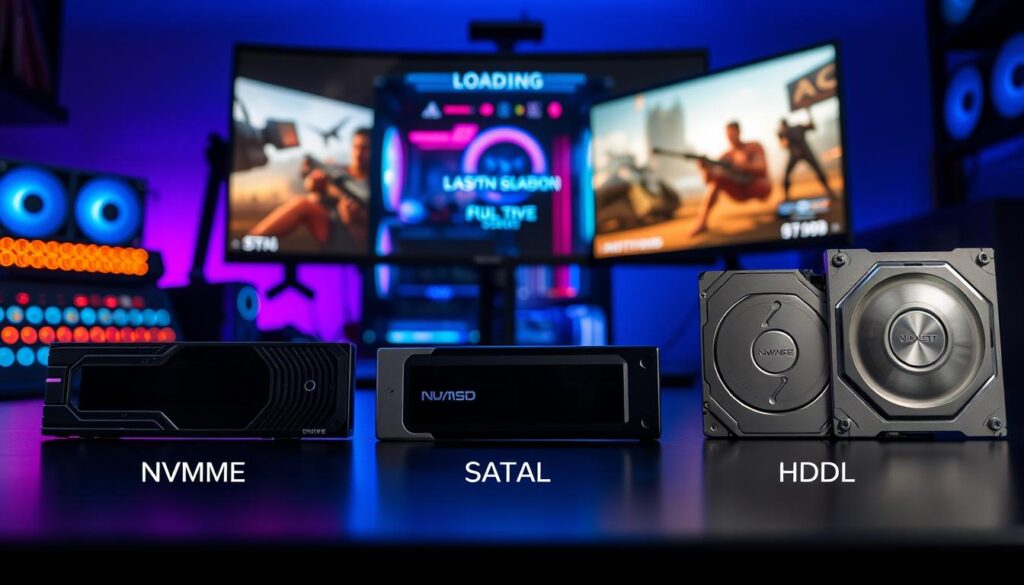
This isn’t just about shaving a few seconds off the initial launch. It’s about transforming the entire experience. With true fast storage gaming, open-world games stream textures seamlessly as you turn. Fast-travel becomes near-instantaneous. That annoying “elevator” loading sequence between levels? Often gone.
The difference between SATA and NVMe isn’t subtle. It’s the difference between waiting and playing. Is it a paradigm shift? For modern, asset-heavy games, absolutely. It turns a bottleneck into a firehose.
Of course, the law of diminishing returns applies. The jump from a SATA SSD to a basic NVMe drive is massive. The leap from a Gen3 to a Gen5 NVMe drive, though, sparks debate. For a deep dive into that nuance, check out these real-world user experiences with Gen 3 to Gen 5 NVMe.
So, is NVMe just marketing gloss? The data screams no. For gamers seeking every edge, it’s the clear next step. The diesel truck had its day. The hypercar is here.
Top Gaming SSDs Tested
Choosing the best gaming SSD is more than just a list. It’s about seeing how a drive performs in real games. Our test setup became a stage for each drive to show its skills in loading games and streaming assets.
The current scene is an exciting race. PCIe 4.0 is the main arena, and the controllers are the leaders. Let’s look at the top contenders.
The Kingston FURY Renegade doesn’t just load games; it makes them appear instantly. Its secret is a Phison E18 controller working with 3D TLC NAND efficiently. It offers consistent 7GB/s read and write speeds.
This means it handles big files and many small textures smoothly. The Renegade works hard without getting tired.
Its heatsink is not just for looks. It keeps the drive cool, even when it’s working hard. This avoids the slowdown that happens with other drives.
But no champion stands alone. Here’s how the Renegade compares to other top drives.
| Drive | Interface | Seq. Read | Controller | Character |
|---|---|---|---|---|
| Kingston FURY Renegade | PCIe 4.0 | 7,300 MB/s | Phison E18 | The Consistent Virtuoso |
| Samsung 990 Pro | PCIe 4.0 | 7,450 MB/s | Samsung Pascal | The Raw Speed Specialist |
| WD Black SN850X | PCIe 4.0 | 7,300 MB/s | WD_BLACK G2 | The All-Rounder Brawler |
| Crucial T700 | PCIe 5.0 | 12,400 MB/s | Phison E26 | The Future Scout |
The Samsung 990 Pro is like a Ferrari, fast in a straight line. The WD Black SN850X is great at mixed tasks. The Renegade is like a conductor, making sure everything works together perfectly.
Then, there’s PCIe 5.0, like the Crucial T700. It shows what’s coming next, but it’s too much for most games today. For now, PCIe 4.0 drives like our top picks are the best choice.
So, who wins? If you want the best consistency and performance, the Kingston FURY Renegade is a strong contender. It turns storage into an experience. Your choice depends on what you want from your gaming setup.
DirectStorage & Game Optimization
You’ve bought a super-fast NVMe SSD, but your PC’s software might be slow. This is the main problem. Your hardware is like a fast car, but it’s stuck using old maps. The speed of a top-tier NVMe SSD for gaming is just part of the story.
Microsoft’s DirectStorage API is like a smart conductor for your PC. It helps data flow smoothly between your NVMe drive, GPU, and CPU. No more waiting for different parts to play together. This API is designed to fix the slow spots in even the fastest systems.
Remember the warning about PCIe lane contention? When many drives share bandwidth, things slow down. DirectStorage cuts the line. It uses the GPU for data decompression, freeing up the CPU. This means faster game loading and less waiting.
But is the gaming world ready for DirectStorage? It’s like having a jet engine in an old plane. Not many games use DirectStorage 1.2 yet. Developers are playing catch-up.
Is your fast SSD being held back by old software? Yes, in many games. The full power of your SSD is waiting to be unlocked. DirectStorage is a big change from old storage systems.
The real test is when big games use DirectStorage. Will Grand Theft Auto load cities fast? Will Elder Scrolls VI make fast travel instant? That’s when your SSD will really shine.
DirectStorage shows us what’s possible in the future. It’s the software you need for your fast hardware. Building a gaming rig without DirectStorage is like buying a sports car and never driving it fast. The future of gaming is coming. Make sure your system is ready.
Capacity vs Speed Trade-offs
Do you want your games to load fast or have more games installed? This is a big decision. It affects your budget, patience, and how much you keep on your computer. The market for fast storage gaming shows this choice clearly.
Let’s look at the Kingston FURY Renegade as an example. It’s a drive we’ve tested. Its prices are $129 for 1TB, $244 for 2TB, and $629 for 4TB. This is a great example of how to think about digital storage.
The 1TB drive is an attractive option for fast storage gaming. It costs 12.9 cents per GB. But the 2TB model is only $14 more than two 1TB drives. It costs 12.2 cents per GB. This small difference gets you a single drive for all your games and saves a slot.
The 4TB drive is the biggest and most expensive. It costs $629, or 15.7 cents per GB. It’s a luxury that makes storage worries disappear. For most, it’s not worth it. But for those who can’t imagine deleting games, it’s a statement.
| Capacity | Price | Price per GB | Value Verdict |
|---|---|---|---|
| 1TB | $129 | $0.129 | Entry-point. Good for OS + 2-3 major titles. |
| 2TB | $244 | $0.122 | Sweet Spot. Best blend of speed, space, and cost efficiency. |
| 4TB | $629 | $0.157 | Future-proof luxury. For those who refuse to delete anything. |
Modern games are huge, like Call of Duty at over 200GB. Your fast storage gaming drive is like a warehouse. A 1TB drive won’t last long, and you’ll have to delete games you might want to play again.
So, my advice is to Invest in the 2TB tier. It’s the best value, balancing speed and space. The 1TB is too small, and the 4TB is too expensive. The 2TB drive is the smart choice.
Thermal Performance Under Load
Speed is exciting, but heat is a major problem for gaming SSDs. It’s a harsh rule in your PC. You want fast speeds, but your drive gets hot. If not cooled, this heat slows it down.
Cooling solutions are key. Forget about fancy lights; a good heatsink is essential. The Kingston FURY Renegade comes with a graphene aluminum heat spreader. It’s not just for looks. It pulls heat away from the drive’s core parts.
The drive stays cool during long gaming or file transfers. It runs between 26°C and 35°C. Its parts can handle up to 70°C before it’s too hot. This means it stays stable.
What happens during long gaming sessions? Without cooling, your drive might slow down. This makes games load slower and textures pop in less smoothly. You’re left with a slower experience than you expected.
This is about understanding your gear, with a bit of humor about toasty components. Will your drive keep its speed, or will it slow down? The answer is in its cooling design. When choosing the best gaming ssd, check its cooling. Sustained speed is what really counts.
Endurance & Reliability Testing
Building a drive that’s fast is easy. But making one that lasts years is hard. It’s about keeping your games safe, not just fast.
For an NVMe SSD gaming drive, longevity is key. The TBW rating shows how much data it can handle. A high TBW rating means you can play and update games for years without worry.
A big TBW rating is just a promise without a warranty. But a company like Kingston offers a five-year warranty. This shows they’re confident their drive will last a long time.
The real test of endurance is in the drive’s design. The Phison PS5018-E18 controller and 3D TLC NAND are signs of a reliable drive. They ensure steady performance, not just fast speeds at first.
Think of a strong warranty and good hardware as your digital safety net. When you’re deep into a game, you don’t want your drive to fail. In NVMe SSD gaming, reliability is everything.
Price per GB Analysis
Choosing a gaming SSD is like picking between a Ferrari and a Fiat. Both get you there, but at different costs. Let’s get real. Investing in fast storage gaming shouldn’t empty your wallet.
We’ll use the Kingston FURY Renegade as our example. It’s a top performer and shows us the cost. Here’s the data without any fancy marketing:
- 1TB: $129
- 2TB: $244
- 4TB: $629
Do the math quickly. The 2TB model is the best value at about 12.2 cents per GB. The 1TB is 12.9 cents, and the 4TB is nearly 15.7 cents. The 4TB costs more for convenience and to show off.
Adding the ~$20 value of the included heatsink makes the 2TB model even better. It’s like getting a free premium suit with your car. Budget brands often ignore this detail.
Now, let’s talk about the false economy. Saving $10 on a cheap drive means losing 200MB/s in speed. That’s like buying a “sports car” with a lawnmower engine. Is it worth it for fast storage gaming? No way.
So, what’s the best choice? For serious gamers, the 2TB Renegade is the clear winner. It offers great speed and capacity without breaking the bank. The 1TB model is a good starting point, but managing games can be tough.
The 4TB drive is for those who spend a lot or have a huge Steam library. It’s the top choice for fast storage gaming for those who don’t want to compromise. But for most, spending more on a GPU upgrade is better.
Is the Kingston premium worth it over a budget brand? Absolutely. You’re not just buying NAND flash. You’re getting consistent performance, proven endurance, and a great heatsink. Saving money on fast storage gaming means spending more time waiting to play.
The market is full of drives that promise a lot. The real value in fast storage gaming is in the balance of cost, performance, and cooling. The Renegade 2TB hits all three. Anything less is a waste of time.
Installation & Optimization Tips
Congratulations, you’ve got a fast new SSD. Now, let’s make sure it works great. This isn’t just plug-and-play; it’s plug-and-perform. Think of this as your guide.
First, know that not all M.2 slots are the same. For your main NVMe drive, use the top PCIe slot. This slot is closest to the CPU and offers the best speed. Using a lower slot can slow your drive down because it shares lanes with other parts, which can also affect demanding online environments powered by multiplayer game hosting solutions that rely on fast storage access and low latency.
Installing the drive is easy: turn off your computer, ground yourself, find the top slot, and screw it in. But the real work is in the software.
Every drive comes with special software. Kingston, Samsung, WD, and others have tools for you. Download it. This software helps check your drive’s health and apply important updates.
Here’s what to do after installing:
- Initialize and Format: Use Windows Disk Management to set up your new drive with the NTFS file system.
- Update Your Drivers: Make sure your motherboard’s drivers are up to date for the best performance.
- Install the Manufacturer’s Utility: This is your control panel.
- Check for Firmware Updates: Run the utility. An update might be available.
- Enable Over-Provisioning (Optional): If your utility offers it, setting aside some spare space can help with long-term performance.
By following these steps, you’ll turn from a parts installer into a performance tuner. You’ve picked the right hardware. These final steps will make sure your best gaming ssd is as fast as promised.
Best SSDs by Gaming Genre
Would you put grocery-getter tires on a Formula 1 car? It’s the same with your gaming rig. Not every game needs the same storage.
For esports, where speed is everything, you need fast storage. A top-notch PCIe 4.0 NVMe SSD like the Kingston FURY Renegade or WD Black SN850X is perfect. It cuts down load times and map transitions, giving you an edge. Your nvme ssd gaming setup for shooters should focus on speed.
But for big open-world RPGs or games with lots of mods, it’s different. You need a lot of space and a drive that can handle constant writing. The Samsung 990 EVO is a good choice because it offers both space and endurance.
This approach makes sense from the speed revolution in gaming storage to keeping things cool and affordable. The best nvme ssd gaming choice is one that fits your game’s needs.