

Our childhoods had better pixels, let’s be honest. There’s a special feeling when you start a game from the 80s or 90s. No modern game can match that feeling.
It’s not just about the games. It’s about feeling the whole era again. But finding that today is a tough journey.
Do you look for a pricey SNES Classic Mini on eBay? Or trust Nintendo’s Switch Online service? Or build your own perfect time machine?
This isn’t just about playing Super Metroid. It’s like digging into our cultural past. The tools for this are more advanced but also confusing.
We’re here to help you through this maze. Think of this as your guide, with a soldering iron and a bit of sarcasm about Sega’s 32X.
Emulation System Requirements
Starting your journey to bring back a 32-bit era sprite is simple. You just need to ask: what’s under your PC’s hood? It’s not about playing the latest games. Emulation needs a special kind of power. Your computer is acting out old silicon architectures.
You have three main paths to your retro gaming pc dream. Each offers a mix of cost, ease, and power.
The Raspberry Pi is a DIY retro gaming hero. With RetroPie, it’s a simple emulation box. It’s perfect for tinkerers, but finding one is hard now.
The Steam Deck is another option. It’s a handheld that can run many games. With EmuDeck, it’s easy to set up. You can play from Game Boy to GameCube in an hour.
Lastly, there’s the classic PC. It’s the most powerful option. Using RetroArch, your computer can run almost anything. It’s all about flexibility and power.
| Platform | Cost (Entry) | Ease of Setup | Performance Ceiling | Best For |
|---|---|---|---|---|
| Raspberry Pi (RetroPie) | Low (if found) | Moderate (DIY) | Up to PS1 / N64 | The hobbyist tinkerer on a budget |
| Steam Deck (EmuDeck) | Medium | Easy | Up to PS2 / GameCube | Portable power, all-in-one convenience |
| Standard PC (RetroArch) | Variable (High) | Moderate to Complex | Up to PS3 / Wii U | Maximum compatibility, future-proofing, customization |
You don’t need a supercomputer for a retro gaming pc. Even a modern laptop can handle 16-bit games. What you really need is patience and a willingness to learn.
FPGA vs Software Emulation
Imagine a biography versus a live performance by the person themselves. This is the main debate in retro gaming. It’s between software emulation and FPGA emulation hardware. One is like an interpreter, the other is the real thing.
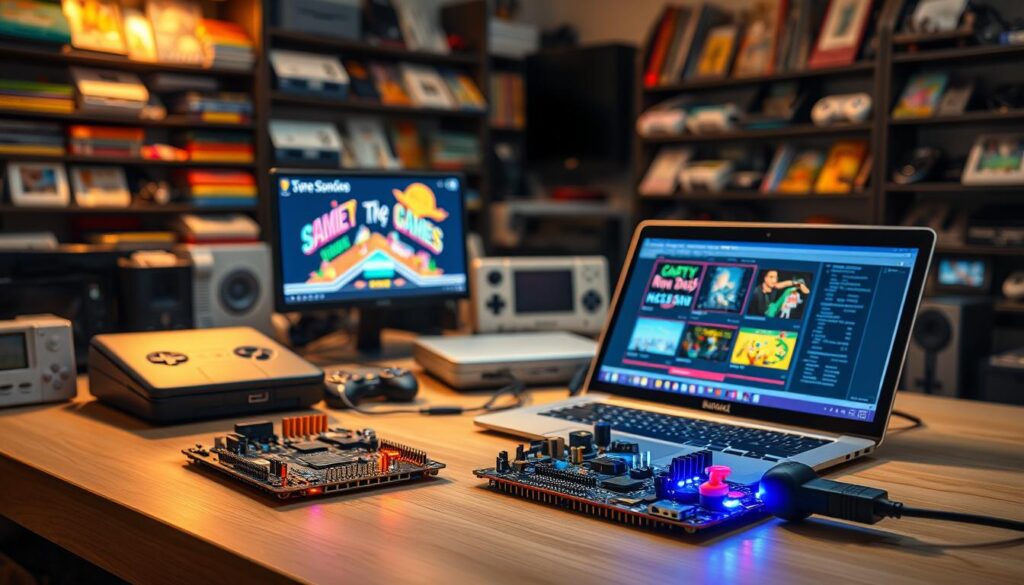
Software emulation works like a smart translator. It runs on your computer, making the old console’s code work on new systems. It’s smart, flexible, and often free. But, it’s not perfect, with small errors like audio problems or slow responses.
FPGA, or Field-Programmable Gate Array, is different. It’s like a magic chip that changes its own structure to match the original console. Devices like the Analogue Pocket use this tech to perfectly mimic old consoles.
For those who want the real deal, FPGA is the best. It makes games feel like they’re running on the original hardware. Playing on the Analogue Duo, for example, feels like the real thing.
But, FPGA isn’t for everyone. It’s expensive and hard to get. Devices like Analogue’s are made in small batches, leading to long waits. Software emulation, on the other hand, is easy to get and always improving.
Your choice depends on what you value most. Do you want easy access to many games? Software is your best bet. Or do you want the exact experience of a specific console? FPGA emulation hardware is your only choice. It’s like the real band playing live, versus a cover band.
Controller & Input Solutions
Forget the screen for a moment. The true soul of a classic gaming setup lives in your fingertips. That plastic rectangle is your conduit. It translates your intentions into action, bringing back memories.
This isn’t just about nostalgia. It’s about kinetic memory. Your hands remember the specific feel of a Super Nintendo button. They recall the sharp click of a Sega Genesis d-pad. Using a modern, mushy gamepad for Super Mario Bros. is a tactile betrayal.
So, what are your options? The purist’s path is hunting down original controllers. There’s a visceral satisfaction in holding the exact hardware. Companies like Analogue design their consoles to accept these vintage plugs. It’s the most direct line to the past.
But originals age. Cords fray. This is where the renaissance begins. Brands like 8BitDo have mastered the art of the homage. Their wireless controllers often improve on the originals, adding modern comforts.
Then we have the all-in-one solutions. The Polymega includes a clever, wireless controller modeled after a PlayStation classic. Many official mini-consoles ship with delightful, miniature replicas. These are fantastic for plug-and-play simplicity.
The unifying enemy here is lag. Wireless technology has improved dramatically. Modern Bluetooth and 2.4GHz options offer latency so low it’s imperceptible. The goal is seamless translation. Your press must result in an immediate on-screen reaction. Any delay breaks the spell.
Your choice defines the experience. An original controller offers museum-grade authenticity. A premium third-party pad provides reliability and convenience. The curated all-in-one bundle delivers instant gratification. Each path serves a different vision of that perfect classic gaming setup. Choose the tool that makes the digital world feel physically real again.
Display Considerations for Classic Games
Starting your retro gaming journey means beating your TV’s tricks. Modern TVs lie about what they show. They’re made for today’s smooth, high-def streams, not the pixelated beauty of old consoles.
They’ll mess up your classic games with smoothing, lag, and wrong sizes. Your first task in building a retro gaming pc is to stop this.
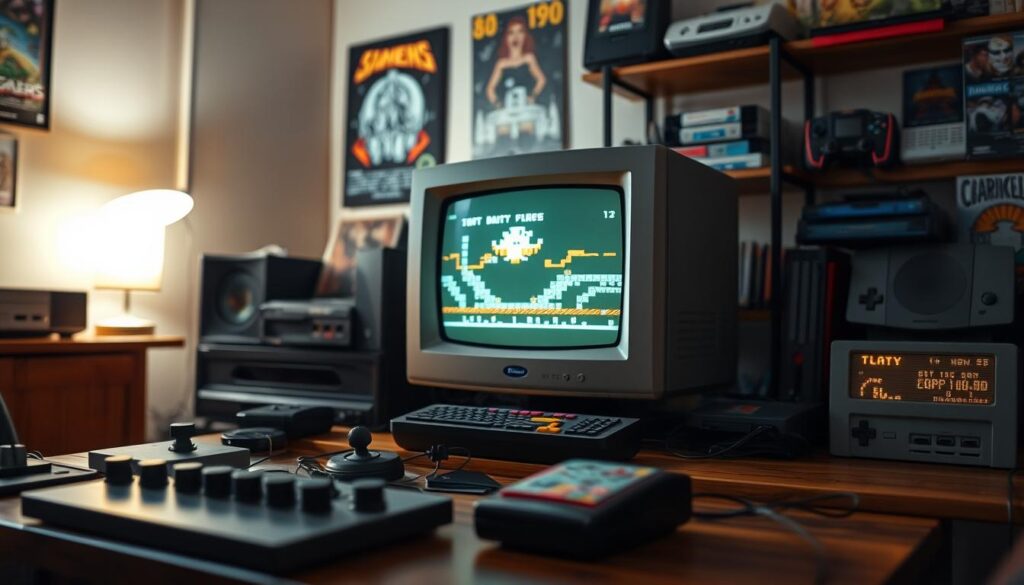
You have three main paths to fix this visual mess, each with its own fans.
The Digital Purist’s Path: This path is easy and elegant. It uses FPGA wonders like the Analogue Super Nt or software on a retro gaming pc. These systems keep the original pixels sharp and clear on modern screens.
Official mini-consoles often follow this path, but quality can vary. For example, the PlayStation Classic’s emulation was a letdown.
The Original Hardware Gauntlet: Here, you use the real, old console. This path is deep and complex. You deal with analog signals like composite or SCART.
To make your TV understand, you need a translator like an OSSC or RetroTINK upscaler. These boxes turn analog signals into digital pixels. Remember to set your TV to “Game Mode” to avoid lag.
The CRT Crusade: For the ultimate purist, only a Cathode Ray Tube TV will do. Yes, the old, heavy TV. It’s about authenticity and the true way games were meant to be seen.
Finding and keeping a good CRT is a big commitment. But for many, it’s the only way to play.
Your choice shapes your whole setup. The digital path is easy and clear. The original hardware route needs tech skills. The CRT path is about analog charm and requires dedication.
For a retro gaming pc that’s versatile, mastering the digital path is key. Seeing classic games as they were meant to be is the goal. It’s not just about tech; it’s the essence of retro gaming.
Audio Hardware for Authentic Sound
Cheap emulation can ruin graphics. But it’s even worse for sound. The right sound makes games unforgettable. Getting it wrong feels like a betrayal.
Software emulation often fails with sound. You might hear crackles and dropped channels. It’s like music through a broken phone.
The original sound chips, like the SNES’s SPC700, were unique. They had a special character. Software tries to mimic this but often fails.
Dedicated emulation hardware, like FPGA systems, is key for purists. They don’t just simulate sound; they become it. This means you hear the music as the composers meant it.
| Audio Solution Type | How It Handles Sound | Authenticity Level |
|---|---|---|
| Software Emulation (CPU) | Approximates sound chip behavior via code. Prone to timing errors and audio artifacts. | Low to Medium |
| FPGA Emulation Hardware | Recreates the actual logic of the original audio chip. Delivers cycle-accurate sound. | Very High |
| Original Console | The source. Outputs the authentic signal, but may need restoration for modern displays. | Reference (100%) |
Getting the right setup is important. You might use a high-quality FPGA console with a DAC. But, your modern sound system or TV could add unwanted compression. The goal is to let the unique sounds shine through.
Exploring dedicated audio solutions can greatly improve your setup. It doesn’t have to break the bank.
Starting with better sound cards or external DACs is a good first step. This can lead to more advanced FPGA setups. Resources like best budget gaming hardware often include good audio components.
Visuals are important, but sound is key for true immersion. Investing in proper emulation hardware for sound is about preserving the past. It ensures the soundtrack of your childhood is heard clearly.
Storage for ROM Collections
We love our classic gaming setups, but we also love the convenience of digital storage. The joy of holding a SNES cartridge is real, but having thousands of games on one device is hard to resist. Storage makes our digital nostalgia dreams come true.
Let’s talk numbers. A US PlayStation library can be over a terabyte. The Nintendo 64 library might seem smaller, but add in translations and hacks, and it grows fast. It’s like collecting a private museum.
There are two main ways to manage your collection. You can keep a detailed library on a big drive, or use special hardware to play games directly from discs. Both methods make your games easily accessible.
Without a plan, your collection can turn into chaos. You need a system to keep everything organized. Think by console, genre, or year. The choice is yours.
| Storage Solution | Best For | Capacity Scale | Pros | Cons |
|---|---|---|---|---|
| Local SSD | Primary gaming PC / Dedicated emulation box | 500GB – 4TB | Blazing load times, silent operation | Cost per GB is high, physically tied to one machine |
| Network Attached Storage (NAS) | Whole-home access, multi-user setups | 4TB – 50TB+ | Centralized library, RAID redundancy, streams to any device | Upfront cost, requires network knowledge |
| Cloud Storage | Backup & archival only | 1TB – 10TB (subscription) | Off-site safety, accessible from anywhere | Slow for direct play, ongoing fees, upload bandwidth drain |
| Everdrive / Optical Disc Emulator (ODE) | Original console purists | 32GB – 512GB (SD cards) | Authentic hardware experience, no load times | Console-specific, requires original hardware |
The goal is to keep your games accessible for years to come. Cartridges and discs can deteriorate. A digital archive with backups ensures your games last. Use a NAS for your main library, a cloud service for backups, and fast local storage for playing.
This digital collection raises important questions about ownership. We’re preserving history, but who owns the software? Building your dream library is a technical challenge. Get it right, and every game is just a click away.
Legal Emulation Guidelines
Let’s talk about the elephant in the room: the legality of building a retro gaming pc. It’s not just a simple game. It’s a complex maze of laws and rules that would make even Phoenix Wright scratch his head.
Here’s the basic rule. Downloading a ROM for a game you don’t own is illegal. It’s like stealing from a store. The law is strict, like an old Nintendo cartridge shell.
Now, let’s look at the gray area. Dumping a ROM from a cartridge you own for backup is a gray area. Courts rarely rule on this, leaving it open to debate. You own the hardware, but the code’s copyright is separate.
The best way is through official channels. Services like Nintendo Switch Online and Xbox Game Pass offer legal access to games. For your retro gaming pc, play through their official apps, not standalone emulators.
So, what about that dream retro gaming pc with every game from 1985 to 1999? It’s a dream many have. But it’s not legal. The risk is low for users, but it’s there. It’s a choice to live in that gray area.
| Method | Legal Status | Risk Level | Notes |
|---|---|---|---|
| Official Subscription Services (e.g., Nintendo Switch Online) | Fully Legal | None | Convenient, curated, but library is controlled by the platform holder. Ideal for a hassle-free retro gaming PC experience via official apps. |
| Cartridge Dumping (Personal Backup) | Gray Area / Debated Fair Use | Very Low | Requires physical hardware (cartridge, dumper). Defensible for personal archives but legally untested. The “cleanest” gray area method. |
| Downloading ROMs (No Ownership) | Illegal | Low to Moderate | The most common practice. Risk is mainly theoretical for users but breaks copyright. The base of most ROM collections. |
| Purchasing Digital Re-releases (e.g., Steam, GOG) | Fully Legal | None | Directly supports developers/publishers. Often includes quality-of-life enhancements but may be altered from the original release. |
The wise advice is to support official efforts when they’re good. Vote with your wallet for proper preservation. If you do venture into emulation gray areas, do so with honesty. Remember, you’re making a copy, not acquiring a right. Build your system, but know the landscape. It’s less about winning and more about avoiding trouble.
Mini Console vs PC Emulation
The battle for your nostalgia dollar pits sleek, plug-and-play mini consoles against the boundless, chaotic frontier of PC emulation. It’s the choice between a curated museum exhibit and an anarchic archive. One offers a perfect, self-contained slice of history. The other offers the entire history, provided you’re willing to be your own archivist.
Mini consoles like the Sega Genesis Mini 2 or the PlayStation Classic are brilliant time capsules. They are emulation hardware designed as appliances. You unbox them, plug them into your TV’s HDMI port, and you’re playing within minutes. The experience is polished, the game selection is fixed but excellent, and the presentation—from the user interface to the replica controllers—oozes authenticity. It’s convenience incarnate.
But it’s also a walled garden. Want to play that one obscure title not included in the official library? Tough luck. The mini console is a gourmet meal served on fine china. You get what you’re given, and it’s usually delicious. But you can’t ask for substitutions.
PC emulation is the polar opposite. It’s the wild west. Your game library is limited only by your hard drive space and, let’s be honest, your moral compass. This is emulation hardware as a hobbyist’s workshop. You can upscale graphics to 4K, apply modern texture packs, and engage in netplay with friends across the globe. The power and flexibility are staggering.
The trade-off is complexity. You will spend hours configuring RetroArch cores, mapping controllers, and tweaking shaders instead of actually playing games. The PC is a fully stocked kitchen where you must cook every meal yourself. The power to create something amazing is there. So is the risk of messing everything up if you don’t know what you’re doing.
Let’s break down the core differences. The table below isn’t about declaring a winner. It’s about matching the right tool to your personal retro philosophy.
| Factor | Mini Console (e.g., Genesis Mini) | PC Emulation |
|---|---|---|
| Cost of Entry | Moderate. One-time purchase, usually under $100. | Variable. Can be free (using existing PC) to very high (dedicated build). |
| Convenience | Exceptional. Truly plug-and-play. Perfect for casual sessions. | Low. Requires setup, software knowledge, and ongoing maintenance. |
| Game Selection | Fixed, curated library (40-60 games). High quality, no filler. | Virtually unlimited. Access to entire console libraries across decades. |
| Accuracy & Features | Good to great accuracy. Features like save states are standard. | Exceptional accuracy and modern enhancements (HD, netplay, mods). |
| Customization | Minimal. User interface and options are locked down. | Total control over every visual, audio, and control parameter. |
So, who wins? If your goal is to play classic games with zero fuss, a mini console is a masterpiece of industrial design. It’s a focused, delightful experience. You’re buying a finished product.
If your goal is to explore classic gaming, to tinker, to preserve, and to push boundaries, PC emulation is your canvas. The initial frustration is the price of admission to a universe of possibilities. This path turns emulation hardware into a hobby in itself.
In the end, it’s not a binary choice. Many enthusiasts own both. They use the mini console for a quick, authentic fix. They fire up the PC for deep dives and multiplayer sessions. The beauty of modern retro gaming is that you don’t have to choose just one church. You can appreciate the sermon and the science lab.
Build Guides for Retro Systems
Building a retro gaming rig is more than just following steps. It’s like performing a digital ritual. You’re bringing back the old days through silicon and discs. Creating your own classic gaming setup turns you into a digital historian.
The Raspberry Pi is a common starting point. Turning it into a RetroPie powerhouse is a journey. You’ll learn Linux, find the perfect theme, and enjoy a complete game system.
But it’s not just about software. The real art is in the hardware. Setting up an Analogue Pocket or a Polymega tower is a craft. Each part is carefully chosen and connected.
Even fixing old hardware is a build project. You’ll need the right SCART cable and a good upscaler. It’s all about showing respect for the original engineering philosophy.
These guides are our community’s sacred texts. They’re found in forums, blogs, and YouTube. Each one adds something new, helping you understand its logic and limitations.
Building is a way to preserve the past. It lets you connect with the technology in a deep way. When you play your first game, it’s not just about the game. It’s about the journey you took to get there.
Preservation & Authenticity Focus
Our nostalgia machine reveals its true mission. It’s not just about memory. It’s about saving it for the future.
Original consoles are limited. Their parts wear out over time. FPGA-based emulation hardware offers a solution.
It creates digital copies of failing silicon brains. This method goes beyond just playing games. It’s about preserving them for years to come.
Systems like the Polymega become tools for saving games. They rescue code from old cartridges and discs. Our hobby turns into a way to preserve history, much like modern zero-latency cloud gaming infrastructure ensures digital experiences remain accessible and responsive for future generations.
We aim for authenticity that lasts. We want to play EarthBound or Street Fighter II just as the creators meant. The best emulation hardware fights against decay, using logic and love for the art.