

Cooler Master’s HAF II 500 is more than another mid-tower case reveal. Shown during the Computex 2026 hardware cycle, the chassis brings the company’s High Air Flow identity back into a PC market where high-wattage GPUs, hotter CPUs, AI-assisted workloads, and quieter desk setups are forcing case makers to rethink airflow from the front panel to the rear exhaust. The key change is visible right away: Cooler Master is building the HAF II 500 around dual 220×40 mm intake fans, a 180×40 mm exhaust fan, GPU-focused airflow paths, and a MasterRail mounting system meant to keep cooling flexible without turning the inside of the case into a blocked-off cable maze. Cooler Master describes the case as a noise-normalized airflow design built for lower component temperatures at reduced operating noise, which makes it especially relevant for gamers building around modern graphics cards that can dominate both heat output and interior space.
That matters for PC players because the gaming case has stopped being just a shell. A case now decides how much noise reaches the player’s microphone, how much thermal headroom a GPU keeps during long sessions, how clean a desk setup looks on camera, and how much room a builder has for future upgrades. For readers comparing new PC hardware trends, the same shift connects with Cooler Master Gaming’s recent Arm gaming laptops analysis, where platform design and performance expectations were already starting to move beyond old desktop assumptions.
Why The HAF II 500 Arrives At The Right Hardware Moment
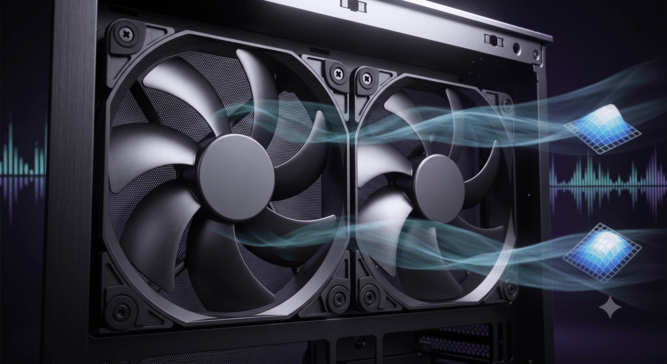
The timing is the first reason the HAF II 500 feels larger than a single case announcement. In 2026, high-end gaming PCs are no longer judged only by frame rates in a short benchmark run. Players care about sustained performance, GPU boost behavior, fan noise, cable cleanliness, streaming comfort, and whether a case can support a powerful system without sounding like a small appliance under the desk.
Cooler Master’s official HAF II 500 product page says the chassis is built around “industry-leading noise-normalized cooling performance,” a more balanced intake-exhaust layout, split-level airflow, and versatile GPU configurations. The company’s Computex page says the oversized intake and exhaust fans are paired with a dedicated airflow path that improves GPU cooling and overall balance, and that MasterRail sliding rails can support multiple fan and radiator sizes while keeping the airflow path open. Those claims put the case in a different conversation from older mesh-front cases that relied mainly on a perforated panel and standard 120 mm or 140 mm fans.
The player-facing takeaway is simple: modern gaming cases are being asked to cool more concentrated heat with less acoustic penalty. A large front fan can move air at lower rotational speeds than smaller fans pushing the same volume, which is why PC Gamer’s Computex 2026 coverage focused on Cooler Master’s use of thick Liquid Crystal Polymer Mighty40 fans and the “big fan, slow speed, less noise” logic behind the lineup. The HAF II 500 is not the first airflow case, but its scale makes it a clear sign that case makers are treating low-noise airflow as a premium gaming feature, not a secondary spec.
How Bigger Fans Change The Case Design Question
The headline spec is easy to remember: two 220 mm front intake fans and one 180 mm rear exhaust fan. GamersNexus reported from Computex 2026 that the HAF II 500 uses two 220 mm fans up front, a single 180 mm rear fan, LCP blades, a PBT hub, and dual-ball bearings. The outlet also noted that Cooler Master was aiming to return the HAF line to its high-airflow roots after a mixed history across earlier HAF models.
The more interesting point is what those fan sizes do to the rest of the case. A 220 mm front fan is not a drop-in replacement for a common 120 mm or 140 mm fan layout. It changes the geometry of the front panel, the way air moves toward the graphics card, the amount of open space needed behind the intake, and the value of cable routing. Cooler Master’s product language around split-level layout and MasterRail is aimed at that exact issue: the airflow hardware only works if the rest of the case avoids blocking it.
That is why the HAF II 500 reads like an airflow system rather than a fan-size stunt. Tom’s Hardware reported that the ribbed front panel is designed for low resistance, that part of the bottom fan cools the PSU chamber, and that most of the airflow is directed by a curved baffle toward the GPU. The same report said the case supports up to E-ATX motherboards, dual-GPU setups up to 3.6 slots thick across eight expansion slots, split-level cable management, and the MasterRail system for flexible fan or radiator placement.
| HAF II 500 Design Area | What Cooler Master Is Emphasizing | Why It Matters For Gamers |
|---|---|---|
| Front Intake | Dual 220×40 mm fans | More airflow potential at lower fan speeds |
| Rear Exhaust | 180×40 mm fan | Stronger case-wide air movement balance |
| GPU Air Path | Dedicated airflow and curved baffle design | Better focus on the hottest gaming component |
| MasterRail | Adjustable mounting rails | More flexibility for fans and radiators |
| Cable Routing | Split-level zones and sliding cover | Less obstruction behind visible hardware |
| Build Support | E-ATX and large GPU configurations reported by Tom’s Hardware | More room for high-end gaming and creator builds |
Why GPU Cooling Is Becoming The Center Of The Gaming Case
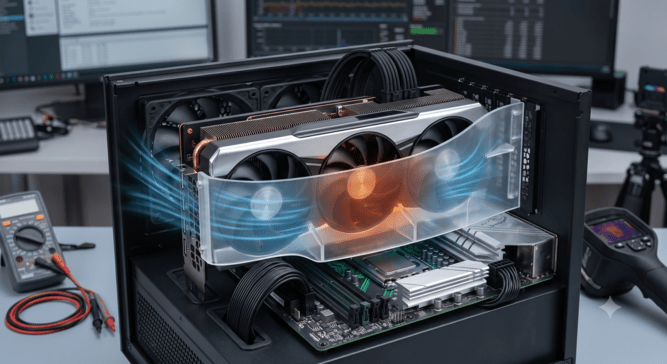
For years, case marketing often treated CPU cooling as the star of the build. That has changed. In many gaming PCs, the graphics card is the largest component, the loudest component under load, and the part most likely to sit near cable bundles, glass panels, and restricted lower chambers. A case that feeds the GPU directly can change the character of a long gaming session even before a player sees a frame-rate number.
Cooler Master’s own Computex HAF II 500 page puts “advanced GPU support” in the same feature group as airflow and cable management. It says the case supports single and dual GPU setups with secure mounting for high-performance configurations and transport stability. That language matters because the HAF II 500 is being pitched to gaming, creator, rendering, simulation, and GPU-compute workloads rather than only RGB-forward desktop builds.
This is a smart angle for 2026. A gaming PC is no longer just a tower that runs a game. Many players record, stream, render clips, run Discord, edit video, upscale footage, or test AI-assisted tools on the same machine. That does not mean every gamer needs a workstation chassis. It does mean the thermal profile of a “gaming” build is getting closer to a mixed-use performance build, especially for players using large GPUs and multi-monitor setups.
The HAF II 500’s airflow story should be read with one limitation: independent lab data remains the deciding factor. Cooler Master can describe the design goal, and Computex hands-on reports can explain the parts, but gamers should wait for controlled thermal and acoustic testing before treating the case as proven best-in-class. Tom’s Hardware made a similar caveat in its coverage, saying it did not yet have cooling metrics and would need lab testing once the case became available.
How Noise Has Become A Gaming Performance Feature
Noise is not only a comfort issue for PC gamers. It affects microphone clarity, streaming setups, shared apartments, late-night sessions, and the perceived quality of a desk build. A powerful PC that runs every fan at an aggressive speed can technically perform well, yet still feel poorly designed in daily use.
That is why the phrase “noise-normalized cooling” is important. Cooler Master is not just claiming the HAF II 500 moves air. It is positioning the case around cooling efficiency at reduced operating noise. PC Gamer’s report pointed to the same logic, describing thick LCP fans that can maintain high airflow at low speeds. The article also reported an expected July 2026 launch window and a price range around $180 to $210, making the HAF II 500 a premium mid-tower contender rather than a budget airflow box.
For buyers, the question becomes value. A gamer looking at a case in that price band is not only paying for metal, glass, and fan mounts. The value depends on whether the stock fan package lowers the need for extra fan purchases, whether the airflow path keeps a large GPU quieter, and whether the layout reduces build frustration. The HAF II 500 could make sense for players who want a high-wattage build to stay calmer under load. It may make less sense for minimal builds, lower-power GPUs, or buyers who plan to replace every stock fan with a custom set.
This is where the airflow race becomes more nuanced. The next generation of case competition may not be about who can add the most mesh or the most fans. It may be about controlled airflow, fan thickness, pressure, ducting, cable zoning, and the ability to keep large gaming hardware cool without overwhelming the room.
Why MasterRail And Cable Routing Matter More Than They Look
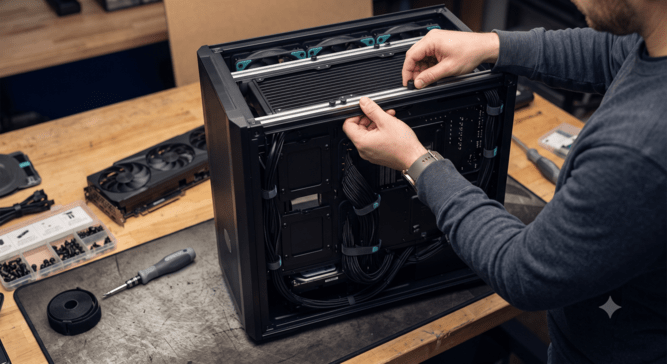
Cable management is often treated as an aesthetic feature, but in high-airflow cases it becomes part of thermal design. If a case uses large intake fans and a front-to-back airflow path, loose cables, bulky drive cages, and poorly placed brackets can weaken the advantage. Cooler Master’s HAF II 500 tries to solve that by combining large fans with split-level routing, a sliding cover, convertible storage, and MasterRail mounting.
The official Computex page says integrated cable management organizes cables by zone without adding bulk, while convertible drive cages support multiple orientations. Those are practical details for builders who want the case to look clean through a side panel, but they also help keep the airflow path less crowded.
GamersNexus offered a more hands-on design detail from Computex: the case had a steel cable management bar that also acts as a flow guide, with perforations that may allow air through to memory and ramp air toward CPU tower coolers. That is the kind of design decision that makes modern cases more complex than their exterior panels suggest. It also creates a clear testing question: does the airflow guide meaningfully lower GPU, memory, VRM, or CPU tower temperatures, or is the largest advantage still the front fan package?
For builders, MasterRail could become the difference between a case that works for one fixed configuration and a case that survives multiple upgrade cycles. A player may start with a tower cooler, move to an AIO radiator, upgrade to a thicker GPU, or add storage later. Flexible mounting has value only when it preserves the airflow path rather than turning the case into a compromise.
What Buyers Should Watch Before Choosing The HAF II 500
The HAF II 500 is likely to attract three groups first: high-end GPU buyers, low-noise setup builders, and Cooler Master fans who remember the HAF line as a performance-first case family. Each group should look at the case through a different lens.
A high-end GPU buyer should watch for controlled GPU temperature data, hotspot behavior, and noise results across standardized fan curves. A quiet-build buyer should compare the HAF II 500 against silence-focused cases such as Cooler Master’s own Silencio 600, since the two designs seem to approach the same problem from different directions. A HAF loyalist should look beyond nostalgia and judge whether the new case meaningfully improves on the old “lots of airflow” formula.
The buyer checklist is not complicated:
- Check independent thermal and acoustic reviews before relying on Cooler Master’s noise-normalized claim.
- Confirm clearance for the exact GPU, motherboard, radiator, air cooler, PSU, and storage setup planned for the build.
- Treat the stock 220 mm and 180 mm fan package as a core part of the case value, not an accessory afterthought.
- Compare the expected $180 to $210 pricing against cases that may need extra fans to reach the same airflow goal.
- Watch whether replacement fans and long-term fan availability become easy to find, since uncommon fan sizes can affect future maintenance.
That last point matters. Large proprietary or uncommon fan sizes can improve the out-of-box experience, but they can also make replacement planning more important. PC Gamer noted that Cooler Master’s representative warned it would be a disservice to remove the unique front fans, which makes sense from a design perspective but gives buyers one more practical factor to consider.
Why This Case Could Shape The Next Wave Of Gaming Builds
The HAF II 500 signals a broader shift in gaming hardware: airflow is becoming a design language again. After years of glass-heavy showcase cases, compact desk builds, and RGB-first layouts, high-wattage PC components are pushing the conversation back toward air movement, fan quality, obstruction control, and acoustic comfort. Cooler Master is not alone in chasing this direction, but the HAF II 500 gives the trend a clear name, a familiar case lineage, and a bold visual spec.
The case’s success will depend on testing, availability, pricing, and how well its airflow path works outside a trade-show floor. Still, the idea behind it is already relevant. Gaming PCs are carrying more heat, more cables, larger GPUs, more mixed-use workloads, and higher expectations for quiet operation. A case that treats airflow as a full interior system rather than a front-panel pattern is responding to the way players actually use modern hardware.
For Cooler Master, the HAF II 500 is a chance to make the HAF name feel current again. For gamers, it is a reminder that the case should be chosen before the build becomes a thermal problem. The next airflow race will not be won by fan size alone. It will be won by cases that move air where gaming hardware needs it, keep noise under control, and give builders enough flexibility to upgrade without rebuilding the entire setup from scratch.