

Welcome to the digital frontline. Victory here isn’t just about skill. It’s about milliseconds. That frozen screen? It’s a digital heart attack, and your ping is the flatline.
Players log hours, only to see progress erased by lag. It’s a common frustration. But the real issue isn’t speed. It’s latency.
Bandwidth is data movement. Latency is how fast it gets there. Mixing these up is like bringing a philosophy major to a gunfight.
We’re going beyond simple “get faster internet” advice. This is a deep dive into your home’s digital setup. We’ll show why your current setup is a problem and guide you to your Zero Lag Zone.
Think of this as your connection’s pre-game strategy session. Let’s fix what’s broken.
Latency’s Impact on Competitive Gaming
Ping, measured in milliseconds, is key in every online duel. It decides who sees the future first. This isn’t just a saying. In competitive games, your ping is your reaction time. It’s the digital gap between thinking and acting.
Ping is the time it takes for data to go from your machine to the server and back. It’s like a digital handshake. For simple tasks, 50ms is quick. But in games, it’s a big deal.
Competitive games need quick reactions. In a tactical shooter, you might have less than 200ms to kill. If your ping is 45ms, you’ve lost a quarter of that time to the internet. Your opponent, with a 15ms connection, is ahead of you.
Let’s look at the numbers. Not all pings are the same.
| Ping (ms) | Gamer Experience | Competitive Viability |
|---|---|---|
| < 20 | Buttery smooth, imperceptible delay. Actions feel instantaneous. | Essential for professional and high-stakes play. |
| 20 – 50 | Very good for most. Minor delay noticeable to trained senses. | Adequate for ranked, but a disadvantage at the highest tier. |
| 50 – 100 | Noticeable “lag.” Character feels sluggish. Blame starts here. | Casual only. You’re bringing a philosophical treatise to a knife fight. |
This table shows how important ping is. A 15ms connection is a big difference from a 45ms one. It’s like a time warp. The player with lower latency acts faster, while the other waits.
This is what low latency networking is all about. It’s not just speed. It’s about being precise in time. Every millisecond saved is a millisecond added to your decision time. In games, that’s everything.
So, when you check your stats and see a bad kill/death ratio, look at your ping. There’s a direct link between your millisecond count and your performance. Improving your low latency networking isn’t just about gear. It’s about understanding the game’s physics.
Gaming Router Features Explained
A gaming router is more than just a pretty light show. It’s a network expert that makes sure your gaming data gets through fast. Unlike regular routers, it’s built for the fast-paced world of gaming. It uses smart tech to manage your network for low latency networking.
Imagine your home network as a busy airport. Regular routers treat all data like regular passengers. But a gaming router is like a VIP service. It makes sure your gaming data gets priority, every time.
QoS Configuration for Gaming
Quality of Service (QoS) is key for gamers. It’s like a VIP pass for your data. Gaming routers offer detailed control, unlike basic routers.
Setting up QoS is like telling your router which device is most important. Brands like ASUS and Netgear make it easy. You just set up a rule for your gaming device. This makes your gaming smoother and faster.
The benefits of good QoS are clear:
- Ping Reduction: Your game data gets to you faster.
- Jitter Elimination: Your game speed stays steady.
- Bandwidth Reservation: Your game gets enough speed, even when others stream.
Port Forwarding & UPnP Setup
Port Forwarding is like a special entrance for your game. It lets your game’s data through, even if your router blocks it. This is important for games that need direct access.
Setting up Port Forwarding takes some tech know-how. You need your console’s IP address and the game’s port numbers. UPnP is easier but less secure. It lets your game ask the router to open ports automatically.
Choosing between manual and automated setup depends on what you prefer. UPnP is easy but less secure. Manual port forwarding gives you more control but is more work.
Ethernet vs WiFi 6E Performance
WiFi 6E is a big step up in wireless speed. But for competitive gaming, it can’t beat the old Ethernet technology. If you want no lag, the best choice is a wired connection. Experts say it’s the most effective way to cut down on lag.
Switching to Ethernet is a no-brainer for gamers. It’s the “best possible option” for anyone serious about gaming. It’s not a choice; it’s a must.
An Ethernet cable is like a private path for your data. It’s fast and reliable. WiFi, even with WiFi 6E, is like trying to talk in a busy room. It’s slower and less reliable because of interference.
WiFi 6E is the new kid on the block. It uses the 6GHz band, which is less crowded. It’s fast, but for gaming, it can’t beat the guaranteed speed of Ethernet. In gaming, speed isn’t everything; reliability is key.
| Metric | Ethernet (Cat6) | WiFi 6E |
|---|---|---|
| Typical Latency | ~1 ms | ~5-15 ms+ |
| Stability | Rock-solid, consistent | Subject to interference |
| Max Speed | 10 Gbps (Cat6a) | 9.6 Gbps (theoretical) |
| Ease of Use | Requires cable run | Plug-and-play freedom |
| Best For | Zero-lag competitive play | General use, streaming |
The difference in latency is huge. Ethernet can give you a 10+ millisecond advantage. This can mean the difference between winning and losing in gaming.
So, what’s the solution for a big house? Ethernet backhaul is the answer. It uses Ethernet cables as a backbone for your WiFi system. This way, you get fast WiFi everywhere without losing the low latency you need for gaming.
For casual gamers, WiFi 6E is great. But for serious gamers, Ethernet is the winner. If you want the best, plug in.
QoS Configuration for Gaming
Setting up QoS is not about being a network boss. It’s about using resources wisely, like in wartime. Your internet speed is limited. Without QoS, important game data might get ignored while other traffic gets priority.
Now, you’re in charge. It’s about using applied intelligence, not just brute force.
First, find your router’s control center. Log in to your router’s admin page, usually by typing 192.168.1.1 in a browser. For most gaming routers, QoS settings are under “Advanced,” “Gaming,” or “Traffic Prioritization.” You might see a fancy dashboard or a list of options. The goal is to pick the most important traffic.
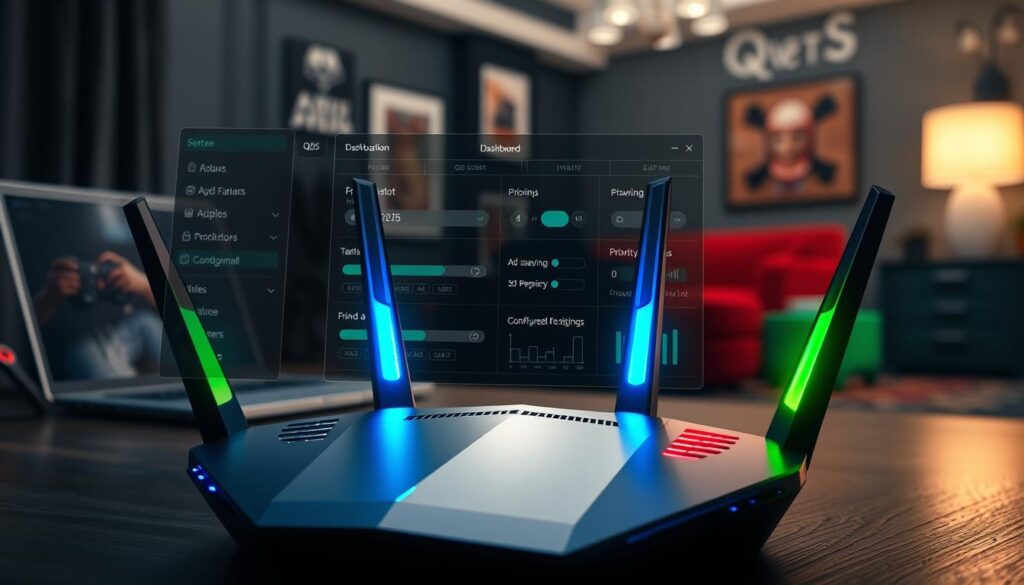
Next, decide how to prioritize. You can choose by device or application. Prioritizing your gaming PC or console by its MAC or IP address is straightforward. It makes that device the top priority. But, if your roommate starts a download, your plan might fail.
Choosing by application or port is more precise. Tell your router to give priority to specific ports or apps, like port 3074 for Xbox. This way, your game gets priority, no matter the device. You need to know your ports or have a router with a good game database.
The table below shows the pros and cons of each method.
| Strategy | How It Works | Best For |
|---|---|---|
| Device-Based Priority | Assigns maximum bandwidth to a specific device (e.g., your PlayStation’s IP address). Simple to set and forget. | Households with one primary gaming device. It’s the “set it and forget it” option. Less flexible if you game on multiple machines. |
| Application/Port-Based Priority | Prioritizes specific types of traffic (e.g., “Gaming” or port 27015 for Steam). Intelligence follows the game, not the hardware. | Advanced users, multi-gamer homes, or those who want future-proof rules. More configuration required but offers superior precision. |
I recommend using both methods if your gaming router supports it. Give your main console a high device priority and enable “Gaming” service priority. This creates a strong defense. Routers from Asus (with GameFirst) or Netgear (with DumaOS) often do this for you, making smart rules.
Set the bandwidth allocation wisely. Don’t cut off other services too much. A good rule is to cap gaming priority at 70-80% of your total bandwidth. This keeps your Zoom calls from freezing, for peace at home.
With QoS set up, it works quietly in the background. It doesn’t make your internet faster, but it makes your game data the most important. You’ve moved from hoping for a clear lane to engineering one. That’s the real power of your gaming router’s brain.
Mesh Systems for Large Homes
Imagine your data packets as couriers in a vast palace. A single router is like a lone messenger. A mesh system has helpers in every corridor. But each handoff adds a precious millisecond, affecting gaming.
If you live in a big home or one with thick walls, a single router won’t do. It’s like a feudal system with digital dead zones. Mesh WiFi solves this with self-configuring networks that cover your space well. It promises total coverage and stable device handoff as you move.
For gamers, a good WiFi connection is key. Mesh systems help by getting rid of packet loss in weak areas. This is great for VR gaming, where a stable connection is essential.
But, mesh systems add latency. This is because your gaming data moves from the main router to a satellite node. This hop introduces latency, which can be small or big depending on the connection.
The solution is Ethernet backhaul. This means connecting your mesh nodes with physical Ethernet cables. It makes the wireless relay fast, eliminating latency. With Ethernet backhaul, a mesh system is great for large areas.
So, is a mesh system right for your gaming fortress? Let’s break it down simply.
- The Good: Eliminates dead zones and packet loss in far rooms. Enables gaming anywhere in the home. Ideal for latency-sensitive but not ultra-competitive applications like VR or casual online play.
- The Caveat: Wireless meshing adds latency hops. All nodes share the same wireless bandwidth, which can become a bottleneck during peak household usage.
- The Verdict: A mesh with Ethernet backhaul is a brilliant, scalable solution. A purely wireless mesh is a convenience play that may spread lag evenly across your estate.
Publications like Wired often review the best mesh WiFi routers with a focus on general use. Our analysis adds the critical gamer’s filter: always prioritize systems that support and make it easy to implement a wired backhaul. Don’t just buy for coverage; buy for controlled latency.
In the end, a mesh network solves a spatial problem. For gaming, it introduces a temporal one. The goal isn’t just to get a signal everywhere. It’s to ensure that signal everywhere meets the ruthless standard of low latency networking. Know the difference, and you’ll know whether a mesh system is your knight in shining armor or just a very well-dressed courier.
Port Forwarding & UPnP Setup
Universal Plug and Play (UPnP) might sound like a helpful robot, but it’s more like a tricky concierge in networking. Your gaming router has a built-in firewall, acting like a club bouncer. But sometimes, this bouncer blocks the traffic your game needs.
Port Forwarding and UPnP are two ways to open specific doors in your network. Think of them as secret doors in your network’s back alley.
Port Forwarding is a precise, manual method. You log into your router’s admin panel and find the Port Forwarding section. You tell the router to let traffic through a specific port, like 3074 for Call of Duty. It’s like being a network architect.
UPnP is an automated, “ask for permission” method. When your gaming PC or console needs a port open, it sends a request. If UPnP is enabled, the router opens it automatically. It’s convenient but also risky.
Now, let’s look at the trade-off with a skeptical eye.
Performance vs. Security: The Eternal Dance. For games and voice chat, open ports are key for smooth performance. A closed port can cause lag. An open port is like a direct highway.
But every open port is a risk. Manually forwarded ports are like giving a key to a trusted friend. UPnP is like an automatic door for anyone who knows the secret handshake. Security experts often advise disabling UPnP because of this risk.
When is this necessary? Not always. Modern games and services often don’t need it. But for hosting a Minecraft server or using certain voice protocols, you might need it. The sign is if you can join games but friends can’t connect to you.
Here’s a clear breakdown to help you decide which tool to use:
| Feature | Port Forwarding | UPnP |
|---|---|---|
| Control Level | Complete manual control. You decide which port goes to which device. | Automatic. Devices on your network can request port openings. |
| Security Posture | Generally more secure. You create specific, known rules. | Potentially less secure. Can be exploited by malware on your network. |
| Ease of Setup | More complex. Requires knowing your device’s IP and the correct port numbers. | Trivial. Usually just a toggle switch in your router’s settings. |
| Performance Impact | Optimal for known applications. Creates a permanent, direct path. | Equally good for performance when it works correctly. |
| Best For | Power users, dedicated server hosts, and the security-conscious. | Casual gamers who play a variety of titles and value convenience. |
If you’re serious about your setup and play host regularly, learn Port Forwarding. It’s a one-time setup for each game or service. Treat your gaming router like a precision instrument, not a magic box.
If you’re a casual player and your router supports a modern, well-vetted UPnP implementation, it might be fine. Just be aware of the small risk. Think of it as the difference between manually driving a stick shift and using a smart, self-driving car. Both get you there, but one gives you far more control over the journey.
Ultimately, achieving a zero-lag zone sometimes requires getting your digital hands dirty. Opening these doors isn’t about being reckless. It’s about intelligently managing the traffic flow to your fortress. Your gaming router is the gatekeeper. You are the architect.
Internet Speed Requirements
Think of your game data as a sports car. It doesn’t need a huge highway, just a smooth road. ISP ads often ignore this truth. They focus on download speed, not the quality of the road.
Latency is key for a good gaming feel. Your game sends small packets, not big files. These packets are like tweets, not movies.
Modern games use only 3 to 6 Mbps during online play. That’s less than a 4K video stream. The fear of low bandwidth is overblown.
The real issue isn’t your game. It’s the digital noise around you. Your family’s Netflix and smart devices can slow things down.
When your data queue is full, your game lags. You need headroom for a smooth experience.
Find the right internet plan by adding your game’s bandwidth to your household’s noise. A gaming ethernet connection helps, but you need enough for everyone.
ISP tiers should match your needs. Source 1 suggests Gigabit+ for heavy use, but it’s pricey.
| Household Scenario | Recommended Download Speed | Why It Works |
|---|---|---|
| Solo Gamer (No other heavy use) | 50-100 Mbps | Massive overhead for the game alone. Ethernet recommended for stability. |
| 2-3 Users (Mixed streaming/gaming) | 200-400 Mbps | Comfortably handles multiple HD streams while gaming. The modern sweet spot. |
| Power Household (4+ users, 4K streams, downloads) | 500 Mbps – 1 Gbps+ | Prevents contention during peak usage. Essential for large homes with many devices. |
Even solo gamers get speeds way beyond what they need. This extra bandwidth helps avoid lag. It’s not about speed, but keeping your game smooth.
A wired gaming ethernet connection is key. It ensures your speed is consistent and reliable. No drops or sharing issues.
Don’t just check your internet speed. Ask if it’s consistent. Use the formula and choose wisely. Add a good gaming ethernet setup for a stable network.
Network Troubleshooting Guide
Network troubleshooting is more about following a process than magic. We’ll cover key steps from checking local hardware to picking the right server. It’s like solving a mystery where the problem is often easy to find.
When lag happens, it’s natural to feel upset. But instead, use that energy to follow a checklist. This guide will help you turn network problems into clear gaming performance.
Step One: The Local Interrogation
Is the problem really with the network? Start by checking your own equipment. Is your computer or console too hot? Are your drivers outdated?
Try restarting your device. It’s like a digital cold shower. It clears out old data and stops background issues. If lag only happens in one game, it might be a software problem, not your internet.
Step Two: The Cable Creed
WiFi can be unreliable for gaming. It’s okay for casual browsing but not for fast-paced games. Always suspect WiFi first.
Using gaming ethernet can make a big difference. Connect directly from your device to the router with a Cat-6 or Cat-7 cable. It’s like going from shouting to whispering.
Step Three: Router Real Estate
Your gaming router needs a good spot. If it’s hidden, you’ll face problems. Place it in the middle of your space and keep it high.
Think of its signal like light. It travels straight and avoids obstacles. Also, use the 5GHz band for your devices. It’s faster and less crowded than 2.4GHz.
Step Four: Digital Spring Cleaning
Your network is shared. Is your computer doing something in the background? Close all unnecessary programs.
Update your router’s firmware. An old router is vulnerable. Also, consider upgrading your hardware. Technology advances quickly.
Step Five: Server Selection Sanity
Don’t choose a server that’s too far away. It will add a lot of lag. Always pick the closest server with a stable connection.
Use network monitoring tools. They help you see problems like packet loss and jitter. Knowing these issues helps you fix them.
By following this guide, you can master lag and improve your gaming. Your gaming router and gaming ethernet are key. Now you know how to use them effectively.
Best Hardware by Budget
This isn’t just about buying stuff. It’s about making your network fast and reliable, no matter your budget. Forget the flashy ads and focus on what really matters.
Buying the most expensive gaming router isn’t the goal. It’s about spending wisely to cut down latency. We’ve identified three main types. You’ll fit into one of them.
| Archetype | Core Strategy | Key Hardware Move | Latency Goal |
|---|---|---|---|
| Budget Gladiator | Maximize value, minimize wireless hops | Modern router + very long Ethernet cable | Stable, sub-20ms |
| Tactical Enthuasiast | Optimize a dedicated gaming space | Dedicated gaming router + network switch | Ultra-low, consistent |
| Coverage Commando | Conquer a large, multi-floor home | Mesh system with Ethernet backhaul | Low, everywhere |
The Budget Gladiator: Smart Frugality
Your strategy is simple yet effective. You don’t need a router with “gaming” on it. A modern, AC1900 or better, router from a trusted brand is what you need. Its secret is a strong Quality of Service engine that you’ll set up to perfection.
The key to success is copper. Your best buy is a 50 or 100-foot Cat6 gaming ethernet cable. Run it along the baseboard or under the rug. This direct connection beats any wireless issue for a fraction of the cost of a “gaming” router. This is low latency networking on a budget.
The Tactical Enthuasiast: The Dedicated War Room
Your gaming station needs its own setup. A dedicated gaming router is essential. Look for one with detailed QoS, a multi-gig WAN port, and maybe some cool traffic tools.
The smart move is to pair it with an unmanaged network switch. Connect your PC, console, and streaming box with cables. This creates a wired island of stability. Your router can then focus on mobile devices, not competing with your PC’s traffic. This is precision engineering for ping.
The Coverage Commando: Conquering Square Footage
Your enemy is drywall and distance. A single router can’t handle it. You need a mesh system. But not just any mesh. You need nodes with Ethernet ports.
The strategy is called Ethernet backhaul. Use cables to connect the mesh nodes to each other. This creates a dedicated path for node-to-node communication, freeing up the wireless bands for your devices. It turns a mesh into a low latency networking web. It’s the only way to get solid performance in a large home.
The “Almost Ethernet” Alternatives
Can’t run a cable? Your house’s wiring might offer a bypass. Enter PowerLine adapters and MoCA.
PowerLine sends data through your electrical circuits. It’s a gamble. Performance can vary a lot based on your home’s wiring. It’s like a Hail Mary when Wi-Fi fails and cable is out of the question.
MoCA uses coaxial cable lines (TV cable). It’s more reliable and faster than PowerLine, often as good as gaming ethernet. If you have coaxial ports in the right rooms, this is your secret, premium wired alternative.
Hardware models change, but a smart strategy lasts forever. Find your archetype. Attack your specific bottleneck with careful spending. That’s how you build a zero-lag zone that lasts.
ISP Optimization Tips
You can create the ultimate gaming fortress with your gaming ethernet setup. But, if your internet connection is slow, you’re at a disadvantage. Your internet type is the key to low latency.
Fiber is the top choice for fast internet. It’s not just quick; it’s light moving through glass on a dedicated line. Cable is good, but it’s shared in an apartment building. When everyone streams, your ping gets worse.
DSL and Satellite are last resorts. They offer a trade-off for connection. But, they come with built-in lag, making them unsuitable for experiences that depend on zero-latency cloud gaming infrastructure and real-time responsiveness.
To improve your connection, talk to your ISP about “latency” and “packet loss.” Ask about bridge mode to let your router handle things. Sometimes, the best move is to switch to a provider with the right technology.