

Welcome to the digital coliseum. Here, your skill isn’t just played—it’s performed for an audience of millions. The line between player and broadcaster has vanished.
Every aspiring creator faces the same architectural dilemma: building a stage from silicon and steel. Is your current content creation pc a humble cottage or a possible fortress? Let’s find out.
This guide isn’t about chasing frames-per-second alone. We’re building an empire of pixel-perfect video and podcast-quality audio. I’ll be your sardonic foreman, guiding you through the maze of encoders, capture cards, and microphones.
Forget a simple streaming gaming setup. We’re creating a broadcast command center. The right best streaming hardware turns a private session into a public spectacle. Ready to lay the foundation?
Single PC vs Dual PC Streaming
Choosing between one machine or two is key in streaming. It’s not just about connecting cables. It’s about deciding between a gaming rig and a creator’s workstation. Your streaming gaming setup shapes your entire workflow.
Going with one PC means multitasking. Your computer must handle game graphics and stream encoding at the same time. It’s a delicate balance that can be thrilling or disastrous.
On the other hand, using two PCs is like having a dedicated team. One PC focuses on gaming, while the other handles the stream. This setup ensures your stream stays stable and uninterrupted.
Is the dual-PC setup outdated with today’s powerful CPUs? Modern chips like AMD’s 32-core Threadripper or Intel’s Core i9 are impressive. But, a dedicated encoder PC is better for consistent quality. It keeps your game and stream resources separate.
Your choice depends on your budget and how much chaos you can handle. Do you want a $5,000 gaming beast or a $10,000 dual-system setup? The table below compares the two options.
| Criteria | Single PC Setup | Dual PC Setup |
|---|---|---|
| Cost | Lower initial investment. One system to buy and power. | Significantly higher. Requires two full PCs, capture card, extra peripherals. |
| Gaming Performance | Potentially impacted. Encoding tasks steal CPU/GPU cycles from your game. | Maximized. Gaming PC runs unfettered. No in-game performance hit. |
| Stream Stability & Quality | Good with top-tier hardware. Risk of drops during intense game scenes. | Exceptional. Dedicated encoding ensures consistent, high-quality broadcast. |
| Complexity | Simpler to configure and manage. One operating system, one set of drivers. | More complex. Requires capture card, audio routing, and network sync. |
| Ideal For | Streamers starting out, or those prioritizing a clean, minimalist desk. | Professional creators, competitive gamers, and anyone demanding broadcast perfection. |
A single-PC streaming gaming setup is versatile and compact. A dual-PC setup is specialized and precise. Your content goals determine your tools. For high-quality esports, dual PCs are essential. For relaxed shows, a single powerful PC might be better.
The tech world is always changing. GPU encoding improves yearly, making things less clear-cut. Yet, the main question remains. Do you prefer simplicity and cost, or do you need specialization? Your choice affects your entire broadcast.
Capture Card Requirements
A capture card is more than just a fancy cable. It’s the key to your stream’s visual quality. In a dual-PC setup, it connects your gaming rig to your streaming machine. Its main job is to transfer video flawlessly.
Choosing the wrong one can ruin your stream’s quality. But picking the right one makes it seamless. This is what makes the best streaming hardware stand out.
Is it a must-have or just an overpriced gadget? For serious dual-PC streamers, it’s essential. Your gaming PC’s GPU is busy encoding. The capture card sends this video to your streaming PC for final encoding.
This setup keeps your gaming performance top-notch. Without it, your stream quality would suffer greatly.
The debate is not about if you need one, but which type. Do you prefer a PCIe card for instant connection or a USB 3.0 box for ease? Your choice depends on latency and convenience.
Pass-through is a game-changer. It sends your video to your stream and your monitor without delay. Encoding is another key feature. Most cards handle H.264 easily, but HEVC is better for 4K or high-frame-rate content.
Latency is a big concern. PCIe cards offer almost no delay. USB 3.0 devices add a bit more, but it’s usually not noticeable for most streamers. For gamers, it can be a big issue.
| Feature | PCIe Internal Card | USB 3.0 External Box | Key Insight |
|---|---|---|---|
| Form Factor | Installs inside your streaming PC. | Sits on your desk, plugs in via cable. | PCIe is permanent; USB is portable. |
| Latency | Extremely low (<1ms). | Low to moderate (10-50ms). | PCIe wins for zero-compromise scenarios. |
| Ease of Use | Requires opening your PC. Driver setup can be finicky. | Plug-and-play simplicity. Ideal for beginners. | USB offers less friction upfront. |
| Best For | Professional creators, esports streamers, multi-PC studios. | Most streamers, content creators, and those with laptops. | Match the tool to your actual workload. |
| Price Range | $$$ (Premium investment) | $ – $$ (Budget to mid-range) | You often pay for the latency you save. |
The table helps you decide what you need. If you’re setting up a dedicated station, PCIe is the way to go. For flexibility, like streaming from a laptop, USB is better. Your choice is key to a professional streaming setup.
It’s not about spending the most. It’s about finding the right fit for your needs. Invest in what you’ll really use. That’s how you build a solid foundation with the best streaming hardware.
Microphone & Audio Equipment
Imagine spending thousands on a visual setup but sounding like you’re in a tin can. That’s the audio trap. Your audience will forgive a pixelated face cam. But they won’t forgive audio that crackles, pops, and echoes like you’re shouting from a cave.
Your voice is your brand’s signature. Treating it as an afterthought is like painting a masterpiece with mud. Let’s get your sound up to symphony level.
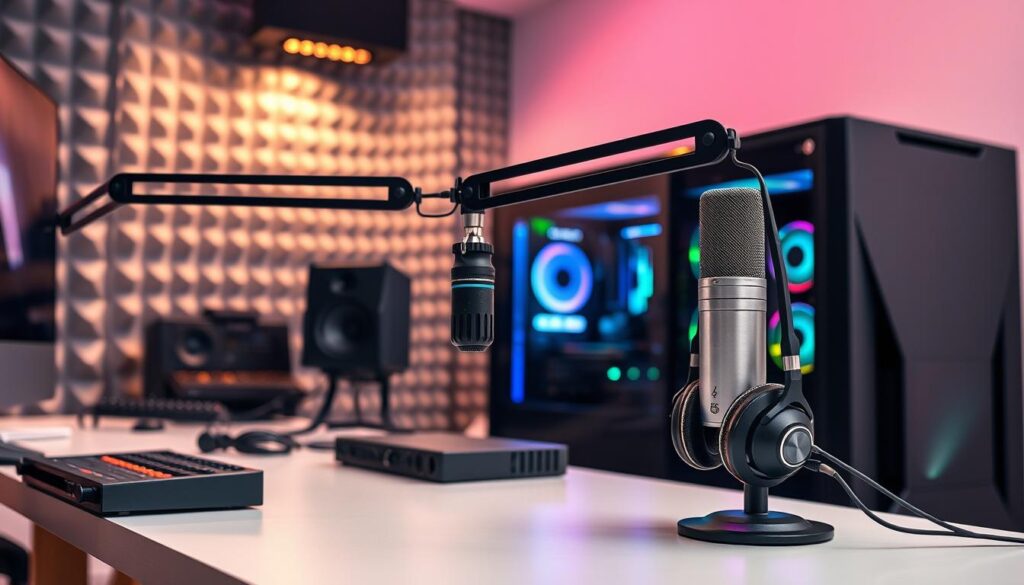
First, a nod to the all-in-one wonders. Headsets like the SteelSeries Arctis Nova Pro Wireless are the Swiss Army knives of streaming audio. They offer a “full wireless audio system” with AI-powered noise cancellation that makes your voice crisp. For many, this is the perfect starting point. It proves you don’t need a studio to sound professional.
But to truly ascend, you must enter the arena of dedicated microphones. Here, the first holy war begins: XLR vs. USB.
A USB mic plugs directly into your content creation PC. It’s simple, affordable, and a massive upgrade from any headset. It’s the plug-and-play champion. An XLR microphone, on the other hand, requires an audio interface—a separate box that acts as your sound’s personal concierge. This path offers superior control, richer sound, and room to grow. It’s the choice of professionals who treat audio as a craft, not a checkbox.
The second great debate? Dynamic vs. Condenser microphones.
Dynamic mics are the rugged bodyguards. They reject background noise—keyboard clacks, fan hums, distant sirens. They’re perfect for untreated rooms. Condenser mics are the sensitive artists. They capture a wider, more detailed soundscape. They make your voice sound fuller and more present. But they’ll also pick up your neighbor’s lawnmower.
Your environment dictates your weapon. A noisy apartment? Go dynamic. A quiet, treated space? Condenser will shine.
| Feature | USB Microphone | XLR Microphone | Dynamic Microphone | Condenser Microphone |
|---|---|---|---|---|
| Ease of Use | Plug & Play | Requires Interface | Forgiving | Demanding |
| Sound Quality | Very Good | Excellent & Scalable | Focused, Warm | Detailed, Crisp |
| Background Noise | Moderate Rejection | Depends on Mic Type | High Rejection | Low Rejection |
| Best For | Beginners, Travel | Serious Streamers, Musicians | Untreated, Noisy Rooms | Treated, Quiet Studios |
| Investment | Lower Upfront Cost | Higher (Mic + Interface) | Often Mid-Range | Wide Range |
Now, the supporting cast. A pop filter is non-negotiable. It turns explosive ‘P’ and ‘B’ sounds into gentle puffs of air. Without it, you sound like you’re mic’ing up a thunderstorm.
A boom arm is more than a stand. It declares intent. It gets the mic off your desk, eliminating vibrations, and positions it perfectly. It screams, “I take this seriously.”
Lastly, the audio interface. For an XLR setup, this is the brain. It converts your analog voice into digital data for your content creation pc. It gives you physical knobs for gain control, headphone volume, and sometimes built-in effects. It’s the command center for your sonic identity.
So, where does this leave your content creation pc build? Audio is not a peripheral. It’s a core component. Budget for it like you would a GPU. A great microphone through a clean interface will make a budget webcam look better. It’s the ultimate performance hack.
Ask yourself: Is your audio a fast-food jingle or a symphony? The answer is in your stream’s chat, every single time.
Lighting & Camera Setup
Ever seen a streamer with bad lighting? It looks like they’re in a bunker. Good lighting is key for connecting with your audience. Your face is the main way you connect with viewers. So, lighting it well is essential for a streaming gaming setup.
Forget the ring light. It’s too harsh and common. Real lighting makes your image stand out. The key is three-point lighting.
Three-point lighting makes you look like a host, not just a talking head. The key light shapes your face. The fill light softens shadows. The backlight adds depth and polish. It makes you stand out from the background.
Now, let’s talk about cameras. Do you need a DSLR or mirrorless for better quality? Or are the latest webcams good enough?
It’s a choice between quality and ease. DSLRs offer better images but are harder to set up. Webcams are easier but might not look as good.
- DSLR/Mirrorless + Capture Card: You get top-notch images and control. But, it’s a lot of work. It’s for serious creators.
- Modern High-End Webcam: Webcams have improved a lot. They’re easy to use and offer good quality. But, they might not have the same “pop” as a camera.
Choosing your camera affects your workflow. Do you want to tweak settings or have a simple camera setup? Start with a good webcam. You can always upgrade later.
Your viewers want to see you clearly. Don’t hide in shadows. Light up and choose a camera that shows your story well.
CPU Encoding vs GPU Encoding
Is using 32 cores of a Threadripper for encoding a sign of dedication or a waste? This question is key for those building the best streaming hardware. You’re not just picking a part. You’re picking a side in a silent battle.
CPU encoding, or x264, is like a Renaissance artist. It’s versatile and can produce amazing quality. But, it needs your full attention, using up your cores and threads.
GPU encoding, like Nvidia’s NVENC, is like an industrial assembly line. It’s fast and efficient, made for one job. This lets your CPU focus on running your game.
So, with the AMD Threadripper 9970X and Nvidia RTX 5090 in the game, which wins? Let’s look closer.
| Factor | CPU Encoding (x264) | GPU Encoding (NVENC/AMF) |
|---|---|---|
| Philosophy | The Versatile Generalist | The Specialized Powerhouse |
| Hardware Demands | Heavy on CPU cores (e.g., Threadripper 9970X) | Uses dedicated encoder on GPU (e.g., RTX 5090) |
| Impact on Gaming | Can significantly reduce game FPS | Negligible impact on game performance |
| Quality at Low Bitrate | Traditionally better, more efficient | Now excellent, thanks to RTX 40/50 series |
| Best For | Purists with CPU cores to spare | Gamers who want max FPS |
The gap has narrowed a lot. The RTX 5090’s encoder is so good, it makes old hardware look outdated. Bitrate efficiency used to favor CPU. Now, it’s a close race.
Modern GPU encoders offer stunning clarity. This means you can stream high-quality without hurting your game’s frame rates. Your Threadripper’s extra cores can be used for other tasks.
Is CPU encoding dead? Not at all. For top quality at a given bitrate, a strong CPU is better. It’s the choice of the artist.
But for most people, GPU encoding is the better choice. It’s fast and efficient, without sacrificing quality. Your decision comes down to whether you want to be an artist or an efficiency expert.
Stream Quality vs Gaming Performance
The main challenge in live content creation is deciding between game performance and stream quality. You’re the director, star, and stagehand of a live show. The set can collapse at any moment. This is a deep technical and philosophical choice.
Your PC’s resources are like a fixed budget. Every task, like rendering game worlds and encoding video, uses the same money. If you set your graphics to “Ultra” at 4K, your encoder might struggle. This can make your stream stutter and look bad.
A gaming rig is made to max out gaming performance. It’s a beast that wants more frames. But when you ask it to stream, it can’t handle it. You have to choose between lower resolution, capped frame rate, or less detailed shadows.
A content creation pc is different. It’s like a $10,000 “Supreme Dream Creator” build. It’s over-provisioned for creating, not just playing. It has extra cores and memory for better stream quality without sacrificing gameplay.
So, what are the secret stream-killers? Watch out for these in-game settings:
- Uncapped Frame Rates: Letting your GPU run wild consumes resources your encoder desperately needs. A strategic cap is your friend.
- Extreme Shadow & Lighting: These effects are notoriously heavy on both CPU and GPU. Dialing them down a notch often yields massive overhead with minimal visual loss on stream.
- Ultra HD Texture Packs: They devour VRAM. If your GPU memory is near full, encoding performance tanks.
The savvy streamer practices ruthless resource management. It’s not about having the best of both worlds at every second. It’s about having enough power in your content creation pc to make the trade-offs less painful. You widen the borderlands. You become the digital warlord who decides where the line is drawn, frame by frame, pixel by pixel. The goal isn’t perfection. It’s a sustainable, high-quality compromise where neither your game nor your audience feels cheated.
Bandwidth & Upload Requirements
The biggest problem in a streaming gaming setup isn’t the hardware. It’s the internet connection. Even with a top-notch PC, bad internet can ruin your stream. Your upload speed is key, and it needs to shine.
Don’t believe the “5 Mbps” myth. The real math involves resolution, frame rate, and bitrate. It’s like a digital toll booth.
- Resolution & Frame Rate define the size and speed of the vehicles (your pixels).
- Bitrate is the amount of data you’re trying to shove through the toll booth every second.
Higher resolution and frame rate mean you need a higher bitrate. It’s a must.
Here’s the catch. You might want to send a 6000 kbps (6 Mbps) stream. But if your upload speed is only 5 Mbps, you’re in trouble. Dropped frames, buffering, and a bad presentation are the result. Your streaming gaming setup is held back by a weak link.
Networking hardware is also a problem. Your ISP’s router might not be up to the task. It’s often cheap but not efficient. For a good streaming gaming setup, you need a router that can handle Quality of Service (QoS). This lets you focus on your stream, not your roommate’s movie.
Don’t just do a quick speed test. Check your upload speed during busy times. Look for latency and packet loss. A strong network is as important as a strong PC. A top streaming gaming setup looks at the internet as much as the hardware.
Software Integration Testing
The moment of truth for any streaming setup isn’t the first broadcast—it’s the silent, private chaos of the software rehearsal. Your hardware is a collection of brilliant, expensive components. The software is what forces them to have a conversation. Skip this digital soundcheck, and your live stream becomes an improv show where no one knows their lines.
Think of OBS Studio as the central nervous system. Your GPU, CPU, microphone, and camera are the limbs and senses. Integration testing is how you ensure they don’t suffer a synaptic meltdown the second you hit “Start Streaming.” This isn’t about fancy plugins. It’s about foundational, boring reliability.
Let’s break down the rehearsal checklist. First, scene collections. You must switch from game full-screen to your face cam, to a BRB screen, without a five-second freeze or a total crash. Test every transition until it’s mundane.
Next, the audio mix. This is where digital civil wars start. Your game audio, your crystal-clear microphone, your Discord friends—they all need their own diplomatic channels. Use filters like noise suppression and a compressor. Then listen back. Is your voice drowned out by gunfire? Are your friends’ voices peaking into distortion? Fix it now, not when 500 people are watching.
Lastly, the broadcast pipeline itself. Your stream key, your alerts, your overlays. Test them in a private “test stream” or recording. Is your follower alert firing? Is your webcam overlay correctly positioned? This is the digital duct tape inspection. Hope is not a strategy here.
The goal is to make the process of going live boringly reliable. When everything works as intended, you can focus on performance and engagement, not technical panic. The best streaming hardware in the world is utterly defeated by shoddy software integration. Your investment deserves this final, critical audit.
Budget Streaming Setups
Building a streaming rig doesn’t have to break the bank. “Budget” means different things to different people. It ranges from a student living on ramen to someone with a $5,000 limit feeling frugal.
The key is not just about the price. It’s about using your money wisely. You don’t need to spend a lot to get a good setup. Being smart with your budget is more important than being rich.
So, where do you start? First, decide what you can’t live without. Do you need perfect 4K60 video or is 1080p60 enough? Your choice will guide your spending.
For most, a single-PC setup is the best choice. It saves you money by not needing a capture card. Use that saved cash for a top-notch used GPU, like an NVIDIA RTX 3060 Ti or 4070.
Don’t overlook audio quality. A good USB microphone is more important than a complex XLR setup. A Blue Yeti or Rode NT-USB gives you pro sound without the extra cost. Bad audio is noticed faster than bad video.
Think about using what you already have. An old 1080p webcam and your phone can be great for now. Upgrade piece by piece as you need to.
This table shows how to spend your budget wisely. It highlights where to focus for the biggest impact.
| Budget Tier | Focus Area | Key Component Strategy | Performance Outlook |
|---|---|---|---|
| Sub-$1,000 (Ramen Mode) | Core Stability | Used last-gen GPU (RTX 20-series). Focus on CPU with strong single-core performance. Basic USB mic. | Reliable 1080p30/60 streaming. Game settings may need tuning. |
| $1,000 – $2,500 (The Sweet Spot) | Balanced Power | New mid-tier GPU (RTX 4060/70). Dedicated streaming CPU cores (Ryzen 7/Intel i7). Upgrade to premium USB mic. | Excellent 1080p60 or solid 1440p streaming. High in-game settings. |
| $2,500 – $5,000 (High-End “Budget”) | Future-Proofing | High-end current GPU (RTX 4080). CPU with max cores for encoding (Ryzen 9). Consider entry XLR audio. Invest in lighting. | Flawless 1440p or entry 4K streaming. This is a content creation pc that won’t sweat. |
The GPU encoder is your best friend. NVIDIA’s NVENC or AMD’s AMF make a huge difference. They handle the streaming load, freeing your CPU to run the game. This is the single biggest hack for best streaming hardware on a budget.
Knowing when to stop spending is key. The jump from a $300 to a $1,000 microphone is small. The leap from a $500 to a $1,500 GPU might not be noticeable. Be honest about what your audience will see and hear.
The final piece is your mindset. Your $5,000 Dream Machine might be someone else’s “budget” ceiling. That’s okay. Aim to build a solid foundation without breaking the bank. With smart choices, your content creation pc will look and sound great, without the high price.
Professional Creator Builds
Your streaming gaming setup has grown. It’s now a studio, edit bay, and office. You move from “can it run the game?” to “can it handle everything without complaining?”
Imagine an AMD Threadripper 9970X handling a 4K render while you stream. Picture 128GB of DDR5-6400 memory so you never close a tab. An NVIDIA RTX 5090 manages the game’s encoding and more, all at once. This PC is a statement of total control.
Peripherals like the LG 38″ monitor and Logitech MX Mechanical keyboard control your setup. For tips on balancing these components, check out building a streaming-ready gaming PC. The aim is stability, quick scene changes, and gear that never fails.
This is the ultimate goal. Your setup is the foundation of your brand. The content creation PC drives your empire. You’re not just playing games; you’re running a business powered by tools and services like multiplayer game hosting solutions that help creators build interactive communities and shared experiences.