

PC Setup Optimization has become less about chasing the newest part and more about protecting the whole build from price pressure, heat, storage limits, and weak upgrade paths. As of November 7, 2026, the PC parts market is still strained by demand for memory, storage, and GPUs, with AI infrastructure buying adding pressure to consumer availability. Tom’s Hardware has warned builders to watch temperatures, aging AIO coolers, older PSUs, and boot-drive endurance while component costs stay difficult. That is the right starting point: a better setup is not only faster, it is easier to maintain and less likely to force an expensive emergency replacement.
For gaming PCs, the demand problem shows up in two ways. First, more players want systems that can handle 1440p, high-refresh displays, large game installs, streaming, and background apps. Second, parts that used to be easy budget fixes, especially RAM and SSDs, are not always cheap enough to treat as afterthoughts. A sensible setup now starts with the games you play, the monitor you own, and the parts that will survive more than one upgrade cycle.
Why PC Setup Optimization Starts With Demand
Match The Build To The Display First
The monitor is still the most practical anchor for a gaming setup. A 1080p esports player, a 1440p single-player fan, and a 4K buyer do not need the same GPU, storage plan, or cooling budget. Higher resolution and higher refresh rates push the graphics card harder, while modern game libraries make storage feel smaller much faster than it looks on a spreadsheet.
This is where buyers get into trouble. They pick a GPU tier first, then cut the case, power supply, cooler, or SSD to make the total work. That can create a system that looks strong on the spec sheet but feels compromised in daily use. A cramped case can raise noise. A weak PSU can limit the next graphics-card upgrade. A tiny boot drive can become a constant uninstall cycle once a few large games and launchers are installed.
PC Setup Optimization Priorities By Budget
Good PC Setup Optimization means deciding which cuts are harmless and which cuts cause pain later. Storage is tempting to reduce because it does not usually change average frame rates in a simple parts-list comparison. That does not make it unimportant. Moving from an older SATA SSD to a modern NVMe drive can improve load behavior and reduce storage-related dips in some gaming workloads, based on recent hardware testing noted in the supplied research. The safer buying lesson is not that every gamer needs the fastest PCIe 5.0 SSD. It is that an old or nearly full boot drive should not be ignored.
For most gaming setups, a good PCIe 4.0 NVMe SSD remains the more sensible target than paying extra for PCIe 5.0 purely for games. PCIe 5.0 bandwidth can matter for heavy sequential file work, large media transfers, and workstation use, but many gaming workloads do not gain enough to justify making the GPU, PSU, or cooling worse. If the budget is tight, capacity and reliability usually matter more than chasing the highest headline SSD speed.
Component Selection That Ages Better
GPU Choices Should Fit The Games, Not The Hype
The graphics card is still the most expensive decision in many gaming PCs, but it should not absorb the whole setup budget. High-end GPUs can serve demanding 1440p and 4K players well, yet no card guarantees a fixed frame rate across every game, patch, engine, driver, and graphics preset. Treat published benchmarks as a guide to relative performance, not a promise for your exact system.
Memory bandwidth and VRAM capacity also matter more as resolution, texture quality, and data-heavy features rise. The supplied research points to GPU memory bandwidth as a limiting factor in high-resolution, AI-related, and data-intensive workloads. For a gaming buyer, that means a cheaper card with too little memory headroom may age poorly, even if it looks acceptable for lighter games today. That does not mean every player needs a flagship GPU. It means the GPU should match the monitor and the expected game library before the rest of the parts list is trimmed.
CPU And Platform Choices Need Upgrade Room
CPU buying has become more platform-sensitive. The research notes describe 2026 desktop CPU gains as modest across some newer parts, which makes motherboard and socket support more important than buying only for a small performance step. If two CPUs are close enough for your games, the better platform may be the one with the cleaner upgrade path, stronger motherboard availability, and memory support that fits your budget.
This is also where reuse can help. If your existing CPU is not the main limiter, spending on a better GPU, SSD, power supply, or cooler may create a more noticeable improvement. If your system is older and locked to slow memory or a dead-end board, a platform refresh can make sense, but only if the motherboard, RAM, and cooler costs are included from the start.
Power, Cooling, And Storage Are Not Afterthoughts
Keep Heat And Power Headroom In The Plan
High-demand setups need stable power and controlled thermals. The research notes cite high-performance GPU and CPU classes that can push serious power levels, and a University of Texas hardware-trends paper discusses how system integration, memory, interconnects, and high-performance computing hardware create growing pressure around power and cooling design in modern systems. A gaming desktop is not the same as a server node, but the lesson carries over: heat and power delivery are part of performance, not cosmetic extras.
A PSU should be chosen for the actual graphics card, CPU, connectors, and future headroom, not just the minimum number listed on a product page. A cooler should fit the CPU’s heat output and the case airflow. Case airflow matters too: a strong GPU inside a glass-front case with poor intake can run louder than expected. None of this guarantees higher frame rates, but it reduces the chance that the system becomes noisy, hot, or unstable under long gaming sessions.
Do Not Let Storage Become The First Bad Cut
Game installs, shader caches, captures, mods, and launchers can fill a small SSD quickly. A setup with a fast CPU and GPU still feels awkward if every new release requires deleting three older games. If prices force a compromise, a balanced route is often a reliable NVMe boot drive with enough capacity for the active library, then a second drive later when pricing or budget improves.
Boot-drive health also deserves attention. Tom’s Hardware specifically called out watching boot-drive TBW during the component pricing squeeze, and that advice is practical for anyone trying to extend an existing setup rather than replacing everything at once. If a boot SSD is old, nearly full, or showing health warnings, replacing it may be a smarter first move than a minor CPU upgrade.
Setup Choices For Players Under Price Pressure
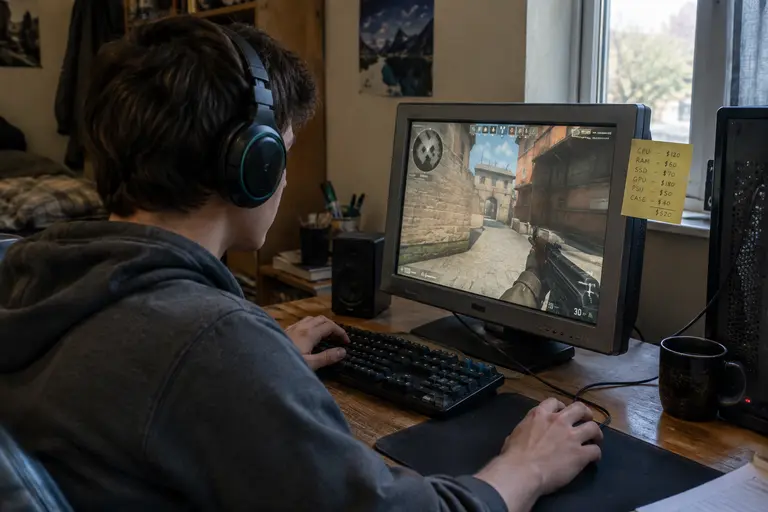
Spend Where The Part Lasts
A good case, PSU, monitor, and SSD can outlive a graphics card. That changes the way a buyer should think about value. A better PSU may support the next GPU. A better case can make several builds quieter. A better monitor can remain useful through multiple GPU generations. For readers comparing budget tradeoffs, our related guide on budget PC build strategies covers the same pressure from the lower-cost side.
Players also need to be honest about the games they actually play. Competitive titles at lower settings, simulation games, modded RPGs, ray-traced single-player releases, and cloud-supported game libraries stress different parts of a setup. Broader player coverage across the same network is available at GameCloud Network, but the hardware choice still comes back to your local display, input devices, storage, and budget.
- Keep: reliable PSU capacity, case airflow, enough SSD space, and a monitor target that matches the GPU.
- Question: premium motherboard features you will not use, oversized coolers for low-power CPUs, and PCIe 5.0 SSDs bought only for gaming.
- Avoid: buying a flagship GPU while cutting the PSU, using a nearly full old boot drive, or assuming every new CPU generation is worth a full platform rebuild.
PC Setup Optimization For Increased Demand
Treat PC Setup Optimization as a full-system planning exercise, not a single upgrade. Start with the monitor resolution and refresh target, then choose the GPU tier that fits your games without starving the rest of the build. Check whether the CPU is truly limiting the experience before replacing the platform. Prioritize a dependable SSD setup over chasing the fastest interface label. Give the PSU and cooling enough room for long sessions and future parts.
The best setup for increased demand is not always the newest or most expensive one. It is the one that keeps the system balanced while prices are tight: enough graphics power for the display, enough storage for the library, enough cooling for sustained loads, and enough platform flexibility to avoid starting from zero at the next upgrade.