
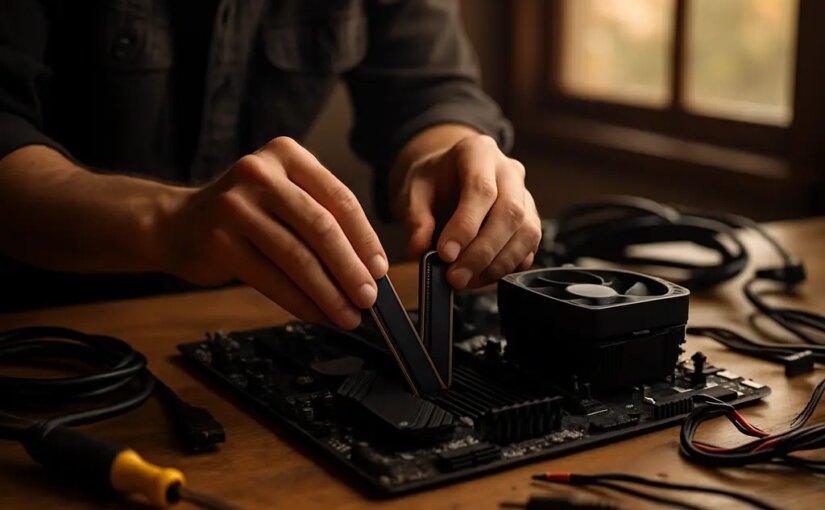
A Gaming RAM Upgrade in 2026 is no longer a cheap checkbox on a parts list. The RAMpocalypse has turned memory into one of the most awkward buying decisions in a gaming PC build, especially for players who planned around late-2025 prices. Tom’s Hardware reported that, as of August 2026, a 32GB DDR5-6000 kit that could often sit around $70 to $100 in late 2025 had moved into the $350 to $400 range in many U.S. stores, while DDR4 kits had also climbed sharply since October 2025 Tom’s Hardware RAM tracking. That does not mean every buyer should panic-buy the next kit they see. It does mean the old advice of just grabbing 32GB of fast DDR5 because it is cheap does not fit the market on September 21, 2026.
The smarter move is to treat memory like a budget-control part. RAM still matters, but it should not force you into a weaker GPU, a tiny SSD, a questionable power supply, or a motherboard that blocks your next upgrade. The goal is not to buy the flashiest kit. The goal is to buy the right capacity, sane speed, and compatible module set for the games and apps you actually use.
Why RAMpocalypse Pricing Changes The Build
The Price Spike Is A Whole-System Problem
High RAM prices hurt because memory sits near the center of the build plan. A buyer choosing between a better graphics card and a bigger DDR5 kit now has to make a real trade. In a normal low-price memory cycle, stretching from 16GB to 32GB is easy to justify. In the 2026 market, that same jump can eat money that might have gone toward a stronger GPU, larger SSD, better case airflow, or a higher-quality power supply.
The cause is not just ordinary PC demand. Digital Trends tied the 2026 RAM crunch to heavy AI and server demand for DRAM, with that demand pulling capacity away from consumer PC and gaming memory supply Digital Trends on RAM pricing. For gamers, the result is simple: RAM is being priced by a market much bigger than desktop builders.
That is why timing advice has become harder. Waiting may help if a specific kit drops or retailers clear older stock. Waiting can also hurt if the next shipment arrives at a higher cost. Prices and stock can change quickly, so treat any listed kit price as temporary rather than a stable baseline.
Gaming RAM Upgrade Priorities For 2026
Gaming RAM Upgrade Baseline: 16GB Or 32GB
The first decision is capacity. For a new gaming PC, 16GB should be treated as the floor rather than the luxury tier. It is the amount that keeps a budget build realistic without pretending that 8GB still feels comfortable across modern AAA games, launchers, voice chat, browser tabs, and background tools.
That said, 32GB is not automatically the right buy at any price. If you only game, do light browsing, and avoid heavy mods or capture workflows, 16GB can still be the practical starting point during the RAMpocalypse. A Gaming RAM Upgrade to 32GB makes more sense if you stream, run Discord and browser tabs while playing, install large mod packs, edit clips, keep creative apps open, or want more headroom for the next few years. For workstation-style loads, 64GB and above may be justified, but 2026 pricing makes that a serious budget item rather than a casual add-on.
| Use Case | Practical RAM Target | Budget Note |
|---|---|---|
| Budget gaming only | 16GB | Protect GPU and SSD money first. |
| Mainstream gaming with multitasking | 32GB | Worth considering if the kit price is not inflated beyond your ceiling. |
| Heavy mods, streaming, editing | 32GB | Capacity matters more than chasing premium speed bins. |
| Rendering or large local AI tasks | 64GB or more | Buy only if the workload clearly needs it. |
Do Not Let RAM Steal The GPU Budget
For most gaming rigs, the graphics card still has the biggest impact on the kind of display target you can sensibly chase. If a 32GB DDR5 kit forces you from a stronger 1440p GPU down to a weaker card, the full system may feel worse in games. The same logic applies to storage: a build with enough RAM but a cramped SSD can still become annoying once a few large games are installed.
If you need more market context across memory, SSDs, and graphics cards, Cooler Master Gaming’s 2026 memory crisis analysis covers how upgrade timing is being squeezed across the whole PC parts stack.
Speed Choices And Platform Fit
Capacity Beats Fancy Timings For Most Buyers
DDR5-6000 has been a popular target for modern gaming builds, but the 2026 pricing gap makes speed chasing much harder to defend. If DDR5-4800 or DDR5-5200 is much cheaper and fully supported by your CPU and motherboard, those kits may be the better value call for a budget-aware build. The point is not that speed never matters. It is that paying a large premium for higher bins can be a poor trade if the rest of the system is underfunded.
Check the motherboard memory support list before buying, especially if you are mixing high capacity with higher speeds. Two sticks are usually the cleaner route for mainstream desktops than filling every slot at once, because it reduces the chance of compatibility headaches. Avoid mixing random kits unless you are comfortable troubleshooting speed, stability, and profile settings.
DDR4 Is Not A Free Escape Hatch
DDR4 can still be cheaper than DDR5, but the research notes show that DDR4-3200 and DDR4-3600 kits have also risen sharply since late 2025. That changes the value argument for older platforms. If you already own a solid DDR4 motherboard and CPU, adding more DDR4 may still be sensible. If you are building from scratch, buying into an older platform only because DDR4 looks cheaper can backfire if the board, CPU, and upgrade path do not fit your longer-term plan.
For gaming families or shared PCs, think about what is actually being played. A household focused on esports, indie games, and older titles may not need the same RAM budget as a player building for large open-world releases and heavy modding. Sites like Most Plays, a related site in the gaming network, can be useful for keeping your parts plan tied to real play habits rather than spec anxiety.
Buying Tactics That Still Make Sense

Set A Ceiling Before You Shop
The easiest way to overspend is to shop without a limit. Before picking a kit, set a hard ceiling for memory and decide what you will protect in the rest of the build. If the kit crosses that line, step down in speed, wait for a better listing, or choose 16GB now with a clear plan to move to 32GB later using a matched kit if the platform allows it.
- Buy a matched two-stick kit instead of piecing together random modules.
- Prioritize capacity first, then compatible speed, then timings.
- Check motherboard support pages before paying for premium DDR5.
- Do not sacrifice PSU quality, SSD size, or GPU tier just to buy faster RAM.
- Track prices across several reputable retailers because stock can shift fast.
Be careful with used memory as well. A clean used kit from a trusted seller can be reasonable, but warranty status, return windows, and kit matching matter. If the savings are small, a new kit with a proper return policy may be the safer buy.
Upgrade In Stages If The Platform Allows It
A staged upgrade can work if you are honest about the tradeoffs. Starting with 16GB keeps the system moving and may free money for a better GPU or SSD. Later, you can replace the kit with 32GB if prices soften or your workload grows. The risk is that adding a second unmatched kit later may not run at the same settings, so plan around replacement or a matched kit rather than assuming any two modules will behave well together.
Prebuilt buyers should check the exact memory configuration before ordering. A system advertised with 16GB may use one stick or two. A single-stick setup can limit memory bandwidth compared with a dual-channel arrangement, so the upgrade path matters. If the vendor does not clearly list the layout, ask before buying or choose a model with clearer specs.
Gaming RAM Upgrade Plan For 2026
The sane RAMpocalypse plan is direct: buy the least wasteful kit that fits your platform, games, and multitasking habits. For a strict budget build, 16GB is the practical minimum. For a main gaming PC that also handles streaming, mods, clip editing, and lots of background apps, 32GB is the safer target if the price does not wreck the rest of the parts list. For specialist work, 64GB and above should be tied to a real workload, not vague comfort.
Use the Gaming RAM Upgrade plan as a guardrail rather than a brand checklist. Start with your motherboard and CPU support. Pick capacity. Compare DDR5-4800, DDR5-5200, and DDR5-6000 pricing instead of assuming the fastest common kit is the best deal. Protect the GPU, SSD, power supply, and case airflow budget. The RAMpocalypse has made memory painful, but a balanced 2026 gaming rig is still possible if you buy for your actual use instead of chasing the most expensive kit on the shelf.