

Forget the spec sheet. The real story of high-performance hardware isn’t found in press releases. It’s a daily battle in labs and test chambers.
This isn’t about the polished marketing story. It’s about the real calculus. The physics of heat, noise, and fighting the second law of thermodynamics.
Forget the marketing fluff. We’re diving into the lab for a different kind of hardware talk. We talked to engineers who fight thermal throttling every day. They share their battles with vapor chambers, acoustic tuning, and keeping silicon from overheating.
What you’re about to read is a unique hardware interview. We’re not discussing features. We’re talking to the engineers like Sridevi Iyengar and Girish Kini. They think in terms of thermal gradients and airflow vectors.
Ready to get your hands metaphorically dirty?
Background: role and recent projects
To grasp the future of computing, we must first understand the people behind it. A thermal architect is more than an engineer; they are a translator, physicist, and material scientist. They manage heat flow from a hot GPU to the air, ensuring systems stay stable.
This field emerged from the need for more performance in smaller spaces. It has evolved from simple heatsinks to complex systems that manage heat with precision. This is where art meets physics.
The Human Element in the Equation
Becoming a thermal architect is not accidental. It starts with curiosity about how things work. It’s a career that combines physics with artistry.
Sridevi Iyengar’s work is a prime example of applied thermodynamics. She uses CFD simulations to predict heat flow, saving millions. Her work keeps servers running without overheating.
Girish Kini’s research at Georgia Tech focused on new cooling methods. His work on adsorption chillers uses heat instead of electricity, a game-changer for sustainability.
These engineers are not just solving for “hot.” They tackle the complex problem of cooling expensive hardware. For those interested in this field, a unique blend of skills and perspective is required.
Recent projects are pushing the limits of what’s possible:
- Vapor Chamber Integration: Using flat, two-phase cooling systems for better heat distribution.
- Active Noise Cancellation for Fans: Canceling fan noise with software and microphone arrays.
- Phase-Change Materials (PCMs): Using materials that absorb heat as they melt, acting as a thermal buffer.
The trend is moving from brute-force cooling to smart, material science-driven solutions. Modern thermal architects must be experts in materials science, acoustics, and CFD. They design environments where silicon can perform at its best, ensuring the next generation of hardware stays cool.
Compact GPU/case thermal challenges today
Building a high-performance PC used to focus on raw power. Now, it’s about balancing heat and design. We pack powerful components into small, stylish cases. This creates a thermal paradox: how to cool a 400-watt space heater in a tiny space.
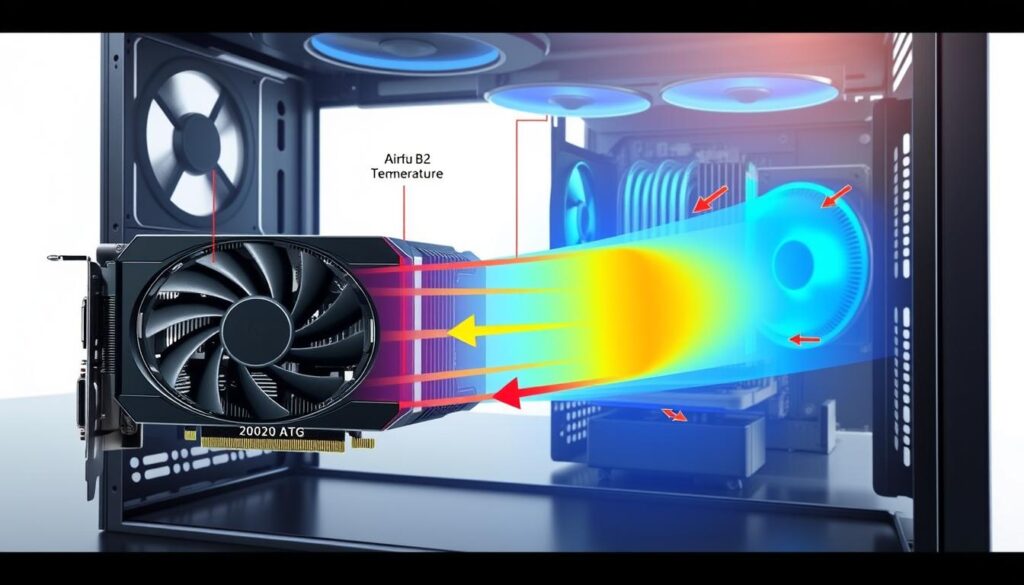
The main issue is moving heat somewhere. High-efficiency coolers are useless if there’s no air to move. This creates a “sauna effect,” trapping heat in a small space. True airflow optimization starts with the environment, not just the cooler.
The Physics of a Tight Squeeze
Your PC case is like a tiny, sealed world. Every watt of power turns into heat. In a small case, this heat has a hard time escaping.
The first law of thermodynamics is clear: energy stays the same. The heat from your GPU and CPU goes to the air and parts. This creates hot spots that can slow down your PC and shorten its life.
Girish Kini’s work on data centers shows the same problem on a huge scale. Our small PC cases face the same heat crisis. The solution isn’t just a better cooler; it’s systemic airflow optimization from the start.
The table below shows the thermal trade-offs in different case layouts, a key consideration for airflow optimization:
| Case Layout | Thermal Profile | Airflow Optimization Challenge | Best For |
|---|---|---|---|
| Traditional Mid-Tower (Mesh Front) | Excellent, high airflow | Balancing intake/exhaust; dust management | High-performance air cooling |
| Small Form Factor (SFF) | Very High (Dense Heat) | Extremely limited internal volume for air movement | Efficiency-focused builds, LAN rigs |
| Inverted Layout (PSU shroud) | Good, with separation | GPU can starve for fresh air; requires directed airflow | Clean builds with visible components |
True airflow optimization in tight spaces is about smart design. It’s about creating a “wind tunnel” effect. The goal is to have cool air enter, pass over hot parts, and leave before heating up.
Cooling a modern GPU is more than just the heatsink. It’s about the whole case ecosystem. Even the best coolers fail if they can’t get cool air or release heat. The real challenge is moving heat out of the case.
Design choices: vapor chambers, fin stacks, heatpipe routing
The art of cooling design goes beyond basic physics. It involves choosing the right materials and structures. Engineers turn raw materials into solutions that keep silicon cool. The key elements are vapor chambers, fin stacks, and heatpipes.
These components work together in a complex dance. Each part must perform perfectly to cool efficiently. It’s a blend of materials science and fluid dynamics.
The Art of the Heat Spreader
The heat spreader is at the core of cooling solutions. It connects the hot GPU or CPU die to the cooling system. This isn’t just a simple metal slab. It’s a carefully crafted interface for uniform contact.
The success of vapor chambers, heatpipes, and fins depends on this initial contact. It’s the first move in a thermal chess game.
A vapor chamber is like a flat heat pipe. It’s a liquid metal that spreads heat evenly. A small amount of fluid vaporizes on the hot spot and spreads across the chamber.
This creates a highly efficient heat spreader. It’s far better than solid copper or aluminum plates. It’s a phase-change heat superhighway.
Fin Stacks: The Art of the Finely Tuned Radiator
The fin stack is where heat meets the air. It’s not just a metal block with slits. Each fin is designed for maximum surface area and airflow.
Modern fin stacks are a blend of material science and fluid dynamics. They’re made from ultra-thin aluminum or copper fins. The spacing between fins is critical for airflow and surface area.
It’s a sculpture in metal, designed to efficiently wick heat into the airstream. It’s a finely tuned radiator.
Heatpipe Highways: Navigating the Motherboard Jungle
Heatpipes are like the interstate system for thermal energy. They’re sealed copper tubes with a wick structure and working fluid. They carry heat away from the source to the fin stacks.
The routing of these heatpipe highways is a 3D puzzle. They must avoid “traffic jams” on the motherboard. The goal is to find the most direct path to the cooling fins.
Acoustic tuning: fan geometry, bearings, and curve shaping
Having a high-end PC that sounds like a Harrier jet is not cool. The art of acoustic tuning makes a great cooling solution even better. It’s about making the sound quality better, not just quieter.
The Sound of Silence (or the Roar of the Beast)
True acoustic mastery is not about complete silence. It’s about psychoacoustics. A low, smooth sound is less annoying than a high-pitched whine, even if they’re the same decibel level.
Fan Geometry: The Shape of Sound
Old, clunky fans are a thing of the past. Modern fans are all about physics. The shape, angle, and spacing of the blades are carefully planned.
A good blade design cuts down on turbulence. This is what causes annoying sounds. It’s about having a smooth airstream, not a noisy one.
Bearing with the Noise: The Heart of the Hum
The bearing type is key to a fan’s sound. A cheap sleeve bearing might start quiet but can become noisy. Fluid dynamic bearings (FDBs) are the quietest and most reliable.
FDBs use oil to reduce noise and vibration. They offer a smooth, quiet operation. This is a big difference from other bearings.
Here’s a quick breakdown of common bearing types and their acoustic profiles:
| Bearing Type | Noise Profile | Lifespan & Reliability |
|---|---|---|
| Sleeve Bearing | Quiet at first, can develop a low rumble or rattle over time. | Moderate lifespan; susceptible to drying out. |
| Rifle Bearing | Quieter than sleeve, less hum. A good mid-range workhorse. | Better lifespan than sleeve, common in mid-range fans. |
| Fluid Dynamic Bearing (FDB/Hydraulic Bearing) | Exceptionally quiet, with a smooth, low-pitched hum. The gold standard for acoustic performance. | Very high lifespan, excellent dust and heat resistance. |
Curve Shaping: The Art of the Ramp
Modern acoustic tuning focuses on fan speed management. A bad fan curve can make the fan rev up and down annoyingly. This happens when temperatures change slightly.
A good curve is smooth and controlled. It keeps the fan quiet at low loads and ramps up smoothly when needed. This avoids sudden, jarring changes in sound.
The goal of acoustic tuning is to make the PC quiet. It’s about creating a system that works well without being distracting.
Power delivery planning with ATX 3.1 transients in mind
Forget what you thought you knew about power supplies. The old ways, like just looking at wattage, are outdated. Today, components like GPUs don’t just use power; they lunge at it. This is the new reality of PC building, and ATX 3.1 is the guide for this new, more volatile game.
The Power Spikes Are Coming From Inside the Case!
Your high-end graphics card is like a world-class sprinter. It doesn’t just run a marathon; it runs a 100-meter dash, rests for a nanosecond, and does it again. This isn’t a steady power draw. It’s a series of frantic sprints, or “transient spikes,” where the component can demand double its rated power for microseconds. The old ATX 2.x standards weren’t built for this stop-and-go traffic. The new ATX 3.1 spec is the traffic cop, ensuring your power supply can handle the chaos.
An ATX 3.1-compliant power supply is engineered for these power excursions. It’s not just about the total wattage on the box; it’s about the unit’s ability to deliver a 200% power load for 100 microseconds without flinching. If your PSU isn’t ready for this, the system will crash, stutter, or worse, degrade components. It’s like building a sports car but using a fuel line designed for a scooter—it just won’t deliver the juice when you stomp on the gas.
This isn’t just a PSU problem; it’s a system-wide challenge. When your GPU or CPU hits a transient spike, it doesn’t just ask for more power; it dumps a massive thermal load into your cooling system in a fraction of a second. A cooling solution designed only for a “steady rain” of heat will fail during these “flash floods” of thermal energy. The heat sink and fans must be tuned for these microbursts, not just a constant, predictable thermal load.
This is where cooling and power meet. A robust cooling system does more than just move heat; it acts as a thermal capacitor, absorbing and dissipating these sudden bursts of energy. A well-designed thermal solution, paired with an ATX 3.1 PSU, creates a symbiotic relationship. The PSU handles the electrical surge, and the cooler handles the thermal surge, preventing throttling and ensuring long-term component health.
Ultimately, planning for ATX 3.1 transients isn’t just about buying a new power supply. It’s a holistic approach. It’s about understanding that modern computing is a series of controlled explosions, and every part of your system—from the PSU’s capacitors to the fins on your heatsink—must be ready for the spike, not just the average.
Reliability testing: dust, vibration, shipping, hot spots
Your PC build is a masterpiece of cooling and power. But can it survive a rough journey in a delivery truck? Reliability testing is about making components fail in the lab. This way, they won’t fail in your home.
We build for the real world, not just a perfect showroom. Our components face cramped cases, pet hair, and shipping. This test proves a cooling solution’s quality, not just in benchmarks.
From the Lab to the Living Room (and Back in a Box)
Think of a high-end PC component like a Fabergé egg with a heat problem. Shipping it should be safe, not a game of Jenga. Our reliability testing simulates a lifetime of abuse in a short time.
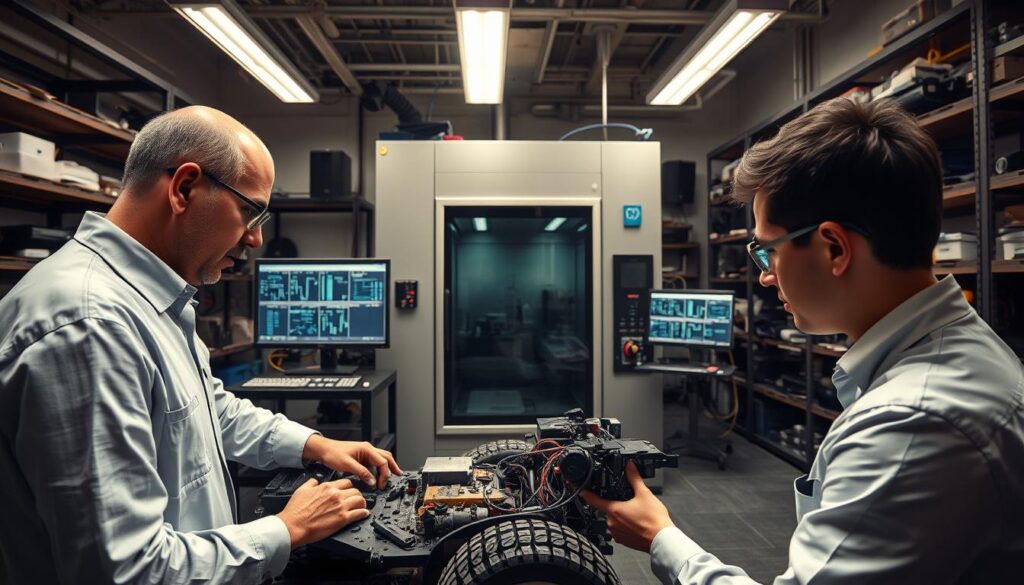
We test for when components break, not just if they work. We find the exact point of failure before you do. This process is a war against entropy, using dust, vibration, and heat.
The goal is to find weaknesses in components. We simulate years of thermal stress in weeks. This thermal cycling reveals weaknesses that simple tests miss.
| Test Type | Method | Duration | Pass Criteria |
|---|---|---|---|
| Dust Ingress | Fine talc (IPA-Non-Bev) is blown through the heatsink at controlled pressures and durations. | 72-hour continuous cycle | Fan function maintained, |
| Vibration | Mounted on a 6-axis shaker table, simulating road freight vibration profiles. | 3-hour sweep (5-500Hz) | Zero component detachment or solder joint failure. |
| Thermal Cycling | Chamber cycles from -10°C to 110°C at component junctions, 1000+ cycles. | 7-10 days | No thermal interface material pump-out or warping. |
| Hot Spot Detection | High-res thermal imaging during full CPU/GPU load, mapping thermal variance across fins. | Real-time monitoring | No single fin or heatpipe >5°C above array average. |
This table is a battle plan, not just a spec sheet. Durability testing for dust keeps your GPU cooler clear. Vibration testing ensures your component arrives in good shape.
This quality assurance is the backbone of a reliable product. It’s the difference between a heatsink that cools and one that lasts. It’s why a well-engineered cooler should outlast its platform, quietly cooling for years.
Materials, manufacturing, and the recyclability endgame
We’ve talked a lot about how coolers perform. But what about their origins and what happens when they’re no longer needed? The story of a heatsink goes beyond its cooling abilities. It has a material and manufacturing story, and a final chapter: its end-of-life.
Sridevi Iyengar, our engineer, shares a key truth: the work doesn’t end when the thermal paste dries. It starts with aluminum extrusion and anodizing. The cool, black or colorful fins on your cooler? They began as aluminum, shaped by a press, and then anodized for color and protection.
The Afterlife of a Heatsink
The real challenge and responsibility start here. Design for recyclability is not just a buzzword. It’s a design rule with environmental importance. We aim to make it easy to take apart. Can you separate the copper heatpipes from the aluminum fins without a lot of effort? Is the nickel plating on those heatpipes a problem for recycling?
A cool thermal solution is a composite material success. But it’s bad for the environment if it can’t be recycled. The recyclability endgame must be considered from the start. We need to know if its parts can be recycled or if it’s destined for a landfill.
The table below shows the material and end-of-life considerations for a modern cooler:
| Component | Primary Material | Recycling Challenge | End-of-Life Goal |
|---|---|---|---|
| Fin Stack | Anodized Aluminum | Easy to recycle if pure. Anodized layer is negligible. | Pure aluminum stream for smelting. |
| Heatpipes | Copper (often nickel-plated) | Nickel plating contaminates copper scrap. Must be separated or processed specially. | Separate copper recovery. |
| Cold Plate | Copper or Nickel-Plated Copper | If soldered/brazed to fins, creates a composite material. | Ideally, a separable or solder-free design. |
| Fans & Motor | Plastic, Copper, Steel, Magnets | Complex disassembly; rare-earth magnets and PCBs create e-waste. | Designed for easy disassembly; modular fan replacement. |
This isn’t just about feeling good. It’s a necessary, practical step. The circular economy is a design requirement. The best cooling solution fails if it can’t be taken apart. We must design for recycling, not just performance. The future of cooling is a closed loop, where today’s coolers become tomorrow’s raw materials, not waste.
Quick hits: advice for DIY builders and common myths
Let’s take a quick look at your desk’s physics. Even the best vapor chamber won’t work if it’s not mounted right or if your case is dusty. We’ll debunk some myths and get your fans running smoothly.
The “More Paste is Better” Fallacy
Thermal paste isn’t about using more. It’s about filling tiny gaps between your CPU and the cooler. Use a small dot or an “X” pattern for the best results. Too much paste can trap heat, slowing down your CPU.
The Case Pressure Holy War
The debate over case pressure isn’t about winning. It’s about what works best for you. Positive pressure keeps your case clean by pushing air out. Negative pressure can cool more intensely but attracts dust. For a clean build, choose a slight positive pressure.
The AIO vs. Air Distraction
Choosing between AIO and air cooling depends on your setup. A big air cooler can outperform many AIOs, and it’s quiet. An AIO just moves the heat to a radiator. The best choice is one that fits your needs, not just the marketing.
Cooling is a system, not just parts. It involves paste, pressure, and keeping it clean. Sometimes, the best upgrade is a simple clean with compressed air and a new filter.