
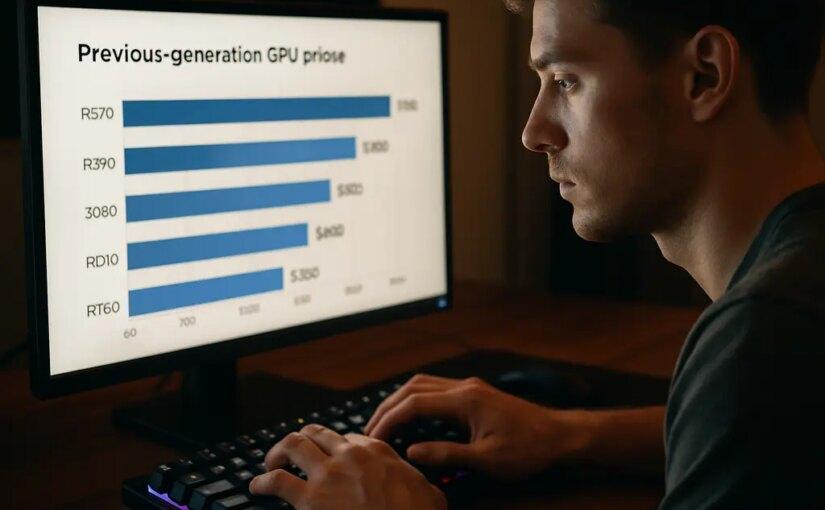
Previous-gen GPUs deserve a serious look in 2026 because new graphics cards are carrying price pressure that can break a budget build before the CPU, memory, case, and storage are even chosen. Tom’s Hardware reported that, across Newegg listings from June to August 2026, the RTX 5060 median price rose by about 27%, while the RTX 5070 rose by about 36% Tom’s Hardware GPU pricing report. Those are not small shifts for anyone trying to build around a fixed target like $800, $1,000, or $1,200.
The appeal is simple: an older card can leave more money for the parts that make a PC feel better every day, such as a reliable power supply, a larger SSD, a quieter case, and enough memory. That does not mean every used RTX 30-series or Radeon RX 6000-series card is a good buy. Age, condition, warranty status, VRAM capacity, seller trust, and driver support all matter. If you want more market context before setting a parts budget, our related 2026 GPU buying tactics piece is worth reading alongside this build plan.
Why Previous-Gen GPUs Fit 2026 Budgets
Current-Gen Pricing Has Raised The Entry Cost
The reason older cards are back in the conversation is not nostalgia. It is pricing. BottleneckPC’s GPU price data showed average current-generation street pricing in July 2026 at about 58% above launch MSRP, with the worst markups concentrated higher in the stack and mid-range cards closer to MSRP BottleneckPC GPU data. Street prices change quickly, and launch MSRP is not the same as real shelf value, but the signal is clear enough: buying new no longer automatically means buying smart.
For a cost-effective gaming PC, the GPU should match the monitor and games first. A 1080p build for competitive games can often survive with a lower GPU tier than a 1440p single-player build with higher texture settings. A 4K build is much harder to keep affordable because the graphics card carries more of the workload, and high-end new cards are where price increases tend to hurt most.
Where Previous-Gen GPUs Still Make Sense
Previous-gen GPUs are most interesting for players who want strong 1080p or sensible 1440p gaming without paying the current-gen premium. The RTX 30-series and Radeon RX 6000-series are the main used-market names to watch from the research notes, but the model matters more than the generation label. VRAM capacity, cooler condition, power draw, and local pricing should decide whether a specific card is worth buying.
The safest way to think about an older graphics card is as a budget rebalancing tool. If choosing a used GPU lets you move from a tiny SSD to a 1TB drive, buy a better PSU, or avoid a weak motherboard, the full PC may end up more pleasant to own. If the older card forces you into questionable condition, no return option, or too little VRAM for the games you play, the deal is not really a deal.
How To Shop Used Cards Without Guesswork
Condition Checks Matter More Than The Sticker Price
A used graphics card should be treated like a major component, not a random accessory. Ask for clear photos of the card, outputs, cooler, fans, power connectors, and backplate if it has one. Check whether the seller can show the card running in a system. If buying locally, inspect for heavy dust, bent fins, damaged screws, corrosion, odd fan noise, or signs that the cooler has been removed poorly.
For online purchases, prioritize return protection over saving a few extra dollars. A slightly cheaper card from a risky seller can become more expensive than a new GPU if it arrives unstable. Used cards can be good value, but no buying guide can guarantee how a single second-hand unit was cooled, powered, stored, or handled.
- Confirm the exact model name, VRAM capacity, and power connectors before paying.
- Check the card length against your case clearance and front fan layout.
- Make sure your PSU has enough suitable PCIe power leads for the card.
- Look for a return window or buyer protection, especially for online listings.
- Test thermals, fan noise, display outputs, and stability as soon as it arrives.
Driver Support And VRAM Should Shape The Shortlist
Driver support is a practical concern for any older GPU. Before buying, check the official driver page for the GPU family and confirm the operating system you plan to use is supported. You do not need the newest architecture for every gaming PC, but you do want a card that still receives workable software support for your games and display setup.
VRAM is the other filter. An 8GB-class GPU can still make sense for many budget 1080p builds, but higher-resolution textures, 1440p targets, heavy ray tracing settings, and newer open-world games can be less forgiving. That does not mean every buyer needs more memory at any price. It means the cheapest listing should not automatically win if another card has a better memory setup for the games you actually play.
Build Priorities Around An Older GPU
Start With The Monitor, Not The Graphics Card
Previous-gen GPUs work best when the display target is honest. A budget builder using a 1080p monitor has more room to shop older midrange cards without feeling boxed in. A 1440p buyer should be more careful about VRAM and performance reviews for the exact games they care about. A 4K buyer should be cautious, because saving on the GPU may also mean lowering settings, using upscaling where available, or accepting that demanding games may need compromises.
This is where review data matters. Do not buy based only on brand tier names like “70-class” or “XT.” Compare reputable benchmarks for the exact GPU, resolution, and game type. Some titles lean harder on VRAM. Others care more about raw shader performance, ray tracing hardware, or upscaling support. The best budget card for esports is not always the best card for large single-player games.
Protect The Parts That Outlive The GPU
The GPU is usually the most exciting line on a parts list, but it is also one of the easiest parts to replace later. A good case, decent airflow, reliable PSU, and sensible storage can last through more than one graphics-card upgrade. That makes them poor places to cut too deeply just to chase a faster used card.
A cost-effective 2026 desktop should still aim for a modern 6-core CPU class, 16GB to 32GB of RAM depending on budget and platform, an SSD large enough for the games you keep installed, and a power supply that is appropriate for the chosen card. Those targets come from the research direction for 2026 budget builds, but exact part choices need current pricing checks because memory and GPU prices have been moving.
| Build Target | GPU Buying Logic | Risk To Watch |
|---|---|---|
| 1080p budget | Older midrange cards can be sensible if priced well. | Too little VRAM or poor seller protection. |
| 1440p value | Prioritize stronger used models and adequate memory. | Overpaying for an old card near new-card pricing. |
| Small-form-factor PC | Check card length, heat, and power draw first. | Buying a card that physically fits but runs loud. |
| Upgrade-only build | Match the GPU to the existing PSU and CPU. | Creating a platform bottleneck or PSU issue. |
Where New Cards Still Beat The Used Deal

A New Warranty Can Be Worth Paying For
Used value is not the same as universal value. A new card can still be the smarter purchase if the price gap is narrow, the warranty is strong, or the buyer cannot test a used card quickly. Newer cards may also offer better media engines, newer upscaling features, lower power use, or stronger support in specific software. Those advantages vary by model, so they should be checked against real reviews rather than assumed from the box generation.
Retailer return windows also matter for first-time builders. If this is your first PC, paying a bit more for a card that can be returned easily may reduce stress. Debugging a used GPU, used motherboard, and used PSU at the same time is not fun, especially if the seller disappears after payment.
Clearance Can Beat The Used Market
Do not ignore new-old-stock or clearance cards. Sometimes a last-generation GPU sold new at a discount is the best middle ground: older architecture pricing with a cleaner warranty path. The catch is that clearance pricing is uneven. One store may have a strong deal, while another may list the same old card above newer alternatives.
The right move is to compare total platform cost, not just GPU cost. If a cheaper older card needs a bigger PSU, a roomier case, or extra cooling, the savings shrink. If a more efficient new card lets you keep your existing power supply and case, the new card may be better even if its sticker price is higher.
For readers looking for more information on consumer tech, Rave Tech is part of the same network and provides further insights. For this build, though, keep the buying decision grounded in your local GPU prices, return options, and the games you actually play.
Previous-Gen GPUs Build Plan For 2026
Previous-gen GPUs are not a magic fix for 2026 pricing, but they are one of the strongest tools budget builders have left. The practical plan is to set the monitor target first, choose the GPU tier second, then protect the power supply, case airflow, SSD capacity, and memory budget from careless cuts.
If you are building for 1080p, an older card in good condition can make a lot of sense, especially if it keeps the full system balanced. If you are building for 1440p, be stricter about VRAM, cooler condition, and benchmark evidence from reputable reviewers. If you are chasing 4K, be honest about the cost: older high-end cards may still be expensive, and current high-end pricing remains under pressure.
The best cost-effective gaming PC in 2026 is not the one with the flashiest GPU name. It is the one where the graphics card, monitor, CPU, memory, storage, power supply, and case all fit the same goal. Used and clearance cards can help you get there, but only if the price is right and the card passes the boring checks first.